Analyzing the Network Protocol of Mir4, a Blockchain Game
About the author. I’m Colin Xiao — an independent reverse engineer, mostly working solo on contract jobs. I dig into compiled code of every kind, including but not limited to: Android and iOS apps, x86/x64/ARM native binaries, packers and obfuscators, DRM and license checks, network protocols and APIs, crypto and signature algorithms, malware, game binaries, and embedded/IoT firmware. I also handle large-scale data collection and vulnerability research. If you have any project in mind, I’d be glad to take it on — whatever it is, as long as it’s within my wheelhouse. Just reach out. You can reach me on X at @colinxiao_lab or on Telegram at https://t.me/ColinXiao666.
This research is published for educational and defensive purposes. The target sample is anonymized throughout.
Analyzing the Network Protocol of Mir4, a Blockchain Game
Preface
Blockchain games have been hot lately, so — in the spirit of research — I dug into one game’s entire network framework.
This post won’t tell you the “correct” way up front; it walks through a series of attempts until the right answer emerges. Think of it as reverse-engineering notes. It doesn’t cover unpacking or anti-detection.
Game: Mir4.
Preparation
- Platform: iOS 14.3 jailbroken environment
- Tools: Hopper, IDA, Frida
- Knowledge: a bit of C++ vtable understanding, needed for UE4Dump and ProtoDump
Body
1. Approach
Since this is network-layer analysis, the first step is obviously packet capture — I’ll skip the Wireshark/Charles basics.
I won’t paste screenshots here. From the capture I learned:
- The network interaction is over TCP;
- The protocol is protobuf-based;
- The traffic is encrypted — the first few packets are plaintext, then it’s encrypted. Judging by the byte lengths, it doesn’t look like asymmetric crypto (the lengths don’t match), but that still needs verification.
protoc –decode_raw < binary_file // directly parses a proto protocol
2. Finding an entry point
To analyze the game’s network interaction, you need some understanding of Unreal Engine 4. From the docs, UE4 does networking through UNetDriver, which lives under UWorld. So we need to dump the SDK to get the instantiated objects, then follow UNetDriver in IDA to the networking and encryption flows.
Let’s go.
How does ue4dump work? On Android there’s an open-source UE4Dumper we can reference.
The core idea is to find three memory locations — GNamesArray, GObjectsArray, GWorld — then iterate and read them.
Most existing material is based on UE 4.23; 4.25 changed a couple of things:
GNamesArray→FNamePoolGObjectsArray→TUObjectArray
Finding GWorld has existing writeups, so I’ll skip it and focus on how I found the other two on my own.
FNamePool
First find FNamePool’s constructor in the source and look for a nearby string to anchor on.
/UnrealEngine/Engine/Source/Runtime/Core/Private/UObject/UnrealNames.cpp FNamePool::FNamePool();
With some luck, there’s the string ^ ^:
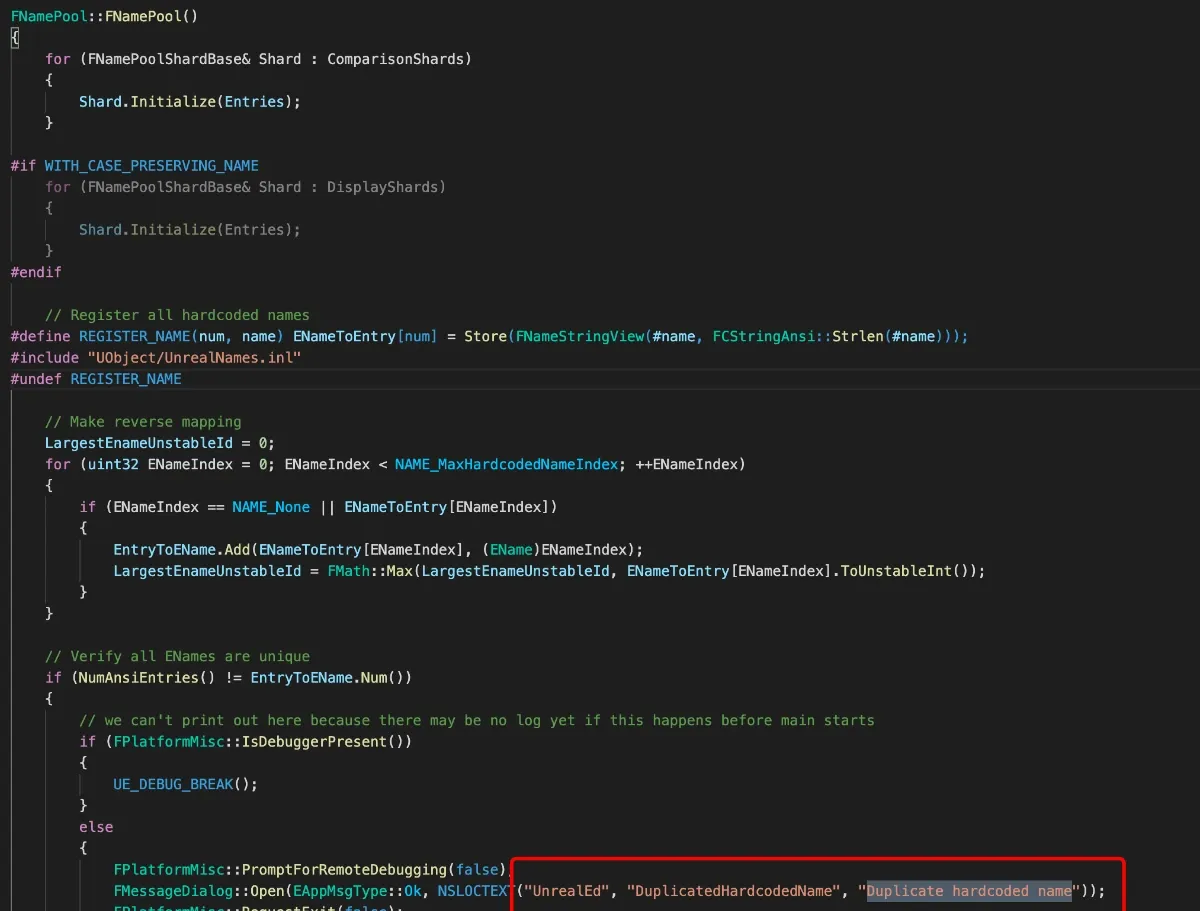
So in Hopper, find that string and its references to get FNamePool:

Go to the top of the function and press X for references:
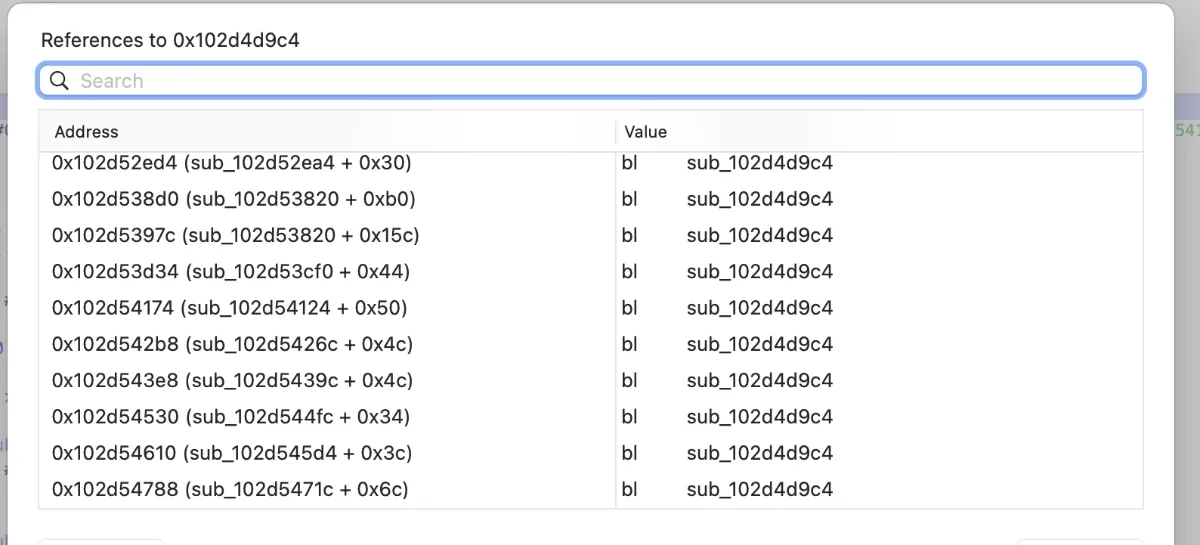
Pick any one and look at the call:

To explain: in C++ object orientation, X0 is generally the this pointer. This function calls FNamePool::FNamePool(), so the X0 object it passes is the FNamePool address: 0x1065c2000 + 0x1c0 = 0x1065c21c0.
TUObjectArray is basically the same.
Then patch UE4Dumper a bit and you get the full SDK:
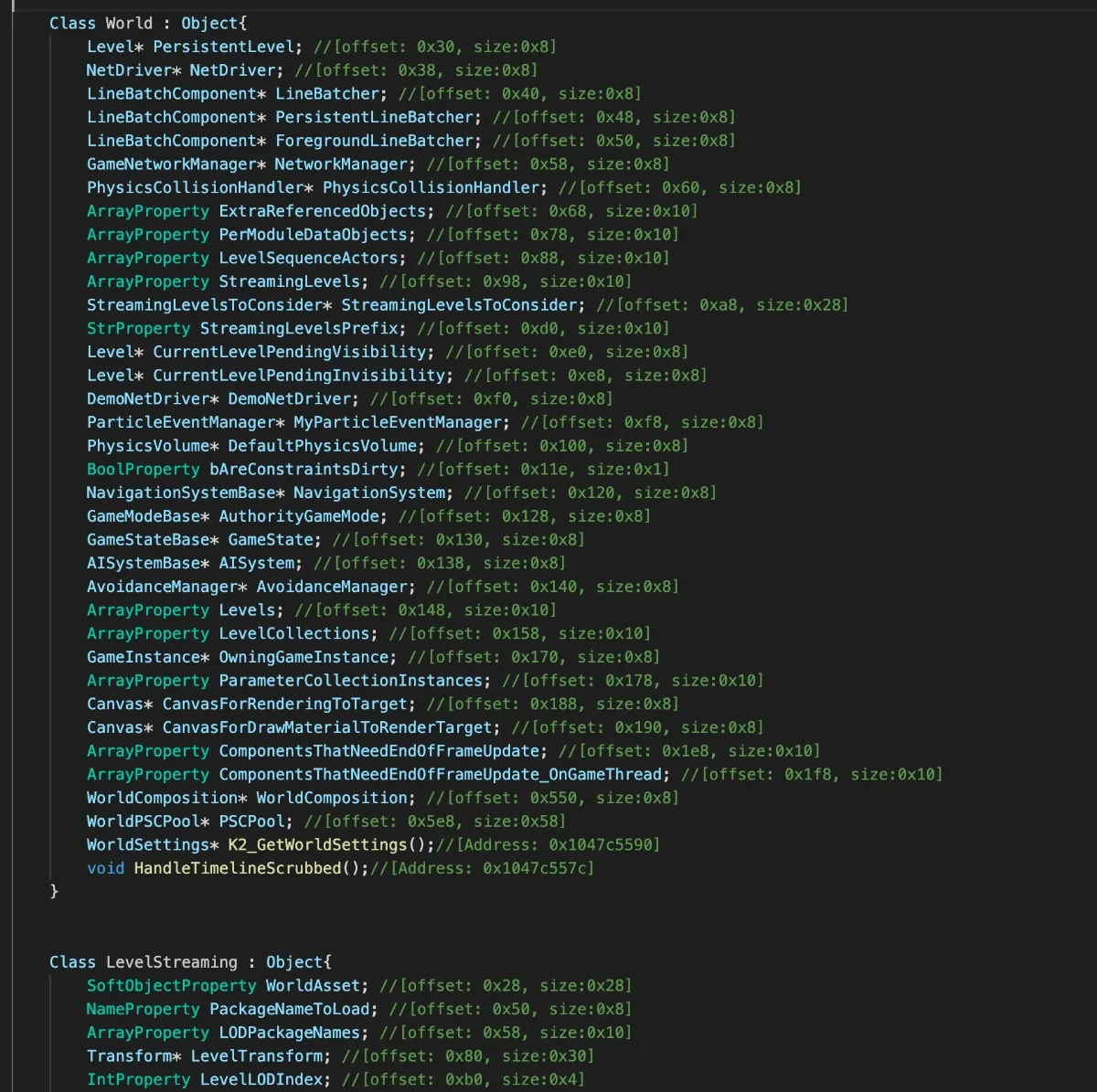
Verifying the approach
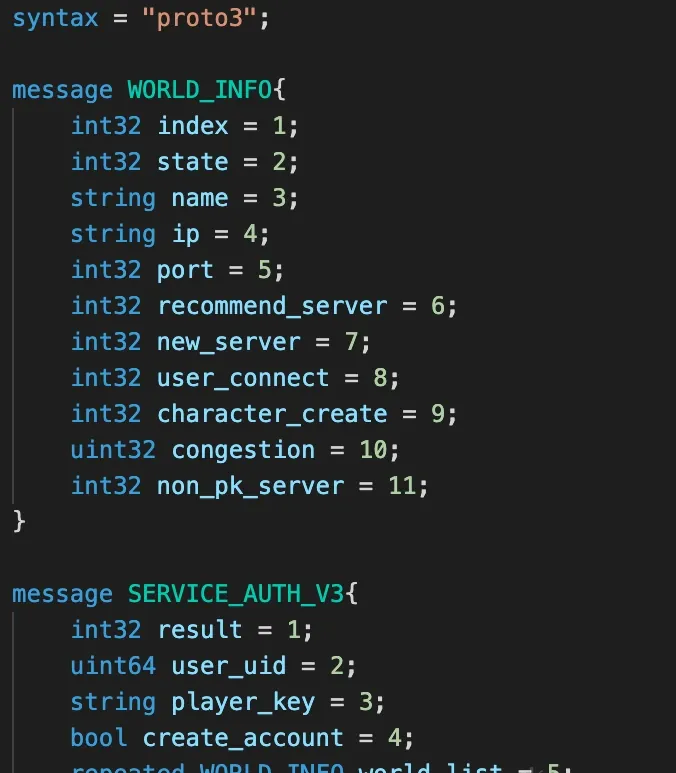
To be continued — I’ll fill this in when I have more free time. It’ll cover finding the entry point, algorithm recovery, and how to dump the proto files; too much to write in one sitting.
The dumped proto files look like this:
Colin Xiao — I take on contract reverse-engineering work, and writeups like this are how I show what I can do. If you need help with anything in this space — including but not limited to the areas I cover above — I’m available. No project is too big or too small — if it’s reverse engineering and I can do it, I’ll take it. DM me on X (@colinxiao_lab) or Telegram (@ColinXiao666).
Get in touch