Bypassing Anti-Debugging in a Short-Video App on iOS
About the author. I’m Colin Xiao — an independent reverse engineer, mostly working solo on contract jobs. I dig into compiled code of every kind, including but not limited to: Android and iOS apps, x86/x64/ARM native binaries, packers and obfuscators, DRM and license checks, network protocols and APIs, crypto and signature algorithms, malware, game binaries, and embedded/IoT firmware. I also handle large-scale data collection and vulnerability research. If you have any project in mind, I’d be glad to take it on — whatever it is, as long as it’s within my wheelhouse. Just reach out. You can reach me on X at @colinxiao_lab or on Telegram at https://t.me/ColinXiao666.
This research is published for educational and defensive purposes. The target sample is anonymized throughout.
Bypassing Anti-Debugging in a Short-Video App on iOS
I’m still learning, and one weekend I decided to reverse a popular short-video app for practice. When I launched it through MonkeyDev, the debugger disconnected immediately and debugging was impossible.
Environment
- iPhone 8, iOS 13.3, jailbroken
- macOS 10.14.4
- The target app’s decrypted ipa, version 12.4.0
- MonkeyDev
- IDA
First attempt: the sysctl hook
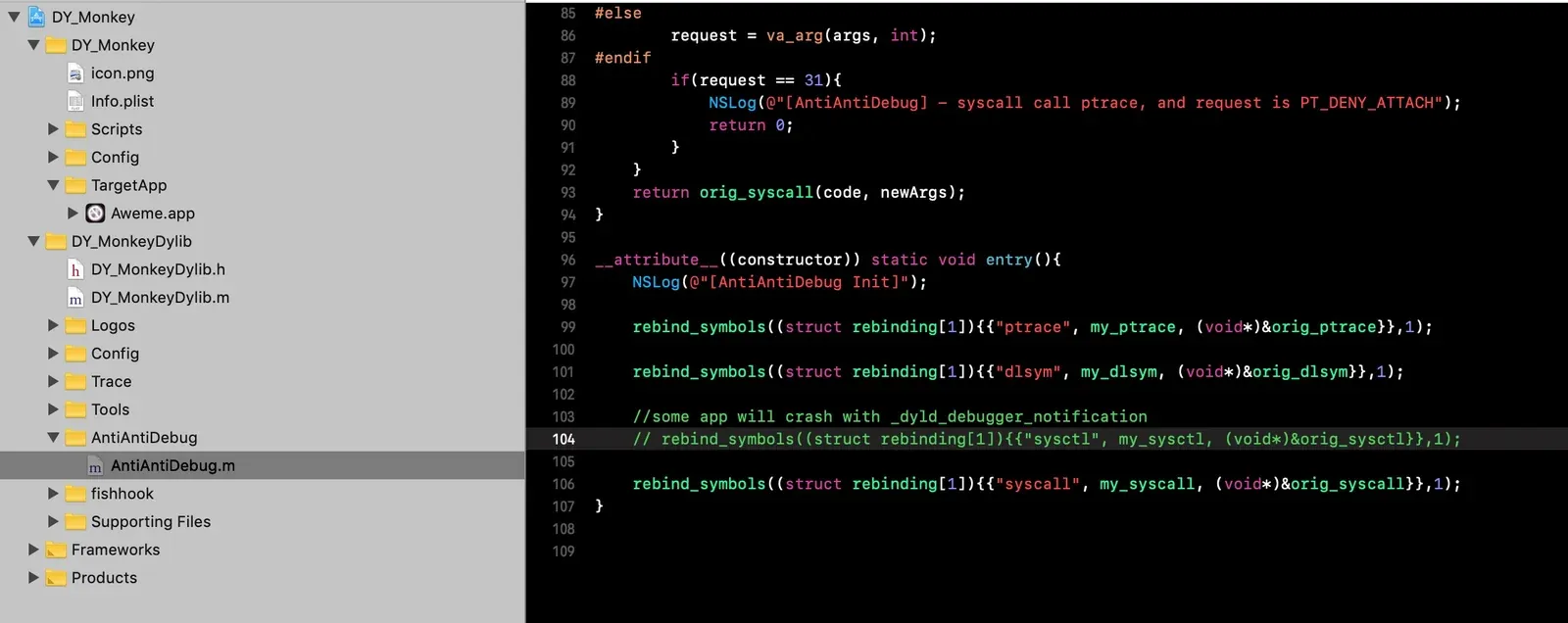
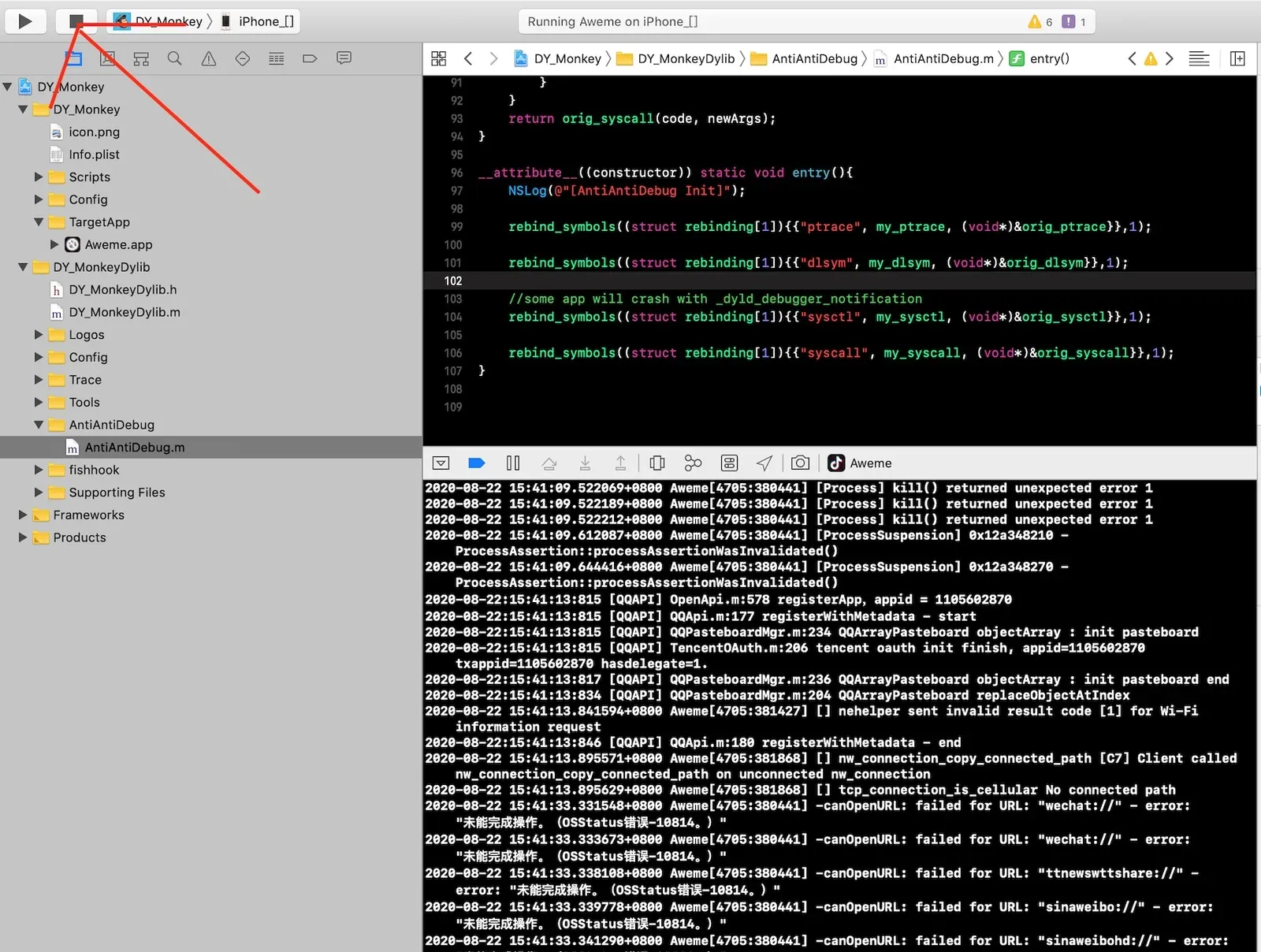
I uncommented sysctl in MonkeyDev’s AntiAntiDebug.m and re-ran the project:
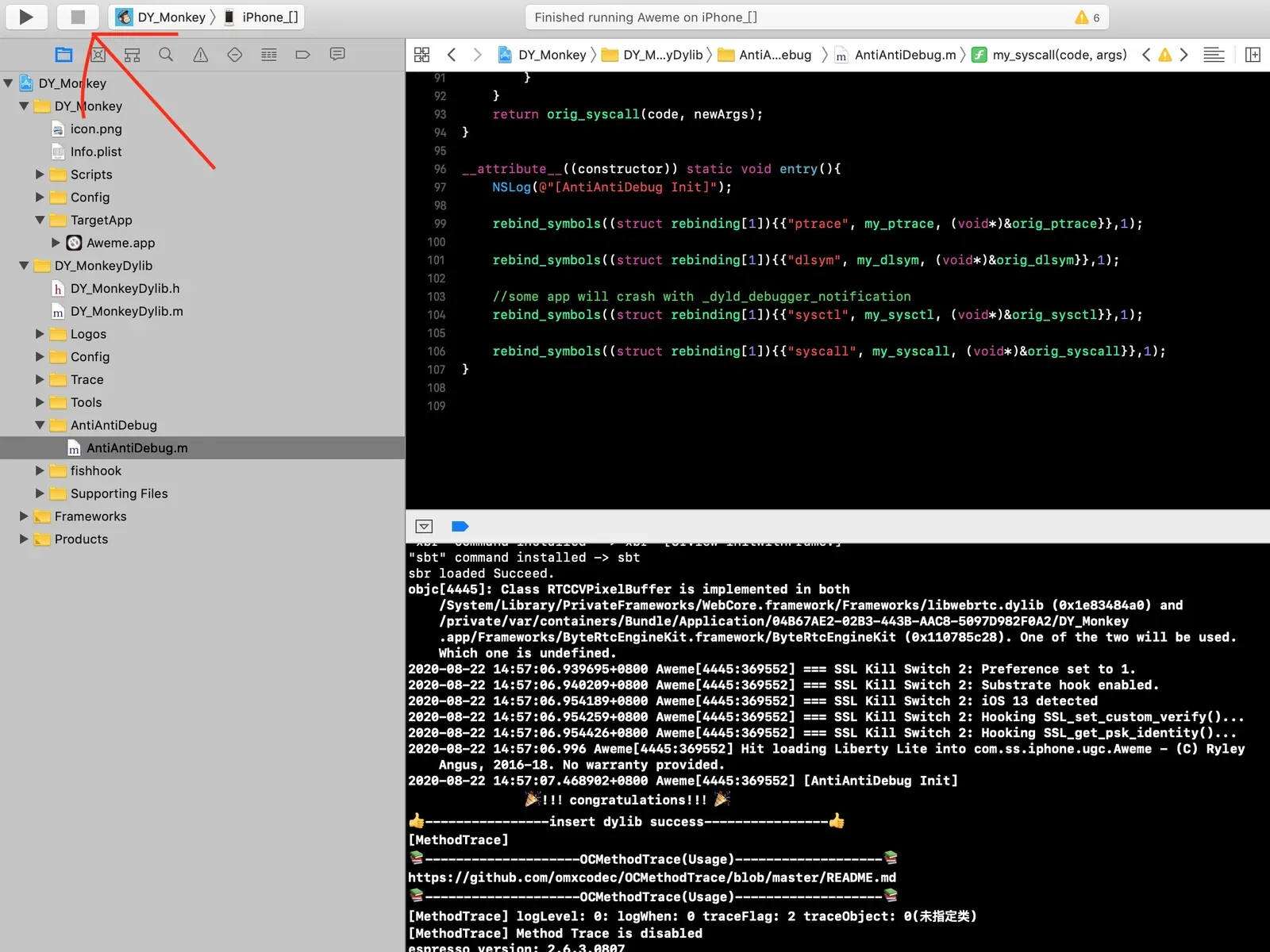
The app launched, but the debugger still disconnected — no effect:
Tracing the anti-debugging logic
I set a symbolic breakpoint on -[AppDelegate application:didFinishLaunchingWithOptions:]:
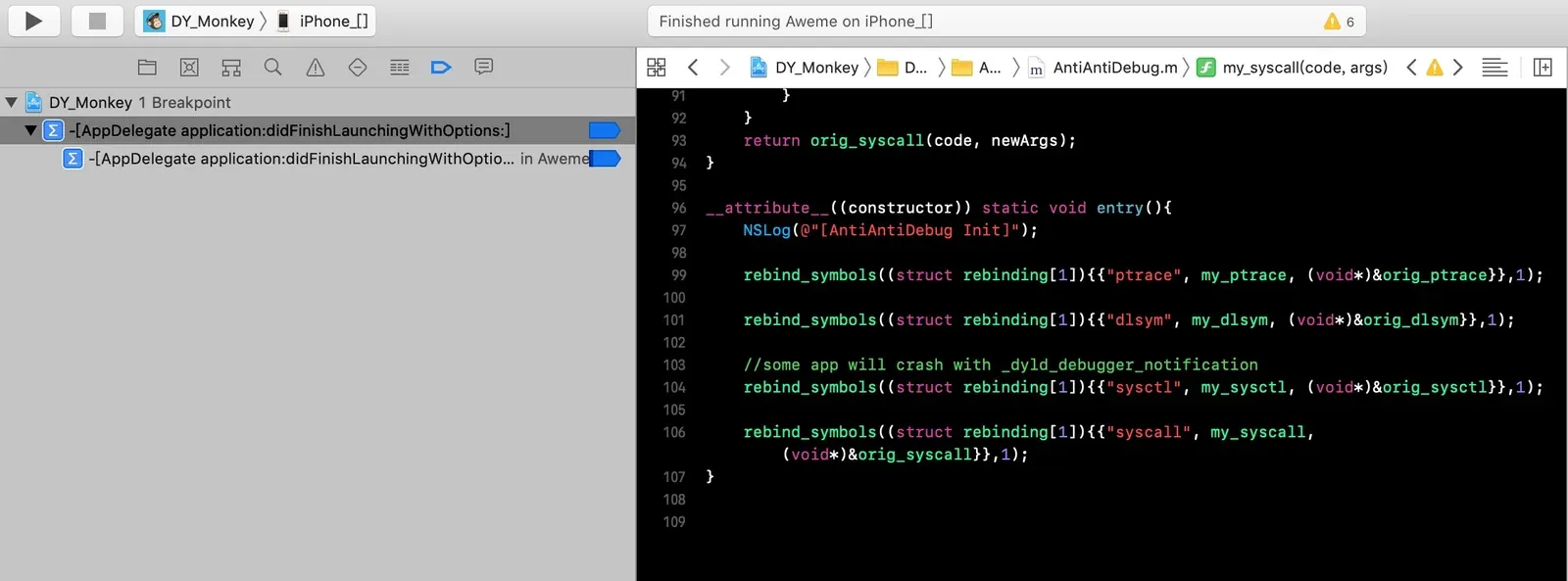
Ran the MonkeyDev project again. The debugger disconnected before the breakpoint hit:
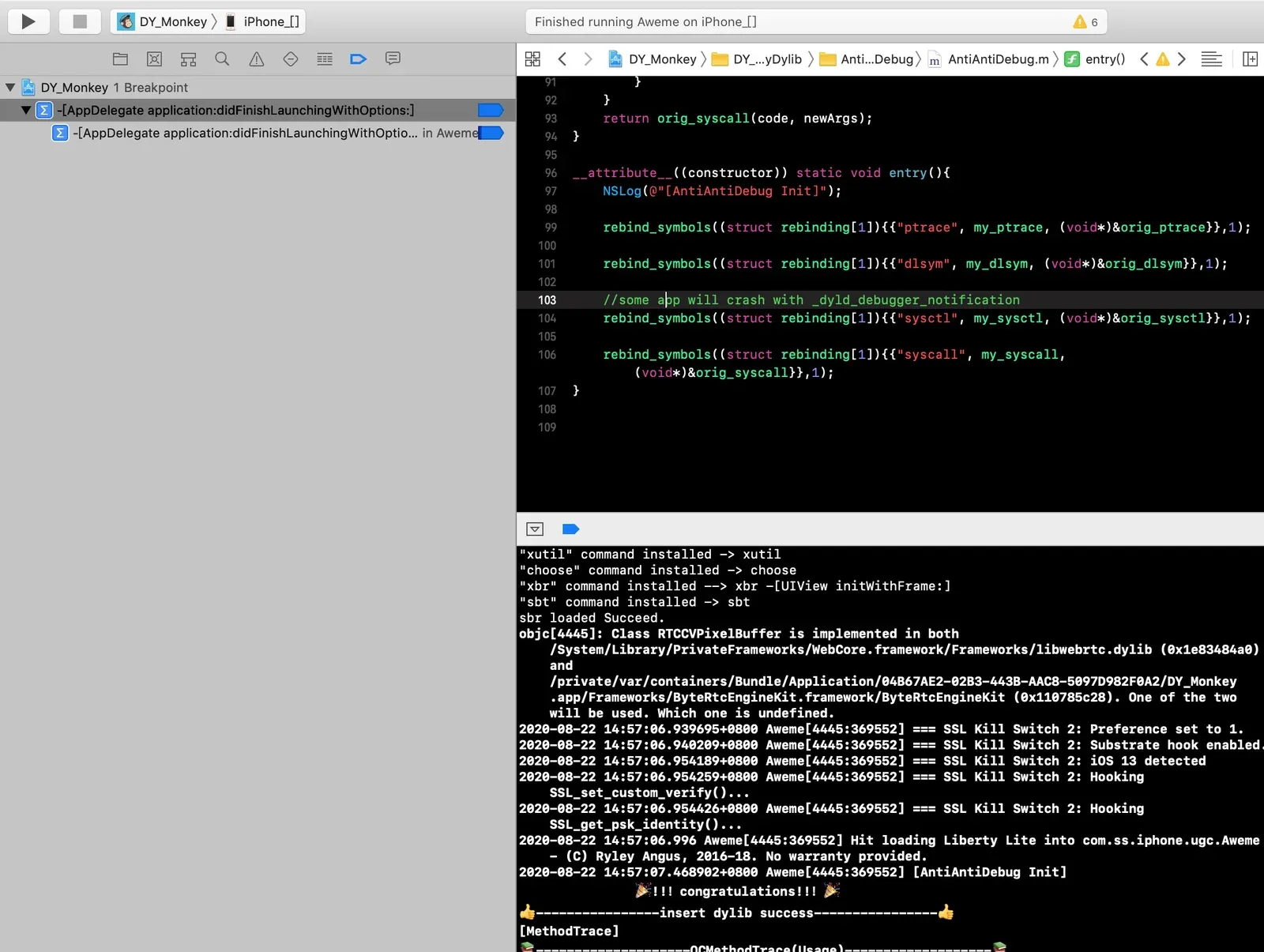
So the anti-debugging logic runs before -[AppDelegate application:didFinishLaunchingWithOptions:] — my next guess was that it lives in main.
I opened the app’s main binary in IDA to find main. The binary is 170 MB, so IDA takes a while to parse — be patient.
A binary’s entry point is usually start, and from start you can locate main. Once IDA finishes parsing it usually lands you on start:
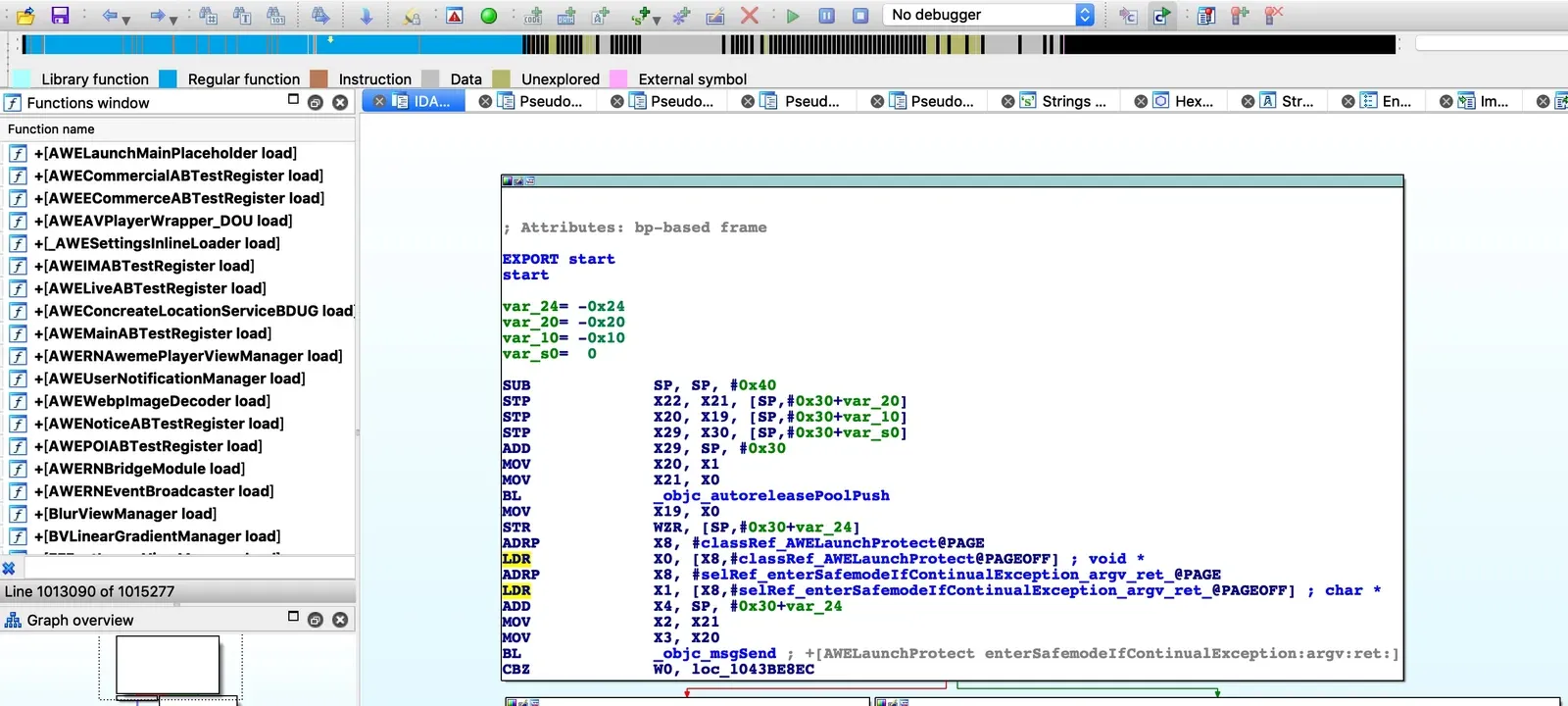
F5 for pseudocode:
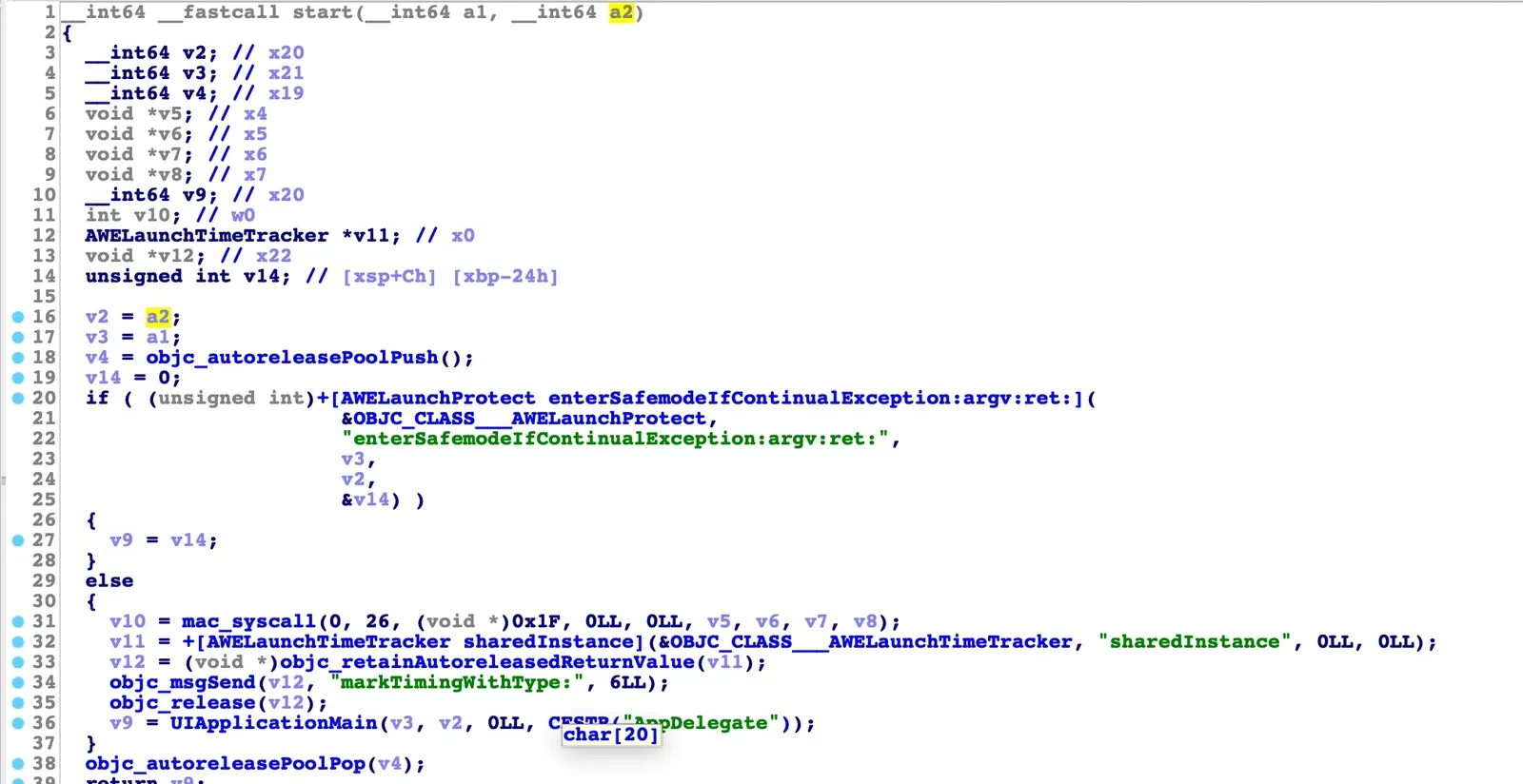
I spotted a mac_syscall call in the pseudocode and switched to assembly:
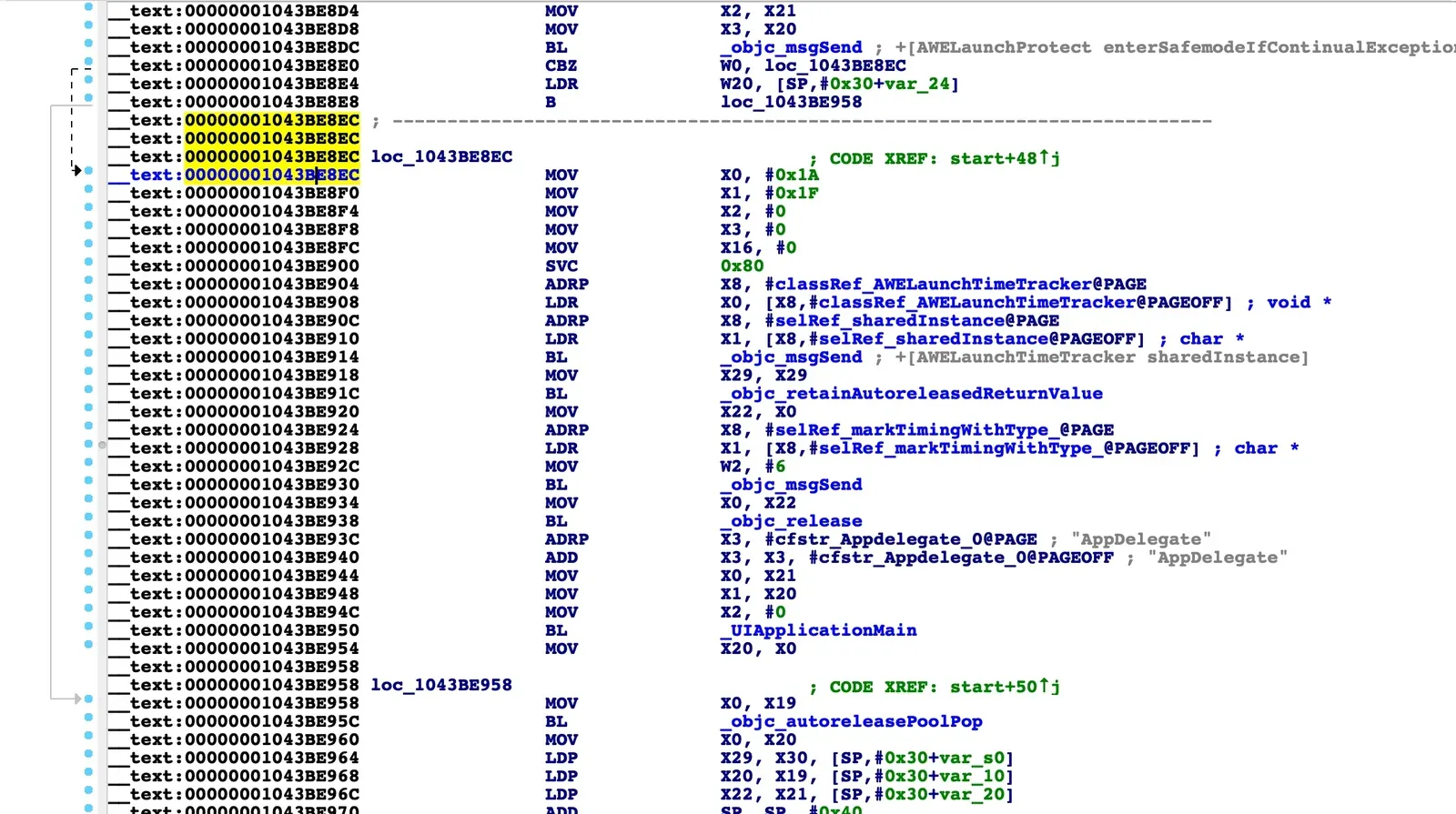
The pseudocode and assembly together tell the story: from 00000001043BE8EC to 00000001043BE900 is the anti-debugging logic. 0x1A is 26 decimal and 0x1F is 31 — 26 is the ptrace number in Apple’s system call table, invoked via SVC 0x80. So the app blocks the debugger with ptrace(31, 0, 0, 0).
Verifying the bypass
To confirm the logic I found actually defeats the anti-debugging, I set a breakpoint at 00000001043BE8F4, waited for it to hit, then changed register x1 from 31 to 0:
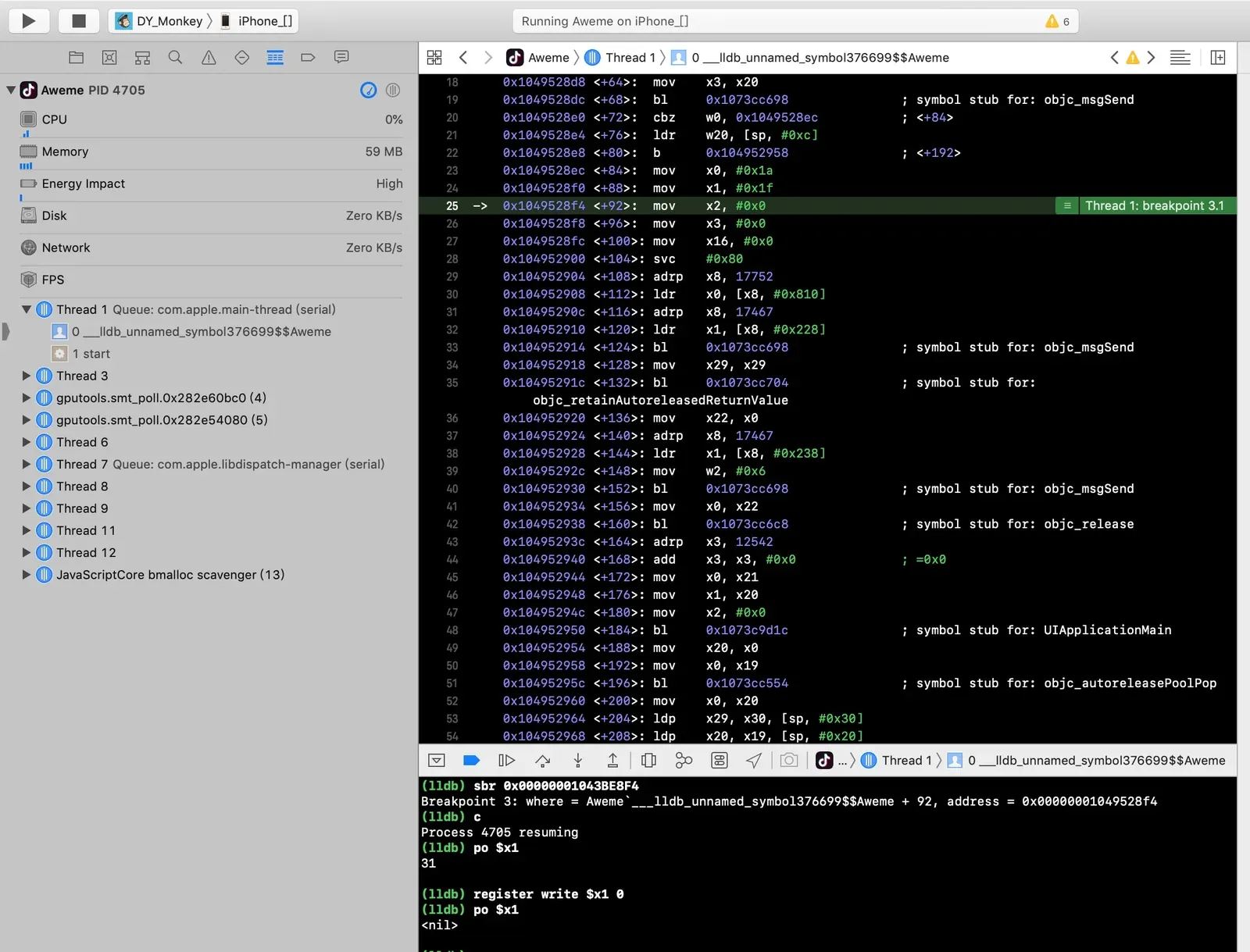
Continued execution — and the anti-debugging was bypassed:
Done
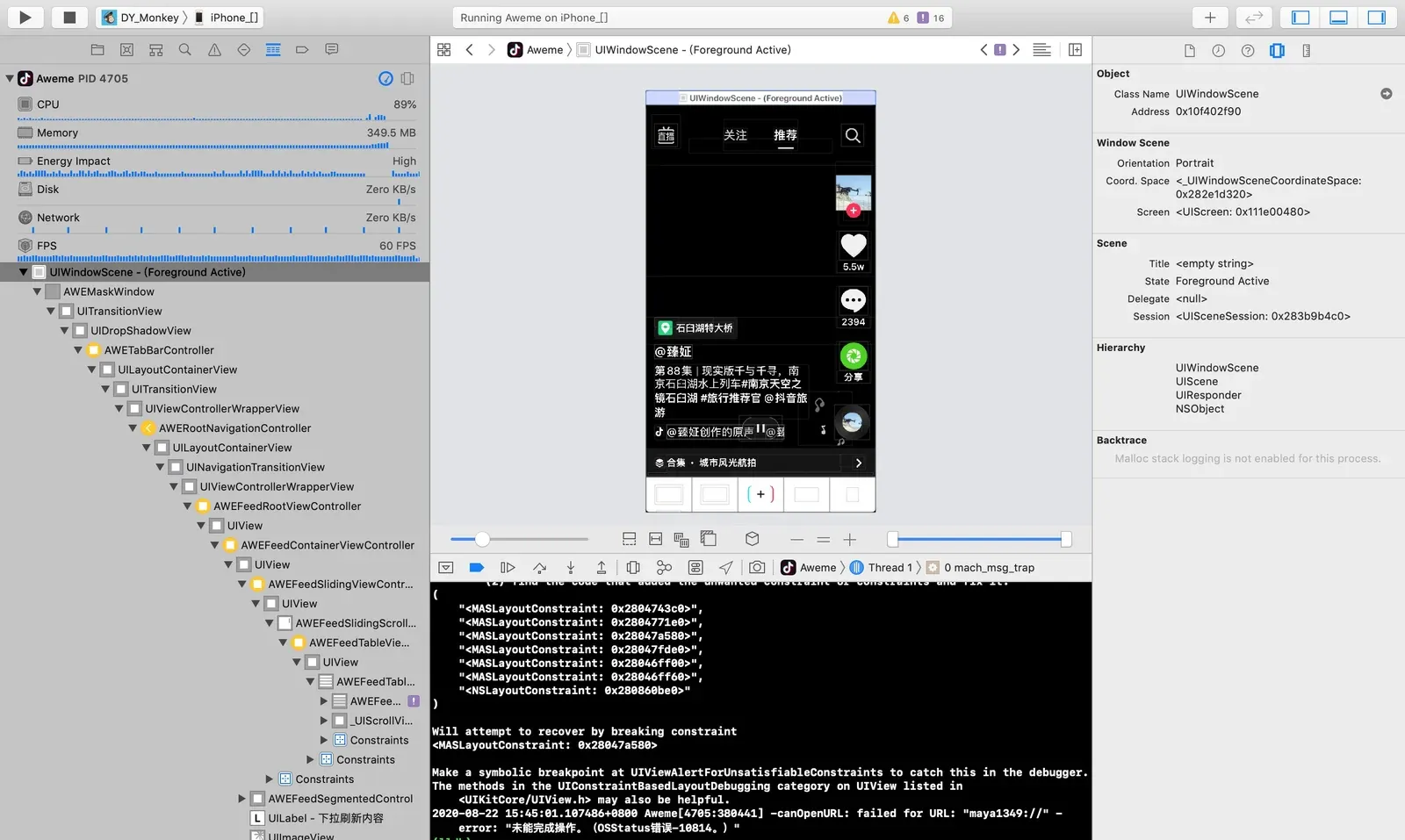
Back to happily debugging again:
Colin Xiao — I take on contract reverse-engineering work, and writeups like this are how I show what I can do. If you need help with anything in this space — including but not limited to the areas I cover above — I’m available. No project is too big or too small — if it’s reverse engineering and I can do it, I’ll take it. DM me on X (@colinxiao_lab) or Telegram (@ColinXiao666).
Get in touch