Extracting OEM BIOS WMI Interfaces from ACPI - Recovering Hidden BIOS Management Endpoints
About the author. I’m Colin Xiao — an independent reverse engineer, mostly working solo on contract jobs. I dig into compiled code of every kind, including but not limited to: Android and iOS apps, x86/x64/ARM native binaries, packers and obfuscators, DRM and license checks, network protocols and APIs, crypto and signature algorithms, malware, game binaries, and embedded/IoT firmware. I also handle large-scale data collection and vulnerability research. If you have any project in mind, I’d be glad to take it on — whatever it is, as long as it’s within my wheelhouse. Just reach out. You can reach me on X at @colinxiao_lab or on Telegram at https://t.me/ColinXiao666.
This research is published for educational and defensive purposes. The target sample is anonymized throughout.
Introduction
To keep its runtime behavior opaque, a BIOS only exposes a subset of its interfaces to the OEM that shipped it. End users are expected to read and configure the BIOS only through the OEM’s app or driver. Under the hood, many OEMs also keep a set of WMI interfaces for BIOS configuration — and those are just as hidden from the user.
Hidden does not mean unreachable. This post walks through a method for recovering the WMI interfaces a BIOS exports, demonstrated on a ThinkPad T460P. As an aside: these WMI interfaces can carry real security risk, so the same technique is also a useful starting point for firmware-oriented penetration testing.
How BIOS and Windows talk over WMI
Communication between BIOS and Windows over WMI is mediated by a MOF file (compiled into a BMF). The MOF describes the names of the WMI interfaces the BIOS exports. According to Microsoft’s Windows Instrumentation: WMI and ACPI, the MOF can live in one of two places:
- A registry path —
HKEY_LOCAL_MACHINE\SYSTEM\CurrentControlSet\Services\WmiAcpi’sMofImagePath. I didn’t find this setting on the ThinkPad or another OEM machine, so this route isn’t covered here. - A buffer resource — the MOF resource embedded in the ACPI namespace. The ThinkPad and the other OEM both use this approach, and it’s the entry point for this article.
Dumping the ACPI tables
The obvious first thought is to read the ACPI objects with a tool like RW. But the OEM’s driver blocks users from reading the relevant ACPI memory:
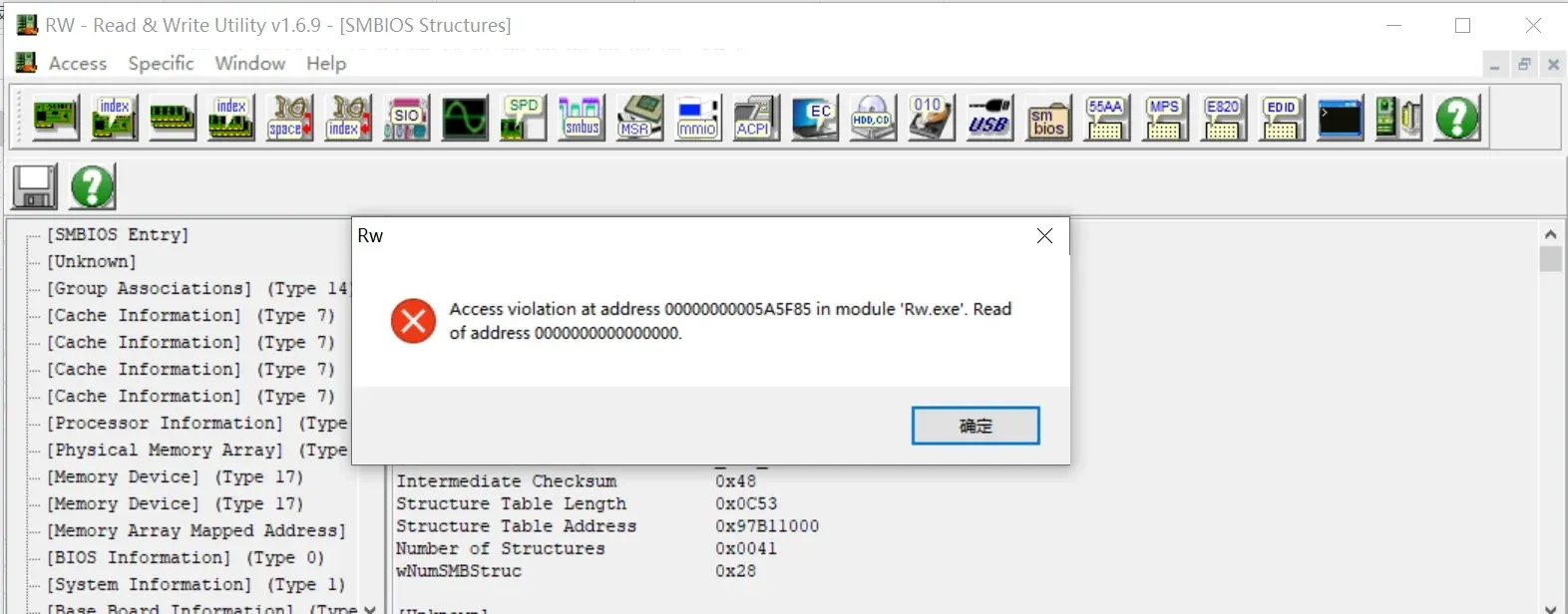
The block is a Windows-side gate, not a hardware wall. Boot a Linux live USB and use the pm-tools utilities to dump the ACPI objects:
acpidump > acpi.out        # dump all ACPI tables to an ASCII file
acpixtract -a acpi.out     # convert the ASCII dump to binary .dat files (containing AML bytecode)
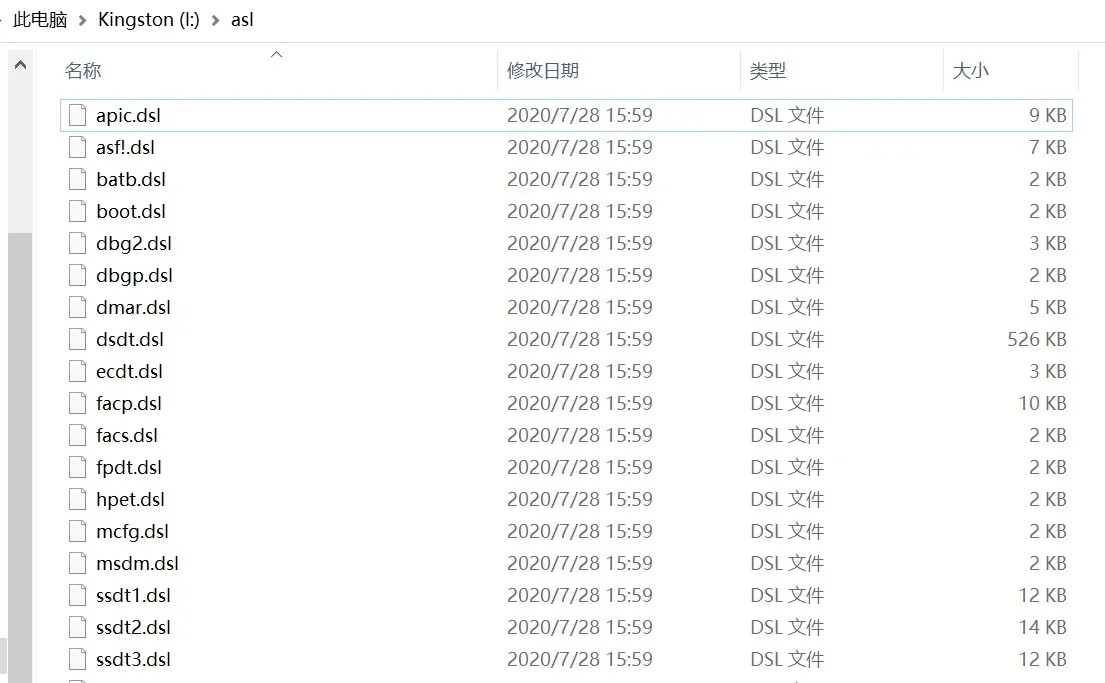
iasl -d *.dat              # disassemble the .dat files (AML) into .dsl files (readable ASL source)
Here is the resulting ASL source for the ThinkPad T460P:
Locating the embedded MOF object
As Windows Instrumentation: WMI and ACPI describes, the BIOS must declare a PNP0c14 device and a _WDG object in the ASL source to expose WMI to the mapper. OEMs and IBVs also declare an embedded MOF object alongside _WDG. The ACPI spec doesn’t mandate a name for that embedded MOF object, so it varies between OEMs — but it’s easy to find:
- The embedded MOF object sits near the
_WDGobject, defined asName (WQxy, Buffer()){...}. TheWQprefix means it’s a WMI query interface;xyare two hex digits identifying the interface. - Most importantly, the object’s bytes start with the magic word
FOMB:
            Name (WQBA, Buffer (0x089D)
            {
                /* 0000 */  0x46, 0x4F, 0x4D, 0x42, 0x01, 0x00, 0x00, 0x00,  // FOMB....
From MOF to WMI interface
Before extracting the interfaces, a quick detour on how a MOF source file becomes a MOF resource. Here’s a sample MOF:
[WMI,
Dynamic,
Provider("WmiProv"),
Locale("MS\\0x409"),
Description("Events"),
guid("{39142400-C6A3-40fa-BADB-8A2652834100}")
]
class DemoWMIData
{
    [key, read]
     string InstanceName;
    [read] boolean Active;

    [WmiDataId(1),
     read, write,
     Description("description")
    ] uint32 Data;
};
mofcomp compiles this into a binary MOF resource file. The OEM extracts the byte stream from that resource and embeds it into an ACPI namespace object. The DDK also ships wmimofck, which takes a MOF resource file and generates a test script for the WMI interfaces the MOF describes:
mofcomp -B:demowmi.bmf demowmi.mof   # produce demowmi.bmf (the MOF resource file)
wmimofck -tdemowmi.vbs demowmi.bmf   # produce a VBScript interface test script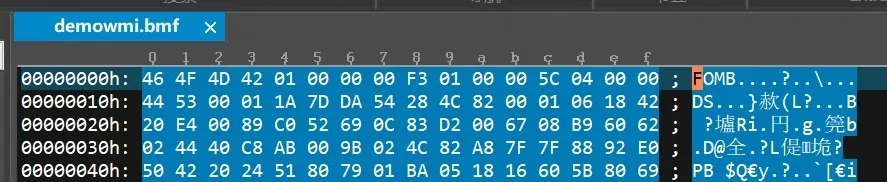
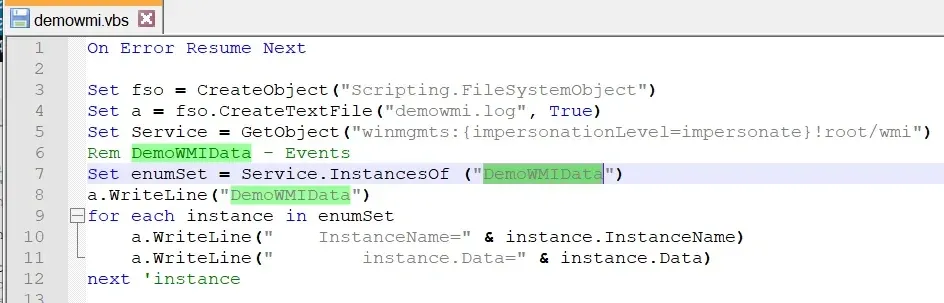
The highlighted lines in demowmi.vbs are the WMI interfaces the BIOS exports through the MOF. The takeaway: if you have a MOF resource file (and if you don’t, you can forge one), you can parse out the WMI interfaces. Since the ACPI tables contain the MOF resource, the remaining work is just producing a MOF resource file and a WMI test script from them.
Reconstructing the MOF resource file
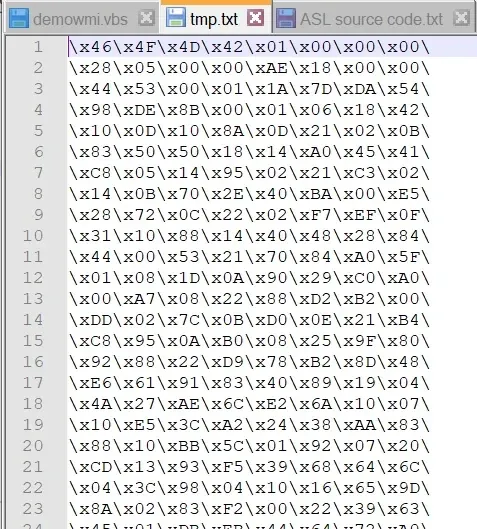
The bytes we see are stored as a string inside the ASL source. Turning them into a file that wmimofck accepts is similar to writing shellcode:
- Text-process the string. Using Notepad++ column selection (hold Alt to delete columns), strip the ASL decoration from the byte list. Left: ASL source. Right: the raw opcode bytes.
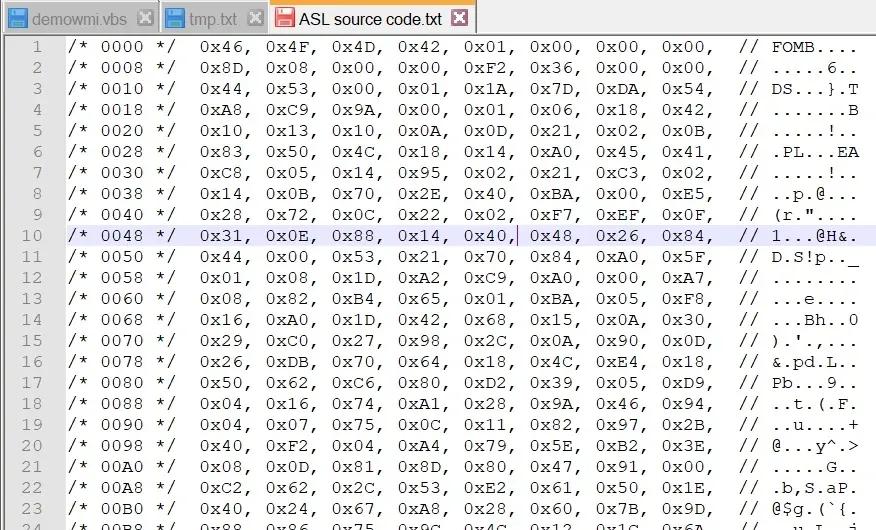 →
→ 
- Define the bytes as a C string array and build a small executable:
unsigned char arry[] = {"\x46\x4F\x4D\x42\x01\x00\x00\x00\
\x28\x05\x00\x00\xAE\x18\x00\x00\
\x44\x53\x00\x01\x1A\x7D\xDA\x54\
...
\x40\x2C\x27\x88\x80\xFC\xFF\x07"};

unsigned char arryEnd[] = {"\xaa\x55\xaa\x55"};

int main()
{
    printf("%s", arry);
    return 0;
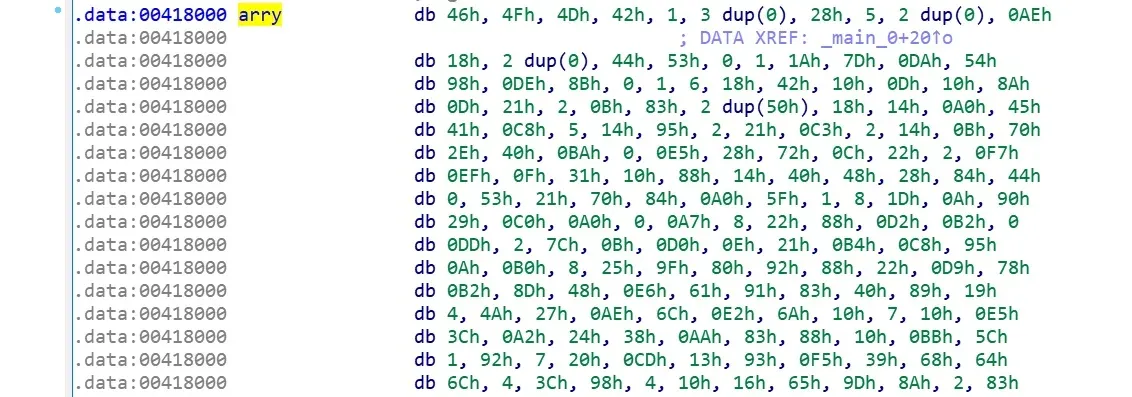
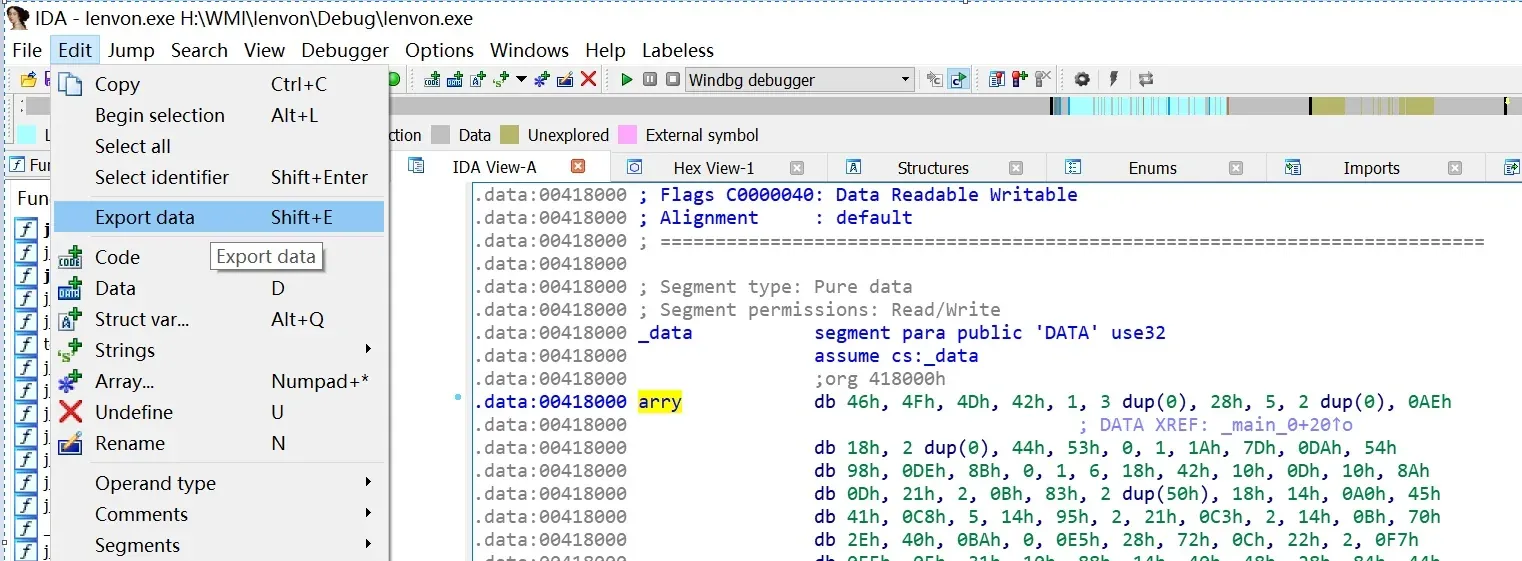
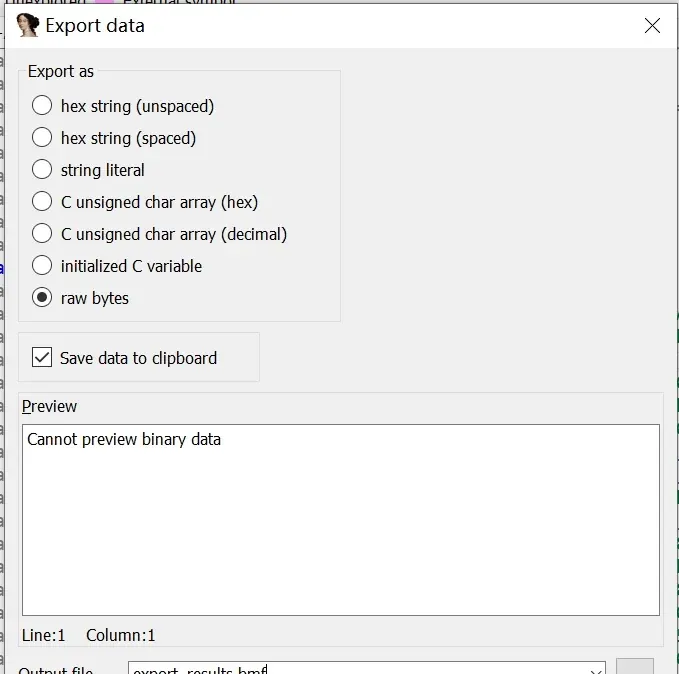
}- Dump the array from IDA. Load the executable in IDA, locate the
arrysymbol, thenEdit → Export data → raw bytes → Export. The exported file is a valid binary MOF resource file.
The recovered WMI interfaces
With the BMF file in hand, wmimofck generates the VBScript that enumerates the BIOS WMI interfaces. Here’s the result for the ThinkPad T460P (these interfaces appear to be consistent across Lenovo’s T-series):
On Error Resume Next

Set fso = CreateObject("Scripting.FileSystemObject")
Set a = fso.CreateTextFile("lenvon.log", True)
Set Service = GetObject("winmgmts:{impersonationLevel=impersonate}!root/wmi")
Rem Lenovo_PreloadLanguage - Preload Language
Set enumSet = Service.InstancesOf ("Lenovo_PreloadLanguage")
a.WriteLine("Lenovo_PreloadLanguage")
for each instance in enumSet
    a.WriteLine("    InstanceName=" & instance.InstanceName)
    a.WriteLine("        instance.CurrentSetting=" & instance.CurrentSetting)
next 'instance
Rem Lenovo_SetPreloadLanguage - Set Preload Language
Set enumSet = Service.InstancesOf ("Lenovo_SetPreloadLanguage")
a.WriteLine("Lenovo_SetPreloadLanguage")
for each instance in enumSet
    a.WriteLine("    InstanceName=" & instance.InstanceName)
next 'instance

Rem Lenovo_PlatformSetting - Platform Setting
Set enumSet = Service.InstancesOf ("Lenovo_PlatformSetting")
a.WriteLine("Lenovo_PlatformSetting")
for each instance in enumSet
    a.WriteLine("    InstanceName=" & instance.InstanceName)
    a.WriteLine("        instance.CurrentSetting=" & instance.CurrentSetting)
next 'instance
Rem Lenovo_SetPlatformSetting - Set Platform Setting
Set enumSet = Service.InstancesOf ("Lenovo_SetPlatformSetting")
a.WriteLine("Lenovo_SetPlatformSetting")
for each instance in enumSet
    a.WriteLine("    InstanceName=" & instance.InstanceName)
next 'instance

a.Close
Wscript.Echo "lenvon Test Completed, see lenvon.log for details"
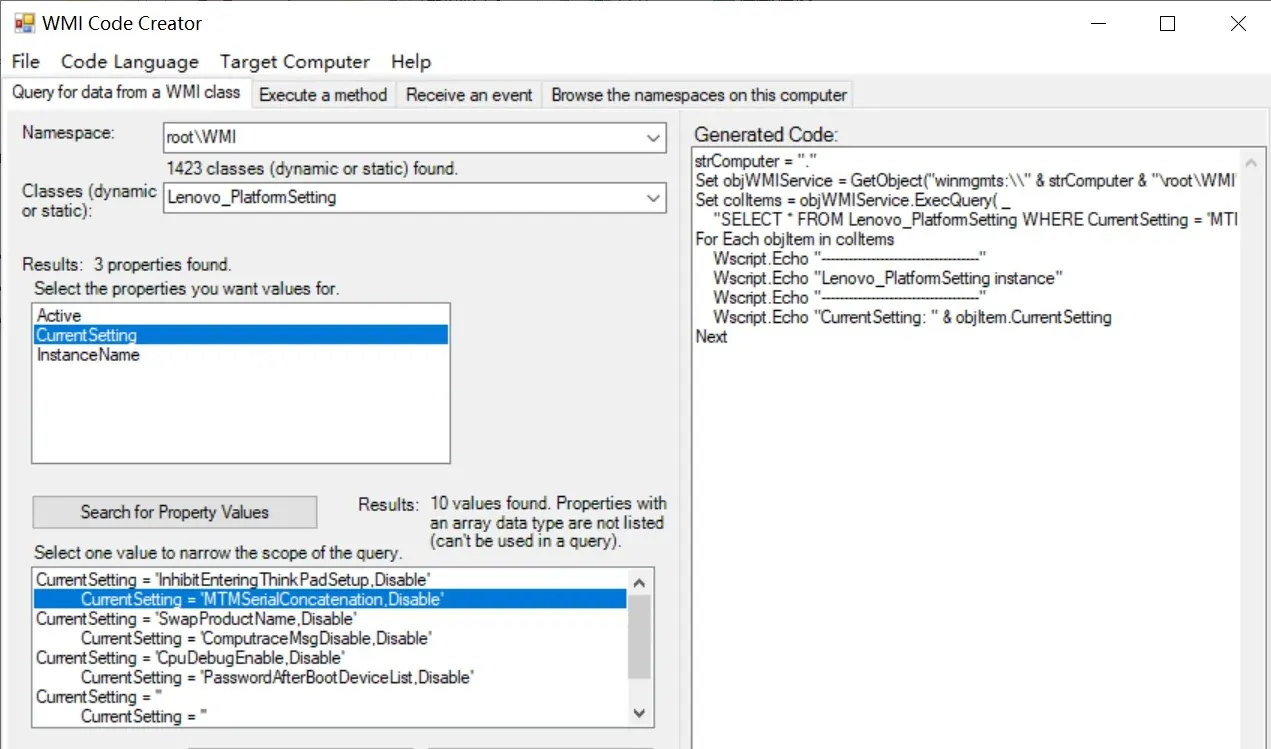
You can run and verify these interfaces as an administrator with WMICodeCreator.exe — set the namespace to root\WMI and pick classes like Lenovo_PlatformSetting / Lenovo_SetPlatformSetting.
Closing notes
The whole pipeline — ACPI dump → ASL disassembly → locate the FOMB magic → rebuild the MOF resource → enumerate WMI interfaces — is reusable against any OEM firmware that embeds its MOF in the ACPI namespace. The interfaces you recover are exactly the ones the OEM’s own management tooling uses, which makes them worth reviewing closely from a security standpoint as well.
References
- BIOS知识点滴 Follow Bini series — WMI ACPI (bini).
- Windows Instrumentation: WMI and ACPI (Microsoft).
Colin Xiao — I take on contract reverse-engineering work, and writeups like this are how I show what I can do. If you need help with anything in this space — including but not limited to the areas I cover above — I’m available. No project is too big or too small — if it’s reverse engineering and I can do it, I’ll take it. DM me on X (@colinxiao_lab) or Telegram (@ColinXiao666).
Get in touch