Extracting a WeCom Login QR Code: Reverse Engineering, File Monitoring, and Screenshot
About the author. I’m Colin Xiao — an independent reverse engineer, mostly working solo on contract jobs. I dig into compiled code of every kind, including but not limited to: Android and iOS apps, x86/x64/ARM native binaries, packers and obfuscators, DRM and license checks, network protocols and APIs, crypto and signature algorithms, malware, game binaries, and embedded/IoT firmware. I also handle large-scale data collection and vulnerability research. If you have any project in mind, I’d be glad to take it on — whatever it is, as long as it’s within my wheelhouse. Just reach out. You can reach me on X at @colinxiao_lab or on Telegram at https://t.me/ColinXiao666.
This research is published for educational and defensive purposes. The target sample is anonymized throughout.
Extracting a WeCom Login QR Code: Reverse Engineering, File Monitoring, and Screenshot
This post digs into techniques for obtaining the WeCom (WeChat Work) login QR code, with several implementations: reverse engineering, file monitoring, and window capture.
0x01 How QR-code login works
1.1 The login flow
QR-code login is a secure, convenient auth method. The basic flow:
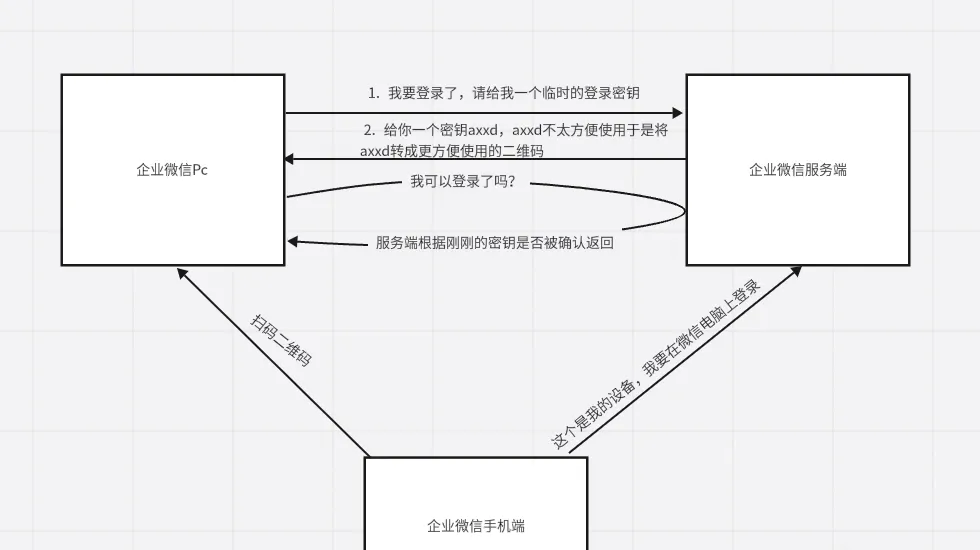
- Temporary-key generation — the client requests a temporary login key from the server.
- QR generation — the key is assembled into a URL and rendered as a QR image.
- Status polling — the client repeatedly asks about the QR’s login status.
- Mobile scan — the user scans the QR with their phone and parses it.
- Authorization — the phone sends an authorization request to the server using the parsed data.
- Status update — the server marks the temporary key as authorized.
- Login complete — the client notices the authorized state and finishes login.
1.2 Key takeaways
- What the QR really is — text (a URL plus the key parameter) containing the temporary key.
- Where the key comes from — dynamically generated by the server over the network.
- How it’s shown — rendered as an image in a window for the user to scan.
0x02 Implementation approaches
2.1 Comparison
| Approach | Difficulty | Stability | Generality | Risk |
|---|---|---|---|---|
| Reverse engineering | High | Medium | Low | High |
| File monitoring | Medium | High | Medium | Low |
| Window capture | Low | High | High | Low |
2.2 Reverse engineering
Principle
- The QR content is fundamentally text (URL + key).
- Locate where the key is stored by memory search.
- Analyze the key generation/update flow with a debugger.
Steps
Step 1 — parse the QR content. First decode the raw QR with an online recognizer:
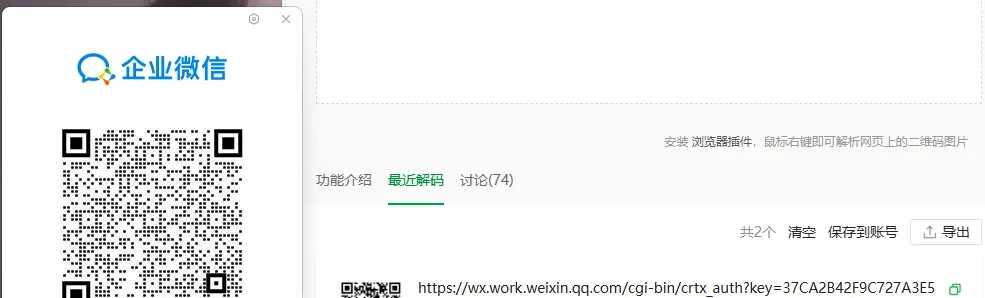
The result typically contains a base URL, the temporary key (key parameter), and other validation parameters.
Step 2 — locate it in memory. Search for the key string with Cheat Engine:
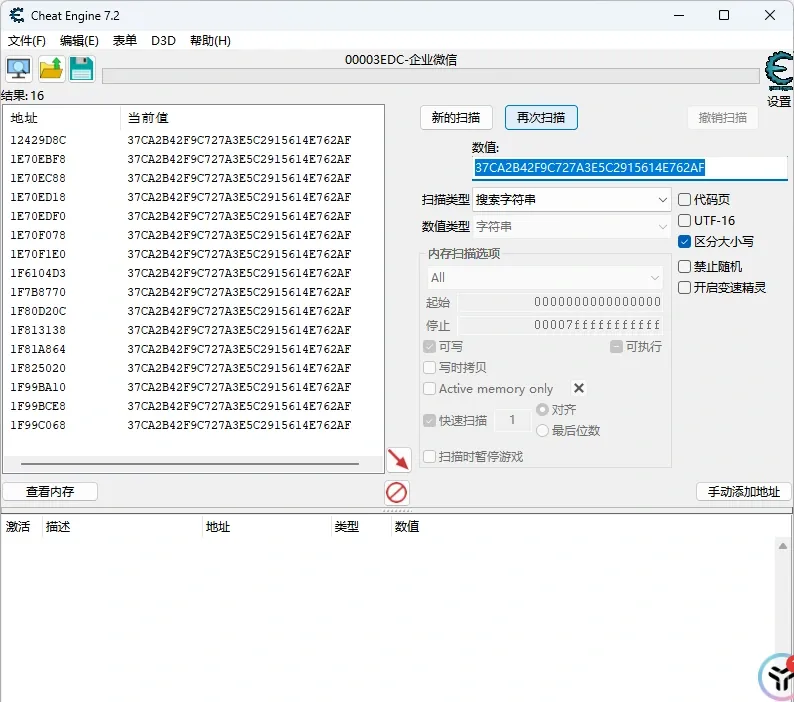
Note: the first search can return many hits. Refresh the QR to filter down to the live address — repeat two or three times to cut the noise.
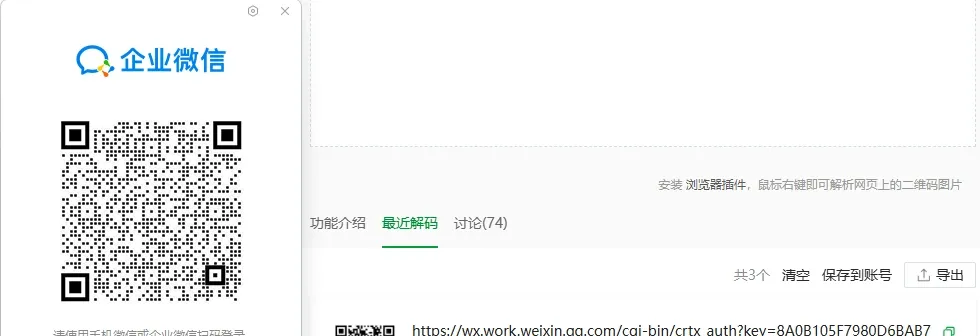
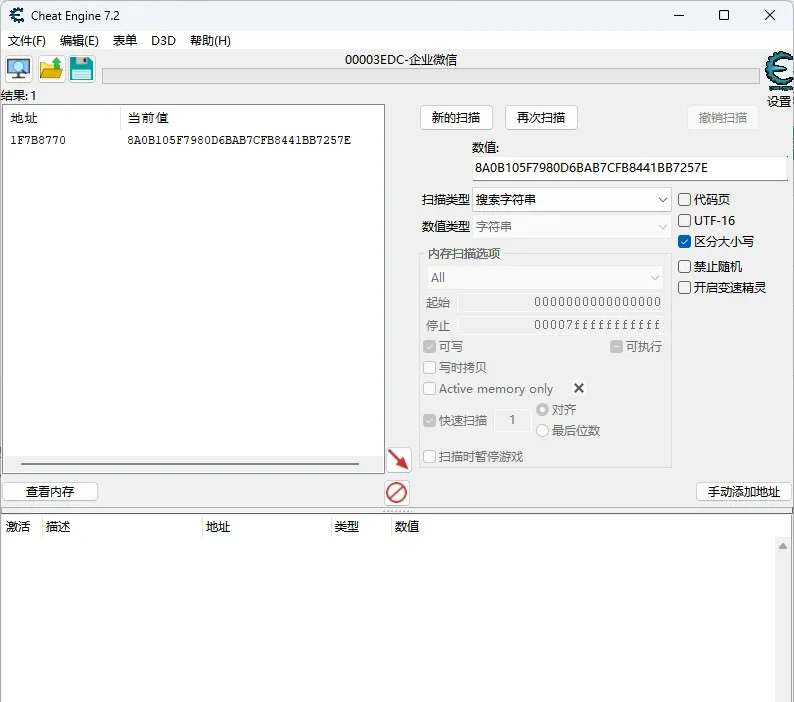
Step 3 — base address and breakpoints. Use a pointer scanner to find the base address, or analyze it with a hardware access breakpoint.
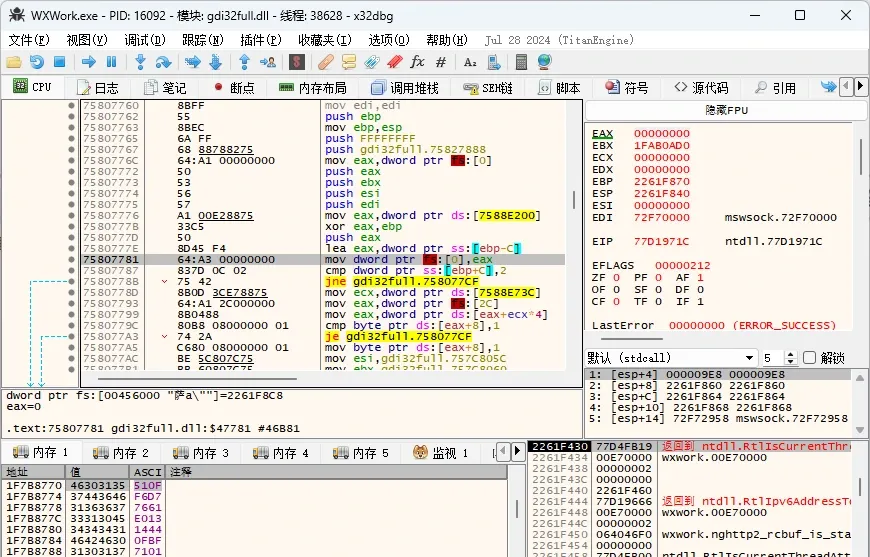
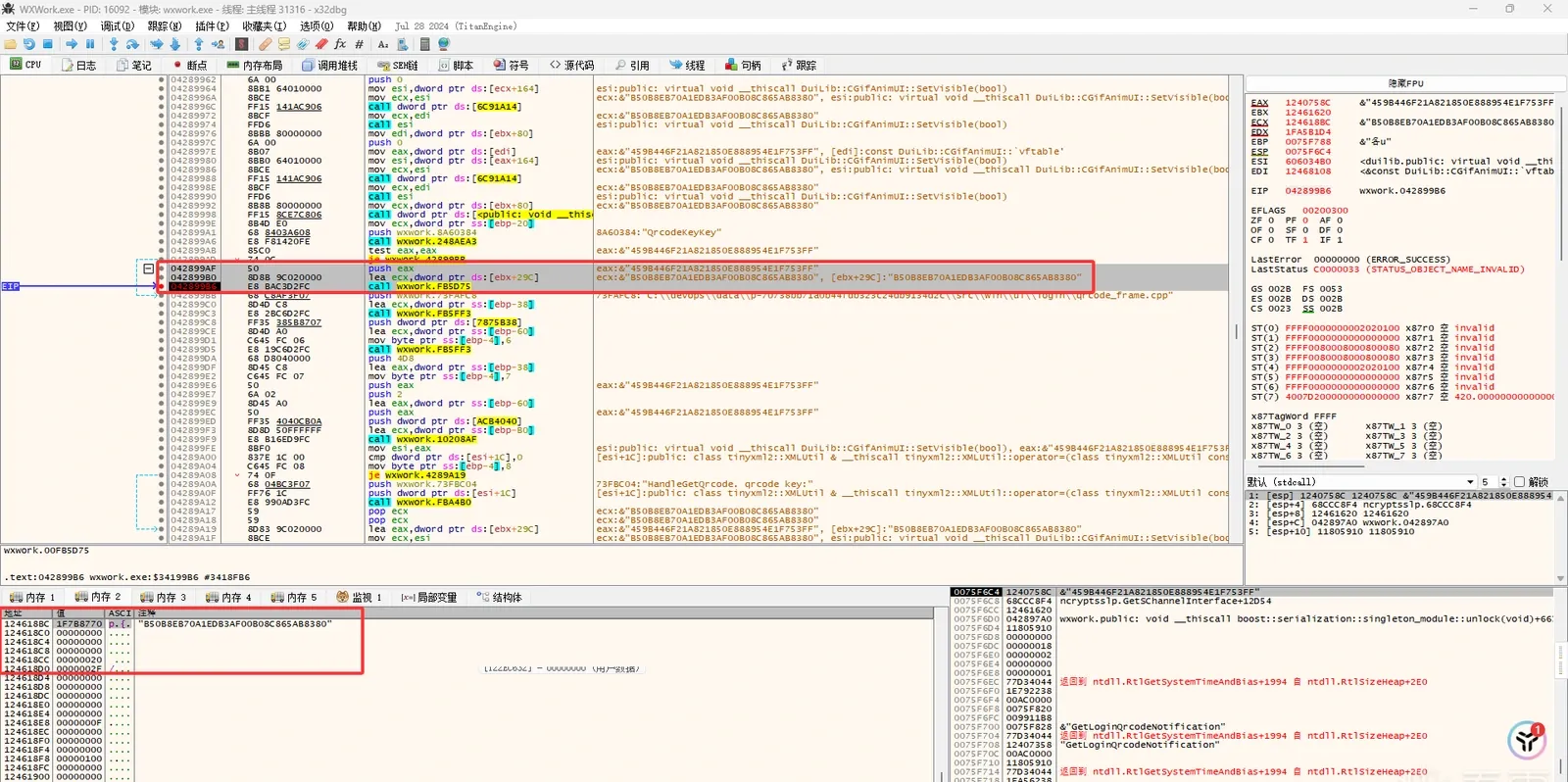
Step 4 — debugger analysis. Use x32dbg: set a hardware write breakpoint on the target address, trigger a QR refresh, and watch the execution flow when it fires.
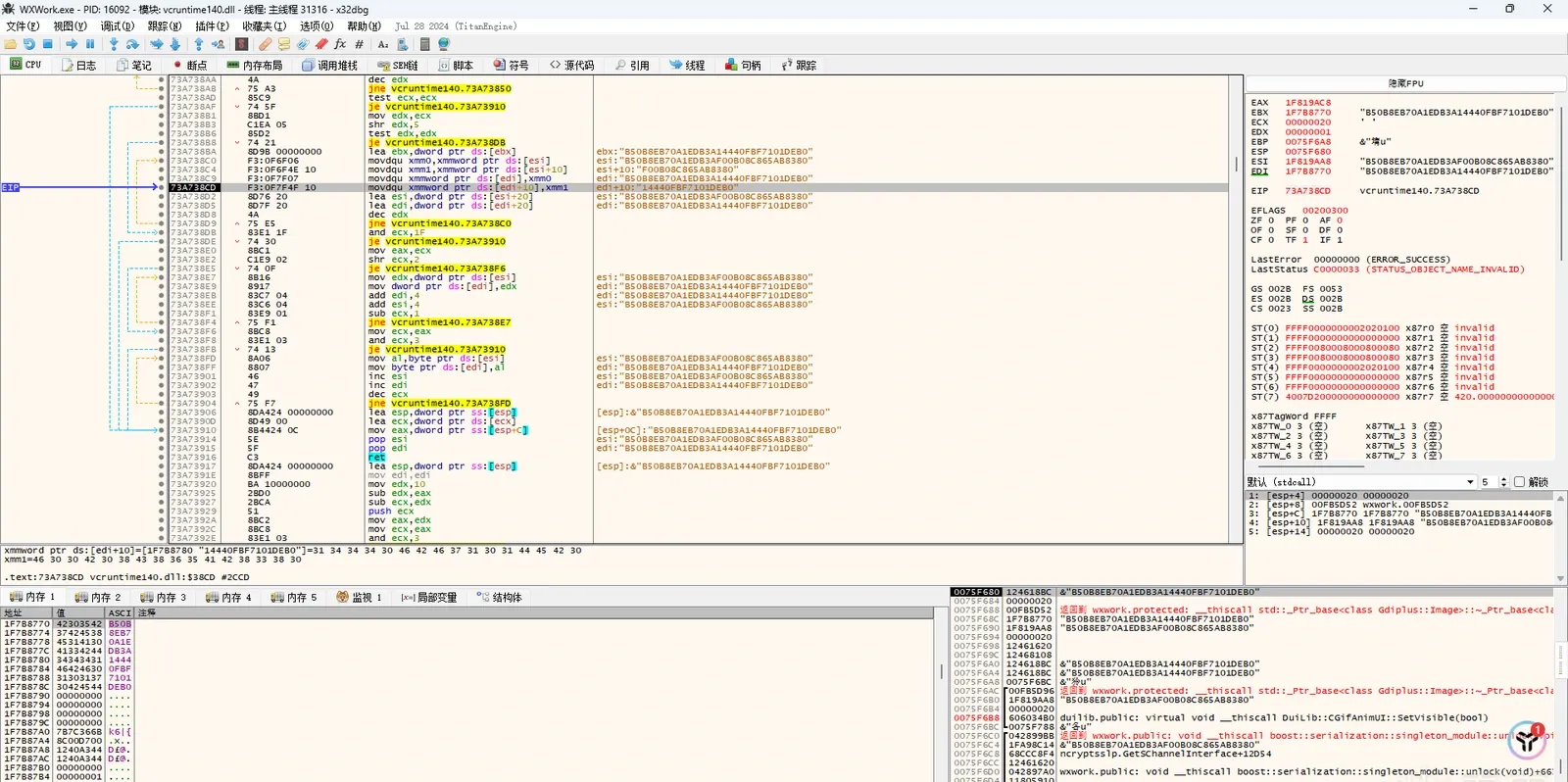
Step 5 — trace back up the call stack.
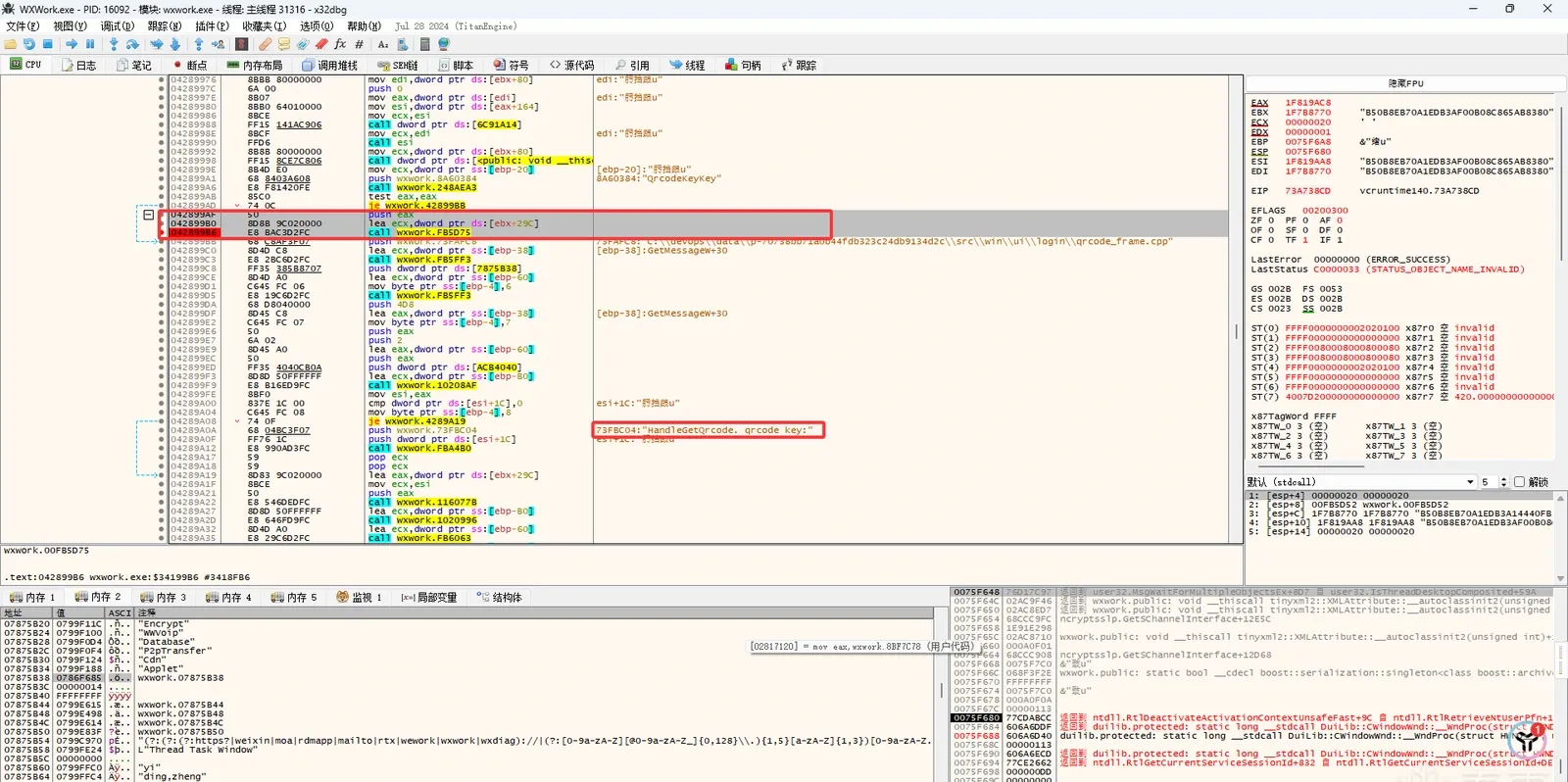
Once you reach the QR-handling function you can dig further:
2.3 File monitoring
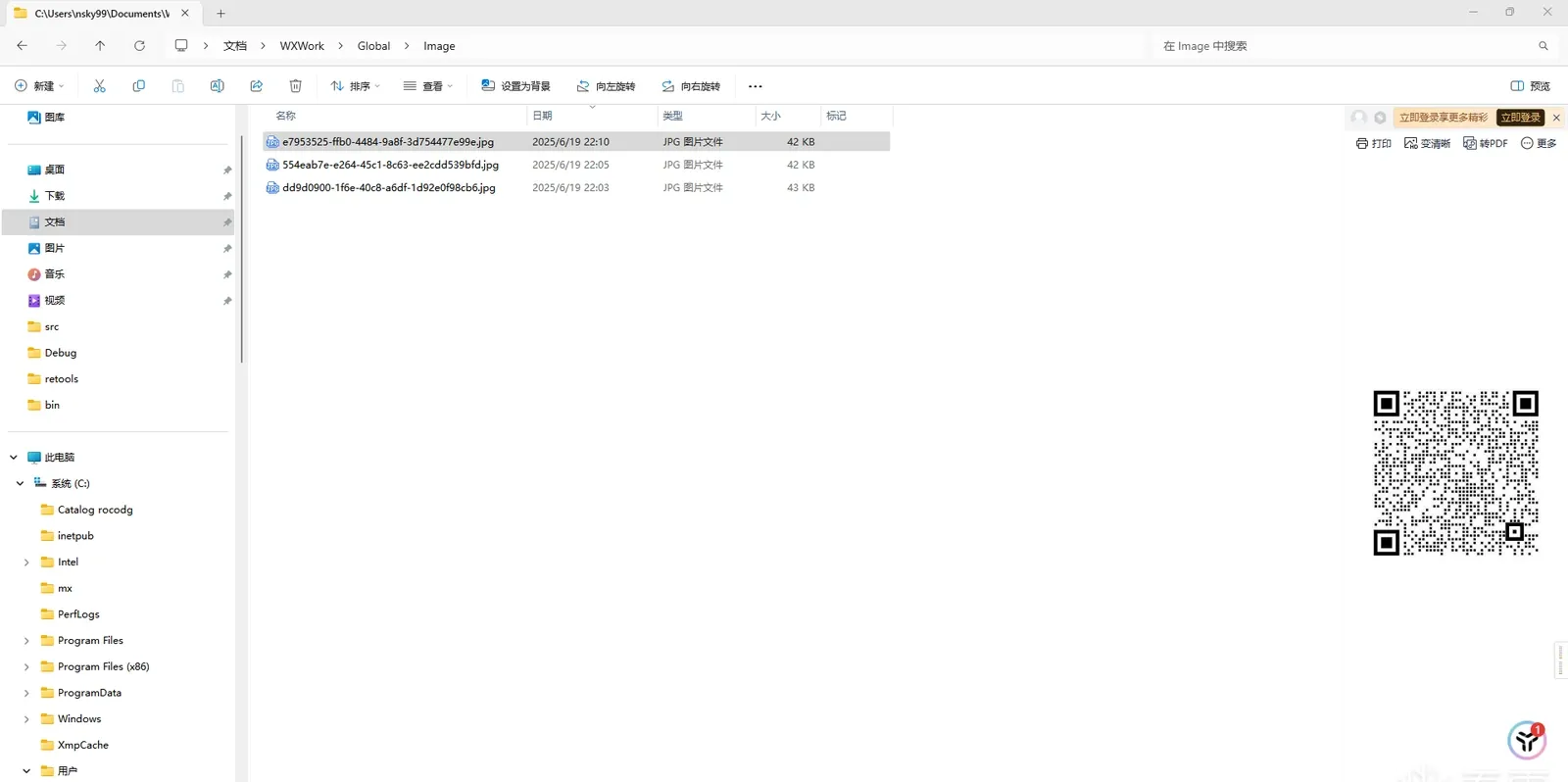
This approach rests on a useful discovery: when WeCom generates the QR, it saves the image to a specific directory.
Key details:
- Path:
%USERPROFILE%\Documents\WXWork\Global\Image - Files: JPGs named as UUIDs (
xxxxxxxx-xxxx-xxxx-xxxx-xxxxxxxxxxxx.jpg) - Timing: a new file is created on every QR refresh.
Two strategies:
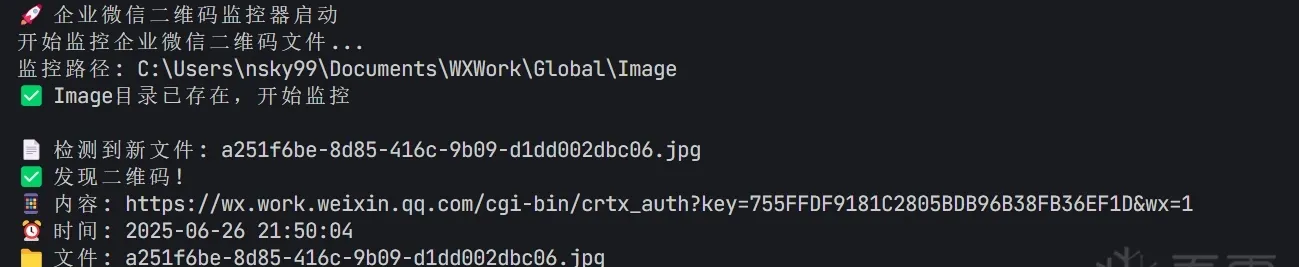
Strategy 1 — real-time monitoring with a filesystem-watch API, detecting new files as they’re created and recognizing the QR automatically.
Strategy 2 — periodic scan, polling the directory for the most recently modified file — suited to batch processing.

2.4 Window capture
Capturing the WeCom window directly gets you the QR with several advantages:
- General — no dependence on a specific file-storage mechanism.
- Real-time — captures whatever QR is currently displayed.
- Compatible — works across WeCom versions.

0x03 Choosing an approach
| Approach | Difficulty | Complexity | Stability | Detection risk | Best for |
|---|---|---|---|---|---|
| Reverse engineering | High | Very high | Low | High | Deep research, learning |
| File monitoring | Medium | Medium | High | Low | Automated monitoring, batch |
| Window capture | Low | Simple | High | Very low | Quick grabs, general use |
0x04 Summary
Three ways to obtain the WeCom login QR code — from deep reverse engineering, to automated file monitoring, to straightforward window capture — each with its own trade-offs.
A reminder: this is for technical study and research only. Test only in environments you’re authorized to use, and respect data security and privacy.
Colin Xiao — I take on contract reverse-engineering work, and writeups like this are how I show what I can do. If you need help with anything in this space — including but not limited to the areas I cover above — I’m available. No project is too big or too small — if it’s reverse engineering and I can do it, I’ll take it. DM me on X (@colinxiao_lab) or Telegram (@ColinXiao666).
Get in touch