A Field Guide to Common Unpacking Techniques
About the author. I’m Colin Xiao — an independent reverse engineer, mostly working solo on contract jobs. I dig into compiled code of every kind, including but not limited to: Android and iOS apps, x86/x64/ARM native binaries, packers and obfuscators, DRM and license checks, network protocols and APIs, crypto and signature algorithms, malware, game binaries, and embedded/IoT firmware. I also handle large-scale data collection and vulnerability research. If you have any project in mind, I’d be glad to take it on — whatever it is, as long as it’s within my wheelhouse. Just reach out. You can reach me on X at @colinxiao_lab or on Telegram at https://t.me/ColinXiao666.
This research is published for educational and defensive purposes. The target sample is anonymized throughout.
A Field Guide to Common Unpacking Techniques
Six techniques for finding a packed binary’s original entry point (OEP), collected in one place. Most of these are x86/OllyDbg-era tricks, but the ideas behind them — stack-law, memory-access breakpoints, signature instructions, language-specific entry points — translate to any packed target.
1. The ESP law
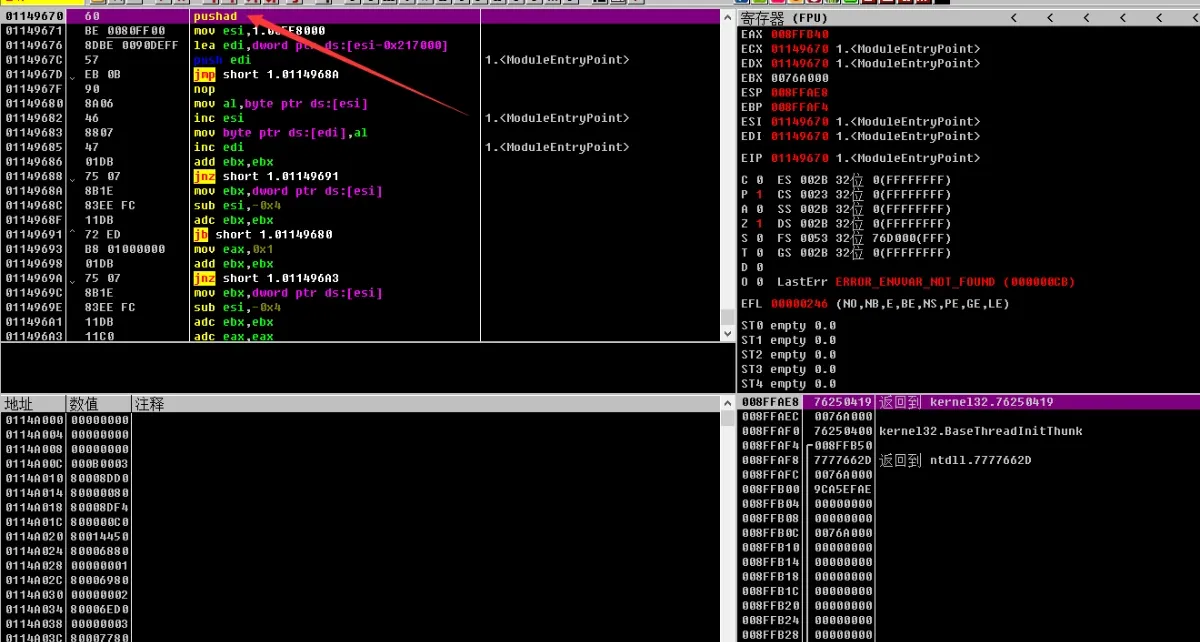
Drop the binary into OllyDbg. The very first instruction being PUSHAD is a strong signal it’s packed:
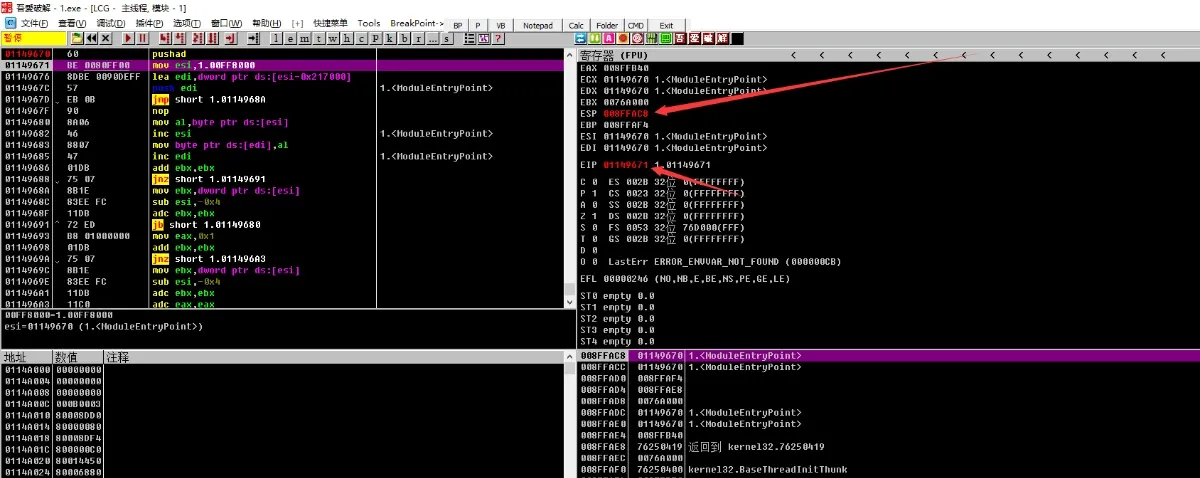
Step once with F8. When only ESP and EIP are marked red, the ESP law applies:
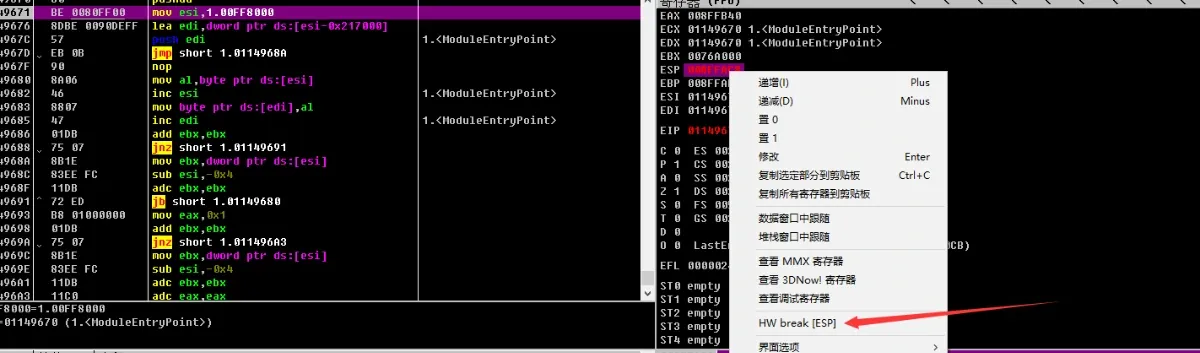
Select ESP, right-click, and set a hardware breakpoint on it:
Run with F9. Execution breaks automatically, and the code around it looks like this:
01149840    8D4424 80       lea eax,dword ptr ss:[esp-0x80]
01149844    6A 00           push 0x0
01149846    39C4            cmp esp,eax
01149848  ^ 75 FA           jnz short 1.01149844
0114984A    83EC 80         sub esp,-0x80
0114984D  - E9 02EEDDFF     jmp 1.00F28654
01149852    0000            add byte ptr ds:[eax],al
01149854    6c              ins byte ptr es:[edi],dx
01149855    98              cwde
01149856    14 01           adc al,0x1
01149858  ^ 74 98           je short 1.011497F2
0114985A    14 01           adc al,0x1
0114985C    D4 E7           aam 0xE7
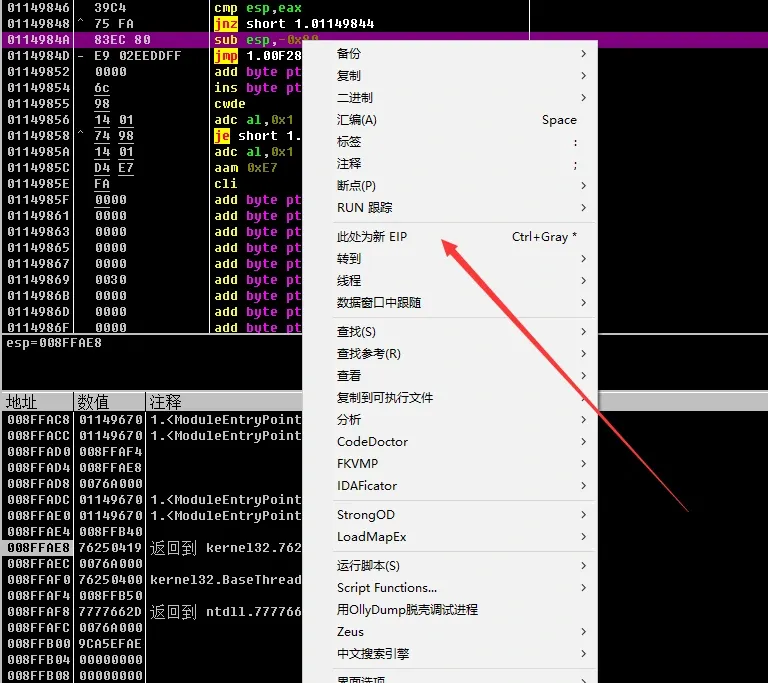
The key move: select the jnz, take the instruction after it (the jmp), and set that as the new EIP:
Step over with F8 and you land at the OEP:
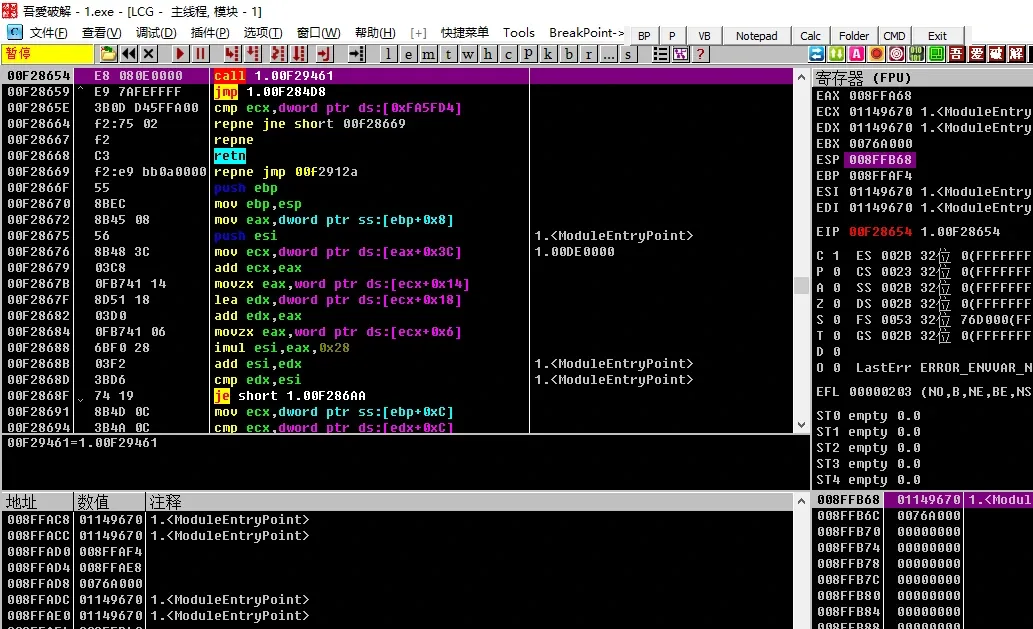
2. Cross-segment stepping (single-step tracing)
Keep hammering F8, but never let execution loop backward — when you hit an upward jump, press F4 on the line below it and keep stepping. Step into every call:
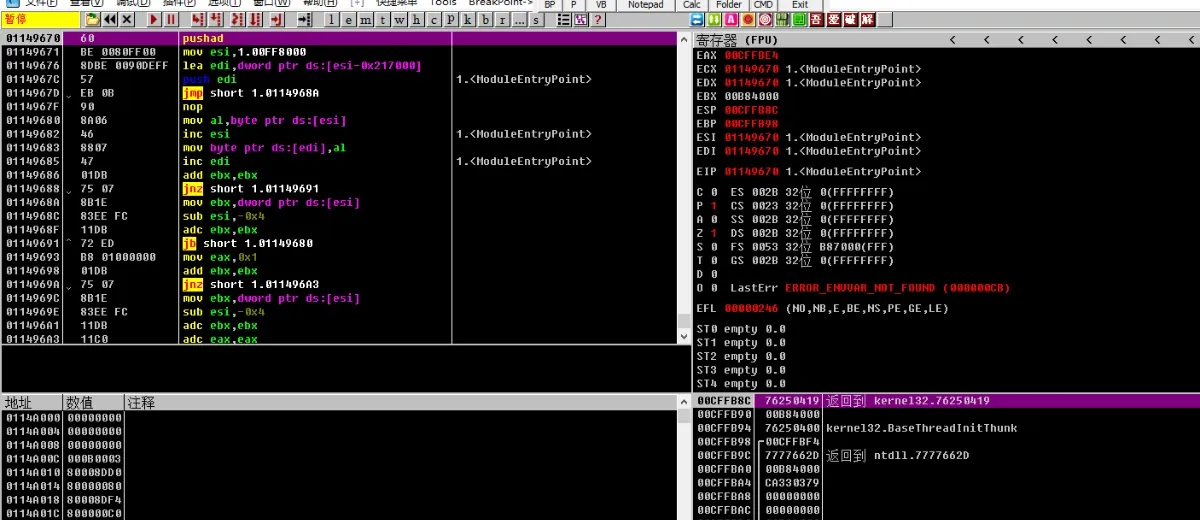
Keep going until you reach a backward jump:
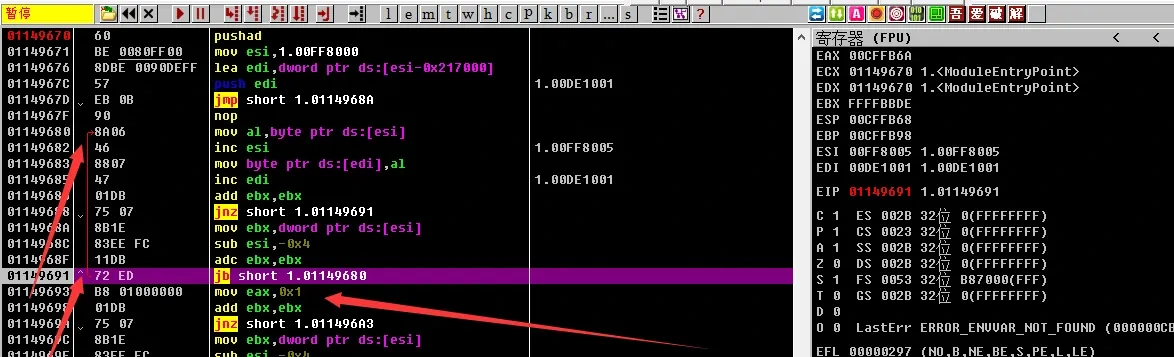
And another:
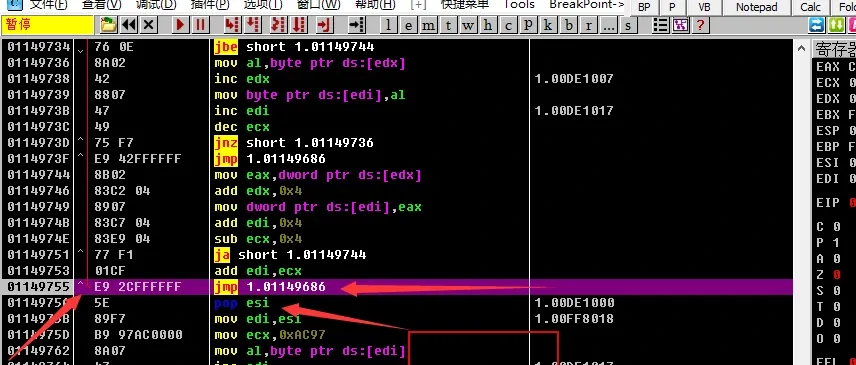
Repeat until you hit a call, then step into it with F7:
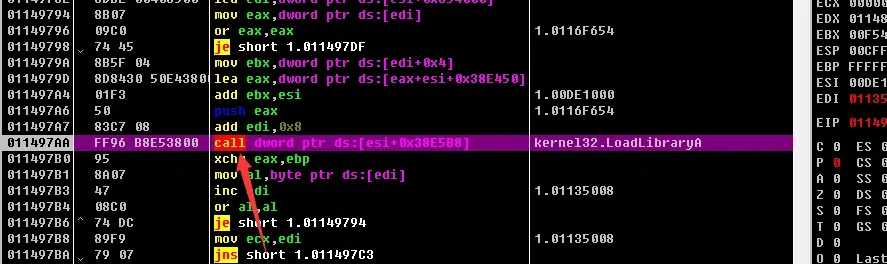
Continue stepping (stepping into calls keeps the program from flying off — here you’ve found the OEP):
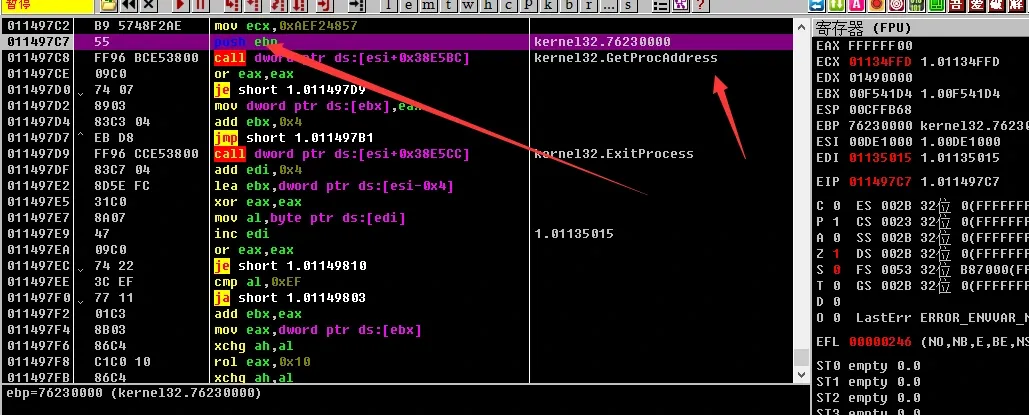
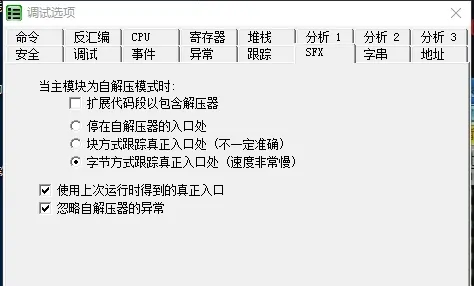
3. Quick SFX unpacking
Configure OllyDbg’s SFX debugger settings under Options → Debugging options → SFX:
Drag the binary into OllyDbg and it jumps straight to the entry point:
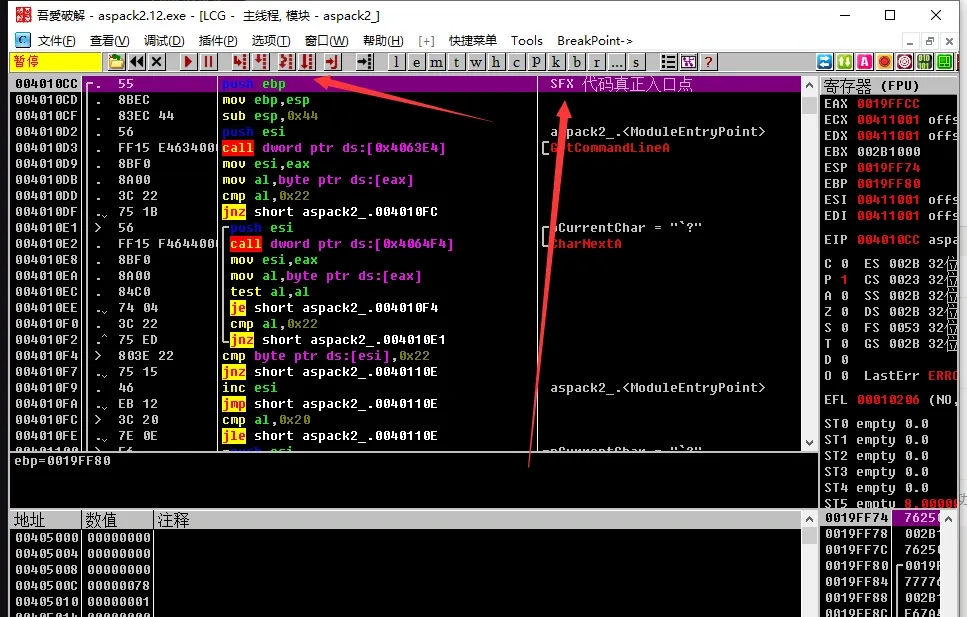
4. Double-breakpoint unpacking
First, inspect the sections:
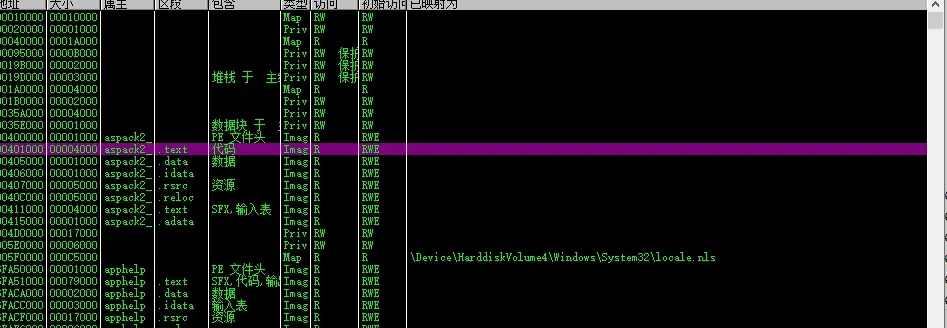
Set a memory breakpoint on the data section:
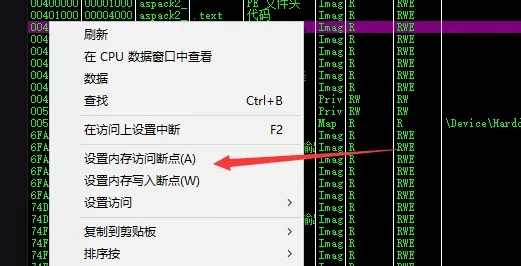
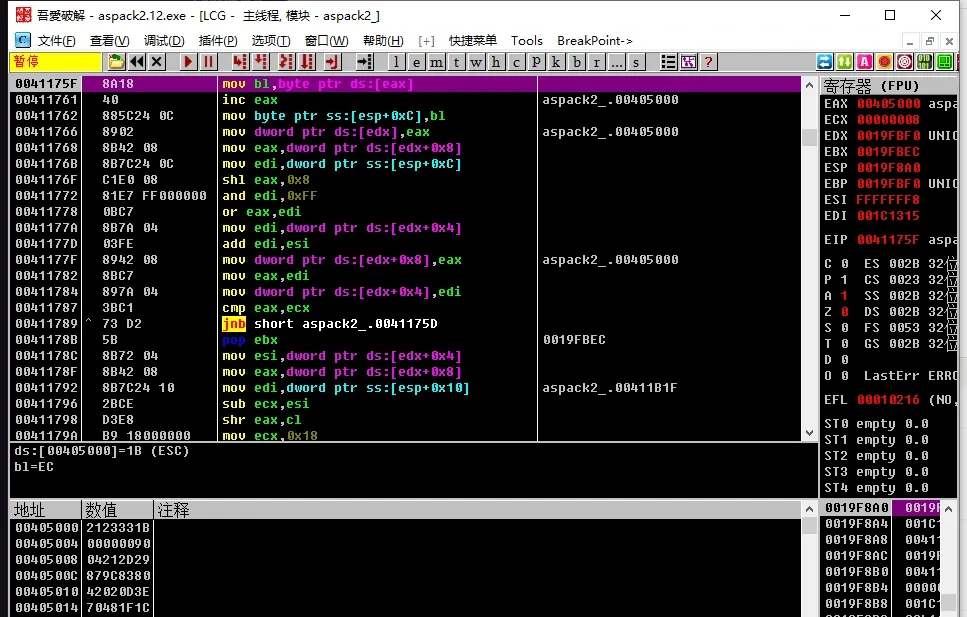
Run with F9; it breaks automatically. Remove the data-section breakpoint:
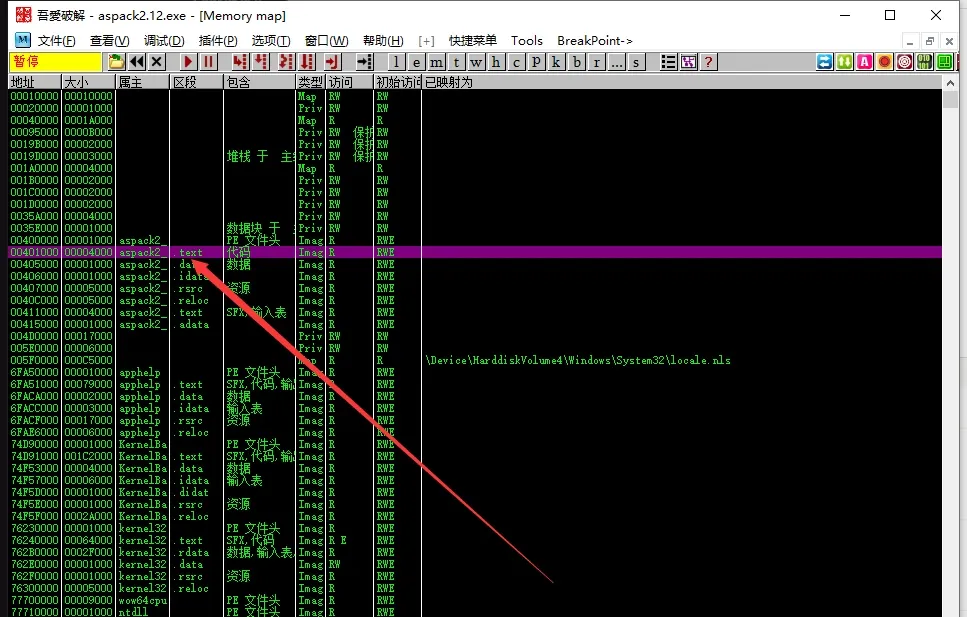
Set a memory-access breakpoint on the text section:
Run F9 again and you arrive at the program’s entry point:
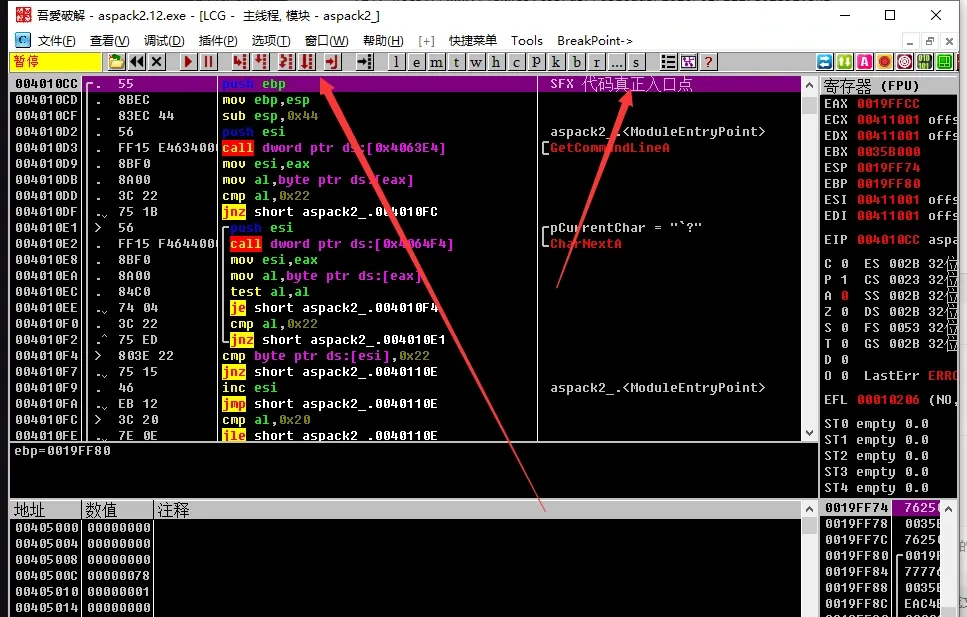
5. Signature-instruction one-shot
00411001 >  60              pushad
00411002    E8 03000000     call aspack2_.0041100A
00411007  - E9 EB045D45     jmp 459E14F7
The first instruction is PUSHAD. Where there’s a push, there’s a pop — so search for POPAD. There are several:
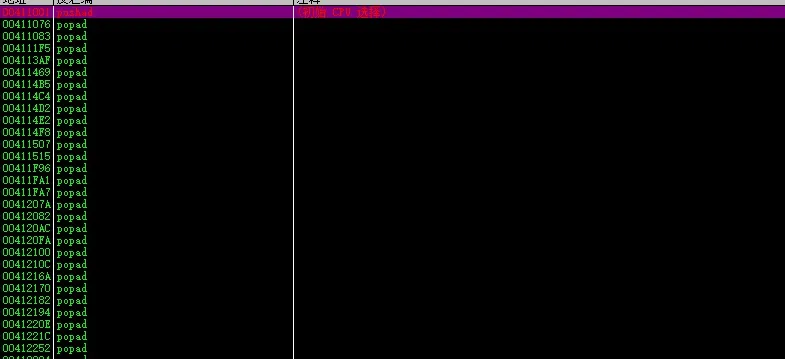
Check them one by one, looking for a POPAD followed by a return. Break there — if it hits, it’s the one:
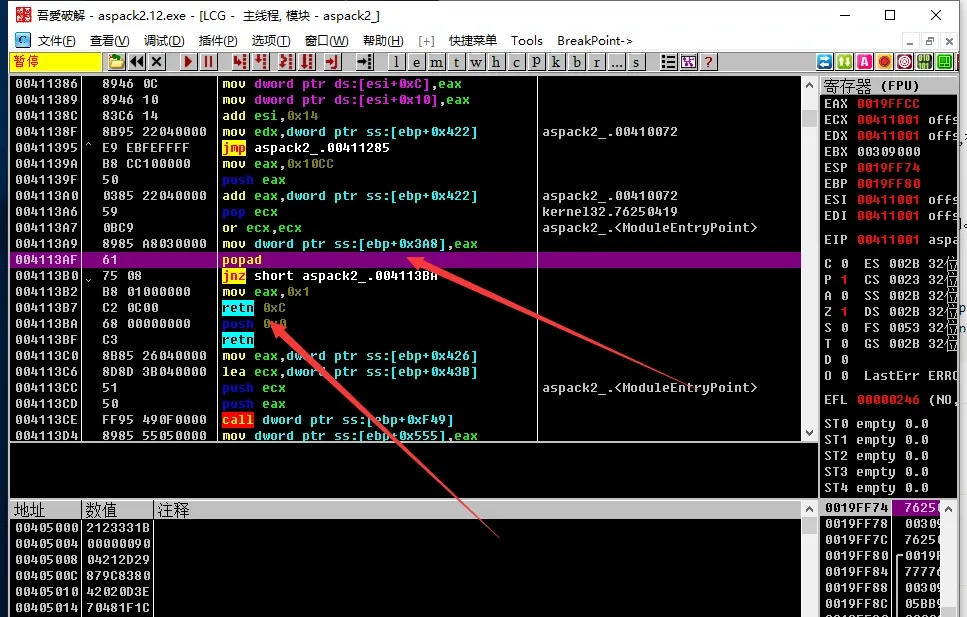
Set the breakpoint and run; it hits:
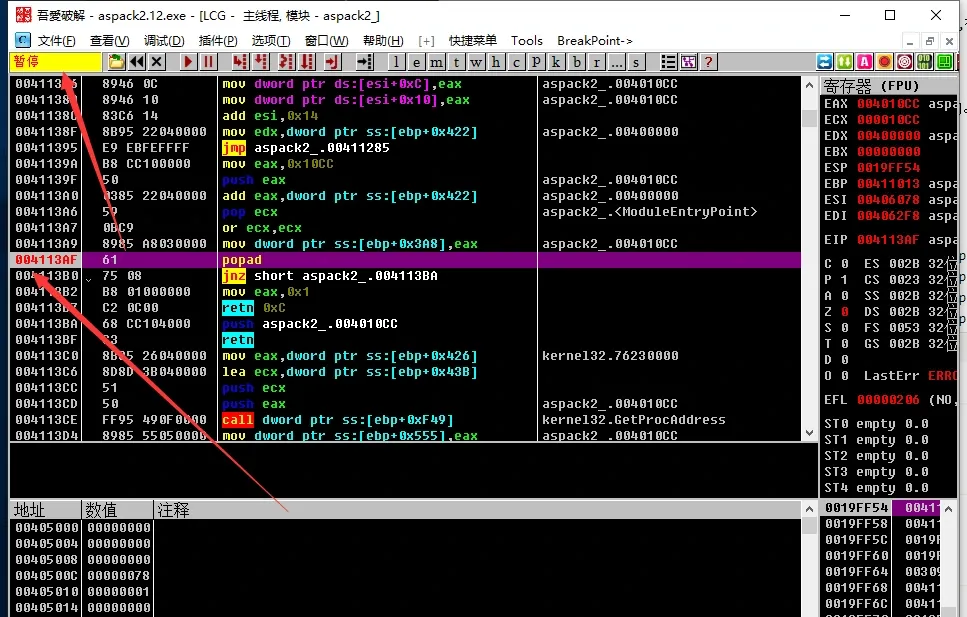
Single-step to the return, and the return lands you at the OEP:
6. Language-feature localization
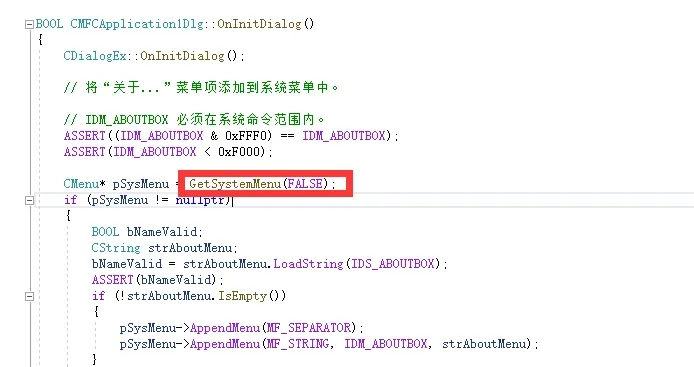
Know what language the target was written in, then break on a language-specific function. For an MFC program, OnInitDialog calls GetSystemMenu, so break on GetSystemMenu directly:
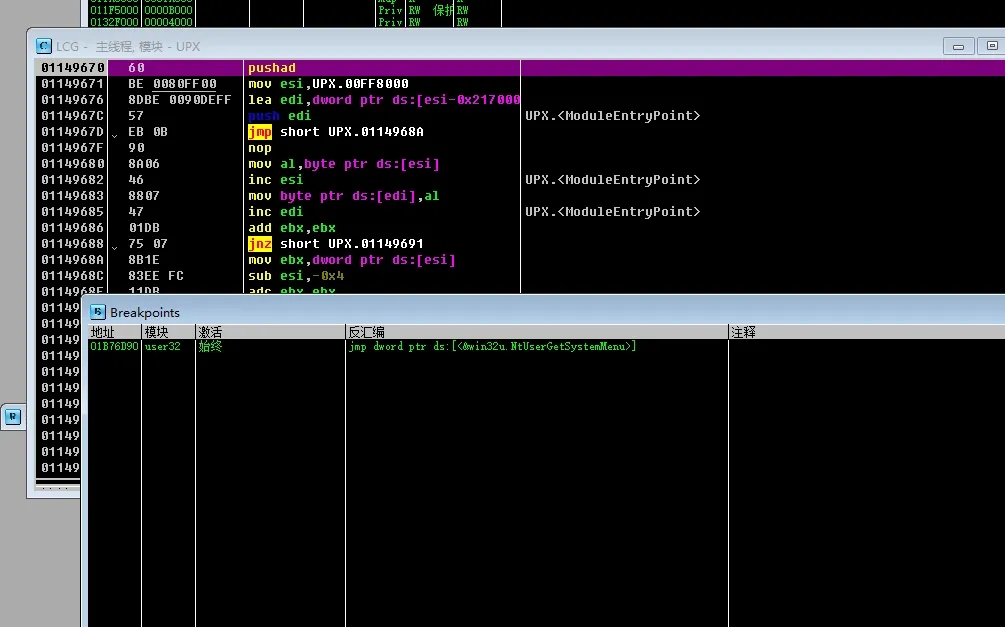
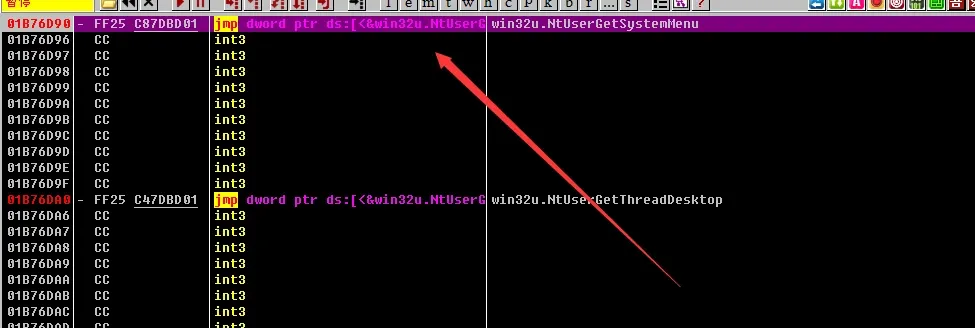
Run and it breaks automatically; execute through to the return:
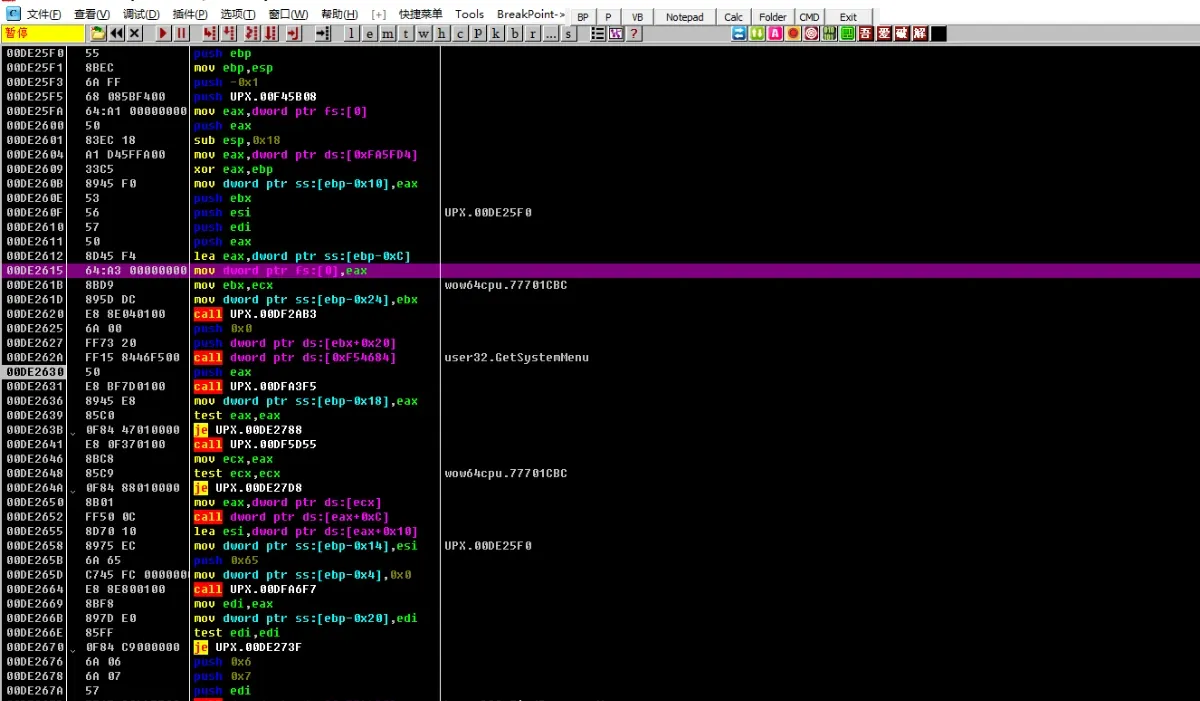
After the return you’re at the OEP:
Colin Xiao — I take on contract reverse-engineering work, and writeups like this are how I show what I can do. If you need help with anything in this space — including but not limited to the areas I cover above — I’m available. No project is too big or too small — if it’s reverse engineering and I can do it, I’ll take it. DM me on X (@colinxiao_lab) or Telegram (@ColinXiao666).
Get in touch