A General Method for Capturing HTTPS Traffic from Cronet-Based Apps
About the author. I’m Colin Xiao — an independent reverse engineer, mostly working solo on contract jobs. I dig into compiled code of every kind, including but not limited to: Android and iOS apps, x86/x64/ARM native binaries, packers and obfuscators, DRM and license checks, network protocols and APIs, crypto and signature algorithms, malware, game binaries, and embedded/IoT firmware. I also handle large-scale data collection and vulnerability research. If you have any project in mind, I’d be glad to take it on — whatever it is, as long as it’s within my wheelhouse. Just reach out. You can reach me on X at @colinxiao_lab or on Telegram at https://t.me/ColinXiao666.
This research is published for educational and defensive purposes. The target sample is anonymized throughout.
A General Method for Capturing HTTPS Traffic from Cronet-Based Apps
Preface
Lately packet capture has been a hot topic, so I’ll share my own results here.
Without a doubt, the first step in reversing an app is capturing its traffic. It gives you useful clues — URLs, parameter names. From those you can peel back layer by layer to find where the app sends and receives data, and then locate the critical signature logic. Once you understand the signing, the interesting part follows.
The most common Android networking framework is OkHttp, and OkHttp capture research is mature — it’s just certificate pinning or hostname verification. But in recent years, apps built on Google’s Cronet networking framework have appeared — a short-video app, a video-sharing site, and so on. Cronet is the networking component extracted from Chrome for mobile use. Research on capturing and verifying Cronet traffic is still thin; most of it is tricks rather than fundamentals. This post works from the Chrome source, using a short-video app as the example, to study the correct way to capture traffic from Cronet-based Android apps.
1. Start from the error
Turn on the phone’s proxy, install the HTTPS cert into the system root store, and launch the target app. Result:

Every request fails, and the app shows “no network”. No matter — open the log:
ERR_CERT_AUTHORITY_INVALID — clearly it detected an invalid certificate.
People who use Chrome regularly will recognize these ERR_-prefixed errors:
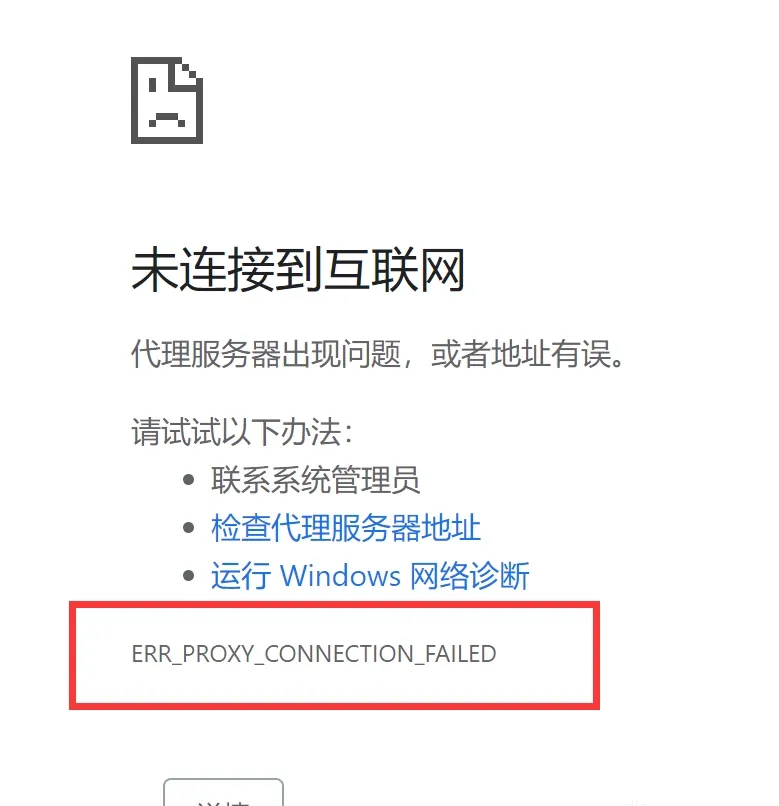
That’s exactly Chrome’s standard error format. So we can start from this error, look up its source in the Chrome codebase, and work out a bypass from there.
2. Digging into the source
Open Chrome Code Search (an online Chrome source browser with powerful cross-reference and full-text search):
Search globally for ERR_CERT_AUTHORITY_INVALID:

Lots of results. Looking them over, net/cert/cert_status_flags.cc looks suspicious — open it:
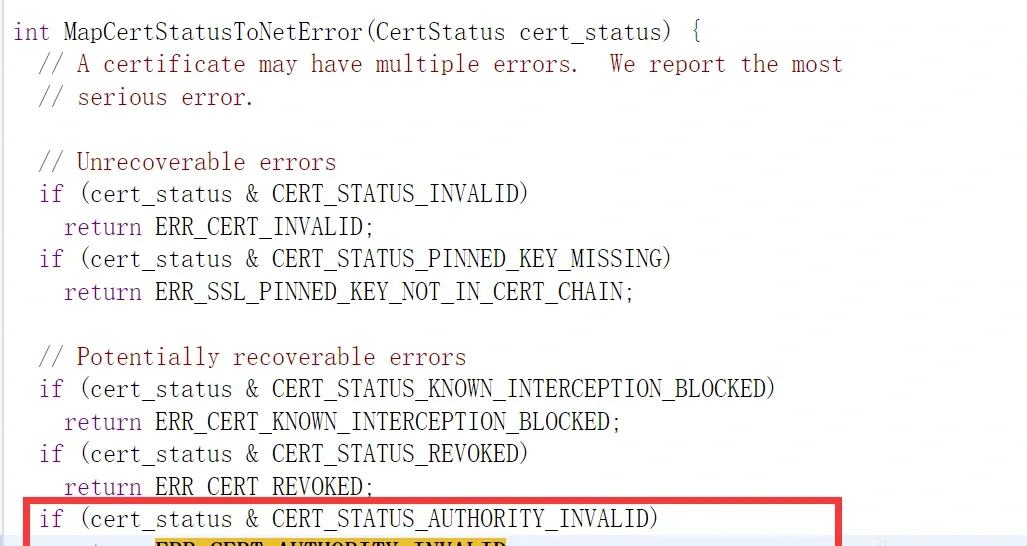
A function called MapCertStatusToNetError returns this ERR_CERT_AUTHORITY_INVALID.
MapCertStatusToNetError maps a certificate status to a network error. Check who references it:
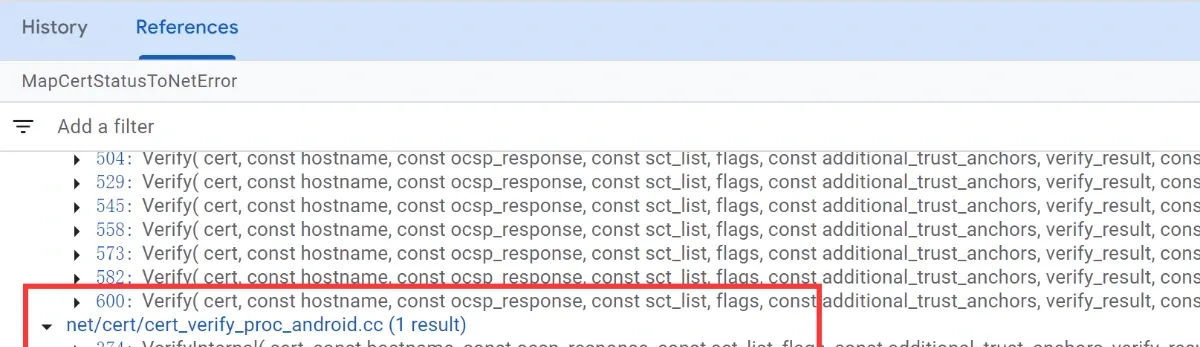
It’s referenced in a file called cert_verify_proc_android.cc. The name already hints at certificate checking/verification — open it:
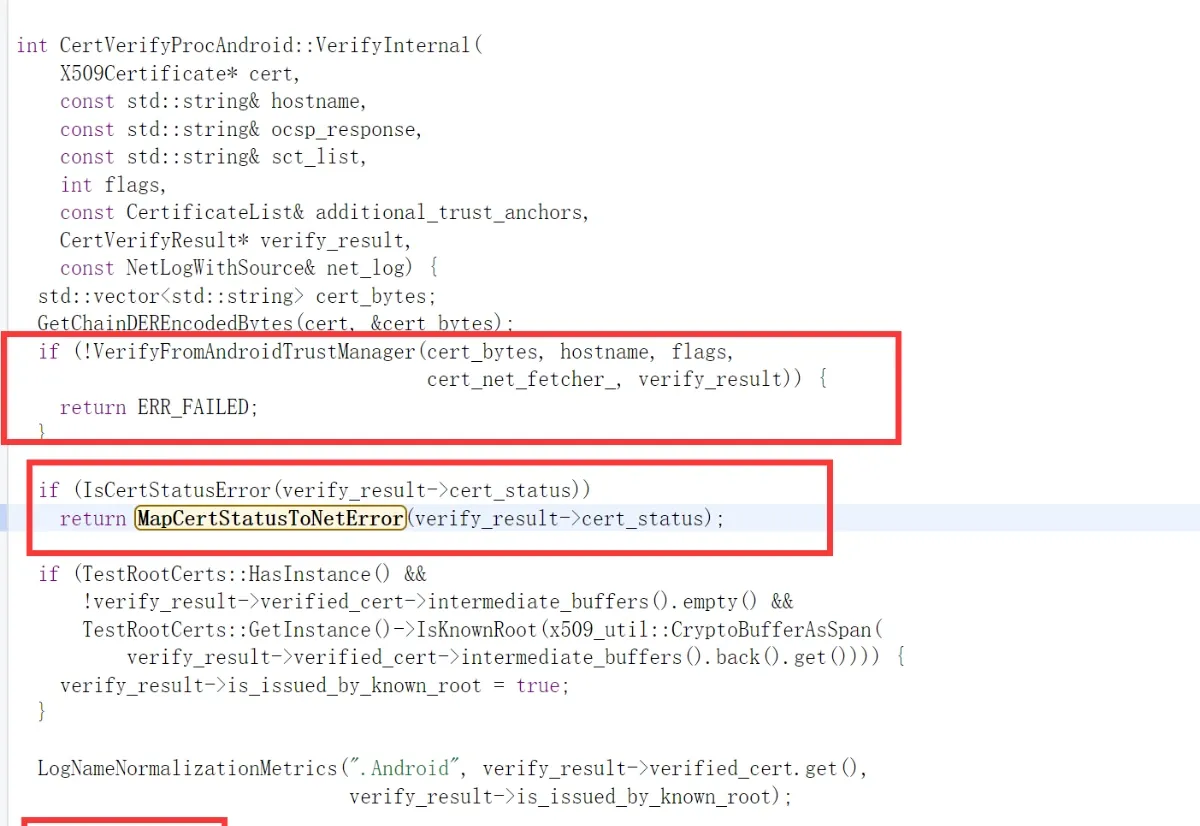
Inside VerifyInternal, it first verifies via TrustManager. If verify_result’s cert_status contains an error, it maps that error and returns. If there’s no error, it checks whether the certificate’s issuer is a known_root, then returns OK.
Let’s trace back up from VerifyInternal:
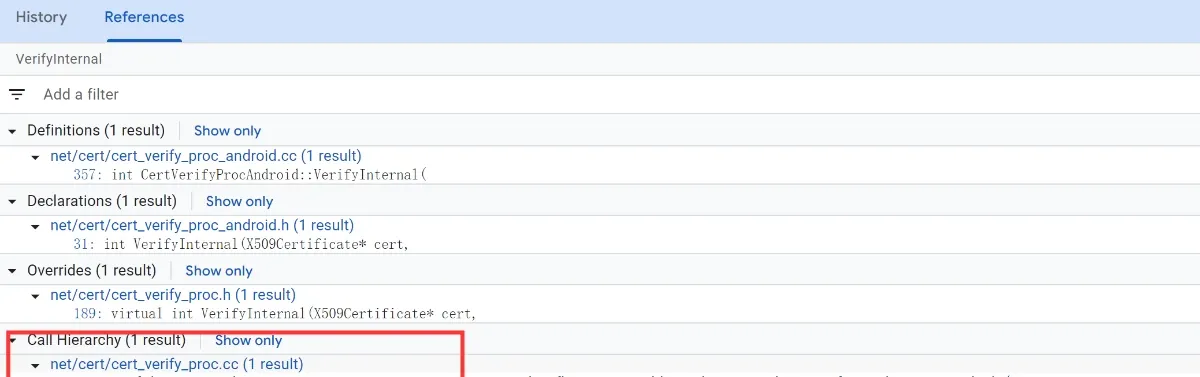
A more abstract name appears: cert_verify_proc.cc (certificate verification procedure). Open it:
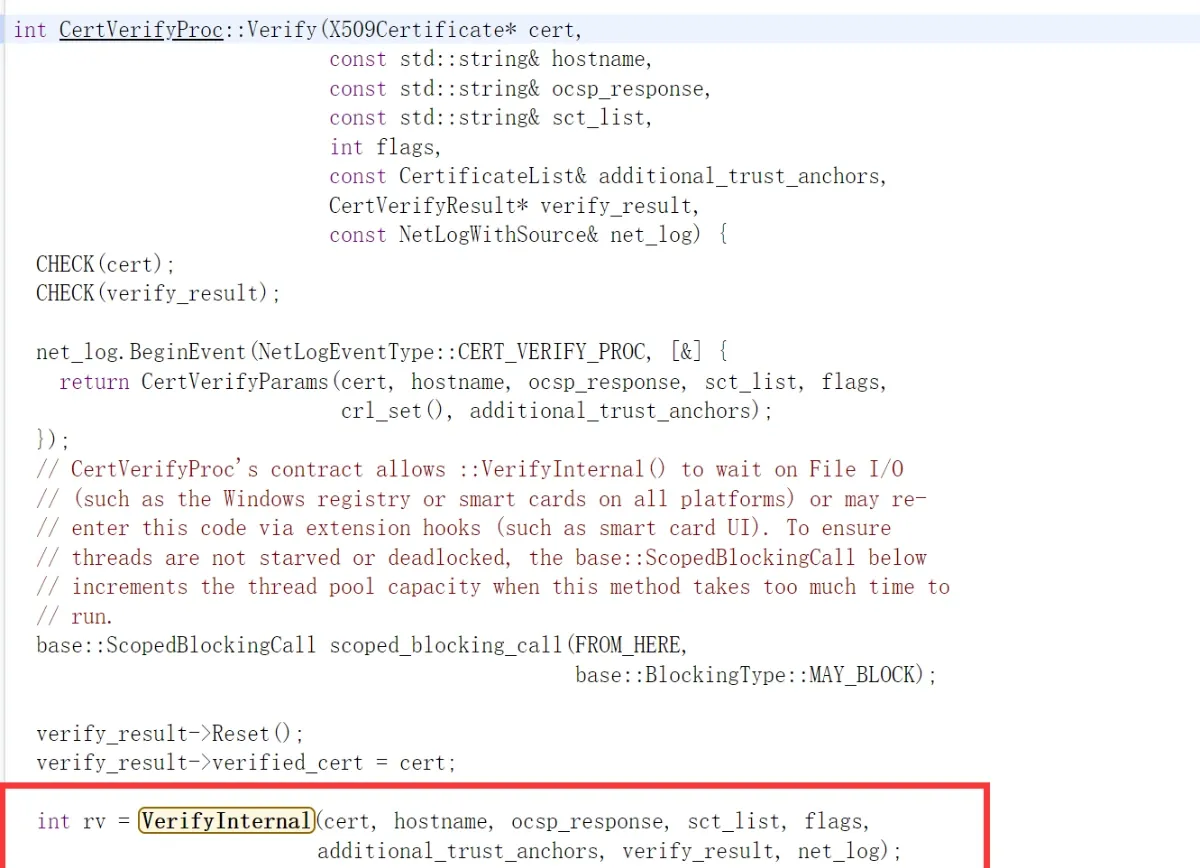
In this function, rv holds the result of VerifyInternal. If the result is OK, it continues with more checks:
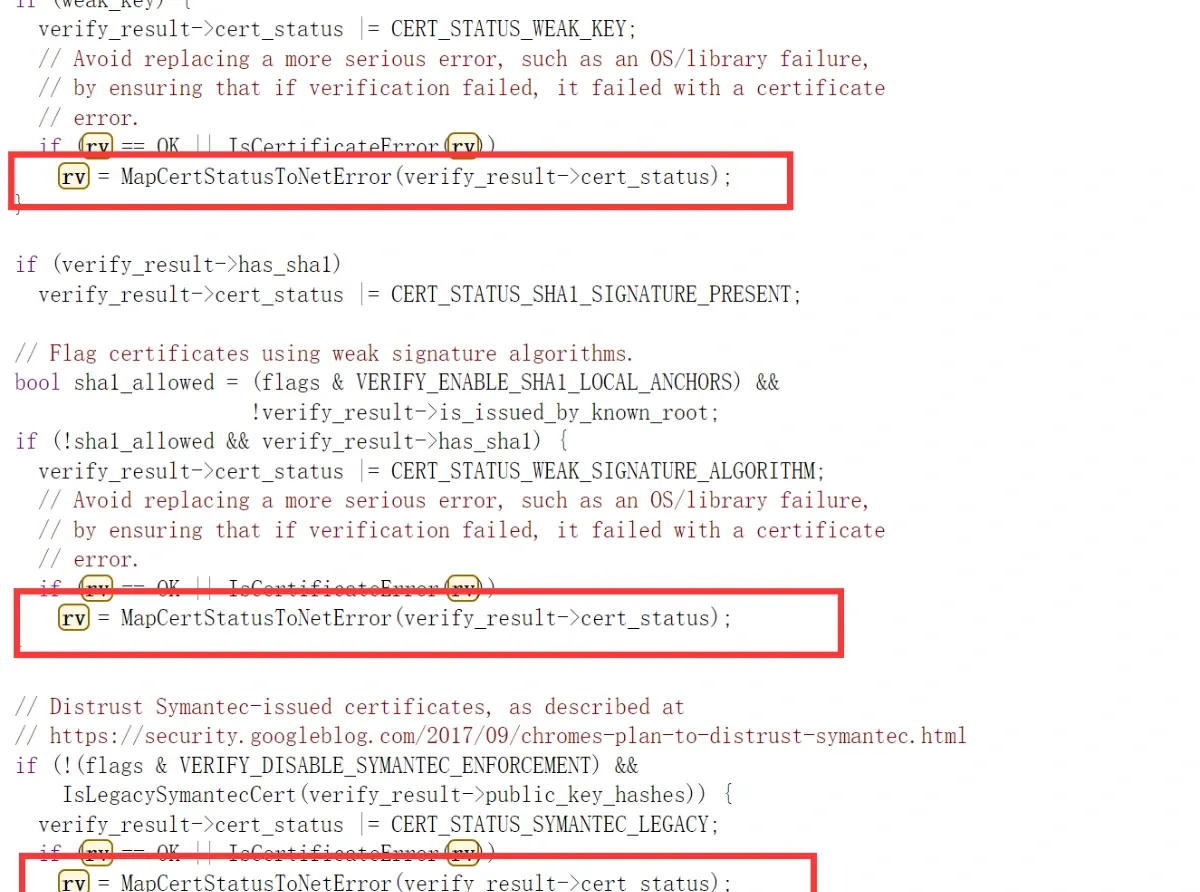
For example, whether the certificate uses a weak hash algorithm, whether it’s expired, whether its validity period is too long (SSL certs are usually valid for one year), and so on:
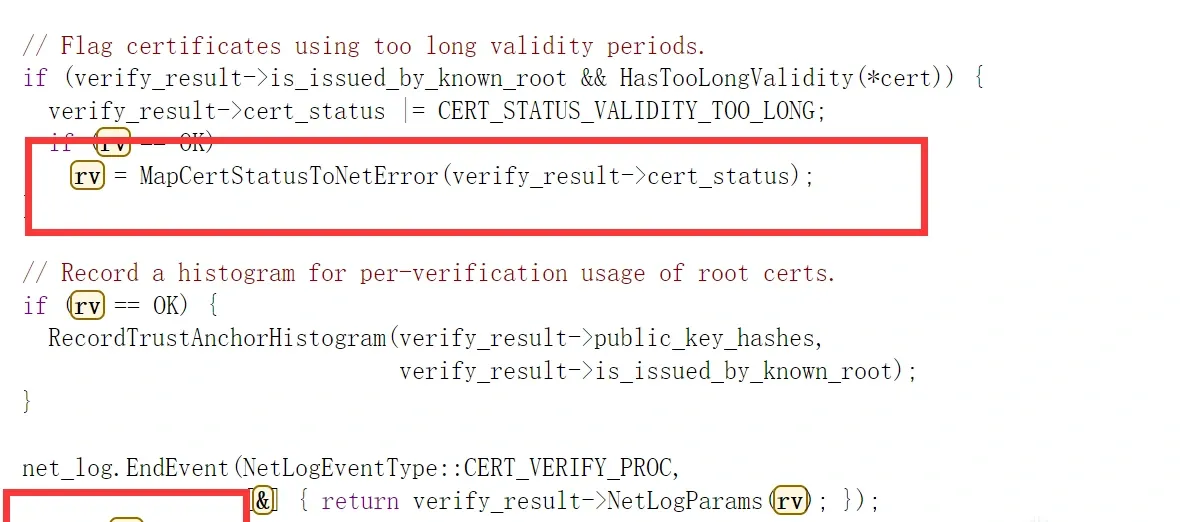
Finally it returns rv.
Notice that whichever step returns, rv is always assigned by MapCertStatusToNetError. So if we change that function’s return value to OK, then no matter how it verifies, the final Verify result passes — in other words, the certificate verification is bypassed. So the plan: locate this function in the app’s .so and patch it.
3. In practice
Look at the characteristics of MapCertStatusToNetError:
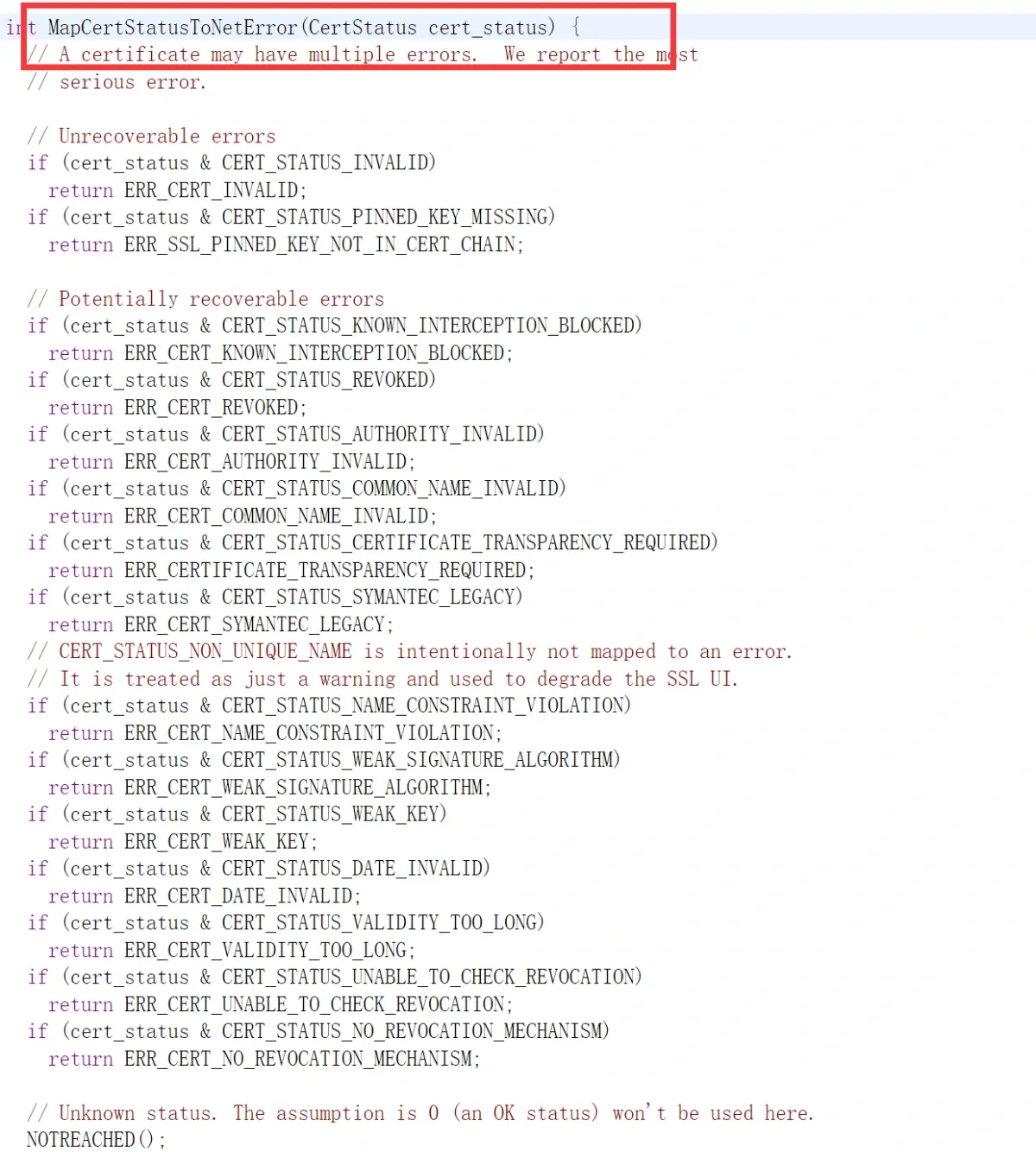
Very clear: each time it ANDs a flag with cert_status, and if it matches, returns.
Open the short-video app’s lib directory and find the target .so:
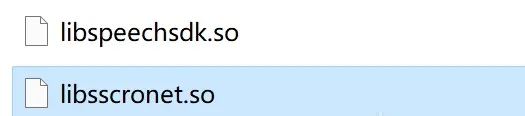
Once open, MapCertStatusToNetError isn’t easy to locate directly, because the function names have been stripped.
We look for other anchors — especially places with string constants or log output.
We saw that Verify calls MapCertStatusToNetError many times, but Verify itself contains no searchable strings.
From compiler knowledge, functions adjacent in source are usually adjacent in the compiled result.
There’s a function right below Verify that does contain a string:
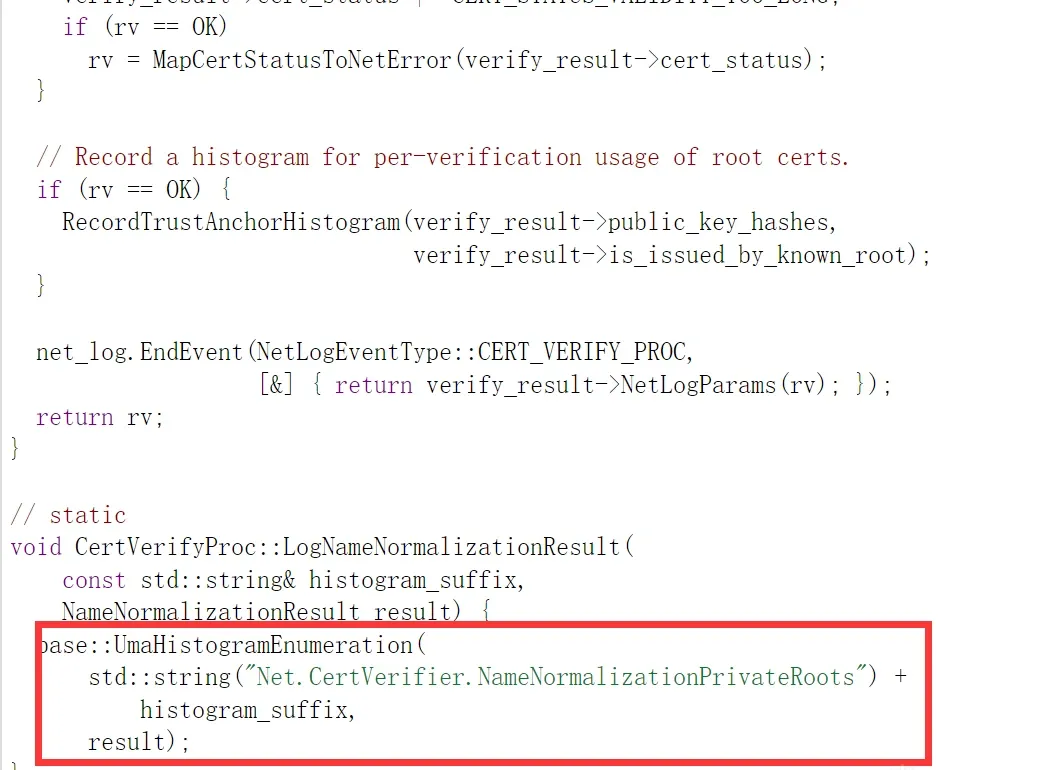
Search globally for that string — it’s there:
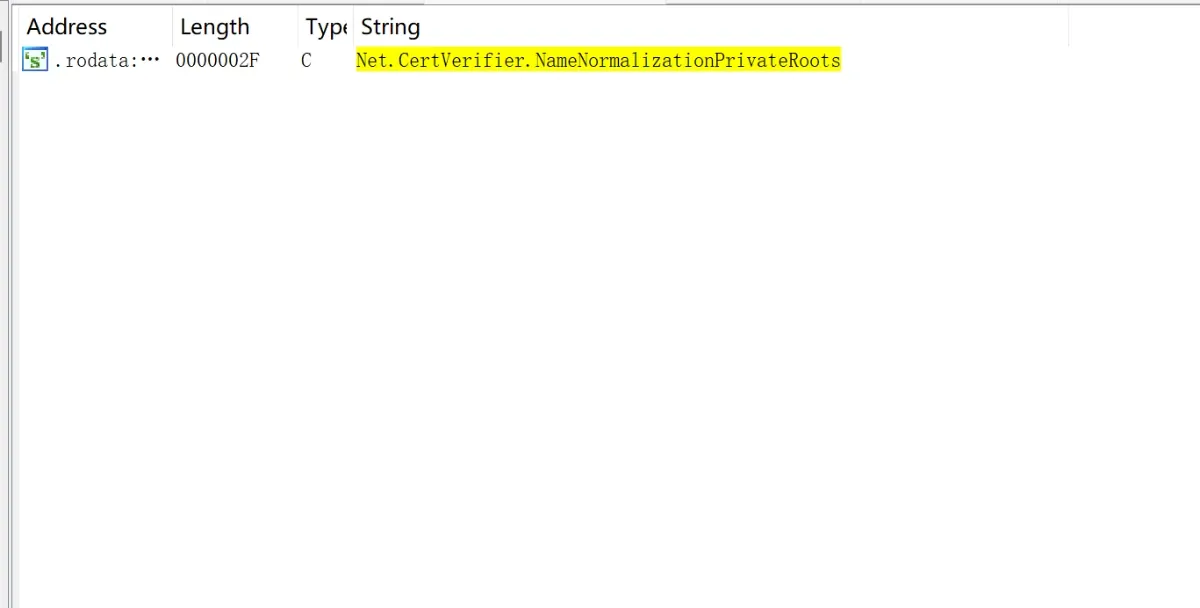
Use cross-references to locate the function referencing this string, then look at the function adjacent above it:
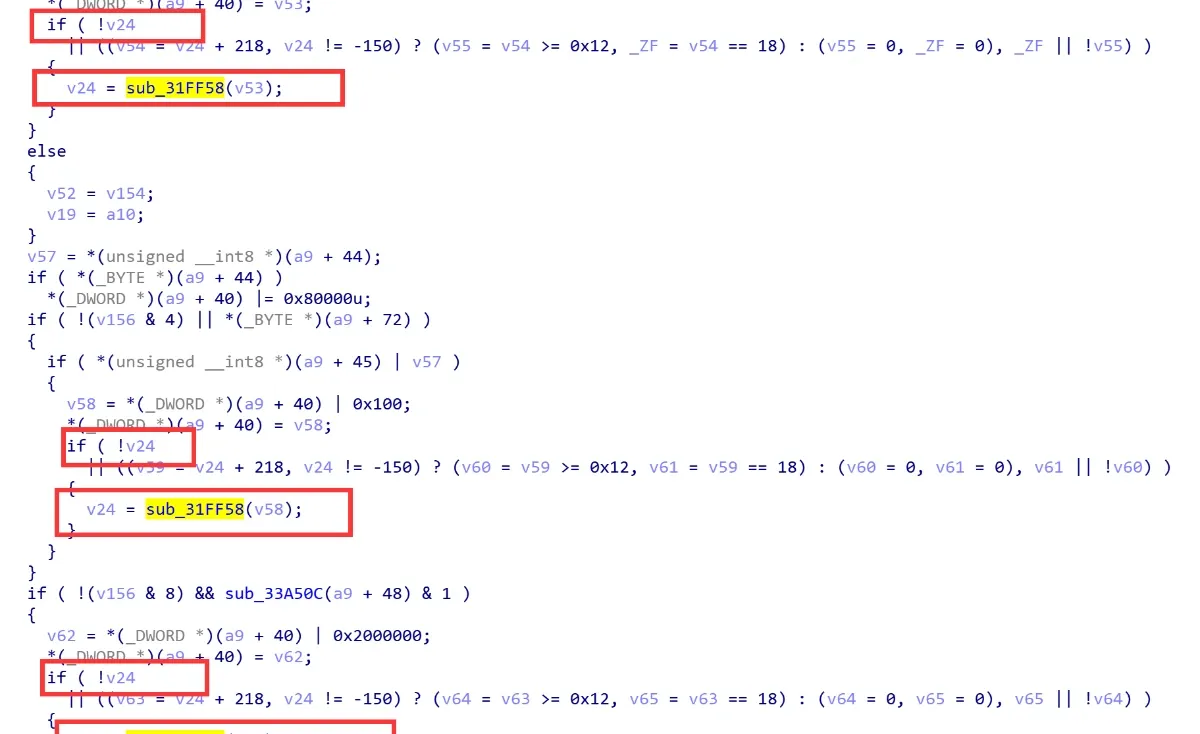
There’s a structure similar to Verify: check whether rv is OK, and if so, run further checks, assigning the value via MapCertStatusToNetError.
Step into this sub_31ff58 function:
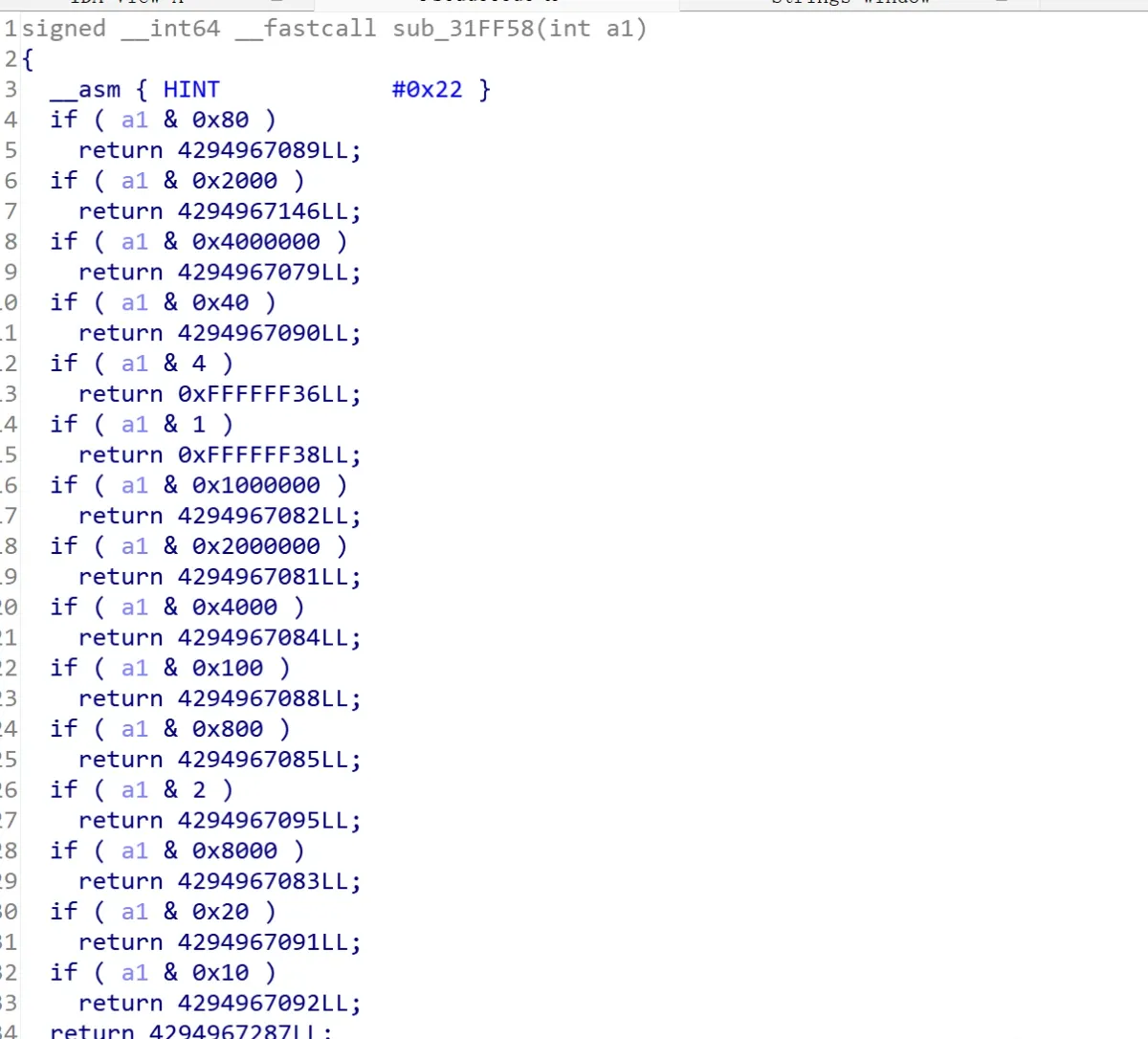
It shows the same structure as MapCertStatusToNetError: flag AND-check, then return.
So we’ve found MapCertStatusToNetError. Patch the assembly so it returns OK (0) right at the entry.
Before:
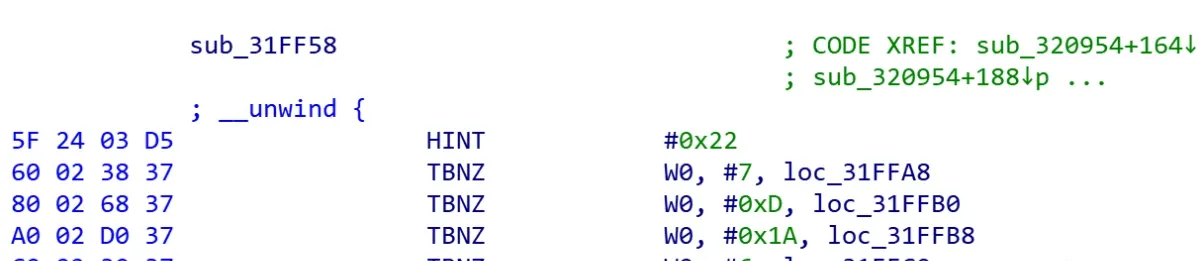
After:
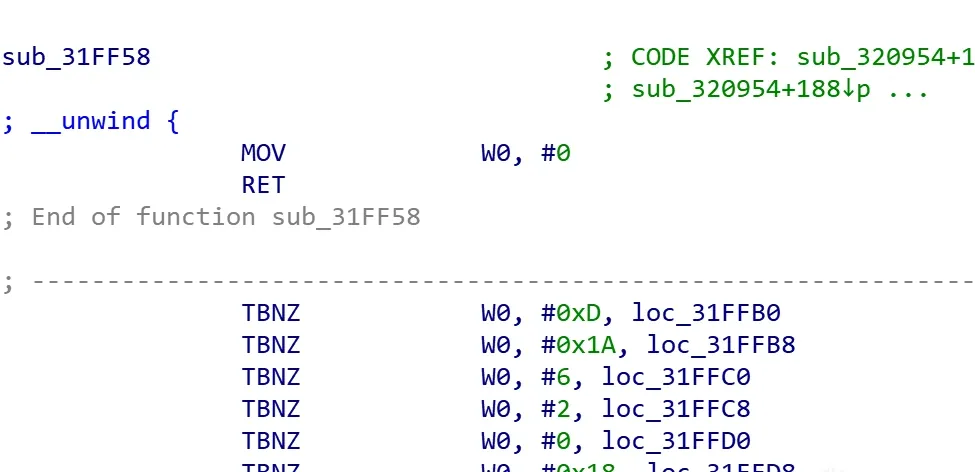
Put the patched .so back into the app package on the device and relaunch. Capture now works:

Open a video’s comment section to check the captured traffic is correct:

Looks right. Done.
4. Afterword
The video-sharing site also uses Cronet, and previously had a similar certificate check — the same method captures it too. But when I tried today, the site had removed the check, probably deciding these verifications are too easily bypassed to bother keeping.
To summarize: working from the Chrome source, this post proposes a more general way to capture traffic from Cronet’s certificate verification, and it gets straight to the core of that verification. Bypassing Cronet’s certificate check may be even simpler than OkHttp’s — just patch 8 bytes, or Frida-hook MapCertStatusToNetError to return 0. The hard part is locating MapCertStatusToNetError; that can be done several ways — I used string search plus the compiler-adjacency principle.
Hope this gives a new angle on HTTPS packet capture.
Update (2023-08-03)
In practice I found that sometimes Verify returns directly without ever calling MapCertStatusToNetError. Looking at the source:
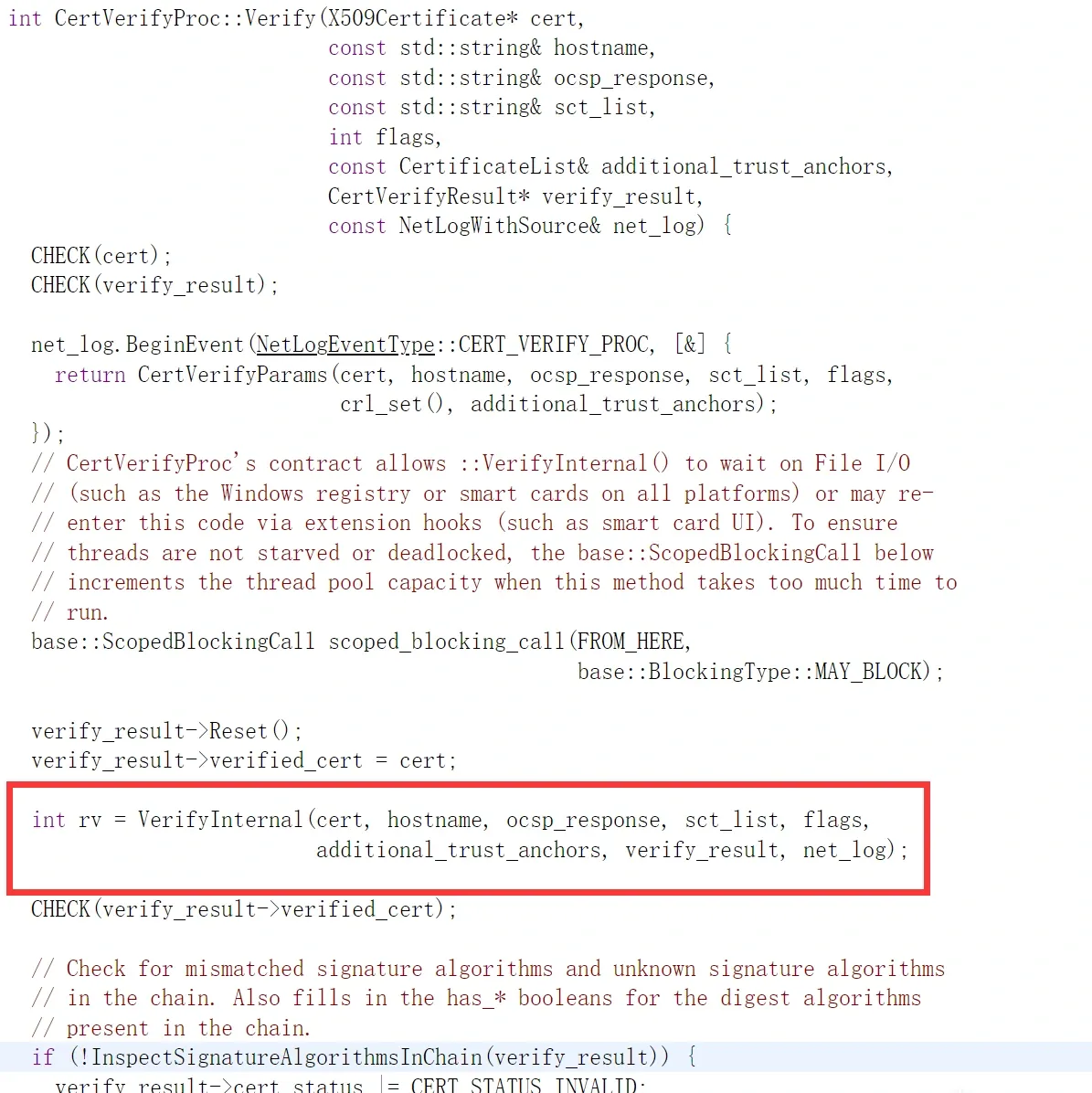
It calls the virtual VerifyInternal directly; the returned RV can be non-zero while verify->result doesn’t match any of the later conditions, so it returns without going through MapCertStatusToNetError. So you can also locate Verify and hook it to return 0 (OK) — that’s safer.
Colin Xiao — I take on contract reverse-engineering work, and writeups like this are how I show what I can do. If you need help with anything in this space — including but not limited to the areas I cover above — I’m available. No project is too big or too small — if it’s reverse engineering and I can do it, I’ll take it. DM me on X (@colinxiao_lab) or Telegram (@ColinXiao666).
Get in touch