How Windows DTrace Works Under the Hood: bcdedit → winload.efi → ntoskrnl → dtrace.sys
About the author. I’m Colin Xiao — an independent reverse engineer, mostly working solo on contract jobs. I dig into compiled code of every kind, including but not limited to: Android and iOS apps, x86/x64/ARM native binaries, packers and obfuscators, DRM and license checks, network protocols and APIs, crypto and signature algorithms, malware, game binaries, and embedded/IoT firmware. I also handle large-scale data collection and vulnerability research. If you have any project in mind, I’d be glad to take it on — whatever it is, as long as it’s within my wheelhouse. Just reach out. You can reach me on X at @colinxiao_lab or on Telegram at https://t.me/ColinXiao666.
This research is published for educational and defensive purposes. The target sample is anonymized throughout.
DTrace is a command-line tracing utility for monitoring and debugging system behavior in real time. The Windows port — integrated since the Windows 10 19H1-era kernels — lets you dynamically instrument both kernel and user-mode code without modifying the code itself. This is a full walkthrough of how Windows DTrace actually works, traced end to end from the bcdedit switch through the EFI boot loader, kernel initialization, and finally the syscall audit path.
Architecture
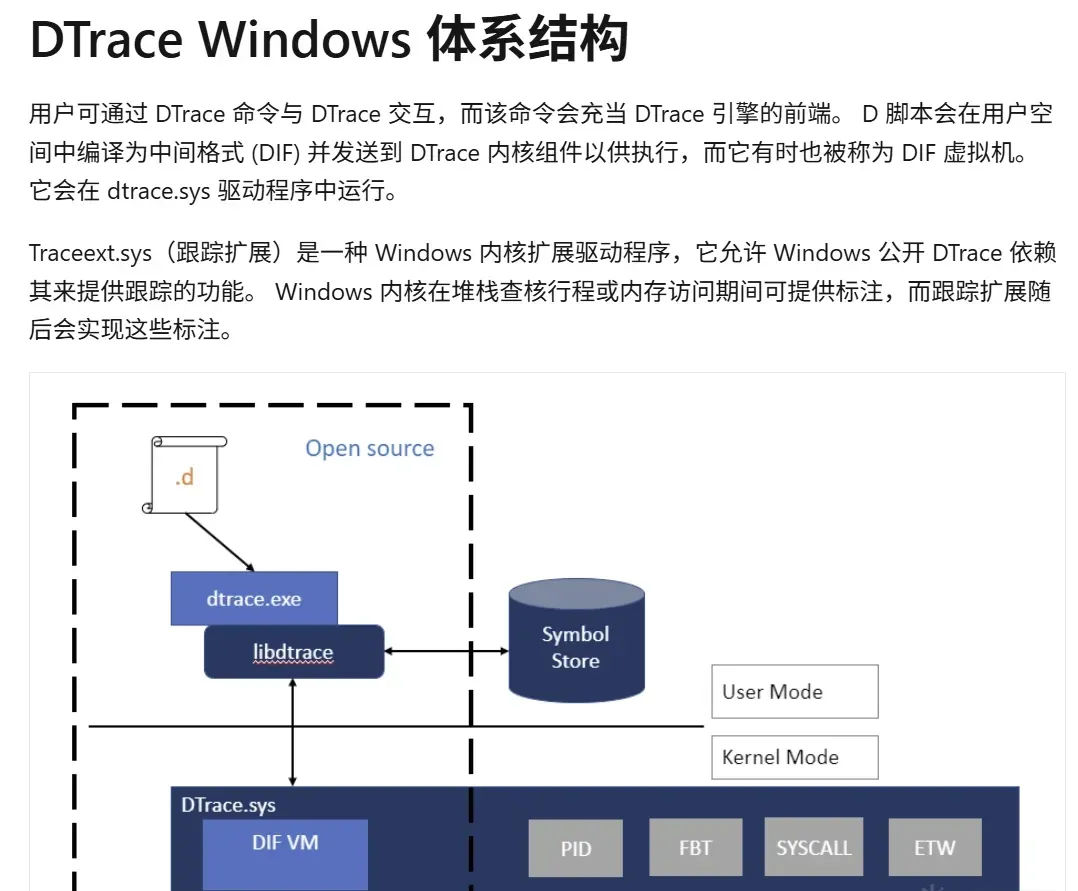
Enabling it
Enable DTrace with bcdedit, after making sure the DTrace install directory is on PATH:
set PATH=%PATH%;"C:\Program Files\DTrace"bcdedit /set dtrace ONA reboot is required. Listing available probes:
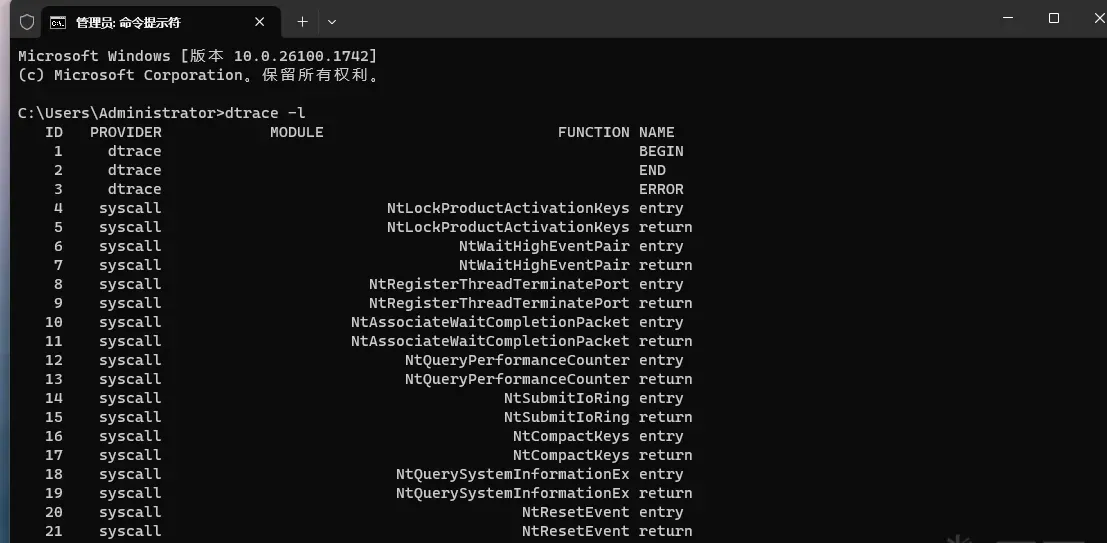
A simple aggregation example — count syscall entries per process over five seconds:
dtrace -Fn "tick-5sec {exit(0);} syscall:::entry{ @num[pid,execname] = count();} "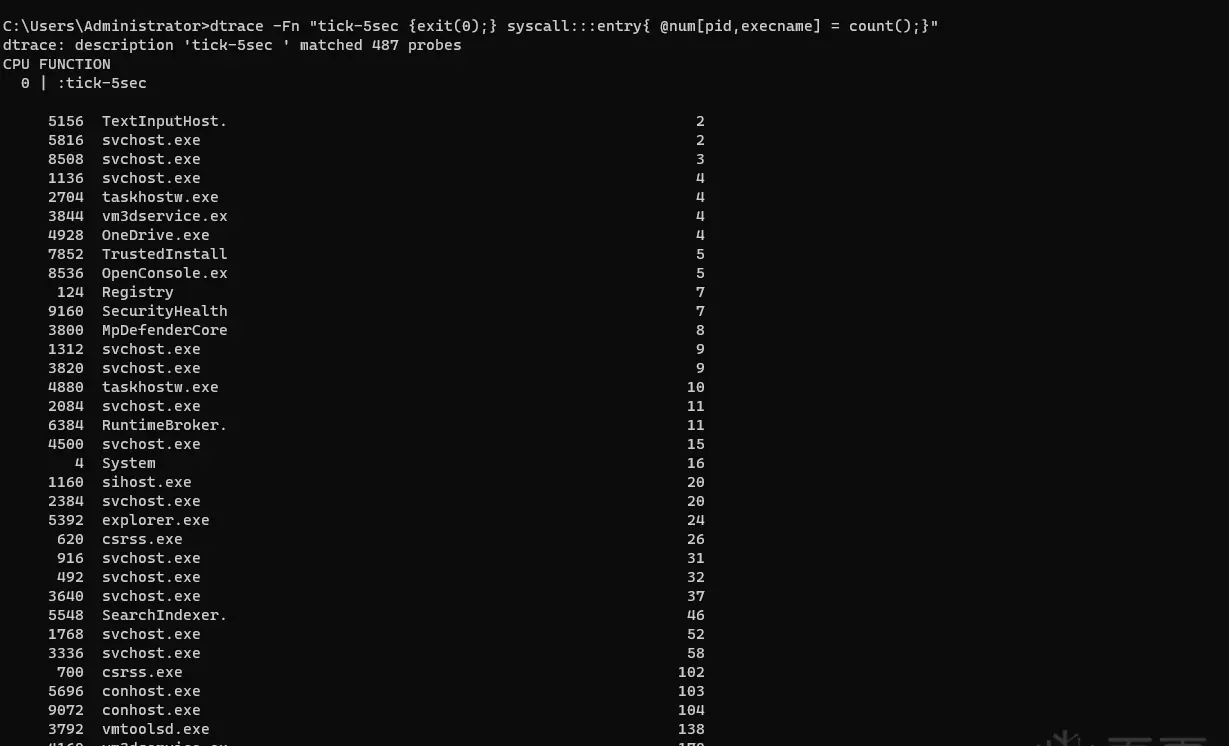
How bcdedit sets it
bcdedit /set dtrace ON writes a specific registry value:

It sets the Element value to 1 under HKEY_LOCAL_MACHINE\BCD00000000\Objects\{5ea502ac-8b8f-11f0-9f0f-70d823d98bbc}\Elements\26000145:
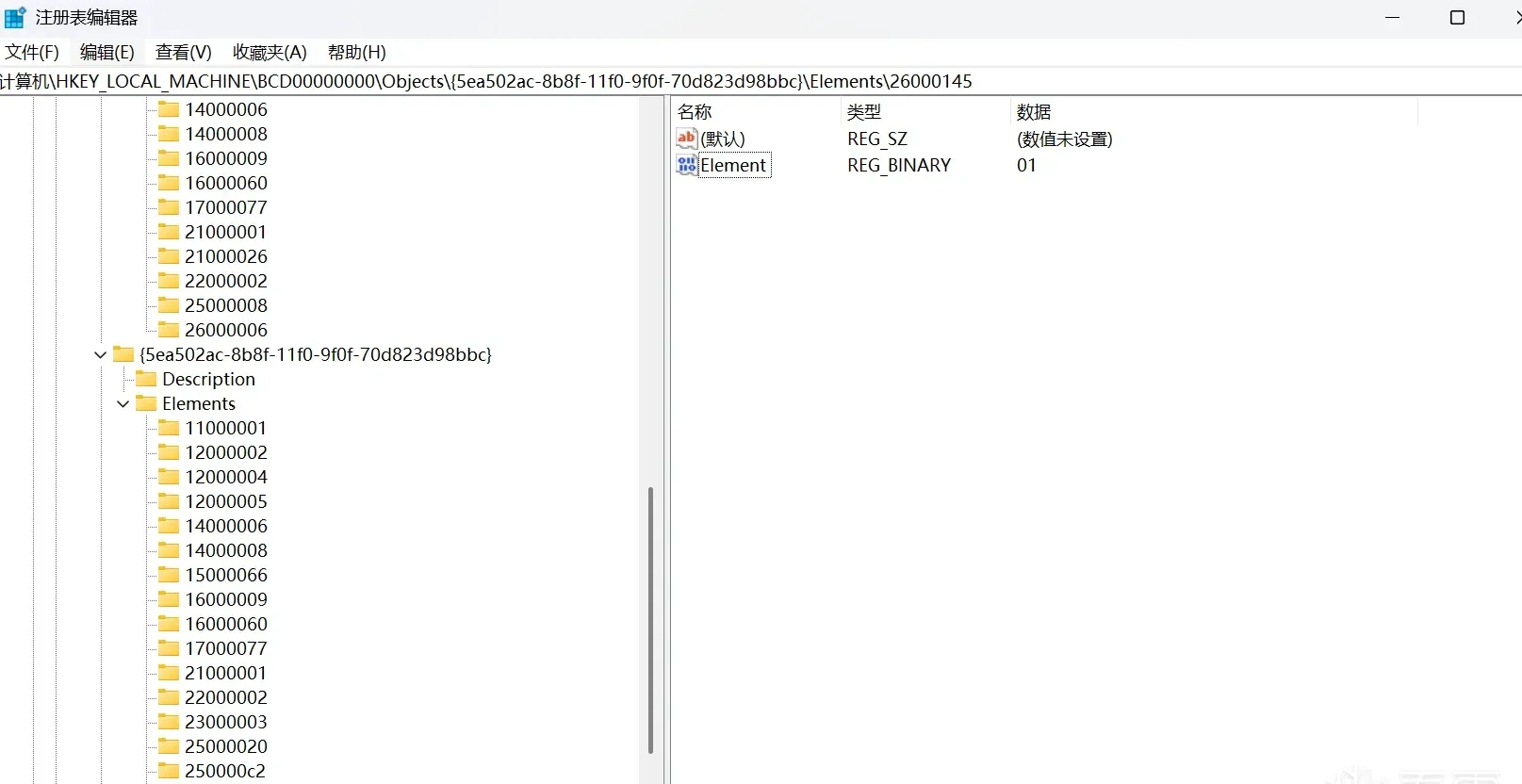
/set dtrace OFF writes 0 to the same key:
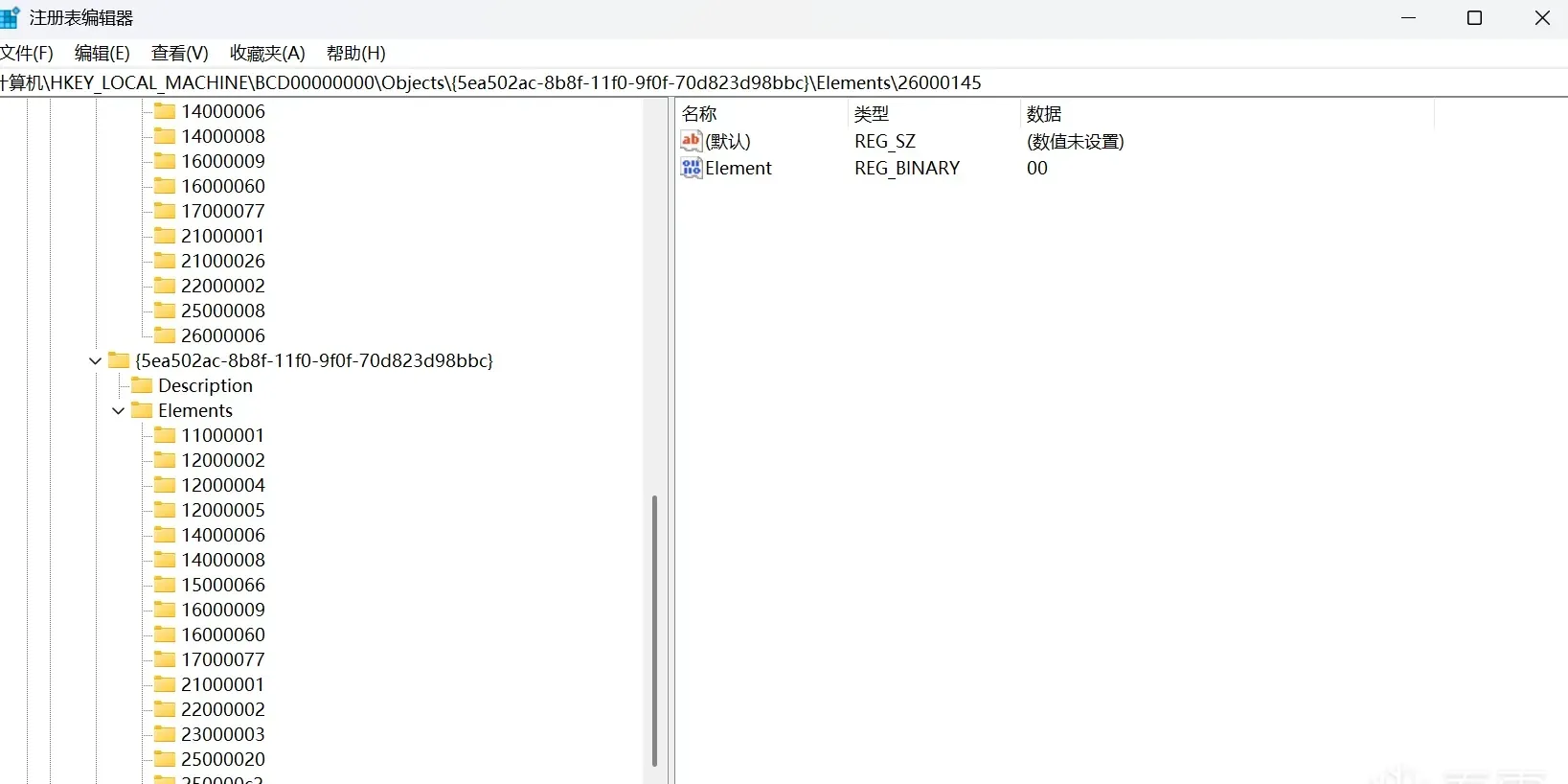
Now let’s reverse bcdedit.exe to see how this happens.
BcdEditMain → BcdEditSetSwitch
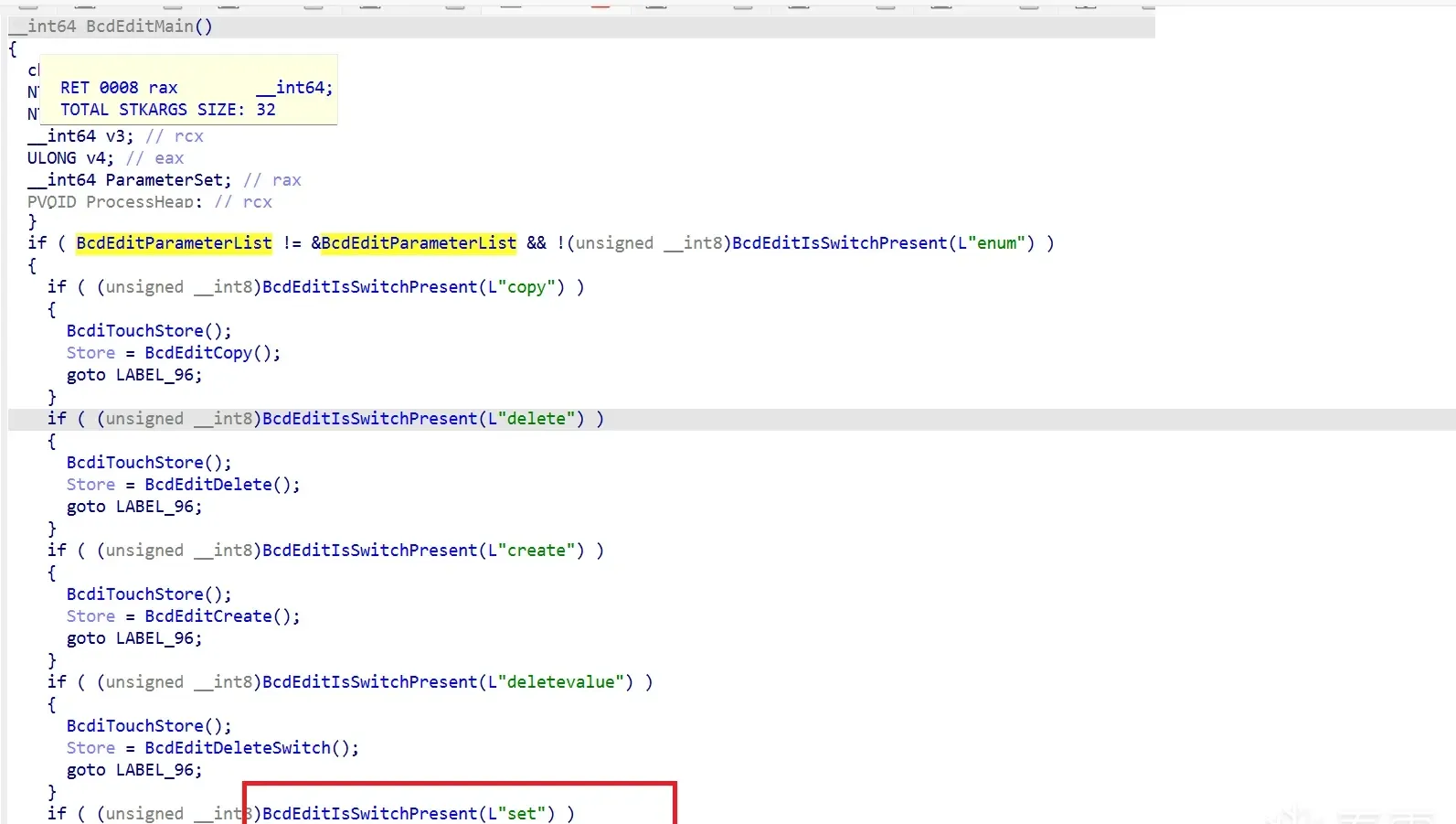
Inside BcdEditMain, BcdEditIsSwitchPresent("Set") detects the Set switch and routes into BcdEditSetSwitch().
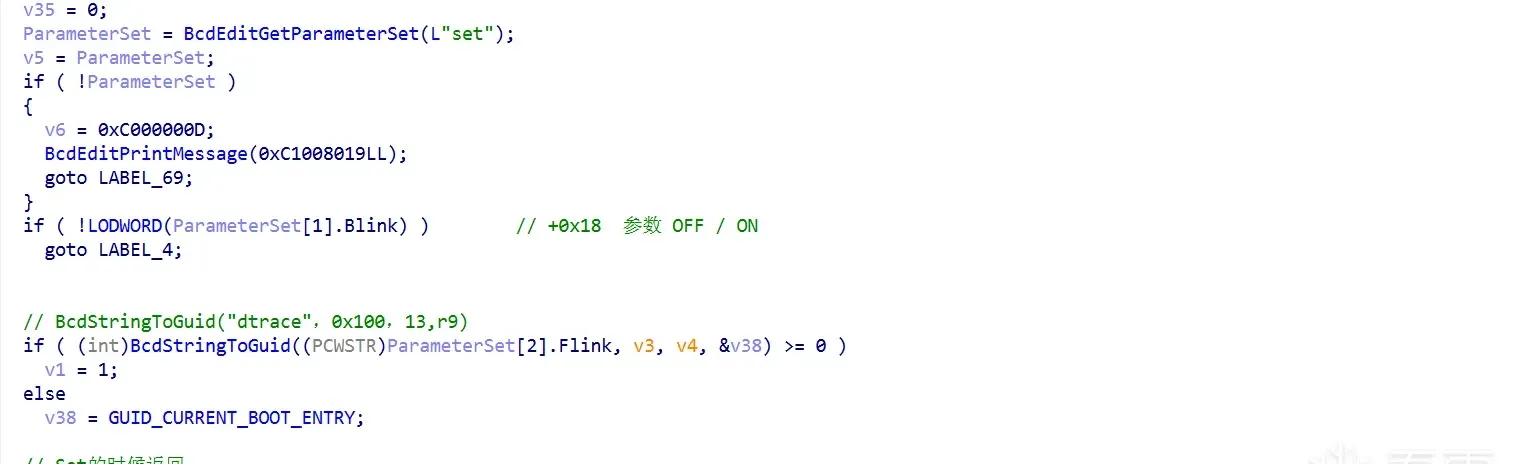
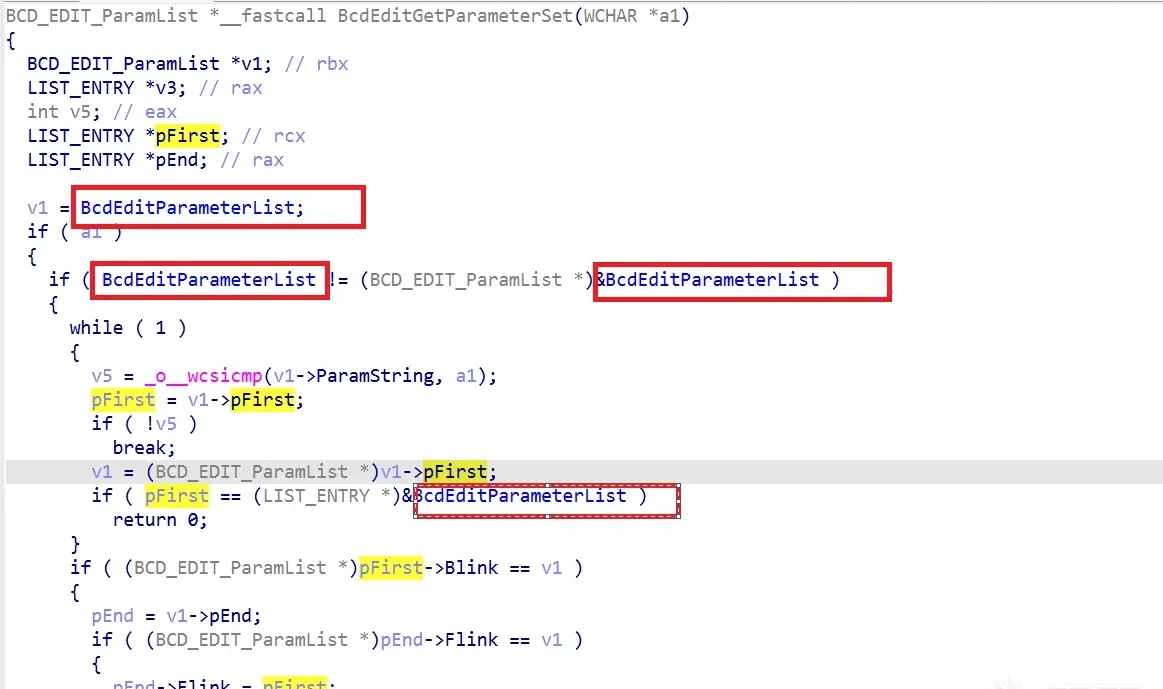
BcdEditGetParameterSet(L"set") looks the Set parameter up in a global BcdEditParameterList:
struct _BCD_EDIT_ParamList
{
     LIST_ENTRY* pFirst;
     LIST_ENTRY *pEnd;
     WCHAR*      ParamString0;
     _int64         ParamNums;
     WCHAR*      ParamString1[3];
};
The global BcdElements array defines 284 elements total:
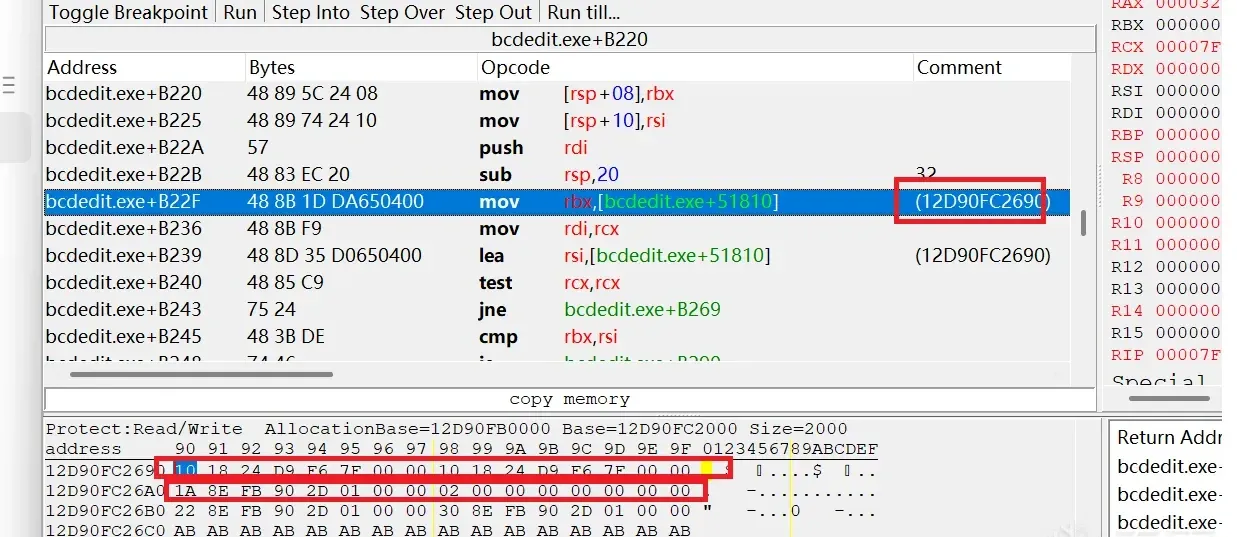
BcdStringToGuid resolves the set parameter to its store GUID:

The Set parameter’s GUID is {0FA926493h, 6F1Ch, 4193h, <0A4h, 14h, 58h, 0F0h, 0B2h, 45h, 6Dh,1Eh>}.
Opening the store and object
BcdEditOpenStore opens the store, then BcdOpenObject opens the GUID’s object:
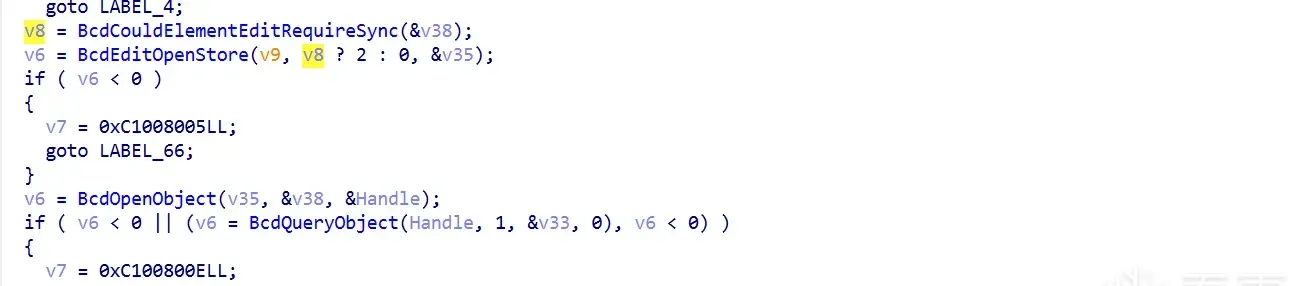
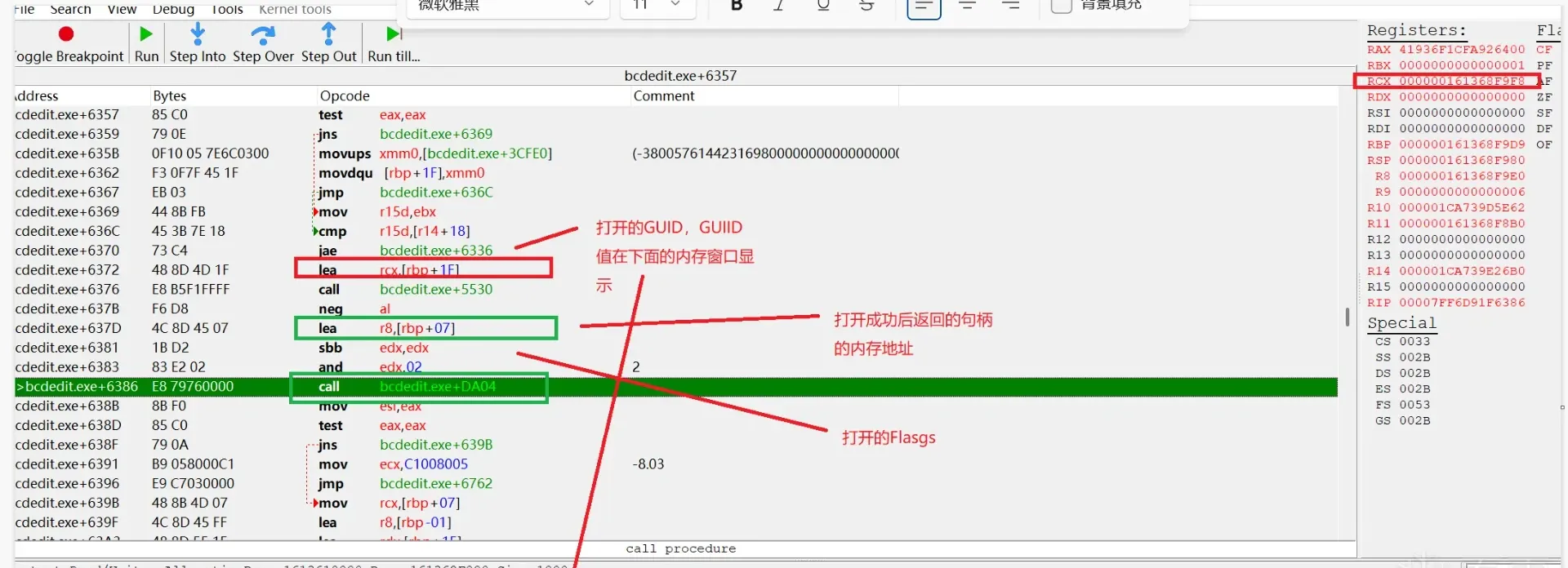
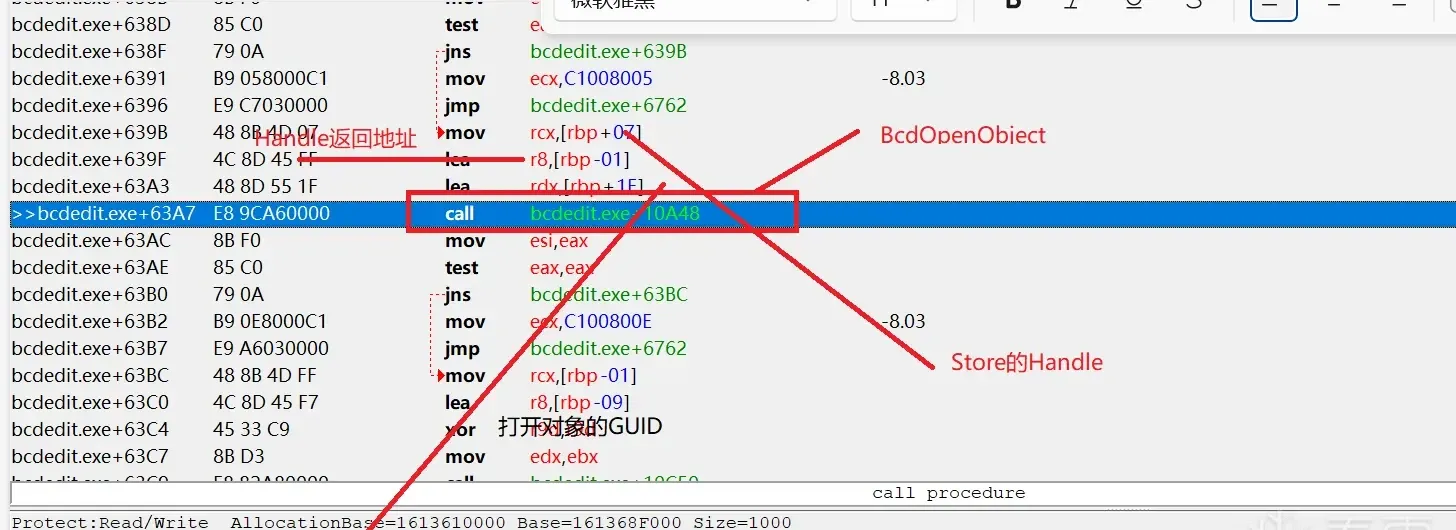
Resolving the element and writing it
BcdiStringToDataType finds the dtrace element’s value from the global BcdElements array:

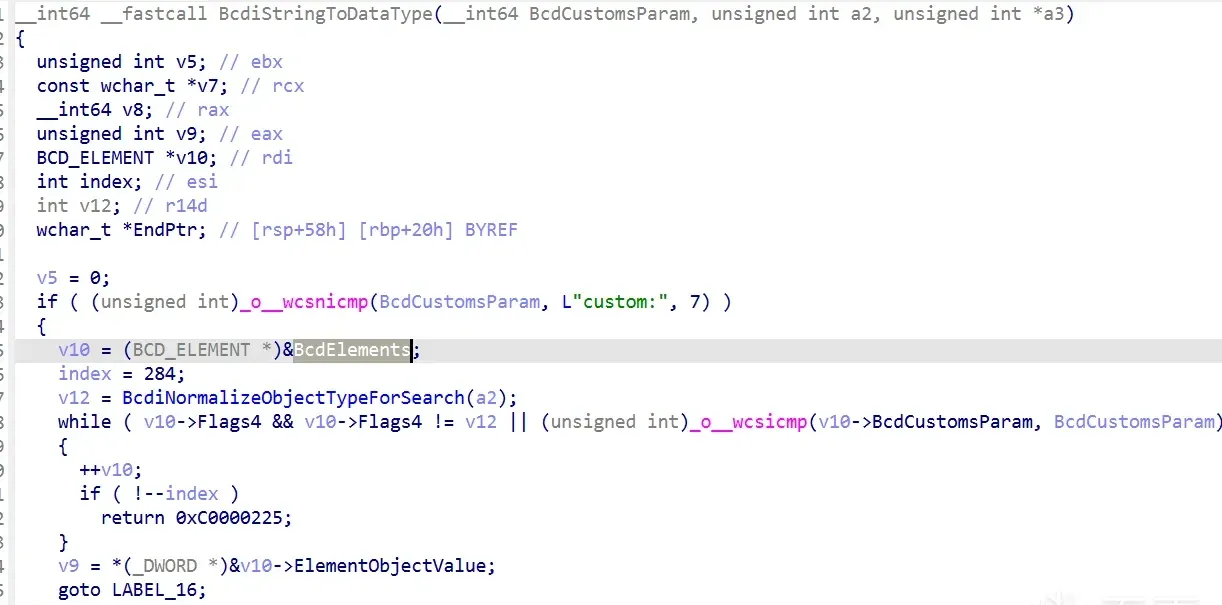
The _BCD_ELEMENT structure:
struct _BCD_ELEMENT
{
unsigned __int64 ElementObjectValue;
void *BcdTitle;
unsigned __int32 Flags4;
unsigned __int32 Flags5;
void *BcdCustomsParam;
void *p1;
void *p2;
void *p3;
};
With 284 elements defined, the dtrace entry is:
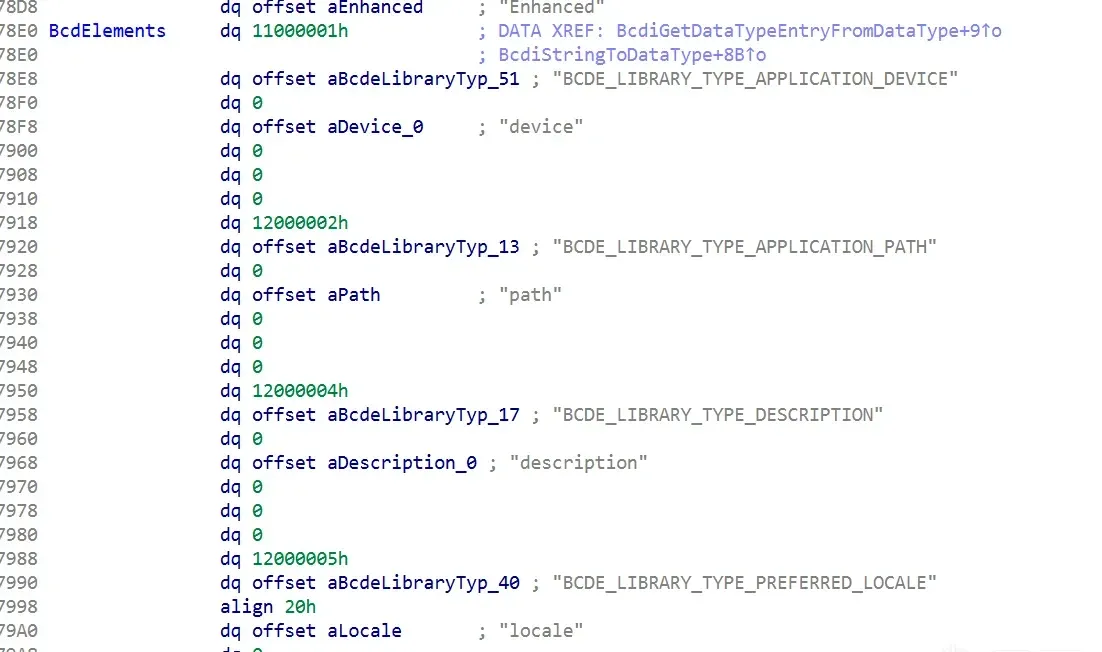
.rdata:000000014003B1F8 dq 26000145h
.rdata:000000014003B200 dq offset aBcdeOsloaderTy_94 ; "BCDE_OSLOADER_TYPE_DTRACE_ENABLED"
.rdata:000000014003B208 dq 10000003h
.rdata:000000014003B210 dq offset aDtrace       ; "dtrace"
.rdata:000000014003B218 dq 0
.rdata:000000014003B220 dq 0
.rdata:000000014003B228 dq 0
That’s the dtrace element ID 0x26000145. Finally, BcdSetElementDataWithFlags sets the element’s ON(1)/OFF(0) switch, ultimately calling BiSetRegistryValue to write the value:
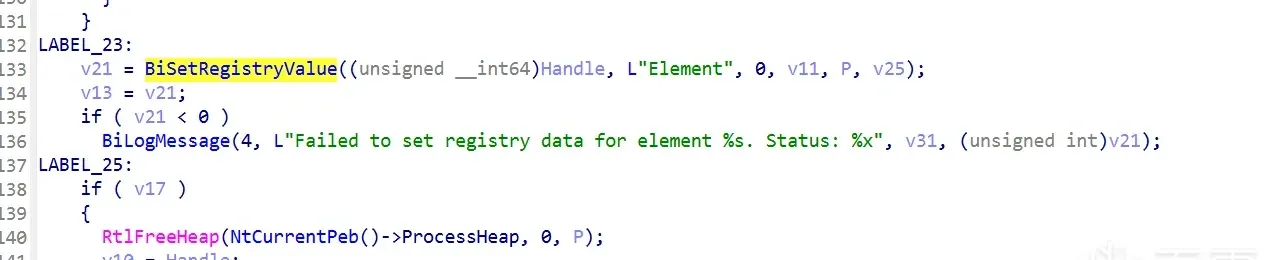
That’s the bcdedit side. Next: what happens at boot, after the reboot.
Boot: winload.efi
winload.efi defines a structure for the DTrace extension:
.rdata:00000001802A2D10 OslpDynamicSchemaExtensions WINLOAD_OslpDynamicSchemaExtensions <offset aExtMsWinNtosTr, \
.rdata:00000001802A2D10   ; DATA XREF: OslpApplyDynamicSchemaExtensions+1D↑o
.rdata:00000001802A2D10   ; OslpApplyDynamicSchemaExtensions+24↑r
.rdata:00000001802A2D10   offset aDtraceSys, \ ; "ext-ms-win-ntos-trace-l1-1-0"
.rdata:00000001802A2D10   offset OslpDtraceExtensionEnabled> ; "dtrace.sys"
.rdata:00000001802A2D28
struct _WINLOAD_OslpDynamicSchemaExtensions
{
WCHAR *aExtMsWinNtosTr;
WCHAR *aDtraceSys;
void *OslpDtraceExtensionEnabled;
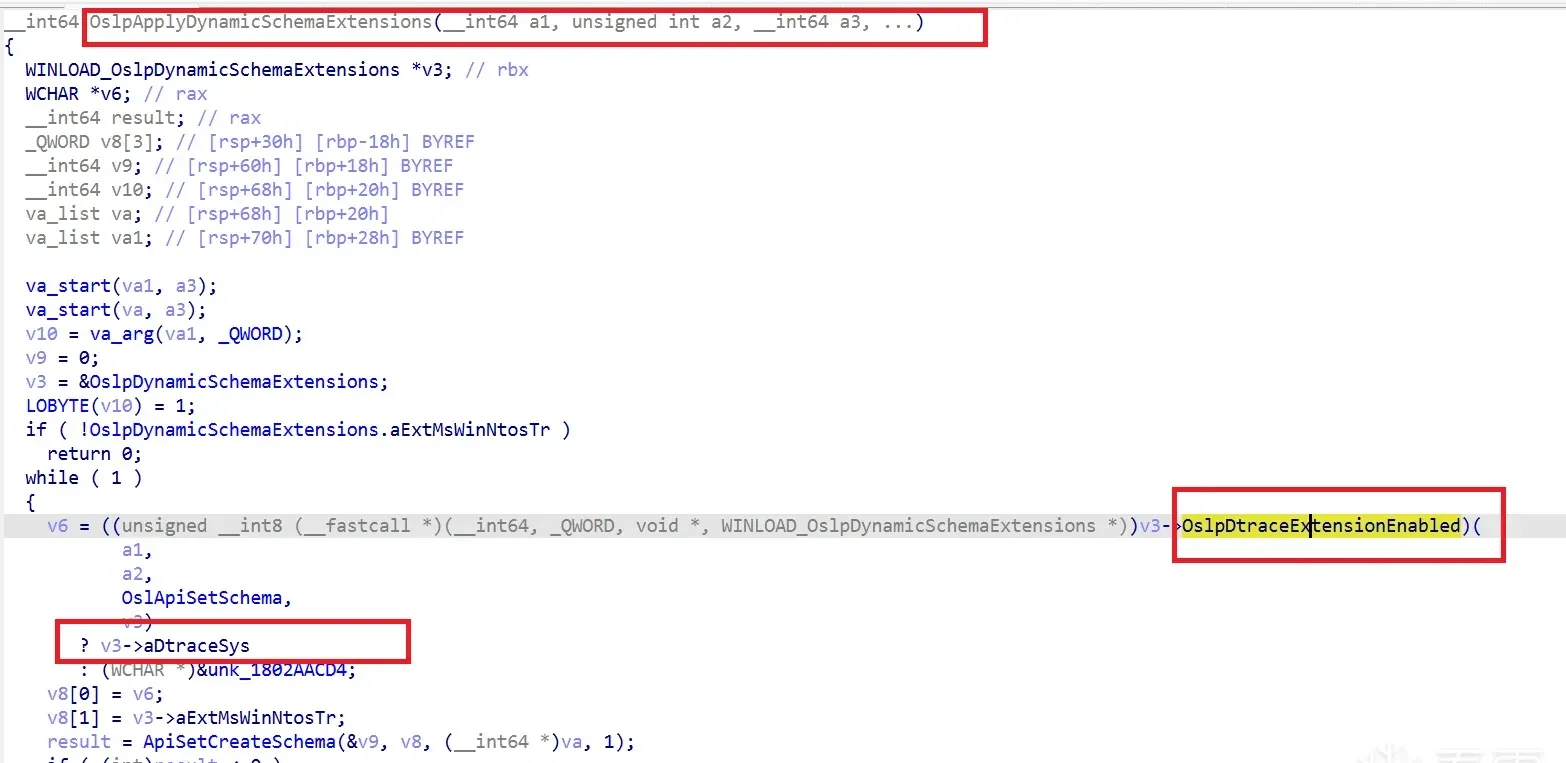
};The third field is the OslpDtraceExtensionEnabled function:

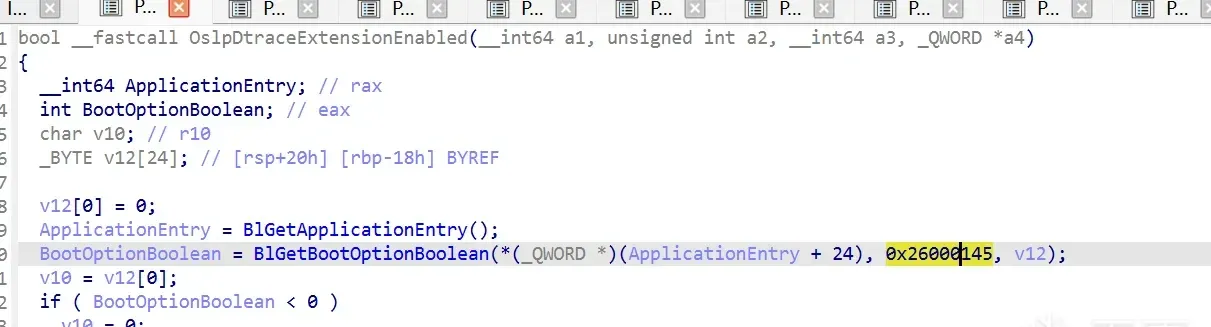
It reads the boolean value of BCD object 26000145:
BootOptionBoolean = BlGetBootOptionBoolean(*(_QWORD *)(ApplicationEntry + 24), 0x26000145, v12);v10 defaults to 0; if the read value is 1, v10 becomes 1, and OslpIsApiSetHosted loads dtrace.sys.
When is this called? From OslpApplyDynamicSchemaExtensions:
Debugging it live
Under WinDbg two-machine debugging, sxe ld winload.efi breaks into winload’s debug-service entry after the debug-mode restart:
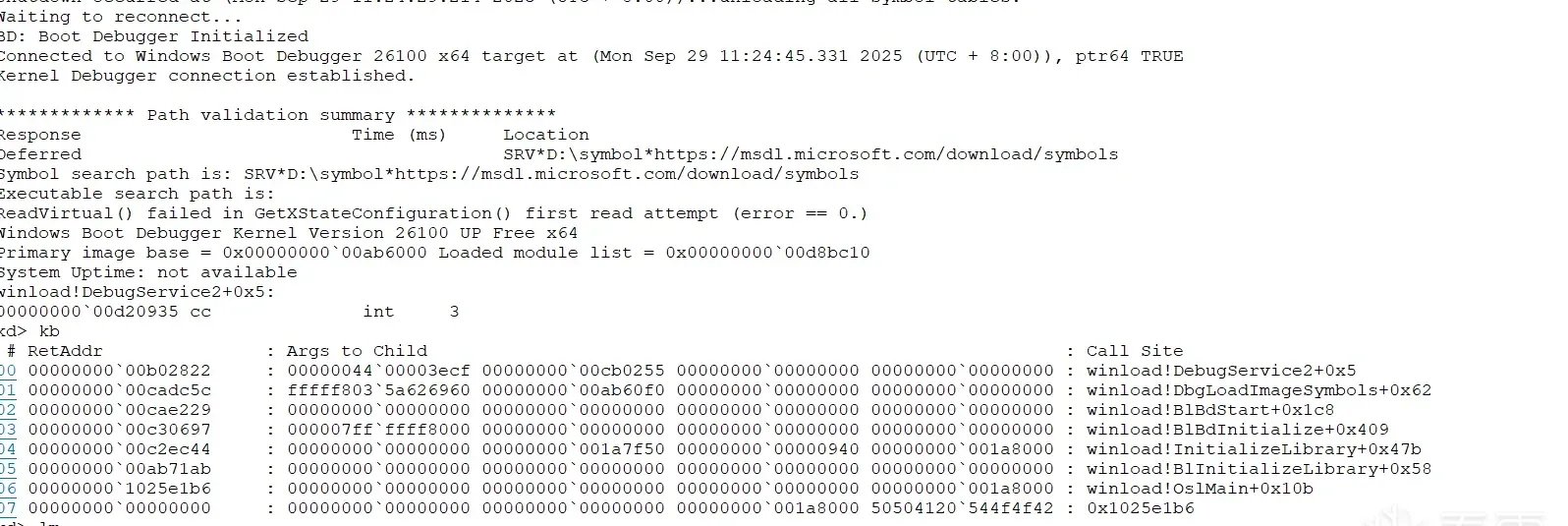
winload!DebugService2+0x5:
00000000`00d20935 cc              int     3
kd> kb
 # RetAddr               : Args to Child                                                           : Call Site
00 00000000`00b02822     : 00000044`00003ecf 00000000`00cb0255 00000000`00000000 00000000`00000000 : winload!DebugService2+0x5
01 00000000`00cadc5c     : fffff803`5a626960 00000000`00ab60f0 00000000`00000000 00000000`00000000 : winload!DbgLoadImageSymbols+0x62
02 00000000`00cae229     : 00000000`00000000 00000000`00000000 00000000`00000000 00000000`00000000 : winload!BlBdStart+0x1c8
03 00000000`00c30697     : 000007ff`ffff8000 00000000`00000000 00000000`00000000 00000000`00000000 : winload!BlBdInitialize+0x409
04 00000000`00c2ec44     : 00000000`00000000 00000000`001a7f50 00000000`00000940 00000000`001a8000 : winload!InitializeLibrary+0x47b
05 00000000`00ab71ab     : 00000000`00000000 00000000`00000000 00000000`00000000 00000000`00000000 : winload!BlInitializeLibrary+0x58
06 00000000`1025e1b6     : 00000000`00000000 00000000`00000000 00000000`00000000 00000000`001a8000 : winload!OslMain+0x10b
07 00000000`00000000     : 00000000`00000000 00000000`00000000 00000000`001a8000 50504120`544f4f42 : 0x1025e1b6
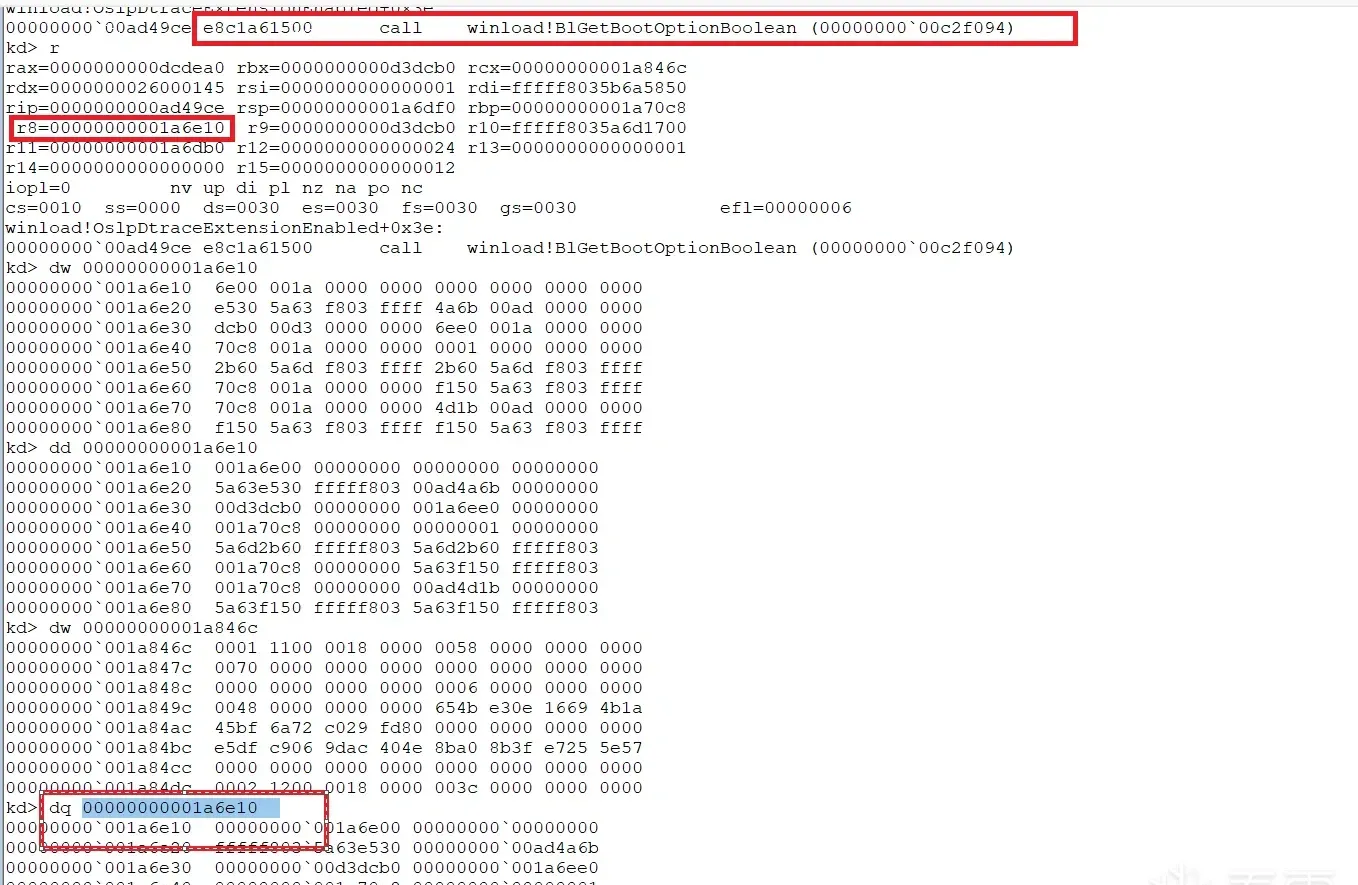
Break on winload!OslpDtraceExtensionEnabled and g:
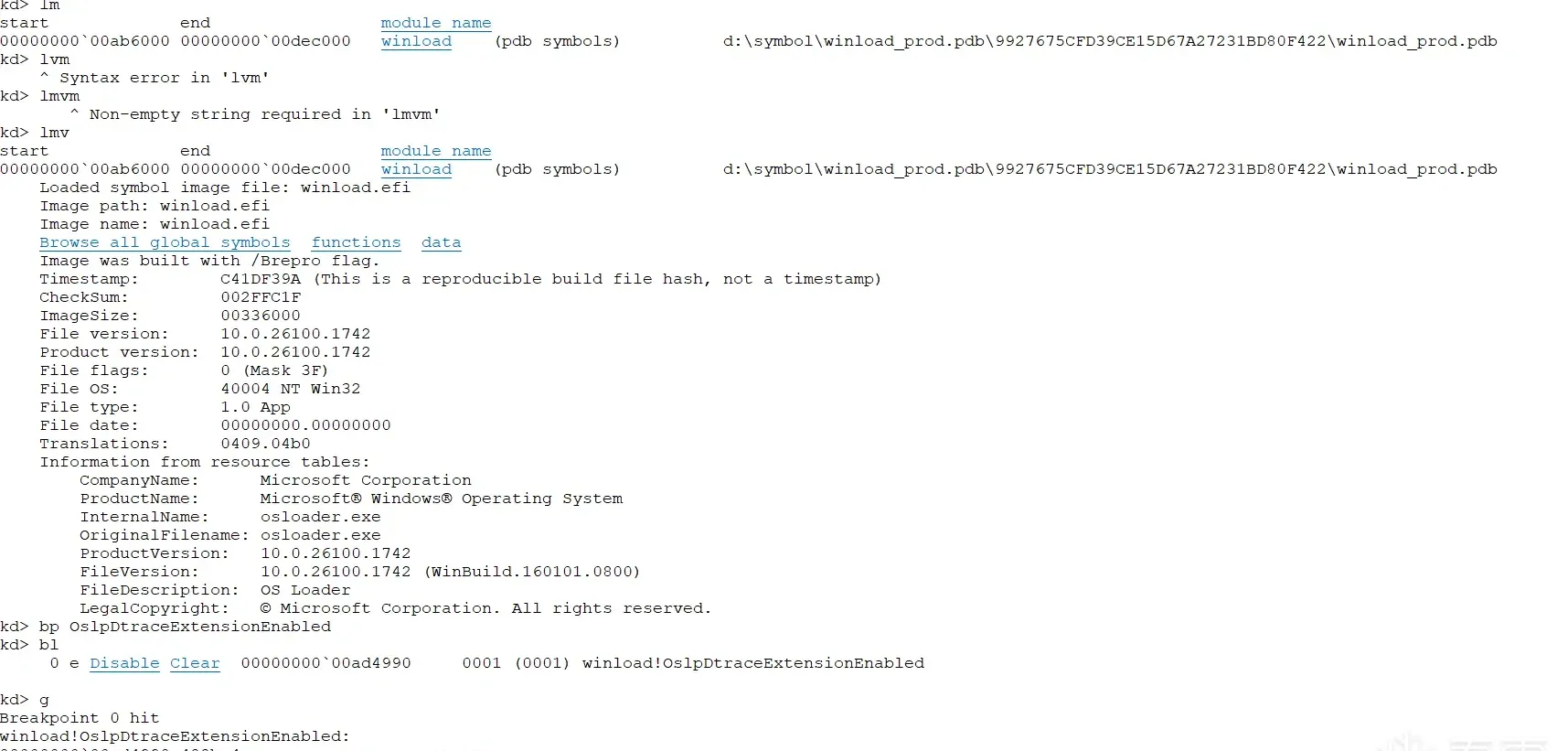
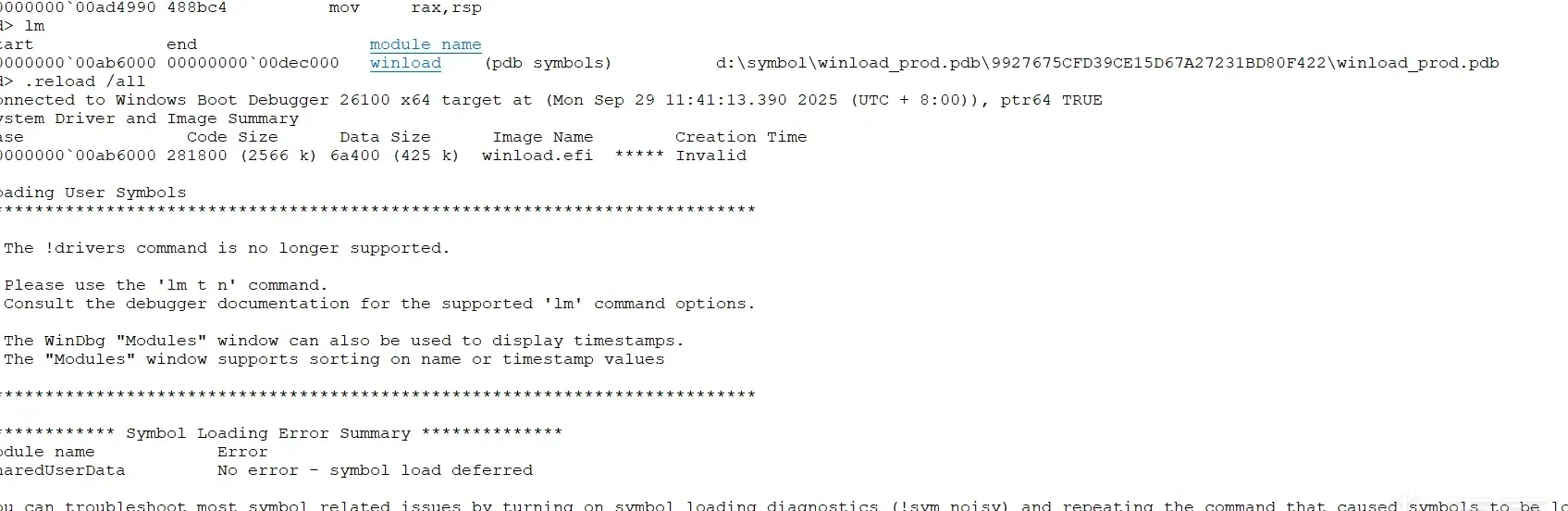
At this point only one winload.efi is loaded:
Step through:

Before the call, the boolean in the memory pointed to by r8 is 0:
After BlGetBootOptionBoolean runs, it’s 1:
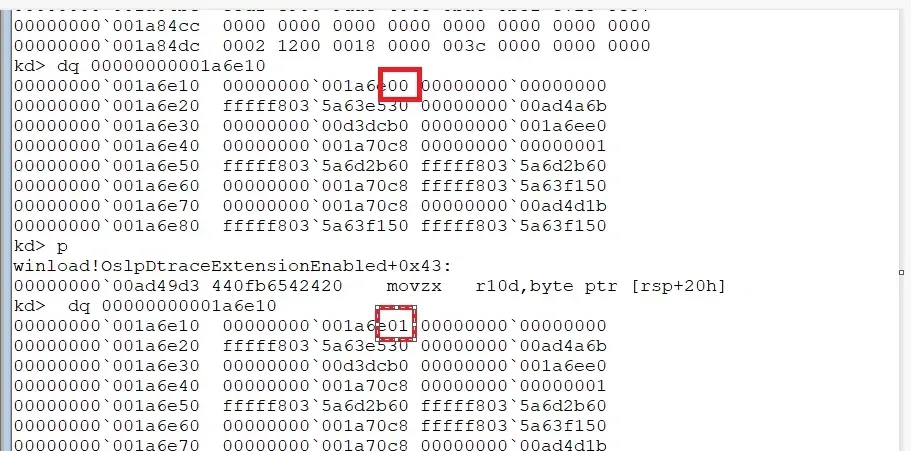
That means DTrace should be enabled — this sets the point where the apischem driver loads, and later BlLdrLoadImage loads dtrace.sys:
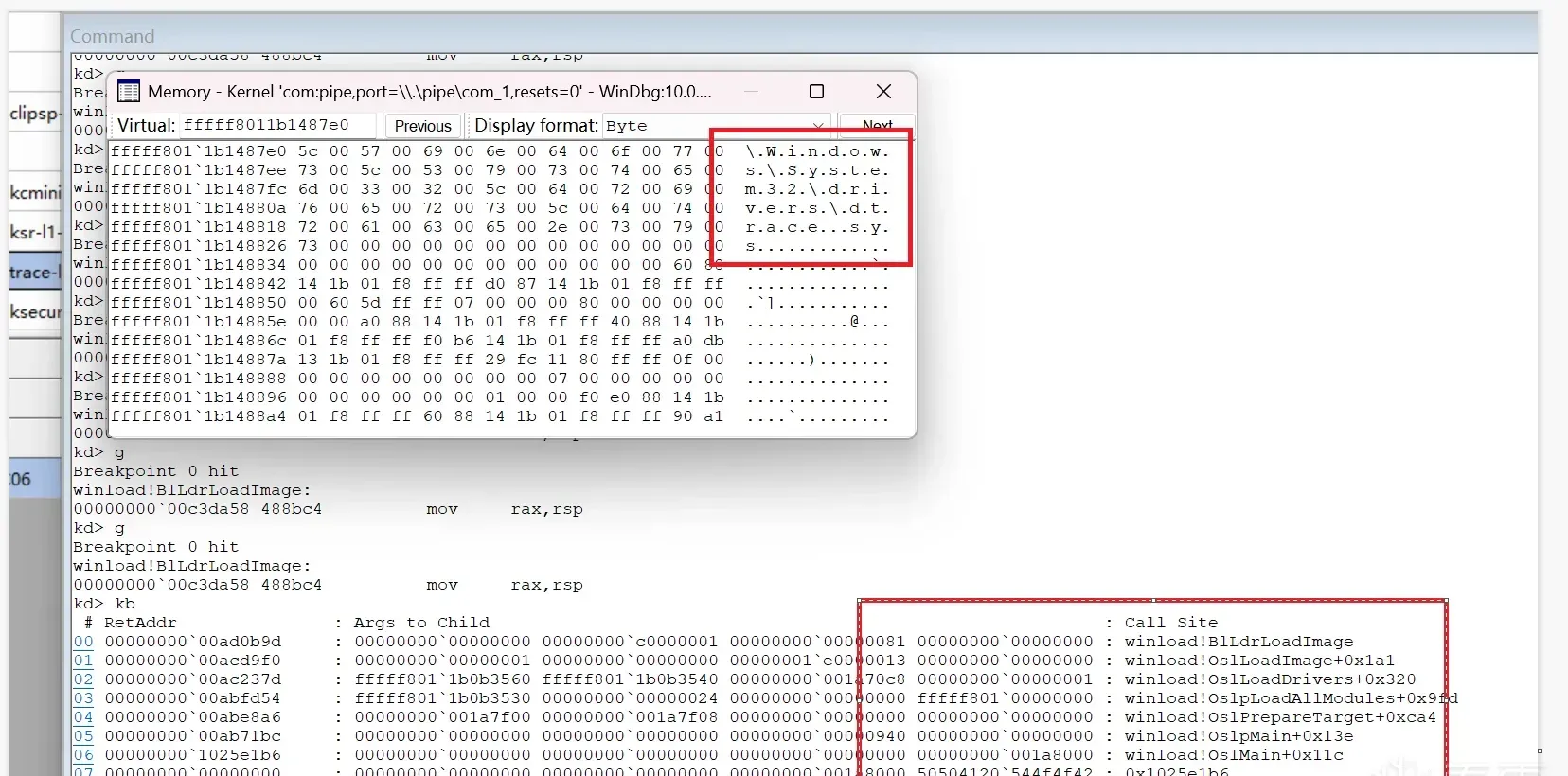
So the chain runs from winload.efi’s entry OslpMain all the way down to this function; once dtrace.sys is loaded at boot, control passes into ntoskrnl initialization.
Initialization: KeInitSystem
Windows boot initialization has Phase 0 and Phase 1. DTrace is set up in Phase 1’s KeInitSystem:
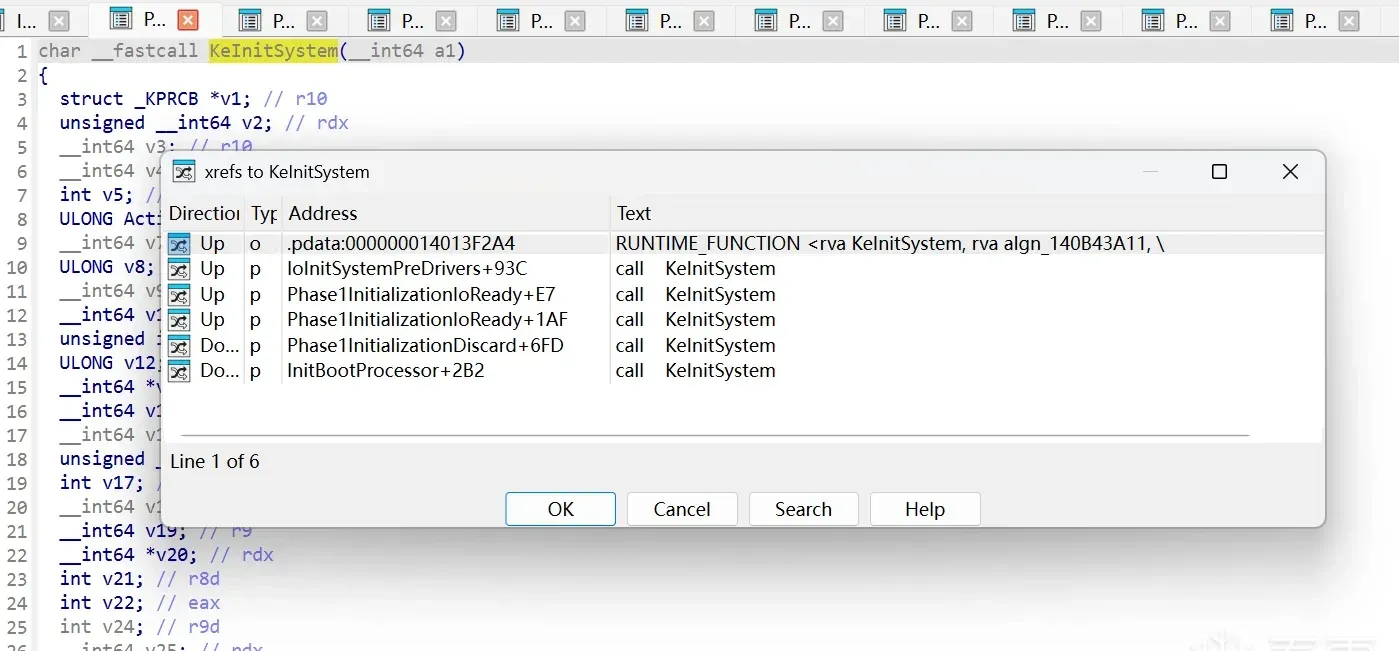
One step inside is KiInitDynamicTraceSupport():
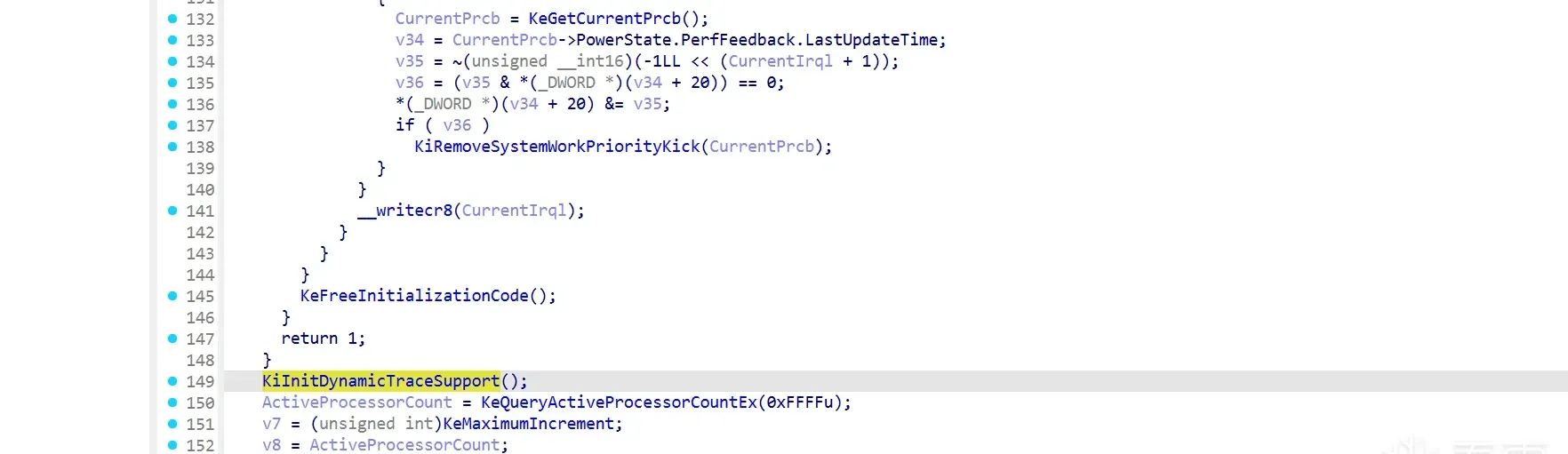
KiInitDynamicTraceSupport
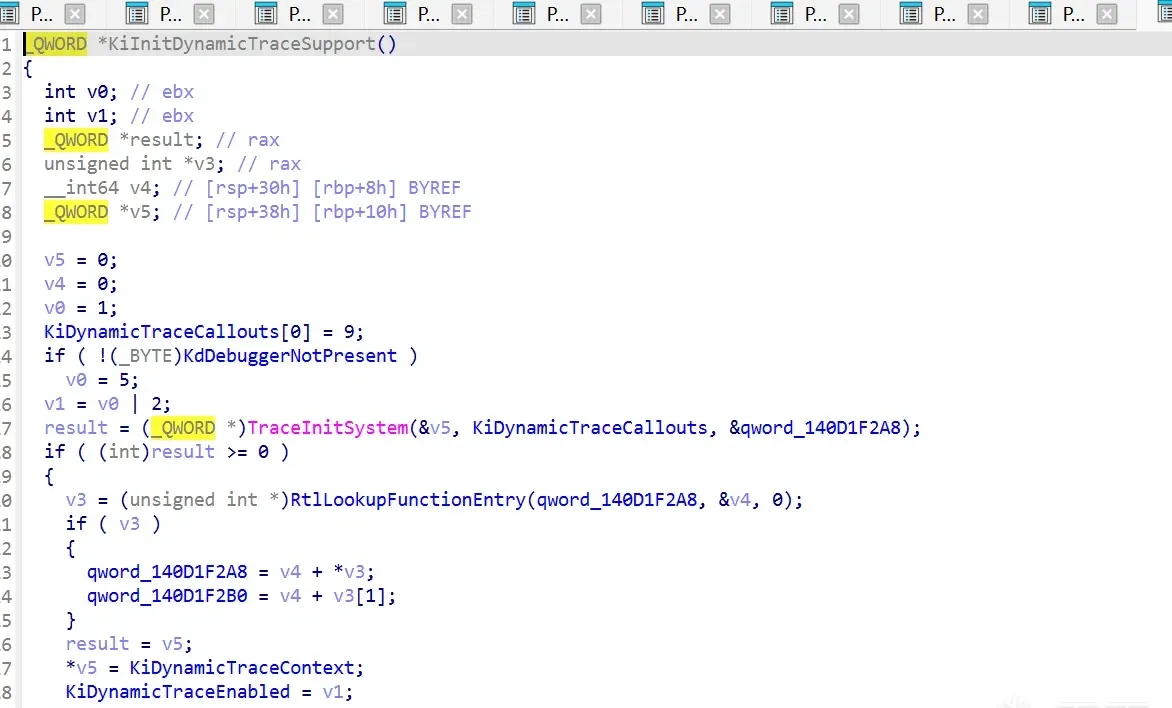
The logic initializes KiDynamicTraceEnnable to 0; when TraceInitSystem succeeds, it becomes 1 | 2 (= 3), and when KdDebuggerNotPresent is nonzero (i.e. no kernel debugger present), it becomes 2 | 5 (= 7). The main work is in TraceInitSystem, an exported function from the external driver — if DTrace is enabled, this call succeeds.
TraceInitSystem
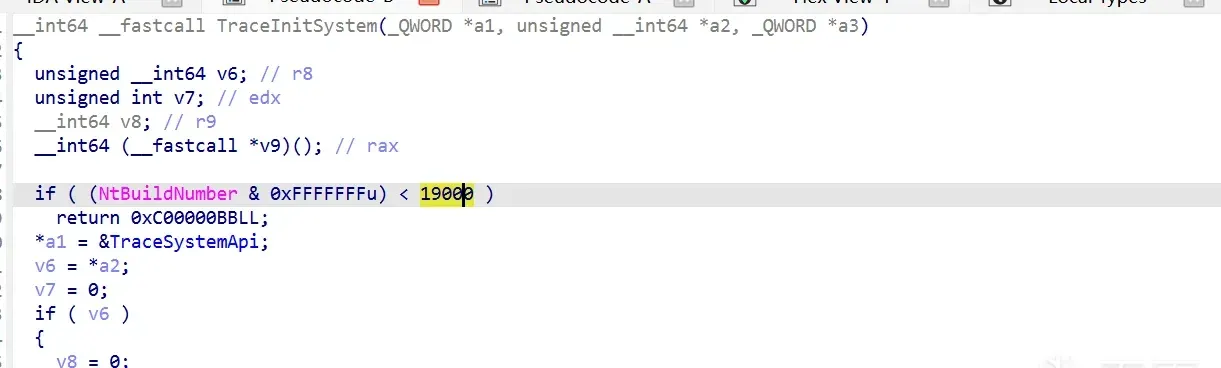
The system build must be > 1900 (Windows 10). TraceInitSystem registers several callback/probe types:
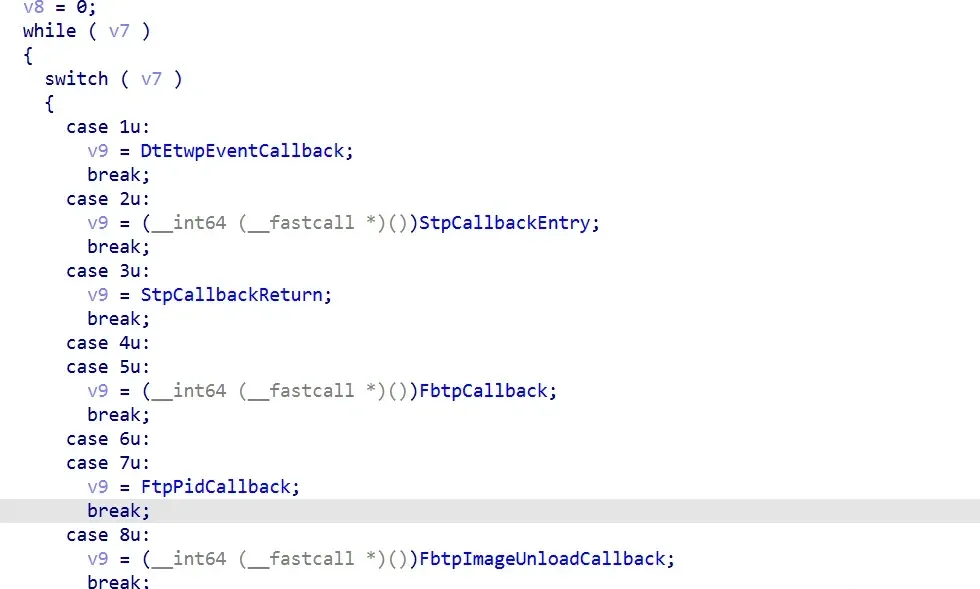
DtEtwpEventCallback— ETW event probesStpCallbackEntry— syscall entry probesStpCallbackReturn— syscall return probesFbtpCallback— function boundary probesFtpPidCallback— process-PID function probes
Debugging it live
Break on dtrace.sys’s TraceInitSystem and g:
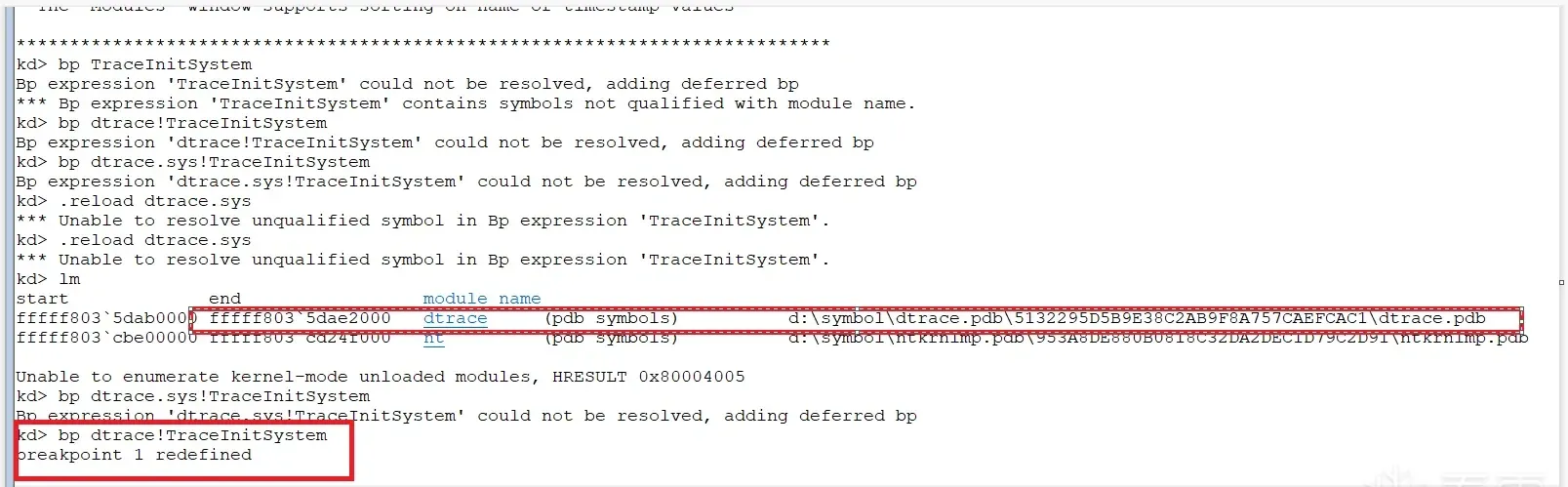
The breakpoint hits, and the call stack confirms the path:
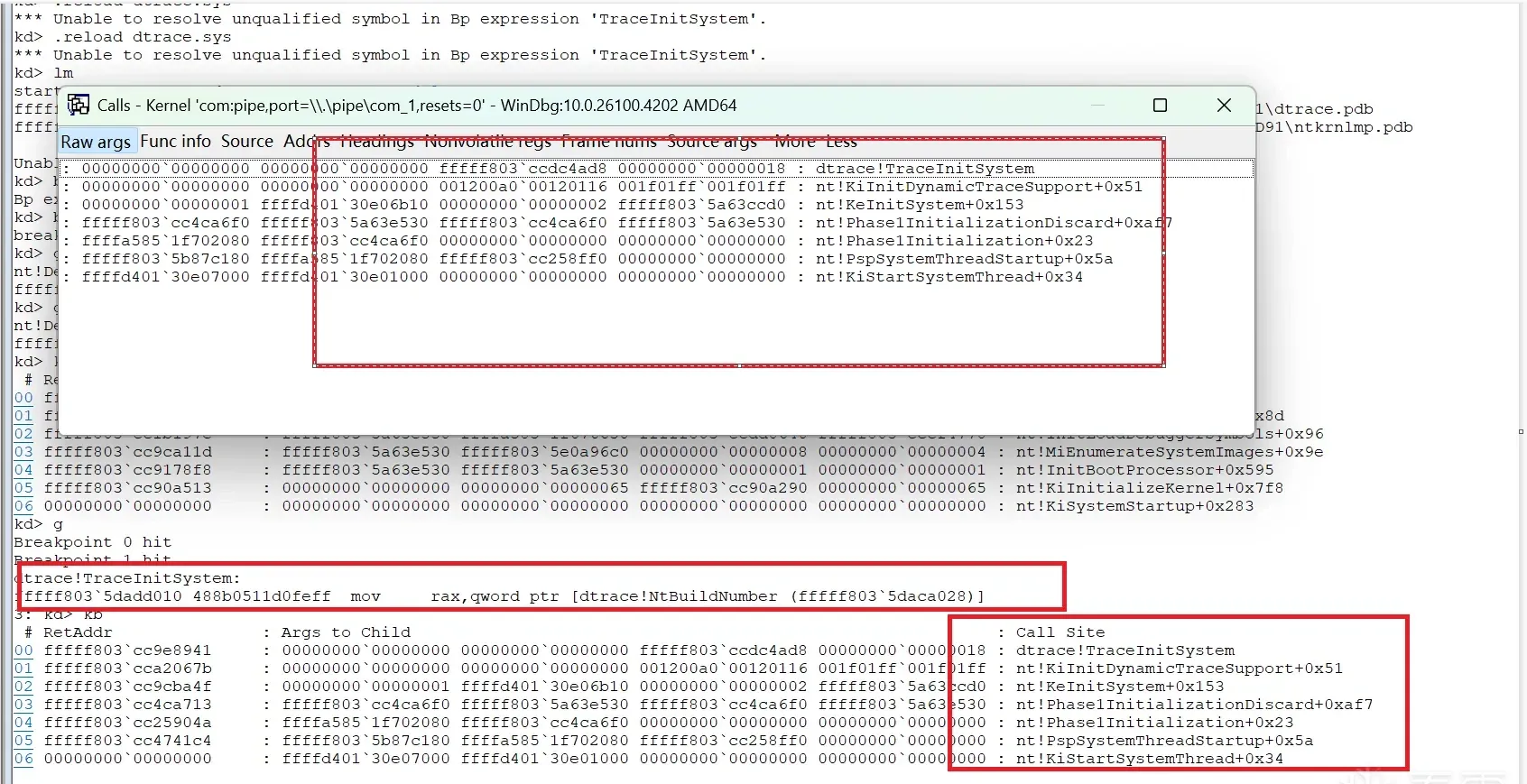
The instruction is call dtrace!TraceInitSystem, confirming it’s implemented inside dtrace:

# RetAddr               : Args to Child                                           : Call Site
00 fffff803`cc9e8941     : 00000000`00000000 00000000`00000000  : dtrace!TraceInitSystem
01 fffff803`cca2067b     : 00000000`00000000 00000000`00000000  : nt!KiInitDynamicTraceSupport+0x51
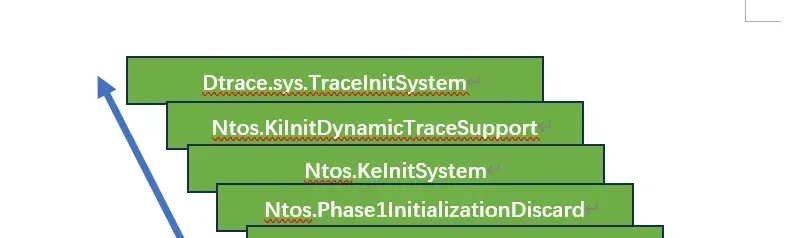
02 fffff803`cc9cba4f     : 00000000`00000001 ffffd401`30e06b10  : nt!KeInitSystem+0x153
03 fffff803`cc4ca713     : fffff803`cc4ca6f0 fffff803`5a63e530  : nt!Phase1InitializationDiscard+0xaf7
04 fffff803`cc25904a     : ffffa585`1f702080 fffff803`cc4ca6f0  : nt!Phase1Initialization+0x23
05 fffff803`cc4741c4     : fffff803`5b87c180 ffffa585`1f702080  : nt!PspSystemThreadStartup+0x5a
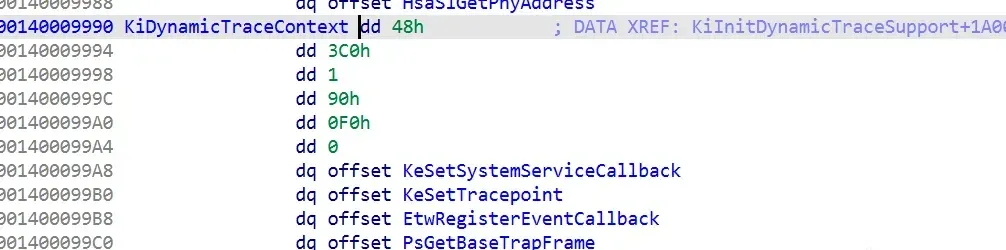
06 00000000`00000000 : ffffd401`30e07000 ffffd401`30e01000 : nt!KiStartSystemThread+0x34dtrace!TraceInitSystem’s first argument (ecx) returns the address of dtrace!TraceSystemApi, which ntoskrnl assigns to KiDynamicTraceContext — i.e. dtrace!TraceSystemApi ends up pointing at KiDynamicTraceContext:
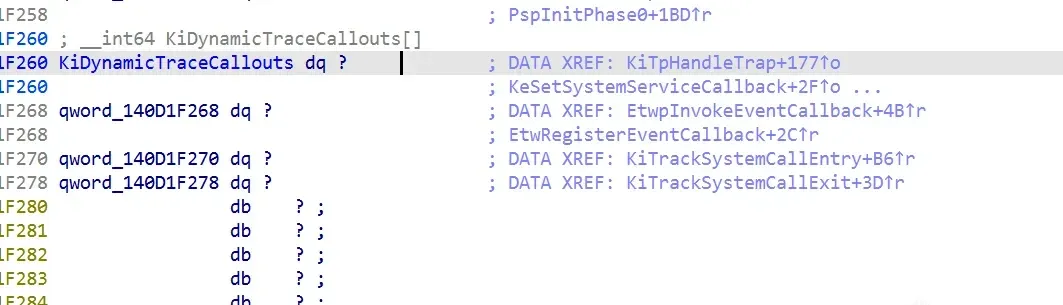

The second argument (edx) passes the global KiDynamicTraceCallouts structure:

The third argument passes the global qword_140D1F2A8, which gets assigned to dtrace!TraceAccessMemory:
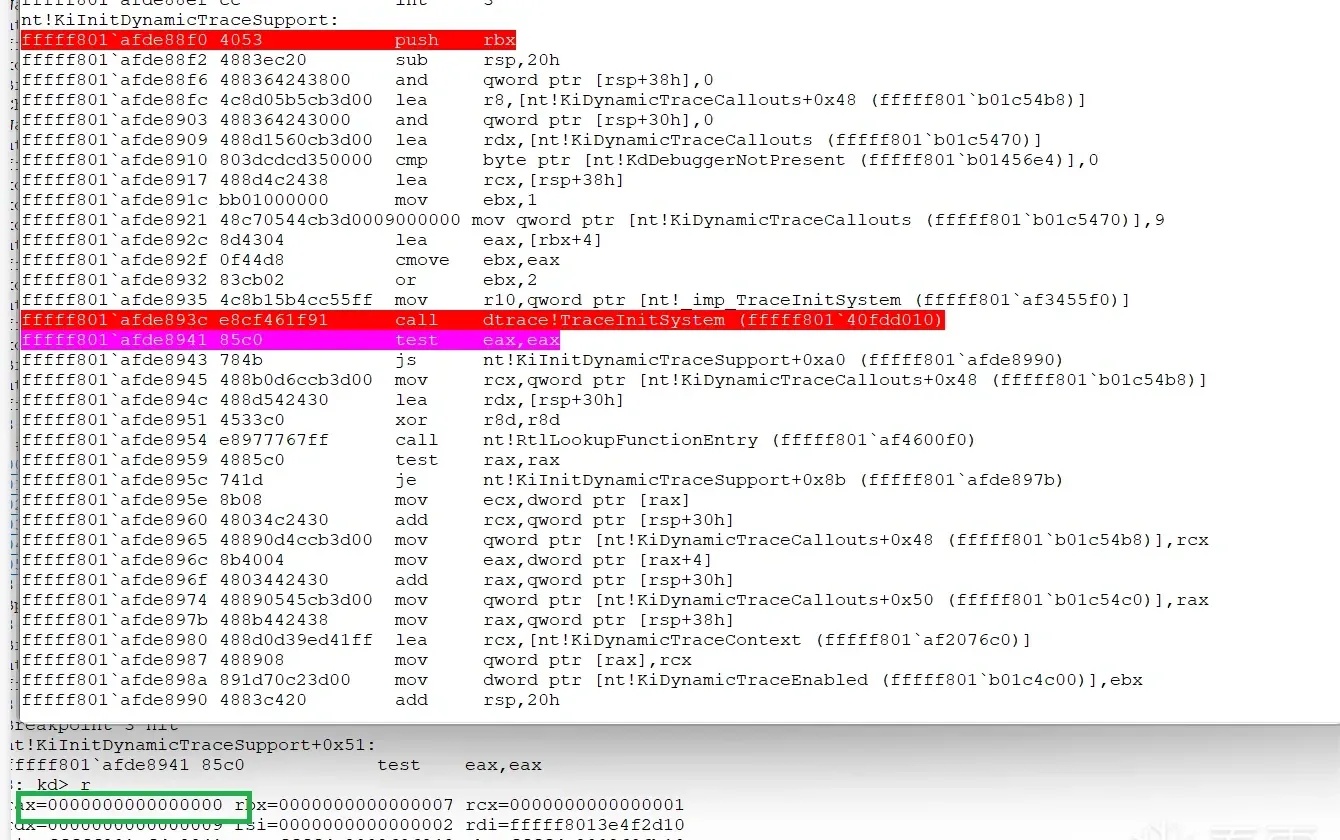
The return value in eax is 0, indicating success. The overall call graph:
KeSetSystemServiceCallback
Inside KiInitDynamicTraceSupport there’s a key structure:
.rdata:0000000140009994 KiDynamicTraceContext dd 48h       ; DATA XREF: KiInitDynamicTraceSupport+1A009↓o
.rdata:0000000140009994                 dd 3C0h
.rdata:0000000140009998                 dd 1
.rdata:000000014000999C                 dd 90h
.rdata:00000001400099A0                 dd 0F0h
.rdata:00000001400099A4                 dd 0
.rdata:00000001400099A8                 dq offset KeSetSystemServiceCallback
.rdata:00000001400099B0                 dq offset KeSetTracepoint
.rdata:00000001400099B8                 dq offset EtwRegisterEventCallback
.rdata:00000001400099C0                 dq offset PsGetBaseTrapFrame
.rdata:00000001400099C8                 dq offset KiGetTrapFrameRegister
.rdata:00000001400099D0                 dq offset MmEnumerateSystemImages
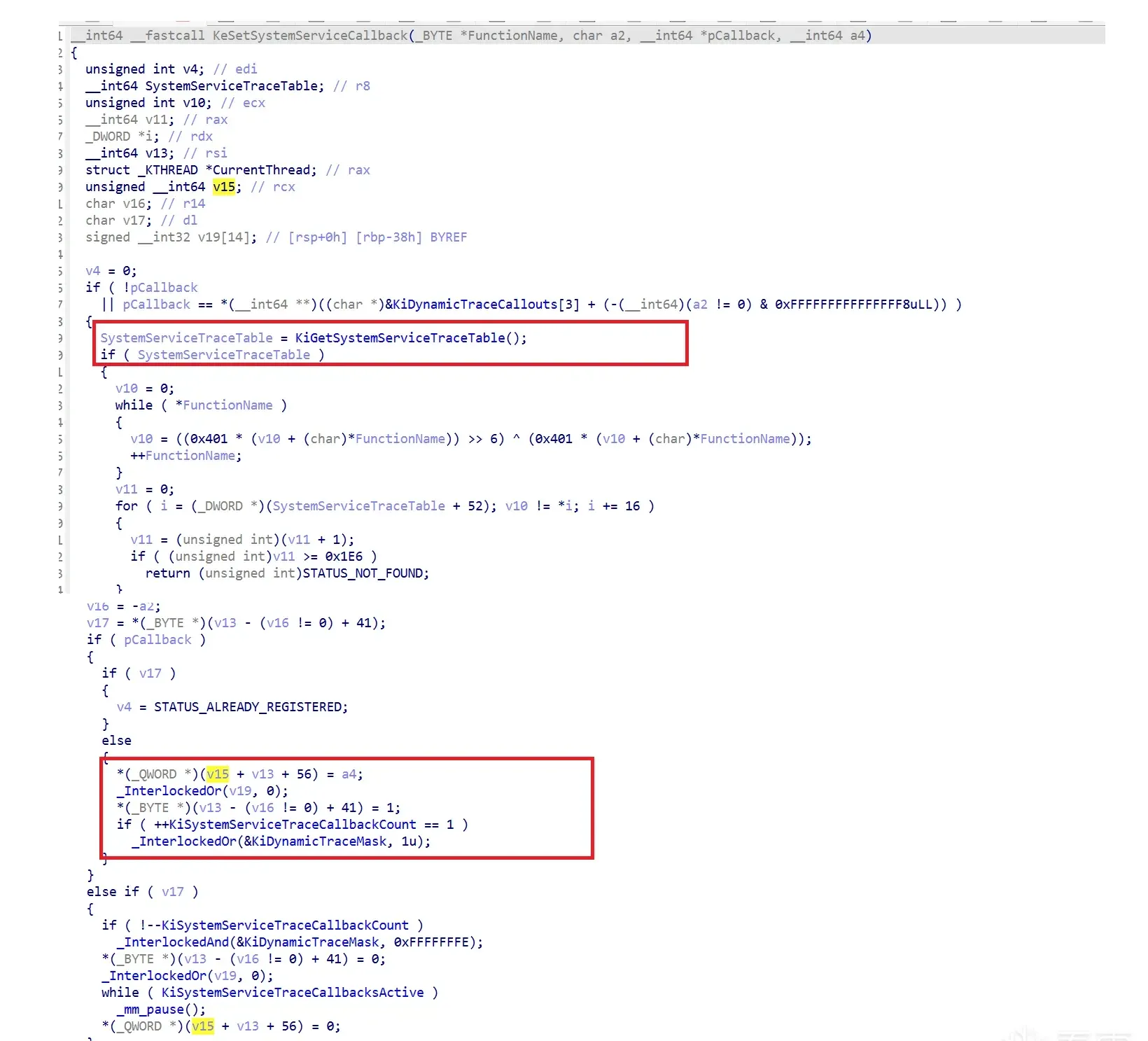
The notable one is KeSetSystemServiceCallback, which installs callbacks on kernel functions to monitor. It first gets the service table from KiGetSystemServiceTraceTable, then computes a hash of the function name and sets a callback in that function’s entry in the trace table:
Debugging it live
Break on KeSetSystemServiceCallback:
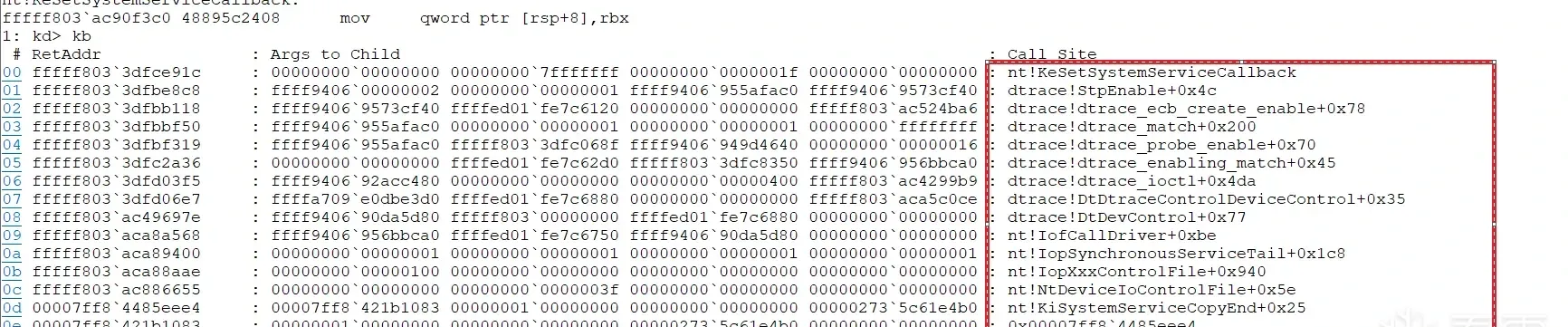
It takes four arguments. rcx:
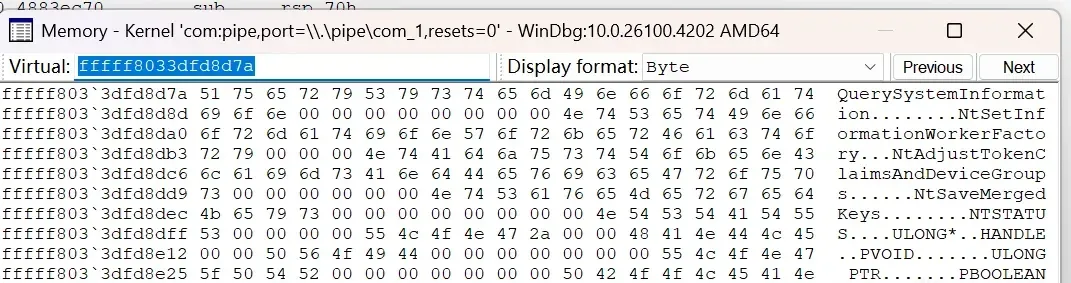
r8:

Audit: KiSystemCall64
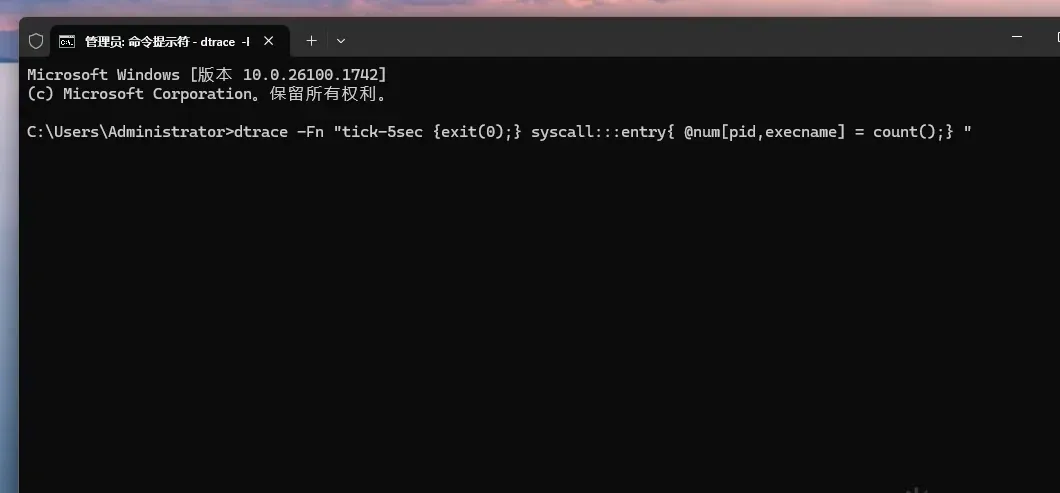
Running dtrace -Fn "tick-5sec {exit(0);} syscall:::entry{ @num[pid,execname] = count();} " triggers a syscall-entry trace:
The command has dtrace.exe send an IoControlFile request to dtrace.sys, whose IO routine calls KeSetSystemServiceCallback to set up the audit. From then on, a process calling into the SSDT lands in the kernel’s KiSystemCall64, which checks the KiDynamicTraceMask flag to decide whether DTrace auditing is active:
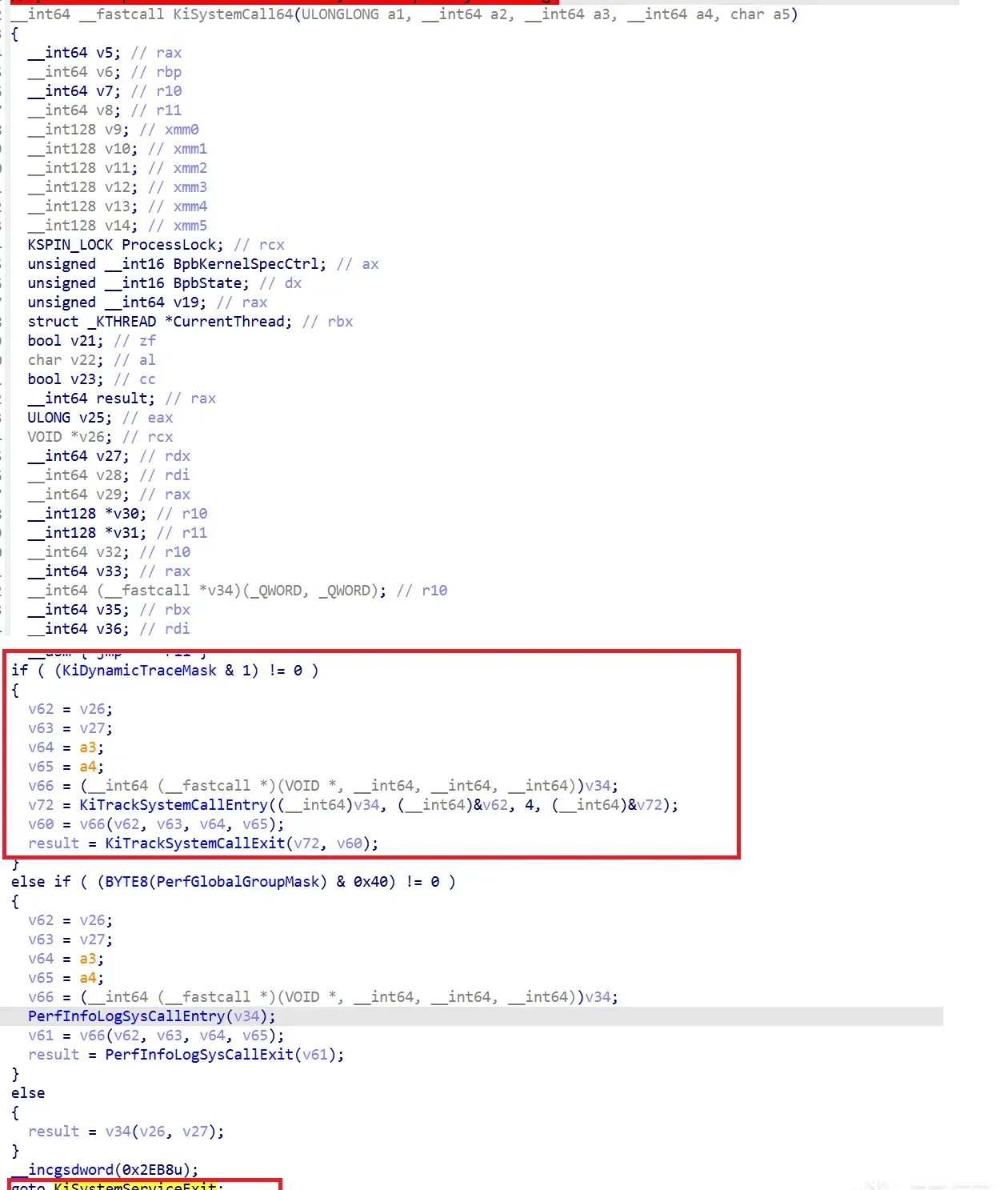
If KiDynamicTraceMask has bit 1 set, KiSystemCall64 enters KiTrackSystemCallEntry (DTrace’s callback entry point), then calls the original SSDT handler, and finally KiTrackSystemCallExit leaves DTrace. KiDynamicTraceMask gets its 1 bit from KeSetSystemServiceCallback, which does a lock or 1 on it.
Inside KiTrackSystemCallEntry, it first checks whether the current audited SystemApi is in the trace table:
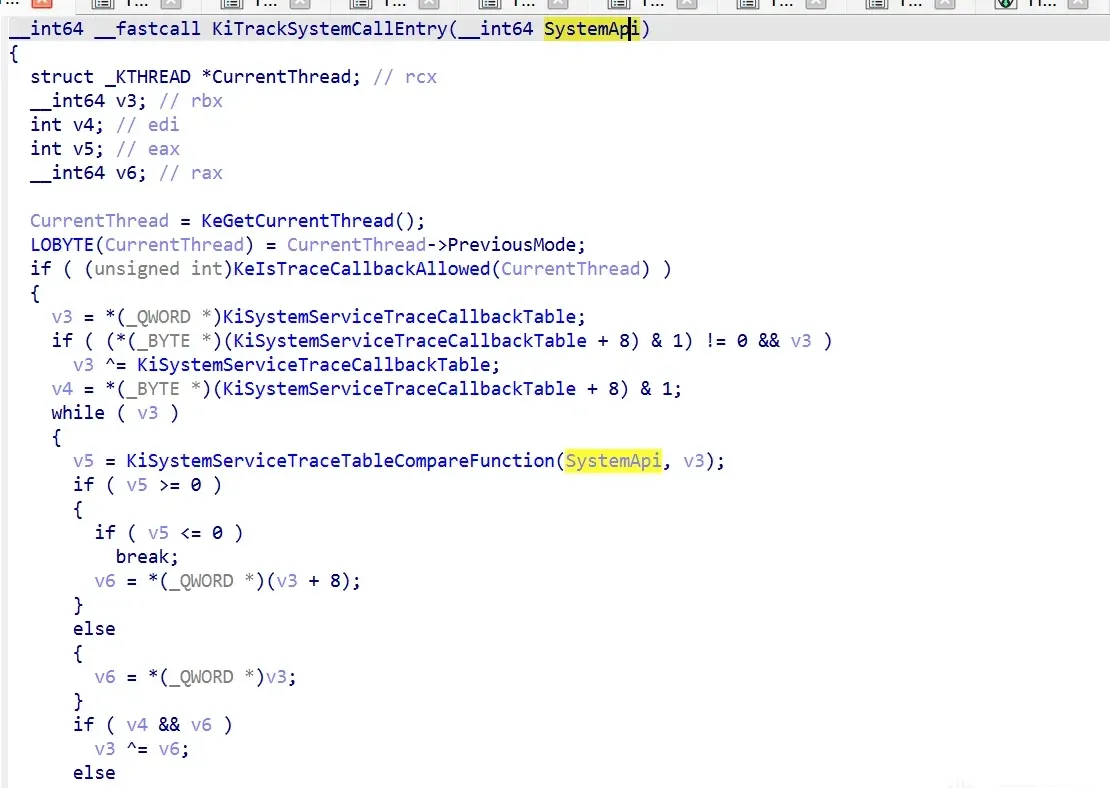
Then it checks whether the resolved structure’s flag is in the KiDynamicTraceEnabled state; if so, it calls the trace function:

Debugging it live
Break at KiSystemCall64’s KiTrackSystemCallEntry:
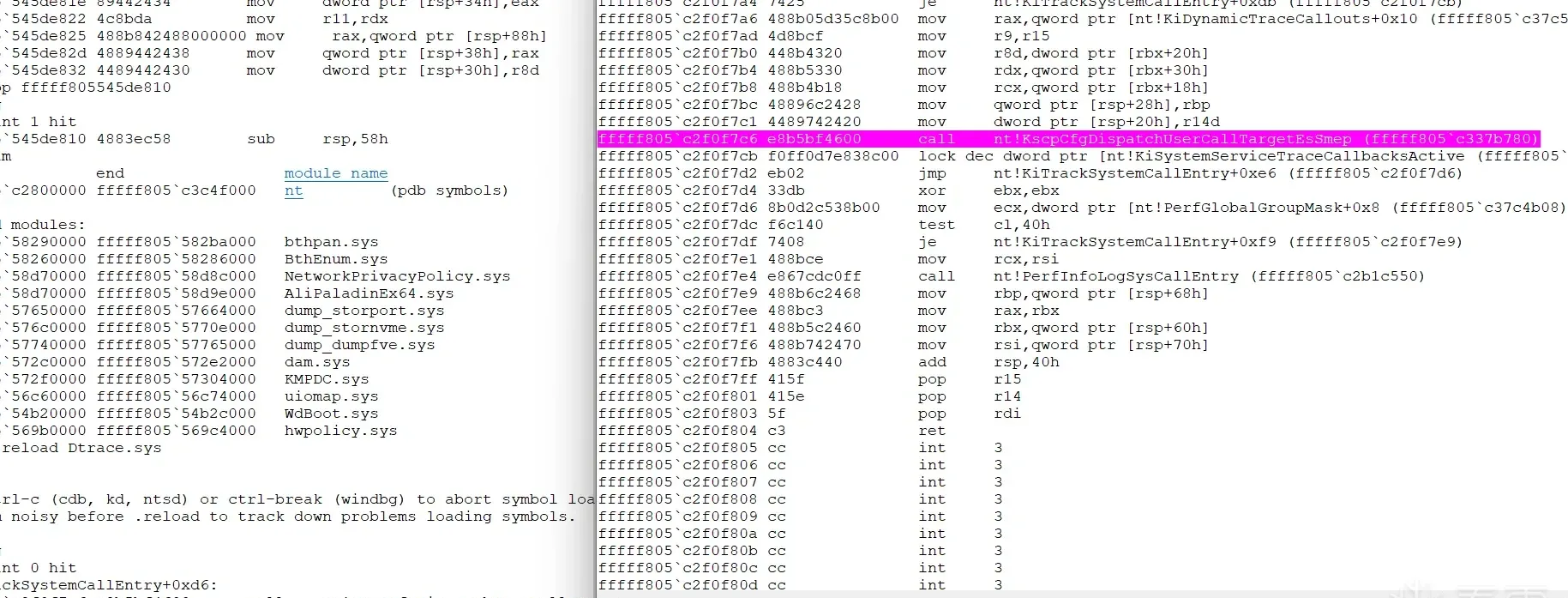
After the breakpoint, a call nt!KscpCfgDispatchUserCallTargetEsSmep appears. Looking at that function shows it’s just a jmp rax:

At that point rax = fffff805545de810, which disassembles to dtrace!StpCallbackEntry — DTrace’s syscall-audit callback:
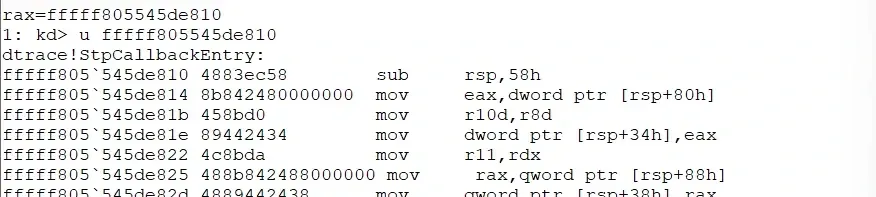
That’s the full path, from the bcdedit switch to the per-syscall audit callback.
Summary
Windows DTrace is wired in three layers: bcdedit writes a BCD element (0x26000145), winload.efi reads it during boot via BlGetBootOptionBoolean and loads dtrace.sys, and ntoskrnl (in KeInitSystem → KiInitDynamicTraceSupport) calls TraceInitSystem to hand over KiDynamicTraceContext and the callout table. From there, KeSetSystemServiceCallback installs the syscall-trace callbacks and KiSystemCall64 gates the whole thing behind KiDynamicTraceMask, dispatching through KiTrackSystemCallEntry into dtrace!StpCallbackEntry.
What’s interesting is how cleanly the layers separate: the BCD switch is just a boolean in the boot configuration store, and everything downstream reacts to that single bit. Once you’ve traced the bit from the registry through the boot loader to the kernel, the “magic” of DTrace reduces to a fairly ordinary initialization-and-callback pattern.
Colin Xiao — I take on contract reverse-engineering work, and writeups like this are how I show what I can do. If you need help with anything in this space — including but not limited to the areas I cover above — I’m available. No project is too big or too small — if it’s reverse engineering and I can do it, I’ll take it. DM me on X (@colinxiao_lab) or Telegram (@ColinXiao666).
Get in touch