Intercepting Flutter App Traffic: Bypassing SSL Pinning with Frida and Proxying with Drony
About the author. I’m Colin Xiao — an independent reverse engineer, mostly working solo on contract jobs. I dig into compiled code of every kind, including but not limited to: Android and iOS apps, x86/x64/ARM native binaries, packers and obfuscators, DRM and license checks, network protocols and APIs, crypto and signature algorithms, malware, game binaries, and embedded/IoT firmware. I also handle large-scale data collection and vulnerability research. If you have any project in mind, I’d be glad to take it on — whatever it is, as long as it’s within my wheelhouse. Just reach out. You can reach me on X at @colinxiao_lab or on Telegram at https://t.me/ColinXiao666.
This research is published for educational and defensive purposes. The target sample is anonymized throughout.
Intercepting Flutter App Traffic: Bypassing SSL Pinning with Frida and Proxying with Drony
Flutter apps are notoriously annoying to intercept, because Dart builds its own Keystore from Mozilla’s NSS library. That means you can’t just drop your proxy’s CA into the system store and move on. Here’s a working recipe: disable Flutter’s certificate validation with Frida, then route the traffic through a VPN proxy so a tool like Fiddler or Burp can see it.
1. Disabling Flutter’s certificate validation with Frida
Flutter is Google’s mobile framework built on Dart — one Dart codebase produces high-performance, high-fidelity iOS and Android apps.
Because Dart compiles its own Keystore from Mozilla’s NSS library, we can’t bypass SSL validation by adding a proxy CA to the system CA store. Solving this means getting into libflutter.so.
When we push HTTPS traffic through Burp, the Flutter app throws an error we can use as a starting point to trace back from:
E/flutter (10371): [ERROR:flutter/runtime/dart_isolate.cc(805)] Unhandled exception:
E/flutter (10371): HandshakeException: Handshake error in client (OS Error:
E/flutter (10371):  NO_START_LINE(pem_lib.c:631)
E/flutter (10371):  PEM routines(by_file.c:146)
E/flutter (10371):  NO_START_LINE(pem_lib.c:631)
E/flutter (10371):  PEM routines(by_file.c:146)
E/flutter (10371):  CERTIFICATE_VERIFY_FAILED: self signed certificate in certificate chain(handshake.cc:352))
E/flutter (10371): #0      _rootHandleUncaughtError. (dart:async/zone.dart:1112:29)
E/flutter (10371): #1      _microtaskLoop (dart:async/schedule_microtask.dart:41:21)
E/flutter (10371): #2      _startMicrotaskLoop (dart:async/schedule_microtask.dart:50:5)
E/flutter (10371): #3      _runPendingImmediateCallback (dart:isolate-patch/isolate_patch.dart:116:13)
E/flutter (10371): #4      _RawReceivePortImpl._handleMessage (dart:isolate-patch/isolate_patch.dart:173:5)
The error tells us exactly where it fired: handshake.cc:352, which looks like this:
if (ret == ssl_verify_invalid) {
    OPENSSL_PUT_ERROR(SSL, SSL_R_CERTIFICATE_VERIFY_FAILED);
    ssl_send_alert(ssl, SSL3_AL_FATAL, alert);
  }
This is part of ssl_verify_peer_cert, which returns an ssl_verify_result_t — an enum defined at line 2290 of ssl.h:
enum ssl_verify_result_t BORINGSSL_ENUM_INT {
  ssl_verify_ok,
  ssl_verify_invalid,
  ssl_verify_retry,
};
Experimenting showed that changing ssl_verify_peer_cert’s return value to ssl_verify_ok (= 0) still fails, because the ssl_send_alert() call above still runs. So we need a different hook point. A little above that code in handshake.cc is the certificate-chain validation:
ret = ssl->ctx->x509_method->session_verify_cert_chain(
              hs->new_session.get(), hs, &alert)
              ? ssl_verify_ok
              : ssl_verify_invalid;
session_verify_cert_chain is defined in ssl_x509.cc. It returns a boolean and doesn’t have the problem ssl_verify_peer_cert does, so it’s the right target. Inside it, two strings stand out enough to locate the method:
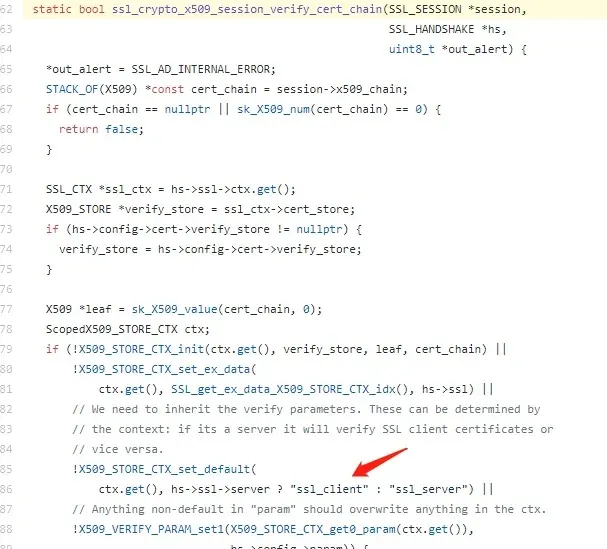
In IDA’s string list we can find those strings and land on the function sub_3A5564:
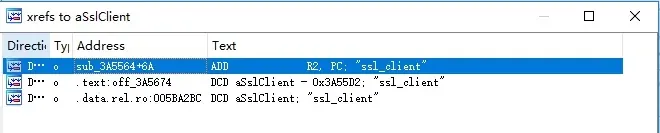
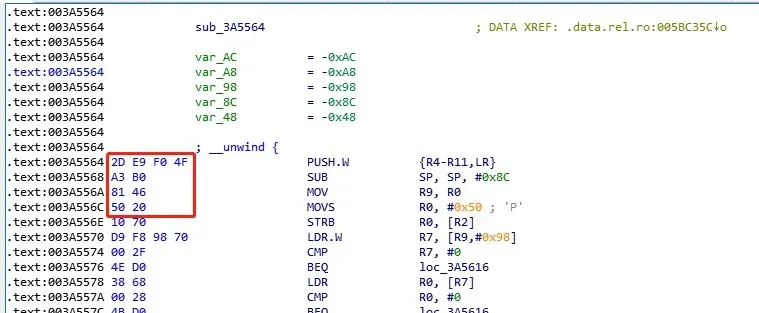
From there, write a Frida script that locates the function by its first 10 bytes and rewrites the return value to true at runtime to bypass the chain check:
function hook_ssl_verify_result(address)
{
  Interceptor.attach(address, {
    onEnter: function(args) {
      send("Disabling SSL validation")
    },
    onLeave: function(retval)
    {
      send("Retval: " + retval)
      retval.replace(0x1);
    }
  });
}

function disablePinning()
{
 var m = Process.findModuleByName("libflutter.so");
 var pattern = "2d e9 f0 4f a3 b0 81 46 50 20 10 70"
 var res = Memory.scan(m.base, m.size, pattern, {
  onMatch: function(address, size){
      send('[+] ssl_verify_result found at: ' + address.toString());
      // Add 0x01 because it's a THUMB function
      hook_ssl_verify_result(address.add(0x01));
    },
  onError: function(reason){
      send('[!] There was an error scanning memory');
    },
    onComplete: function()
    {
      send("All done")
    }
  });
}
The address.add(0x01) is there because, on 32-bit ARM, the least-significant bit of a function address is 0 for ARM functions and 1 for Thumb functions.
For a 64-bit libflutter.so, search for ssl_client the same way and locate the function by the bytes before it:
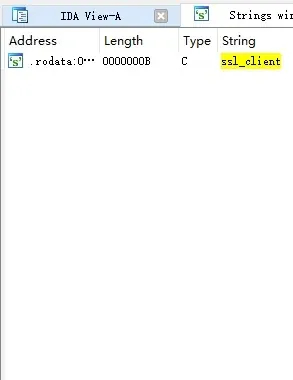

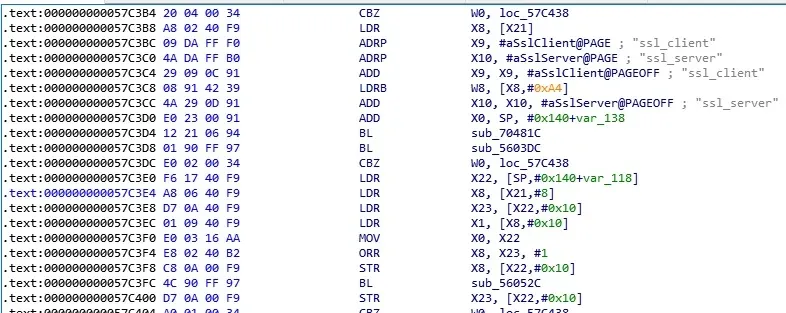
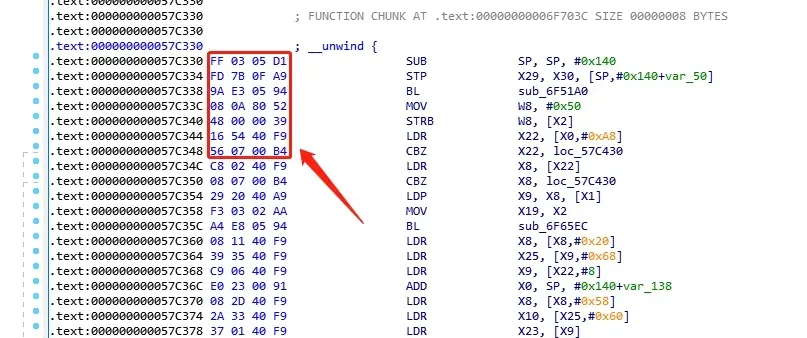
The 64-bit hook is the same idea, except the address no longer needs the +1:
function hook_ssl_verify_result(address) {
    Interceptor.attach(address, {
            onEnter: function(args) {
                console.log("Disabling SSL validation")
            },
            onLeave: function(retval) {
                console.log("Retval: " + retval);
                retval.replace(0x1);
            }
        });
}

function hookFlutter() {
    var m = Process.findModuleByName("libflutter.so");
    var pattern = "FF 03 05 D1 FD 7B 0F A9 9A E3 05 94 08 0A 80 52 48 00 00 39 16 54 40 F9 56 07 00 B4 C8 02 40 F9 08 07 00 B4";
    var res = Memory.scan(m.base, m.size, pattern, {
            onMatch: function(address, size){
                console.log('[+] ssl_verify_result found at: ' + address.toString());
                hook_ssl_verify_result(address);
            },
            onError: function(reason){
                console.log('[!] There was an error scanning memory');
            },
            onComplete: function() {
                console.log("All done")
            }
        });
}
Once that runs, a tool like Packet Capture can see the traffic. But proxying is still a problem — that’s where Drony comes in.
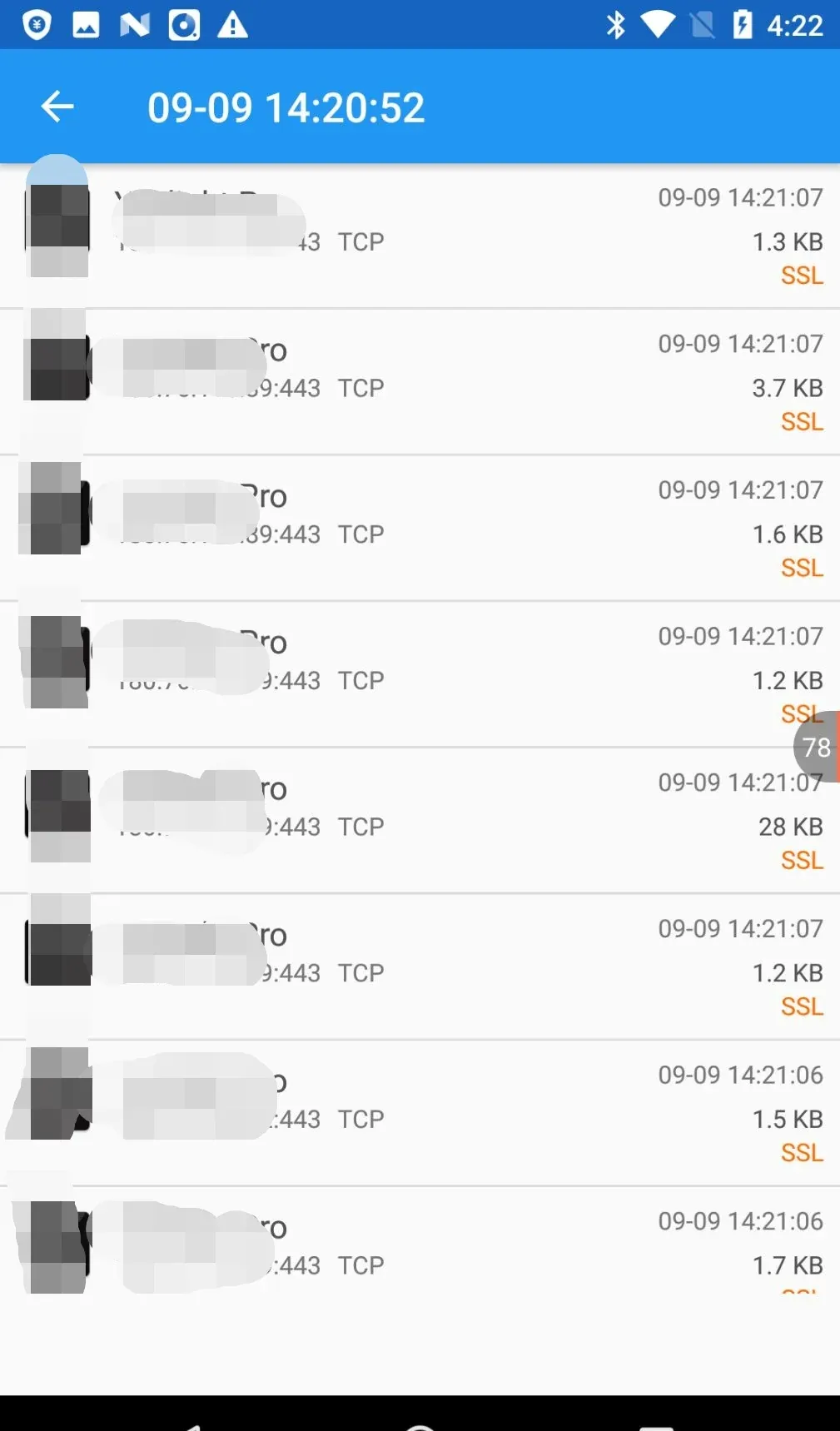
2. Proxying through Drony + Fiddler
Drony is a handy VPN app. It creates a VPN on the phone and redirects all traffic into itself, so it can manage every packet — and even configure traffic for individual apps separately.
Open the app, swipe left to the settings:
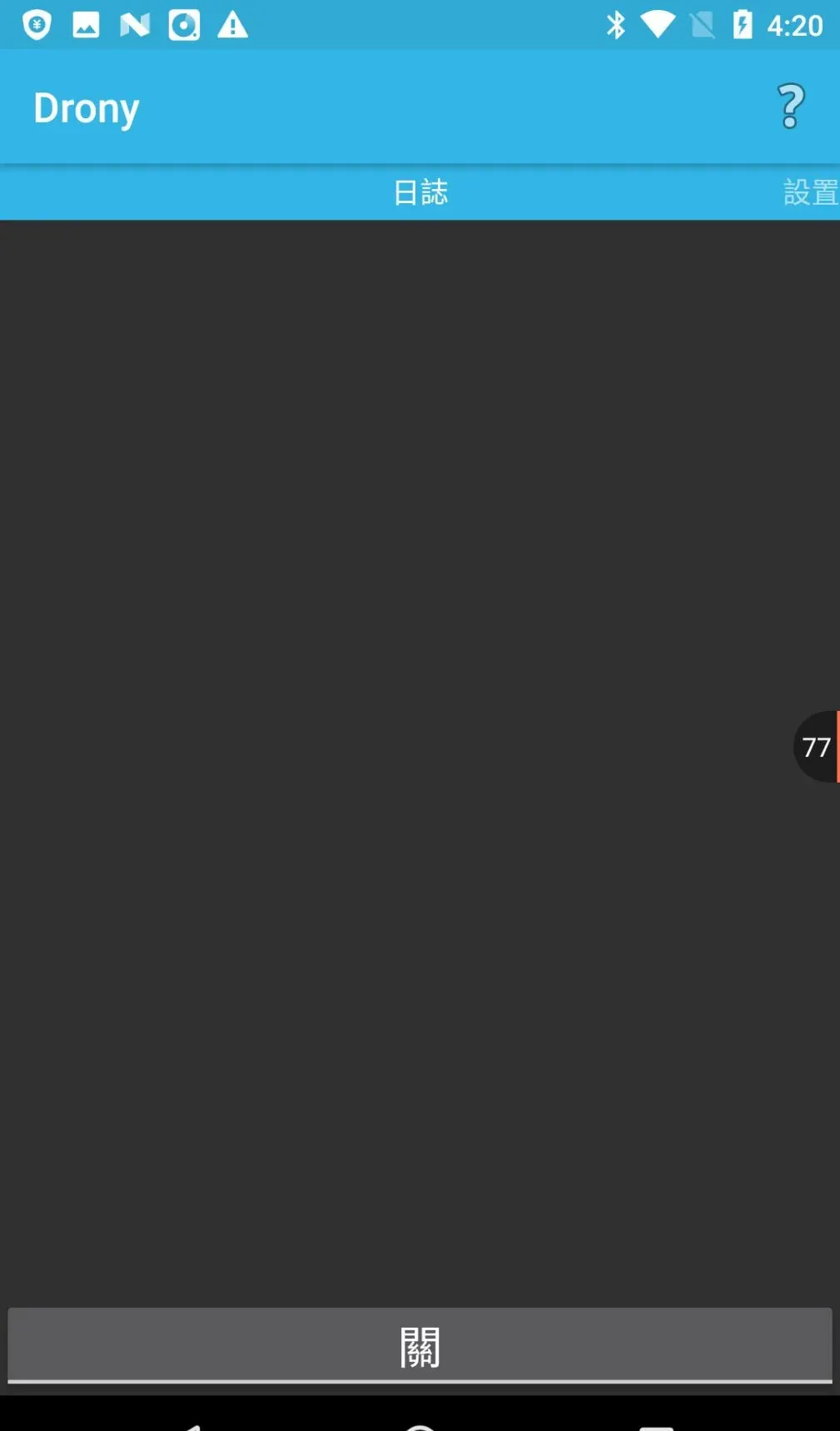
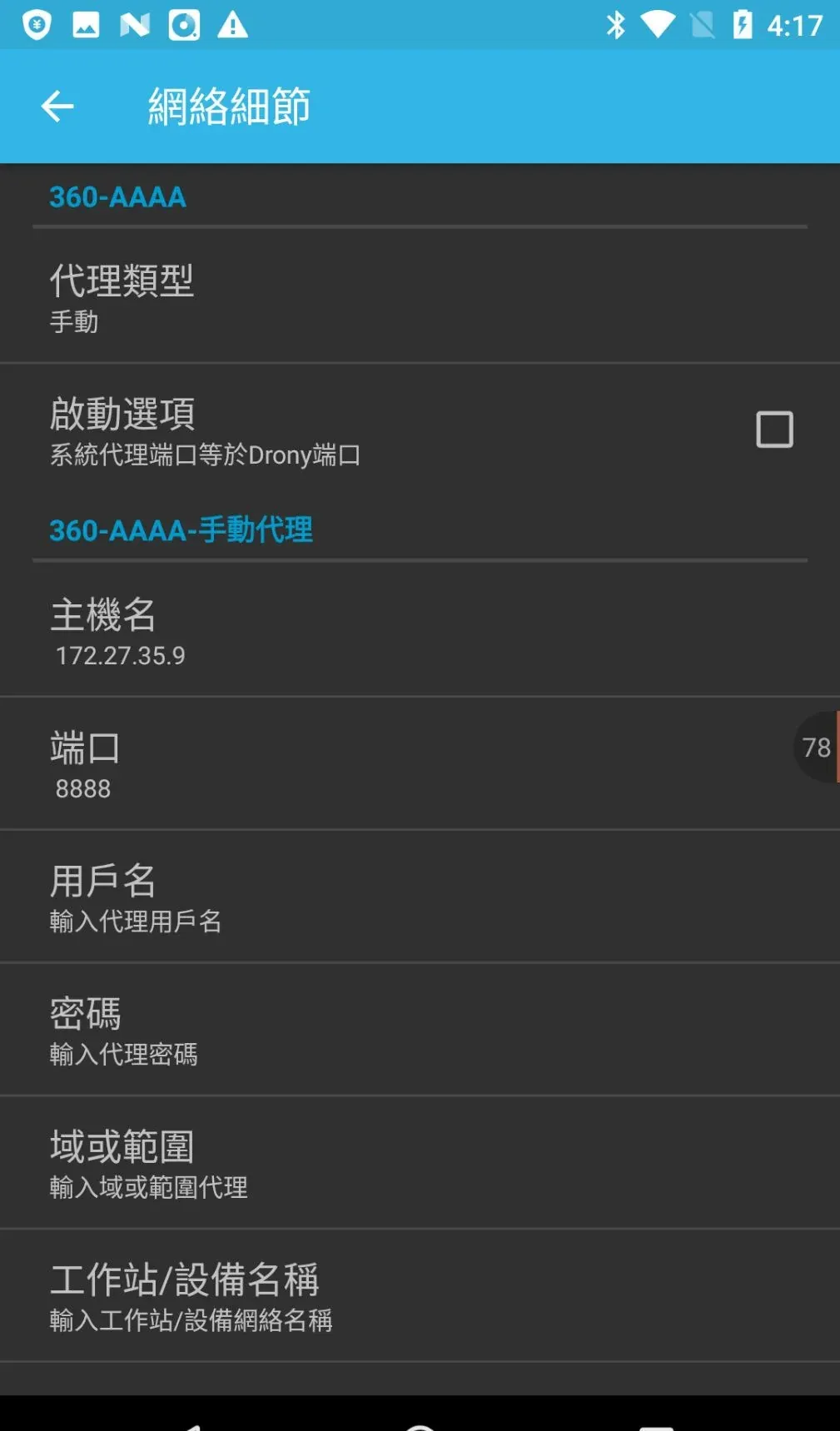
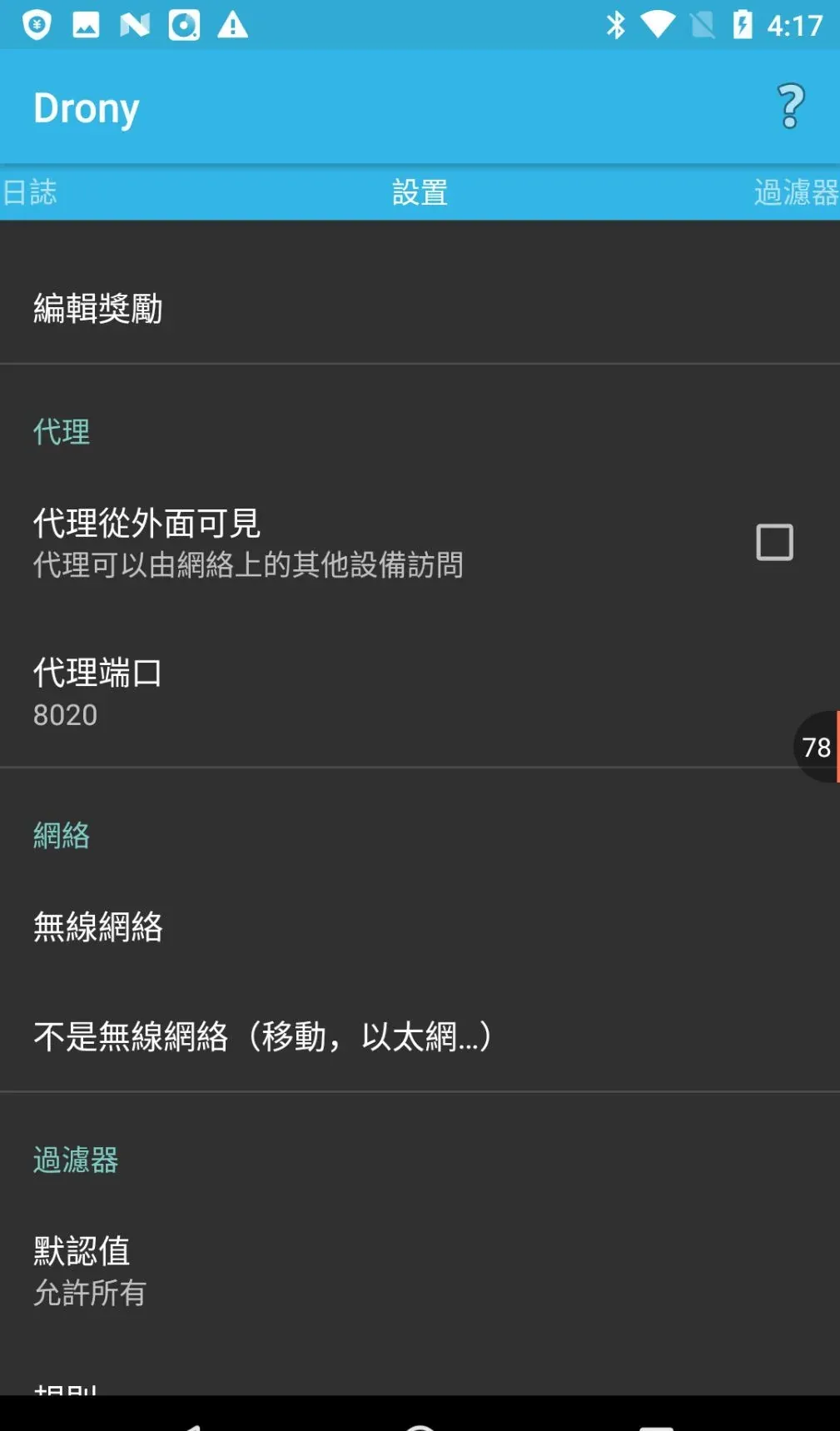
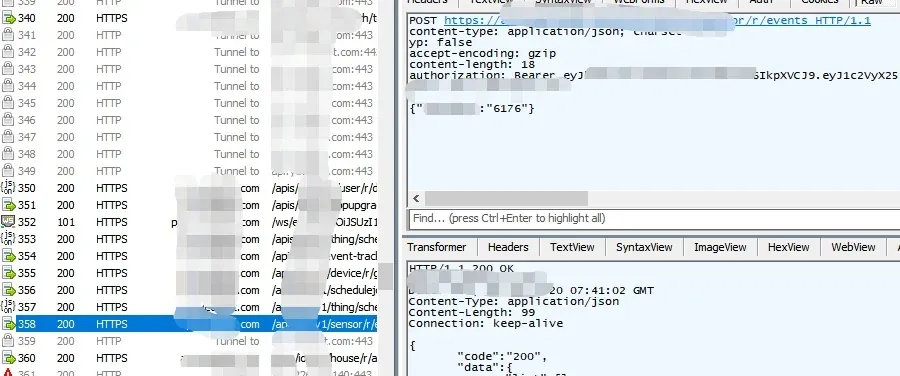
Point it at your proxy, go back to the main page, tap “off” to start the VPN, and the traffic shows up in Fiddler:
Colin Xiao — I take on contract reverse-engineering work, and writeups like this are how I show what I can do. If you need help with anything in this space — including but not limited to the areas I cover above — I’m available. No project is too big or too small — if it’s reverse engineering and I can do it, I’ll take it. DM me on X (@colinxiao_lab) or Telegram (@ColinXiao666).
Get in touch