iOS Code Signing, Part 1: Third-Party Distribution and Signing Internals
About the author. I’m Colin Xiao — an independent reverse engineer, mostly working solo on contract jobs. I dig into compiled code of every kind, including but not limited to: Android and iOS apps, x86/x64/ARM native binaries, packers and obfuscators, DRM and license checks, network protocols and APIs, crypto and signature algorithms, malware, game binaries, and embedded/IoT firmware. I also handle large-scale data collection and vulnerability research. If you have any project in mind, I’d be glad to take it on — whatever it is, as long as it’s within my wheelhouse. Just reach out. You can reach me on X at @colinxiao_lab or on Telegram at https://t.me/ColinXiao666.
This research is published for educational and defensive purposes. The target sample is anonymized throughout.
iOS Code Signing, Part 1: Third-Party Distribution and Signing Internals
Why talk about iOS signing? There are plenty of mobile reverse engineering tutorials and books, and plenty of signing articles too. What I want to cover here is the finer detail you rarely see elsewhere.
The purpose of iOS signing is fairly simple: install an ipa on a non-jailbroken device. For the third-party app stores there’s a second goal — distribution, and, more to the point, injecting their own ad SDK before distributing.
iOS app distribution happens in a few main ways:
- Apple’s App Store.
- The Cydia store — requires a jailbreak, and since most modern jailbreaks are semi-untethered you have to re-jailbreak after every reboot. Combined with how painful jailbreak tools are to install, the jailbreak user base has shrunk a lot.
- Third-party app stores — a handful of major ones.
Third-party distribution has gone through several phases:
- a. The jailbreak era. Early on, third-party stores mostly distributed jailbroken apps, tied to the prevalence of early jailbreak tweaks and untethered jailbreaks.
- b. Reauthorization distribution. An early technique: plug the device into a computer and use iTunes APIs to create IC-Info authorization files on it. An ipa downloaded from the App Store contains
sc_infoauthorization data.
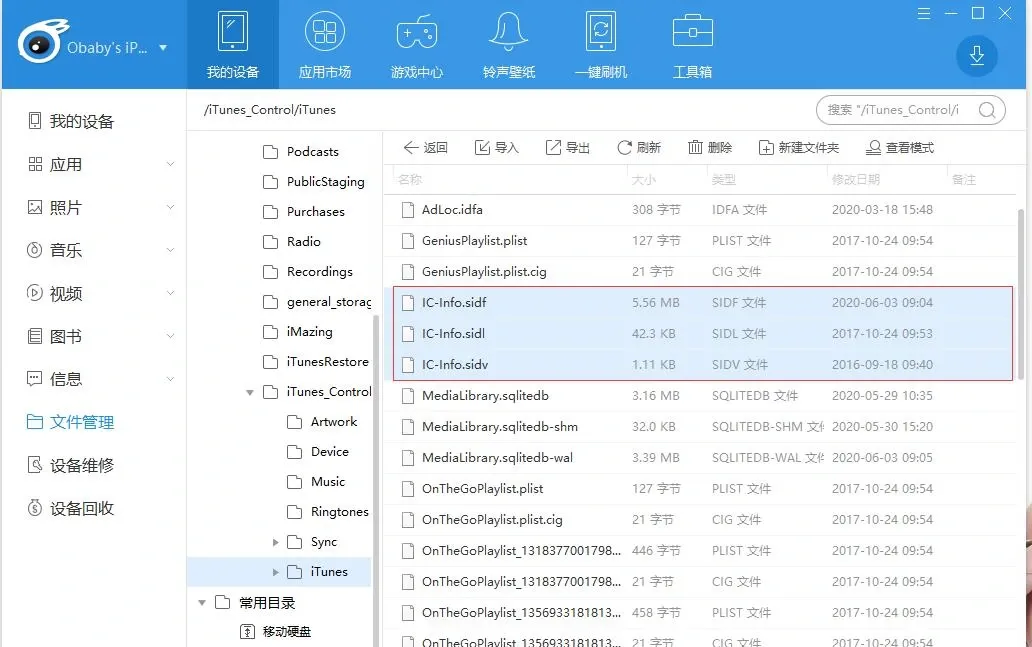
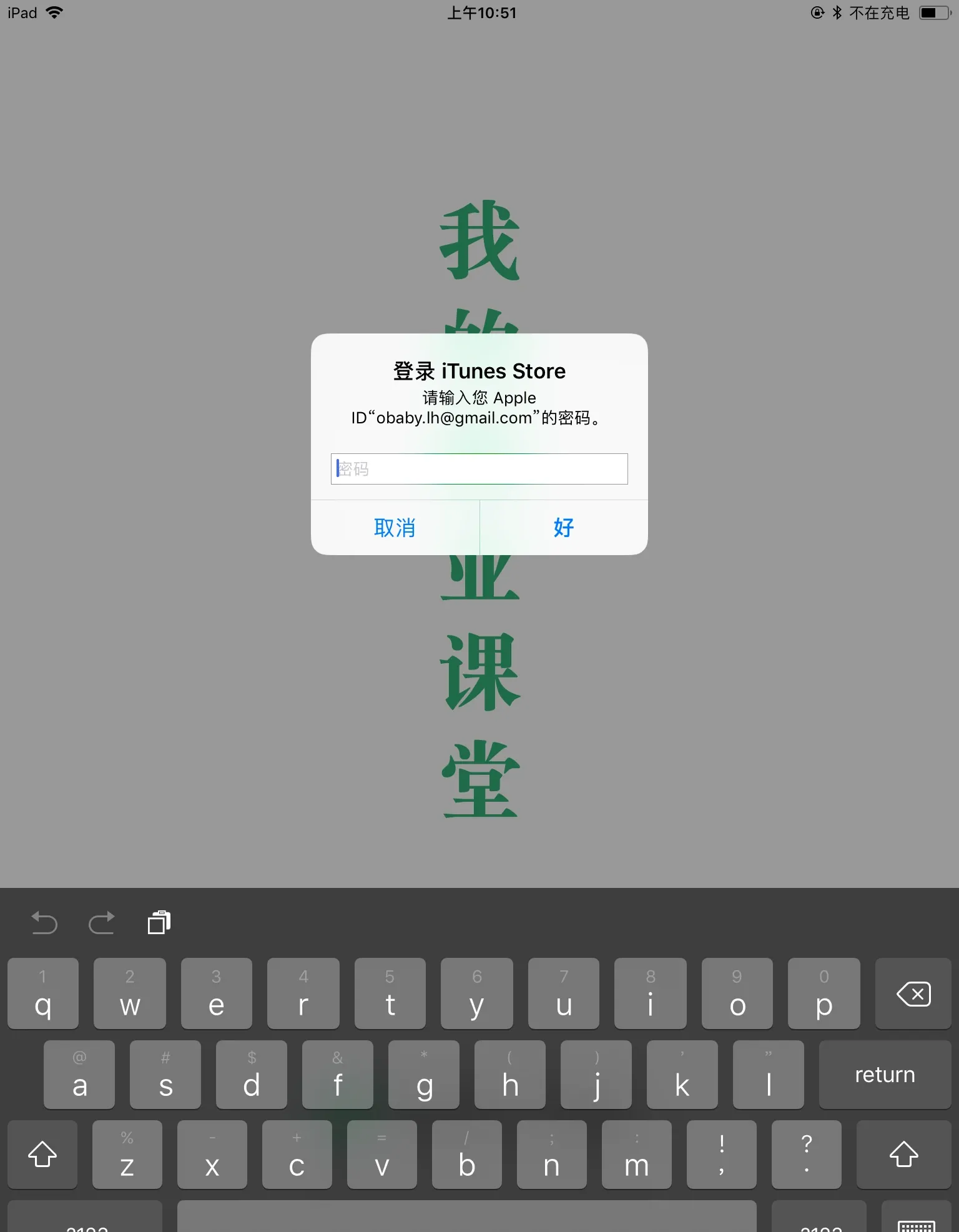
During installation the device does not check for authorization — only at launch time. Without authorization, you get a credentials prompt:
To verify this, just delete the authorization files on the device. Besides the files in the iTunes directory, delete these:
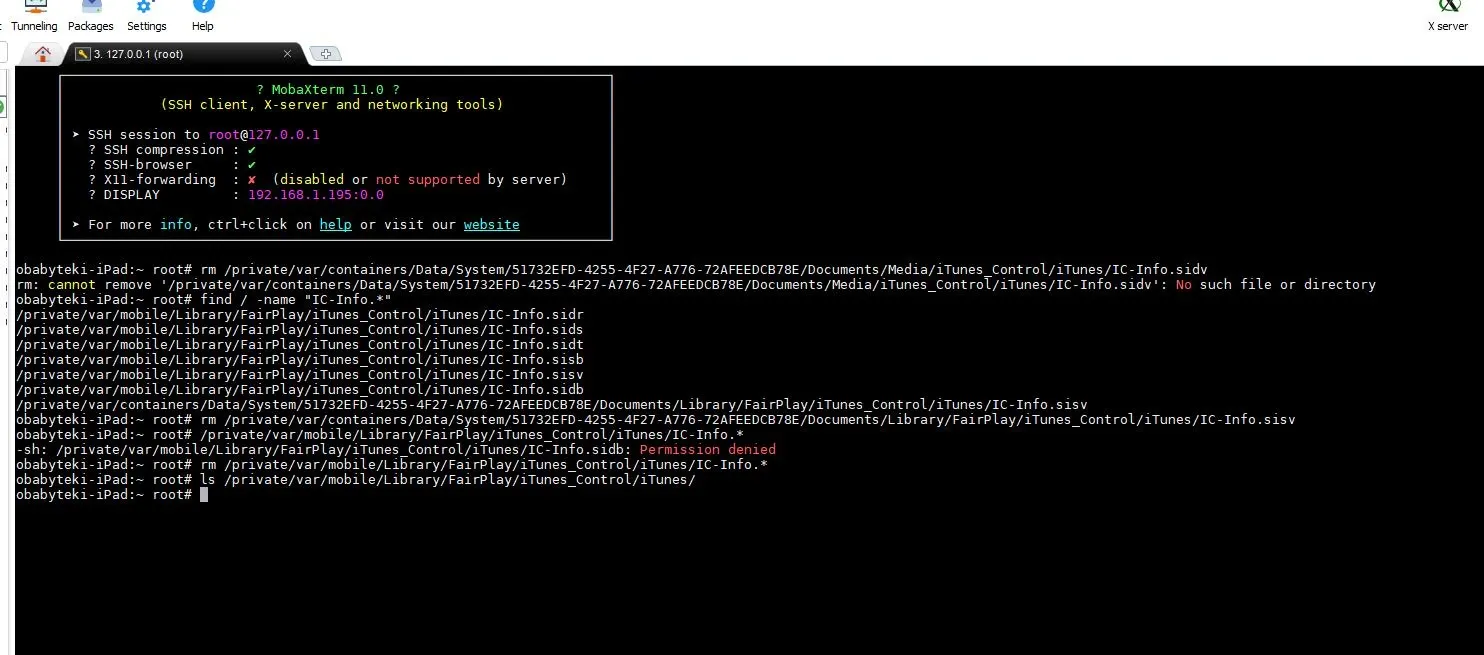
/private/var/mobile/Library/FairPlay/iTunes_Control/iTunes/IC-Info.sidr /private/var/mobile/Library/FairPlay/iTunes_Control/iTunes/IC-Info.sids /private/var/mobile/Library/FairPlay/iTunes_Control/iTunes/IC-Info.sidt /private/var/mobile/Library/FairPlay/iTunes_Control/iTunes/IC-Info.sisb /private/var/mobile/Library/FairPlay/iTunes_Control/iTunes/IC-Info.sisv /private/var/mobile/Library/FairPlay/iTunes_Control/iTunes/IC-Info.sidb
Deleting the files under /iTunes_Control/iTunes/ doesn’t break normal operation — they get recreated after the app launches.
- c. The enterprise-signing era. Early enterprise certificates were cheap. Since dylib injection let you modify apps and inject ads, the third-party stores had real motivation to distribute via enterprise signing. Apple was slow to revoke certificates back then, so the returns were solid.
- d. The personal-certificate era. As Apple revoked certificates more aggressively, the stores pivoted to personal certificates — personal developer certificates and personal Apple IDs. At first, mobile provision profiles created from an Apple ID were valid for a month, so many stores used personal signing to cut costs. After the validity dropped to 7 days, they moved to personal developer signing.
How the App Store assembles an ipa
Early iTunes downloaded an App Store ipa in two steps:
- Download the ipa file — at this point it has no authorization info; it’s the still-encrypted ipa.
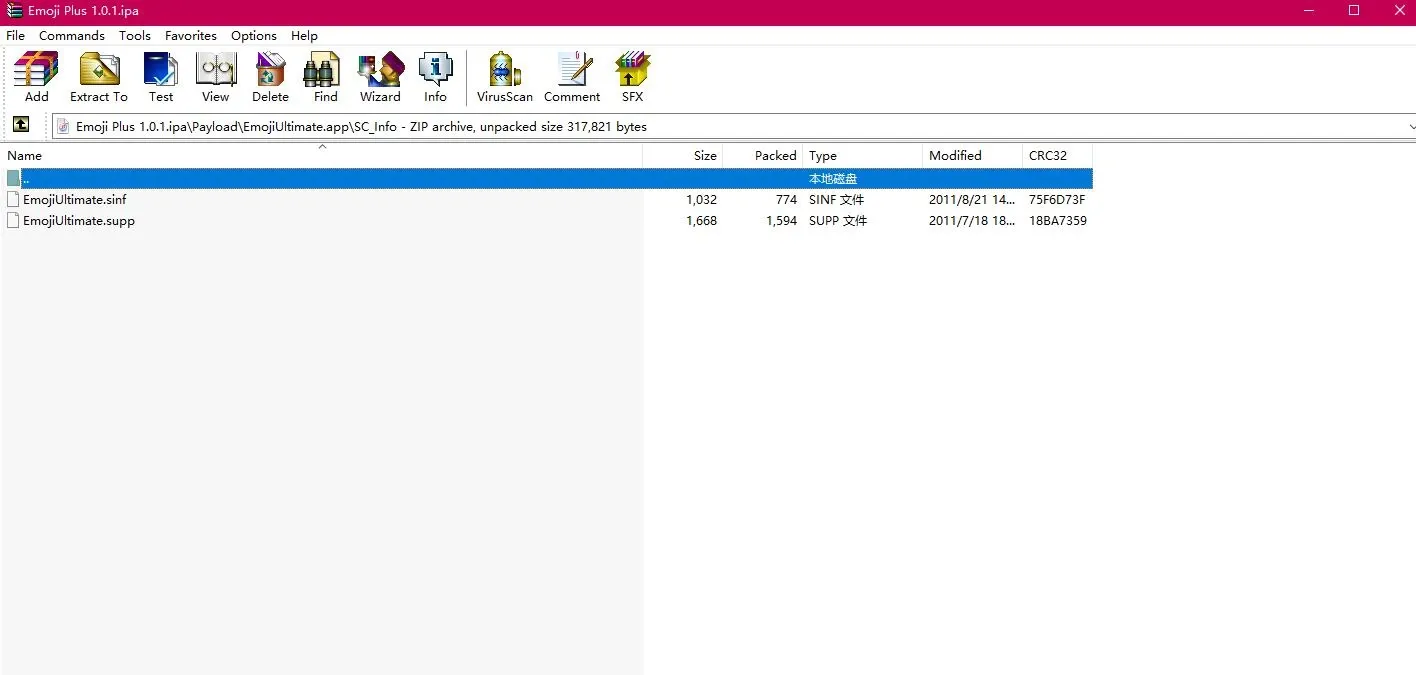
- Create the authorization files and the
SC_Infodirectory (underPayload/EmojiUltimate.appin the ipa) via API, plus aniTunesMetadata.plistcontaining the purchasing Apple ID.
The SC_Info directory structure:

For more on the ipa structure, see https://blog.razb.me/pulling-apart-an-ios-app/
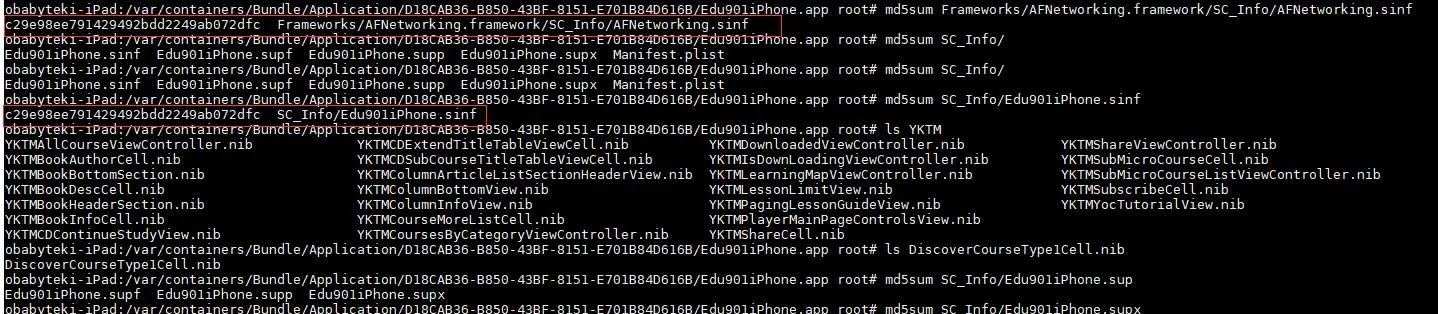
Older ipas had no separate SC_Info under the frameworks’ support libraries. Newer ipas create SC_Info in every library directory — I don’t recall exactly which version introduced the change. The files differ in location but have identical contents, which you can confirm with md5:
- Bundle the authorization and purchase info into the ipa — that’s the ipa you finally get from iTunes. (The latest iTunes no longer has an App Store.)
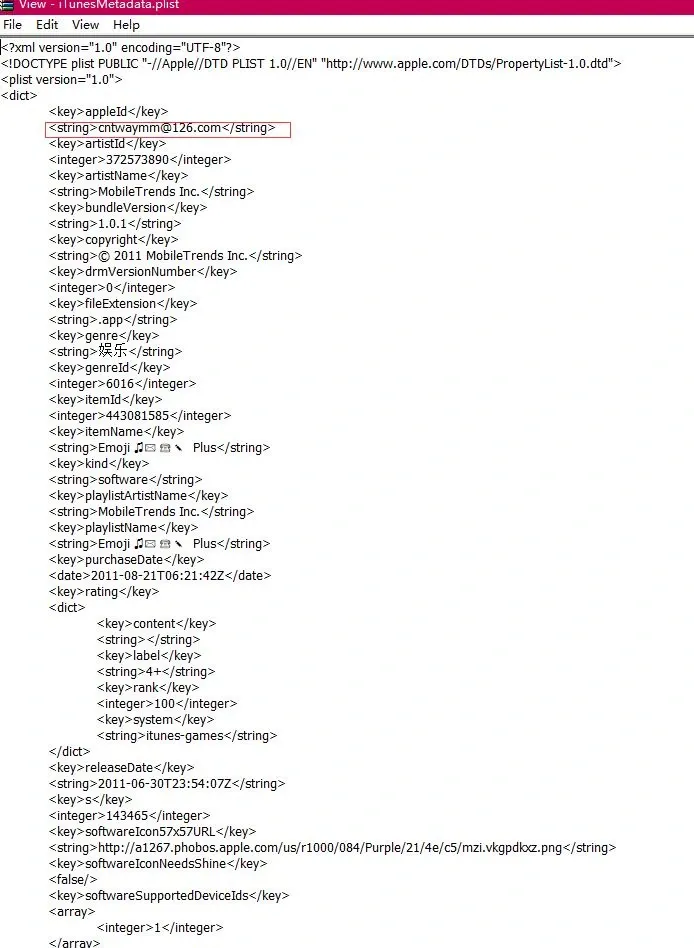
You can read the purchasing Apple ID from this file. The third-party stores also use it to judge the app’s version and whether it’s an official Apple app (for an accurate check you’d also need SC_Info). But this file isn’t checked during installation — you can delete it and the app still installs, and it takes no part in signing.
Why you can’t just tamper with an ipa
Apple is known for security. Since the final ipa is assembled by concatenation, couldn’t it be tampered with — or have extra functionality added — during download? Apple thought of this. Even an App Store ipa carries a digital signature.
An ipa’s signature has two parts:
- The signature of every file in the ipa.
- The signature of the executable.
The resource signatures live in Payload/EmojiUltimate.app/_CodeSignature/CodeResources:
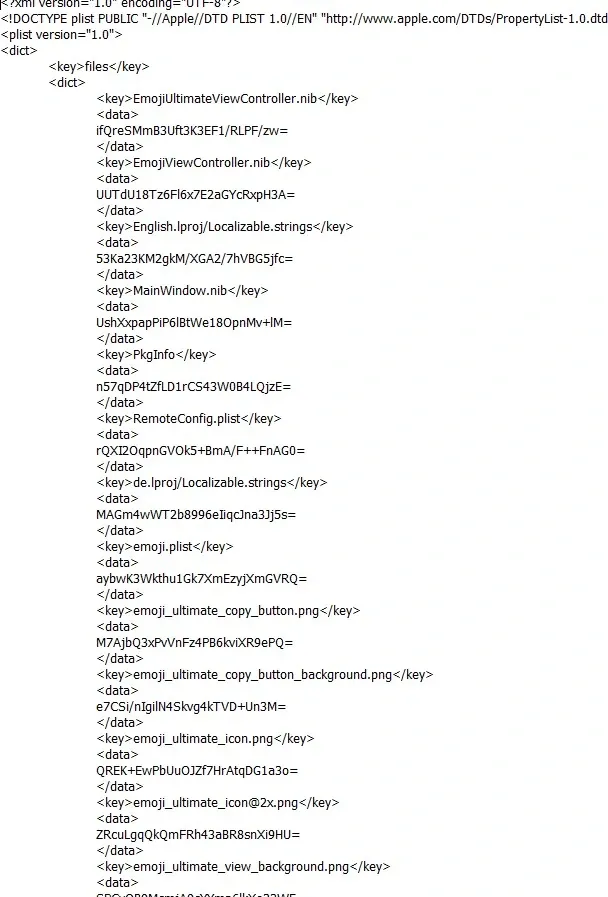
Each file’s hash is sha1 + base64; newer ipas also carry sha256 + base64:
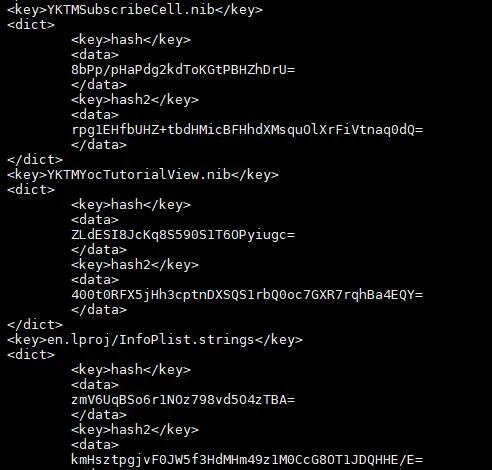
The computation:
with open(filepath, 'rb') as f:
    sha1obj = hashlib.sha1()
    sha1obj.update(f.read())
    hash = sha1obj.hexdigest()
    print("sha1:", hash)
    bs = base64.encodebytes(sha1obj.digest())
    print("hash:", bs)
The result matches the value in the plist. So — now that we know the formula, can we modify a file, update its hash, and install? Try it and you’ll find it fails. Why? The hash is right!
Because changing the file changes the CodeResources file itself, and its hash is recorded in the executable’s signature. You can inspect this with jtool:
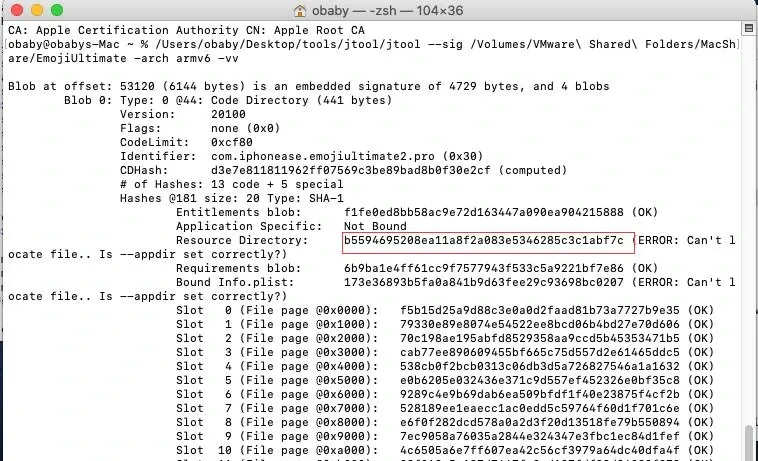
The marked spot is the CodeResources hash — compute its sha1 with the Python snippet above and the two match. Newer ipas add a sha256 value:
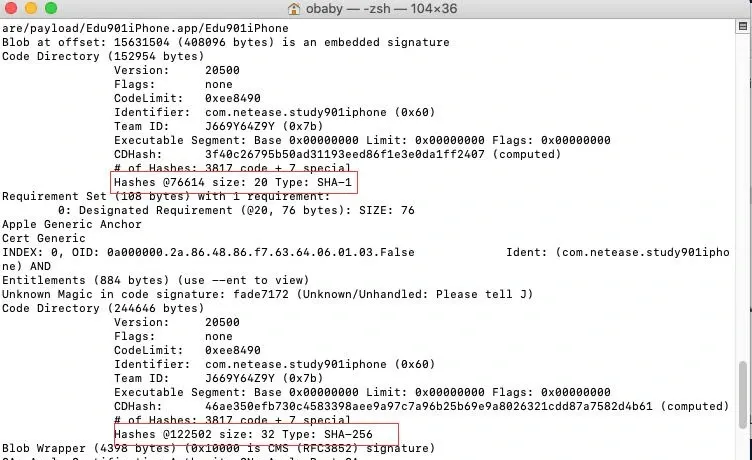
That’s why a downloaded ipa can’t be modified freely — change the binary and it fails signature verification all the same.
There is one set of files you can modify: SC_Info and the files under it, which record the ipa’s purchase and authorization info. If two accounts buy the same app, swapping the sc_info files between them still installs and runs fine.
Why that passes signature verification — that’s for the next post.
Apple’s signing source code: https://opensource.apple.com/source/Security/Security-55471/sec/Security/Tool/codesign.c.auto.html
Colin Xiao — I take on contract reverse-engineering work, and writeups like this are how I show what I can do. If you need help with anything in this space — including but not limited to the areas I cover above — I’m available. No project is too big or too small — if it’s reverse engineering and I can do it, I’ll take it. DM me on X (@colinxiao_lab) or Telegram (@ColinXiao666).
Get in touch