Locating a Short-Video App's Request Signature: Tracing the sig3 Call Chain into Native Code
About the author. I’m Colin Xiao — an independent reverse engineer, mostly working solo on contract jobs. I dig into compiled code of every kind, including but not limited to: Android and iOS apps, x86/x64/ARM native binaries, packers and obfuscators, DRM and license checks, network protocols and APIs, crypto and signature algorithms, malware, game binaries, and embedded/IoT firmware. I also handle large-scale data collection and vulnerability research. If you have any project in mind, I’d be glad to take it on — whatever it is, as long as it’s within my wheelhouse. Just reach out. You can reach me on X at @colinxiao_lab or on Telegram at https://t.me/ColinXiao666.
This research is published for educational and defensive purposes. The target sample is anonymized throughout.
Locating a Short-Video App’s Request Signature: Tracing the sig3 Call Chain into Native Code
The goal this time wasn’t to reverse an algorithm — it was to find it. The target app signs its requests with a sig3 parameter, and the signing logic eventually sinks into a heavily OLLVM-obfuscated native library. I’m still climbing the learning curve, so this post only covers the first, often-skipped skill: walking a signature from a URL parameter all the way down to the native call that computes it. Reversing the OLLVM comes later.
Finding the entry point
The target version is 7.2.4.13202. Charles revealed the full name of the parameter:
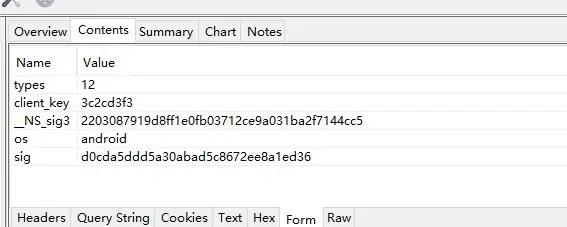
It’s _NS_sig3. Dropping the APK into jadx-gui, I did the classic string search:
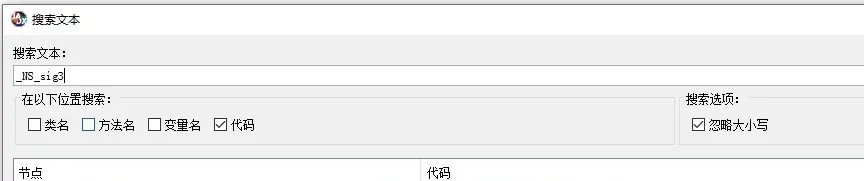
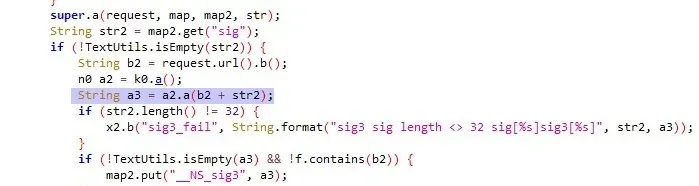
The highlighted region shows a3 coming from a2.a(...), with str2 being the signature result (from the code above it) and b2 a URL that’s been through some b() processing. Ignore what b2 holds for now — follow where a is ultimately called.
Walking the call chain
String a3 = a2.a(b2 + str2);Following a’s declaration:
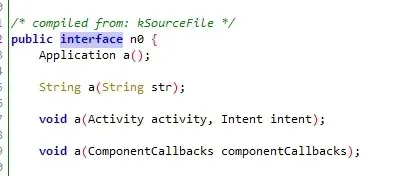
It’s an interface. Right-click → find usages:
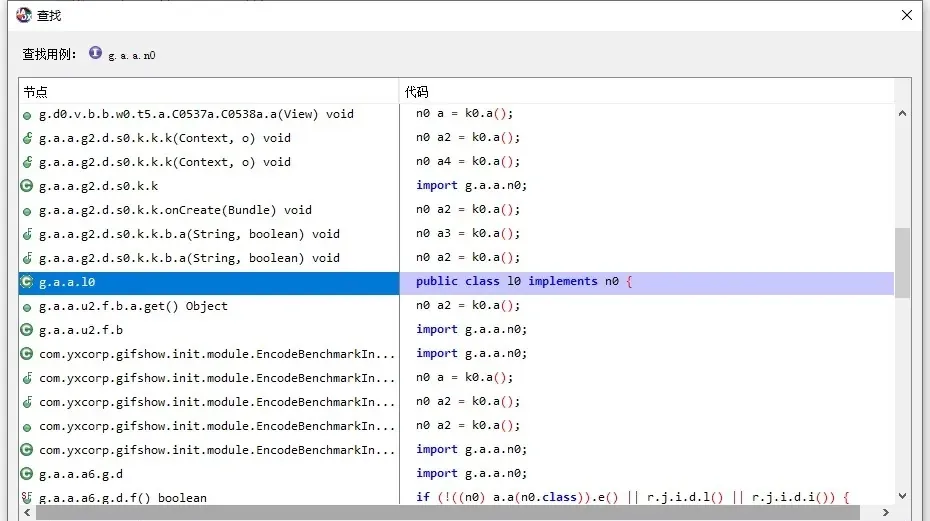
Exactly one class implements it. In, then through getSigWrapper, then into j.c(str):
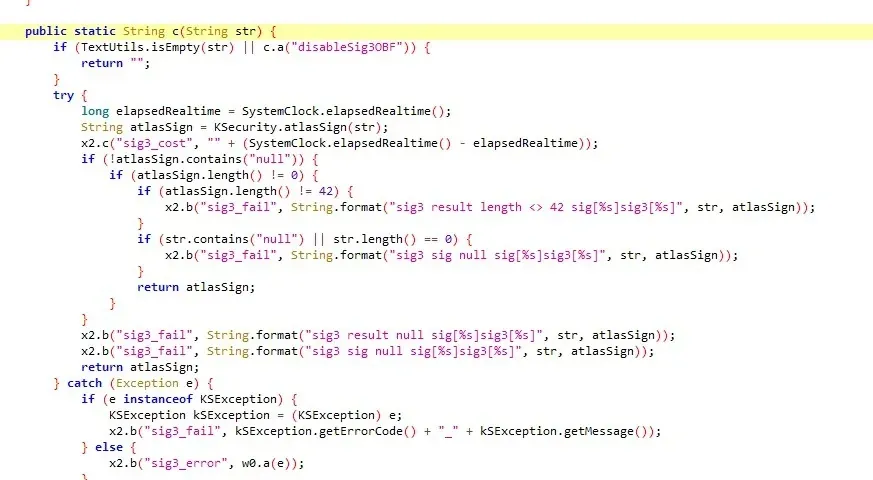
Still descending: String atlasSign = KSecurity.atlasSign(str);. Follow that declaration:

Double-clicking str to see its references:

It calls d().a(str). Follow into that implementation — it passes a 2 and a false:
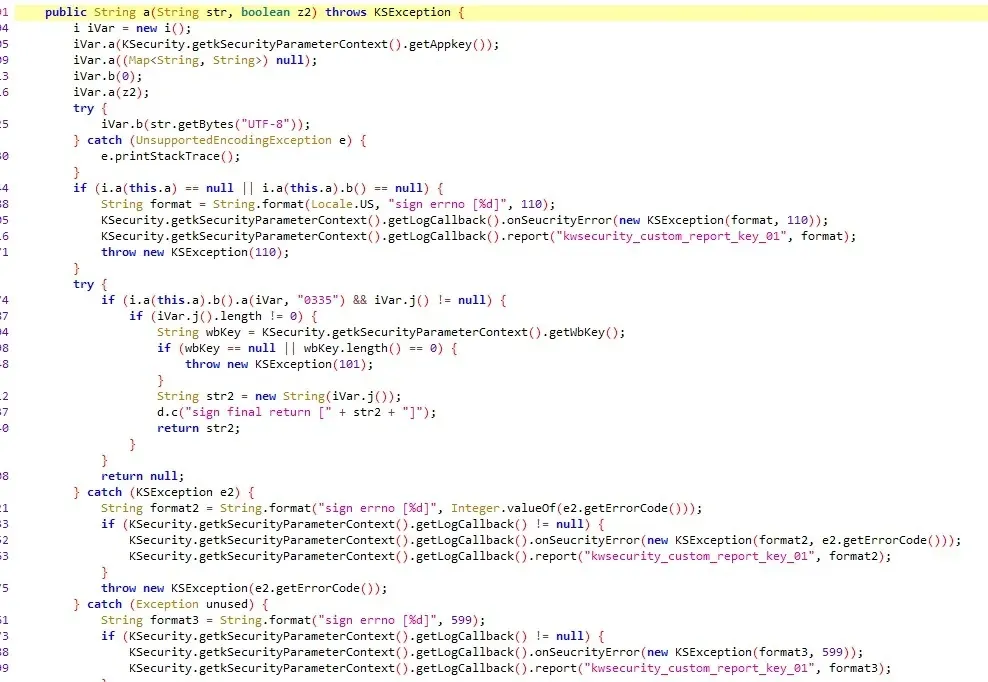
Here it constructs an i and populates it field by field. Stripping the noise:
i iVar = new i();
iVar.a(KSecurity.getkSecurityParameterContext().getAppkey());
iVar.a((Map<String, String>) null);
iVar.b(0);
iVar.a(z2);
iVar.b(str.getBytes("UTF-8"));
if (i.a(this.a).b().a(iVar, "0335") && iVar.j() != null) {
The real work happens in i.a(this.a).b().a(iVar, "0335"). Following it:
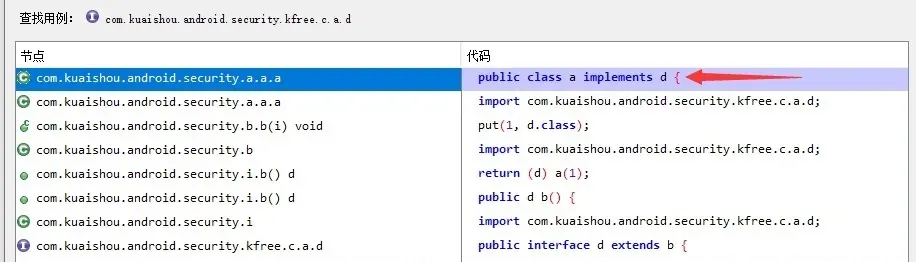
Another interface. Find usages, then the concrete a(i, string):
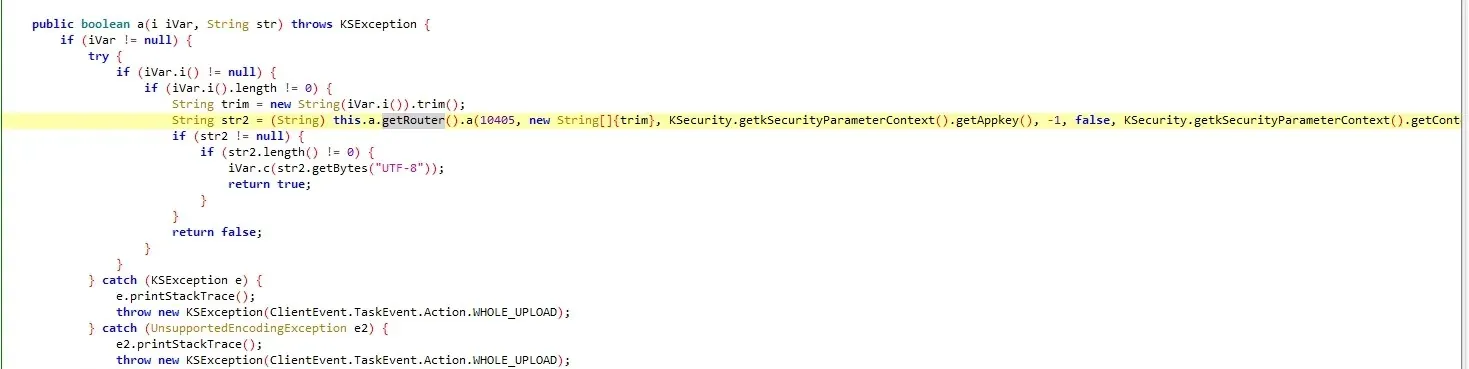
Reading it:
String trim = new String(iVar.i()).trim();
String str2 = (String) this.a.getRouter().a(10405, new String[]{trim}, KSecurity.getkSecurityParameterContext().getAppkey(), -1, false, KSecurity.getkSecurityParameterContext().getContext(), null, Boolean.valueOf(iVar.b()));
iVar.c(str2.getBytes("UTF-8"));
Recall the parameters were packed into iVar. Here it pulls the content-to-sign back out with iVar.i(), then calls this.a.getRouter().a — passing a lot of values, so this is likely the final dispatch. Following a:
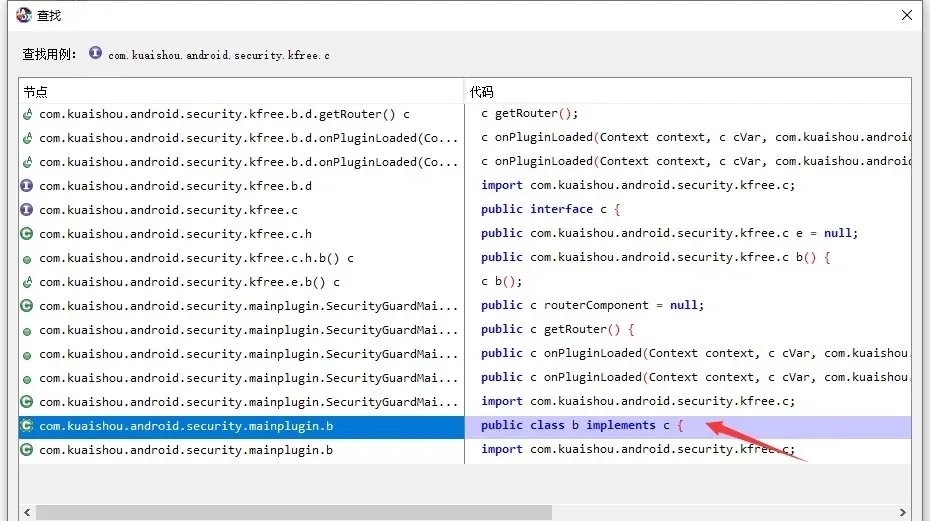
Interface again. Find usages, then the implementation:

return JNICLibrary.doCommandNative(i, objArr);There it is: the hand-off to native code.
Hooking the boundary
Rather than reproduce the last two arguments (many of them fixed constants), I picked a hook point just above the native call:
com.kuaishou.android.security.a.a.a.a(com.kuaishou.android.security.kfree.c.i, java.lang.String)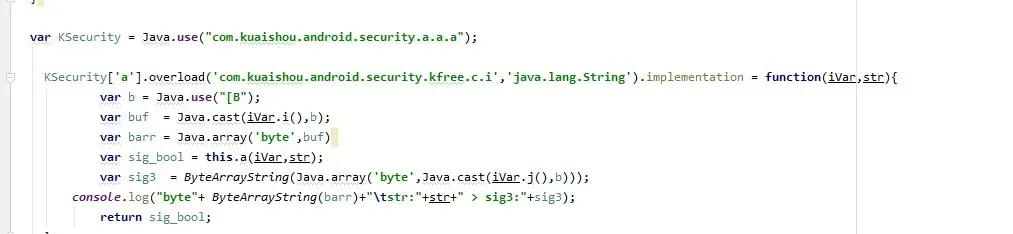
The two arguments are the URL path and the signature — confirming the earlier merge of str + str2 was the path plus the sig.
Working backward to a’s parameters, here’s what actually gets passed to native:
| # | Value | Meaning |
|---|---|---|
| 1 | 10405 |
command/route id |
| 2 | new String[]{trim} |
the content to sign (what my hook printed) |
| 3 | KSecurity.getkSecurityParameterContext().getAppkey() |
a fixed app key |
| 4 | -1 |
— |
| 5 | false |
a flag |
| 6 | KSecurity.getkSecurityParameterContext().getContext() |
the app context |
| 7 | null |
— |
| 8 | Boolean.valueOf(iVar.b()) |
the false passed in earlier |
The app key (parameter 3) is a fixed value found through its own usages:

Parameter 8 is just the boolean we saw set at the start; b() reads back that assignment.
With all the parameters identified, I stopped at the .so boundary. The native layer is riddled with OLLVM, so the remaining move — for now — is calling it actively via hook rather than reversing it.
Locating the .so
Even finding which shared object loads here is non-trivial, so here’s how I traced it. JNICLibrary.doCommandNative’s definition doesn’t show a System.loadLibrary:

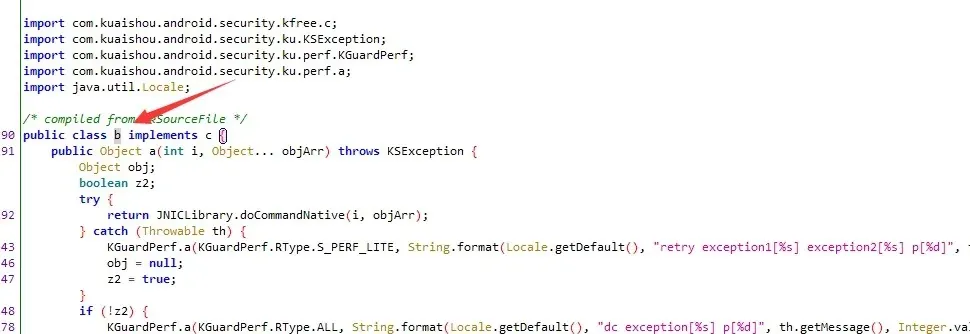
Find usages of b, and there’s one new site:

Follow it:
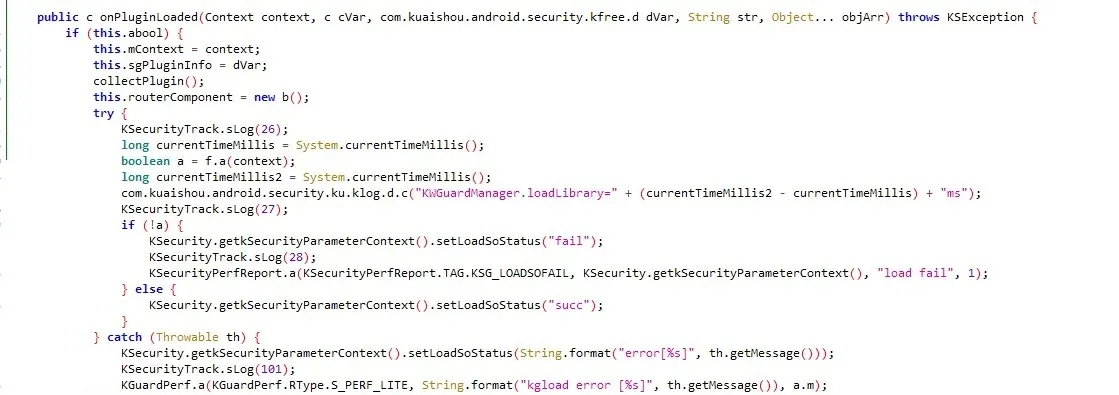
The surrounding text shows it calls boolean a = f.a(context) here to trigger the load — the log even hints at timing the load:
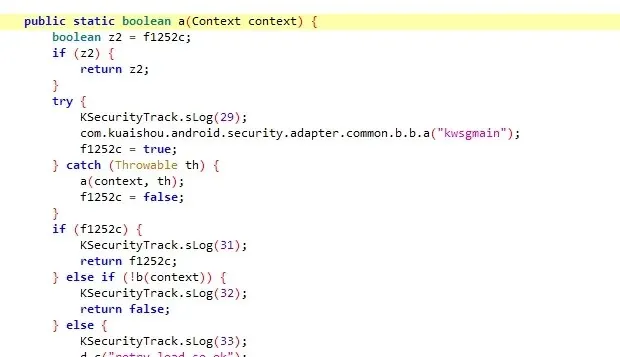
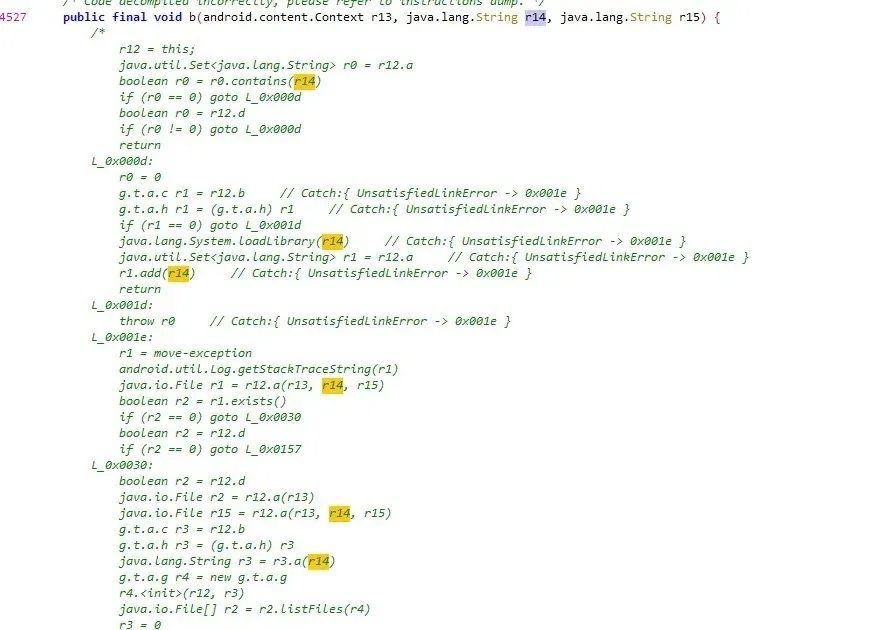
And there’s the name: kwsgmain, with a retry load so ok message right below it. Checking lib/, the file exists. Tracing that string’s call sites confirms it:
Loading kwsgmain.so into IDA and looking at JNI_OnLoad… that’s where I hit pause for now:
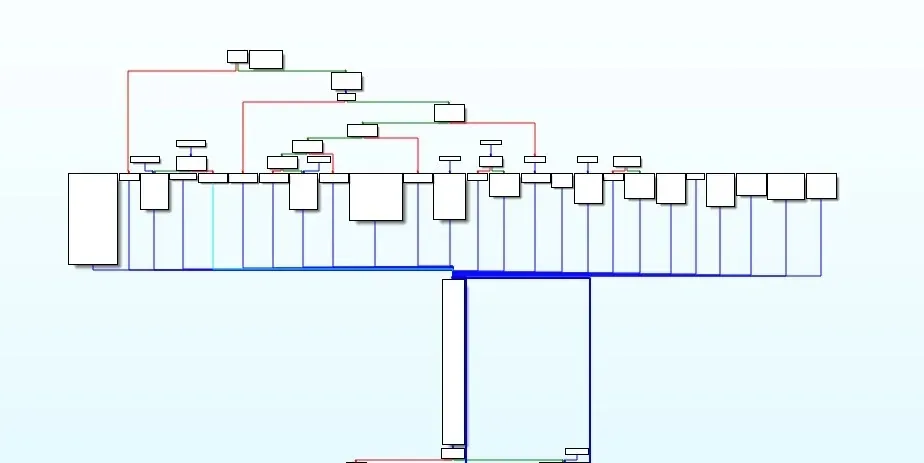
The next milestone is working through the OLLVM. The locating half — the part that trips up beginners and that this post is about — is done: a signature parameter in a URL, traced through a chain of interfaces and dispatch layers, down to a named native function and its .so. Everything after that is a different skill set.
Colin Xiao — I take on contract reverse-engineering work, and writeups like this are how I show what I can do. If you need help with anything in this space — including but not limited to the areas I cover above — I’m available. No project is too big or too small — if it’s reverse engineering and I can do it, I’ll take it. DM me on X (@colinxiao_lab) or Telegram (@ColinXiao666).
Get in touch