The Office 2000 50-Launch Limit: Finding the Confirmation ID in Memory
About the author. I’m Colin Xiao — an independent reverse engineer, mostly working solo on contract jobs. I dig into compiled code of every kind, including but not limited to: Android and iOS apps, x86/x64/ARM native binaries, packers and obfuscators, DRM and license checks, network protocols and APIs, crypto and signature algorithms, malware, game binaries, and embedded/IoT firmware. I also handle large-scale data collection and vulnerability research. If you have any project in mind, I’d be glad to take it on — whatever it is, as long as it’s within my wheelhouse. Just reach out. You can reach me on X at @colinxiao_lab or on Telegram at https://t.me/ColinXiao666.
This research is published for educational and defensive purposes. The target sample is anonymized throughout.
The Office 2000 50-Launch Limit: Finding the Confirmation ID in Memory
More than twenty years ago I installed a genuine copy of Office 2000. After install it demanded registration, and without registering you only got 50 launches. All these years later I wanted to finally figure out how it worked — and whether I could find the confirmation ID.
I dug up several original Office 2000 images, but installing them in a VM never brought up the registration wizard. Then I read someone’s note that any genuine Office 2000 would pop the wizard if it ran before 2003/04/15 00:00:15 UTC. So I set the VM’s clock back to 2001 and reinstalled:
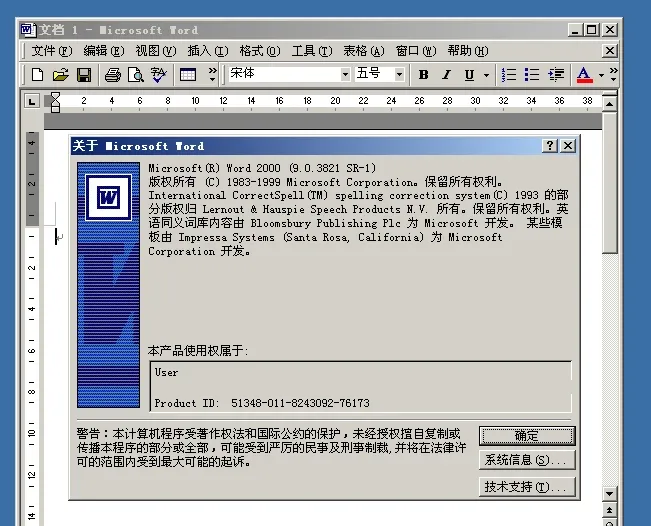
Finally, the registration wizard appeared:
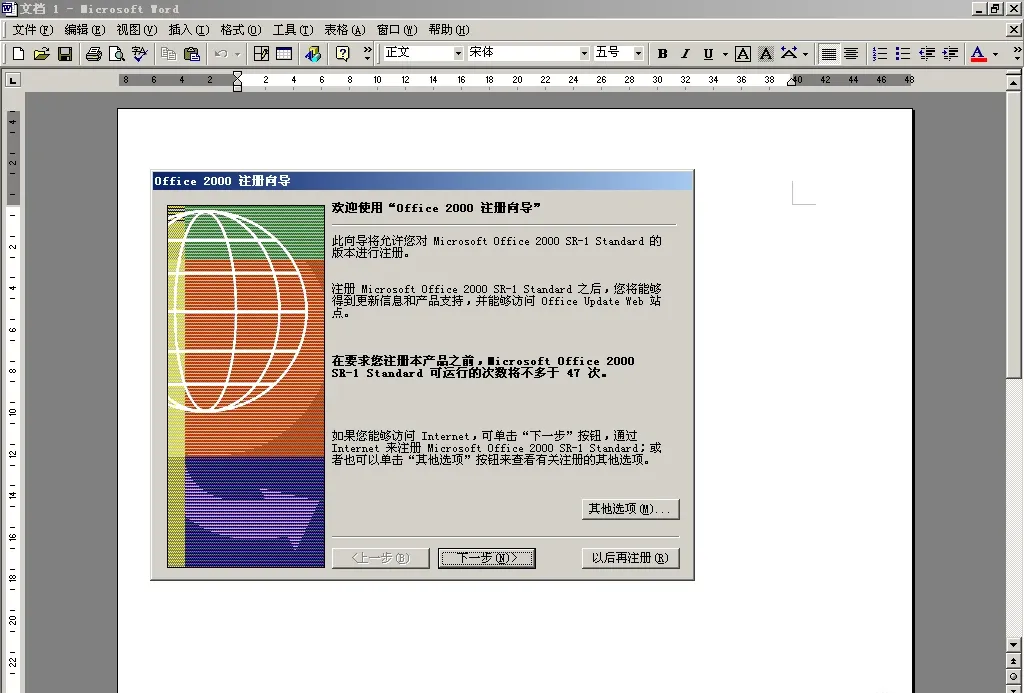
Launch it a few times and the remaining-count prompt decreases:
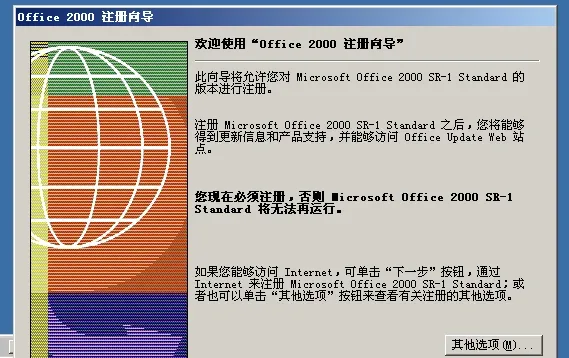
After 50 launches you hit this screen. Clicking exit closes Word 2000 outright — no registration, no further use. Set the system clock to 2004 and the wizard never appears, so Office keeps working; set it back to 2001 and the wizard returns.
Here’s how to use OllyDbg to find the confirmation ID and register.
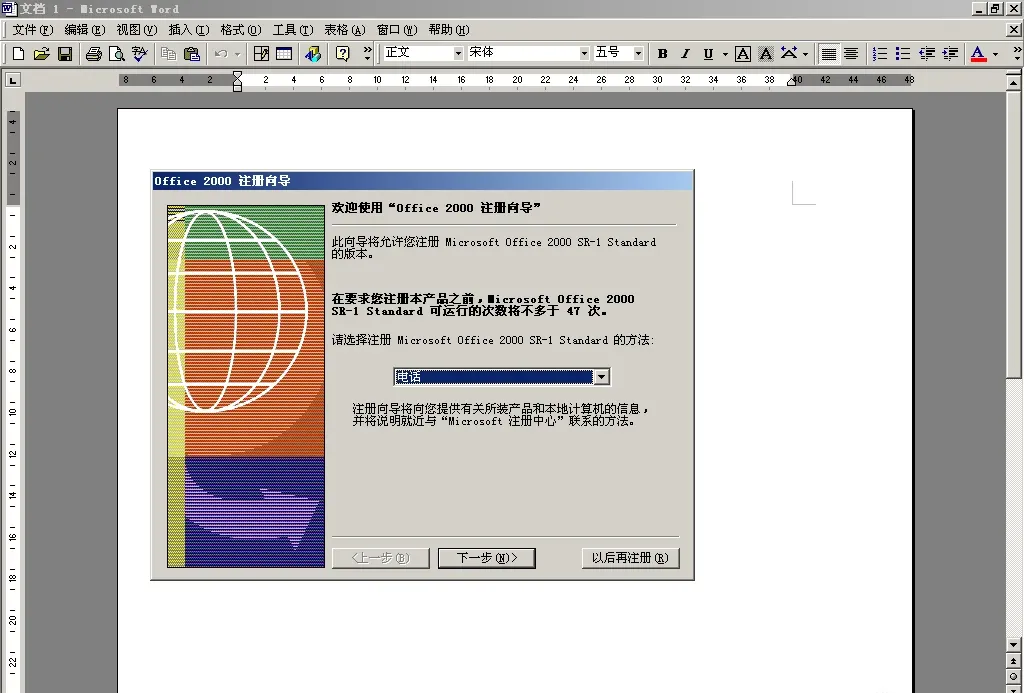
Click “Other options”, pick phone registration, then “Next”:
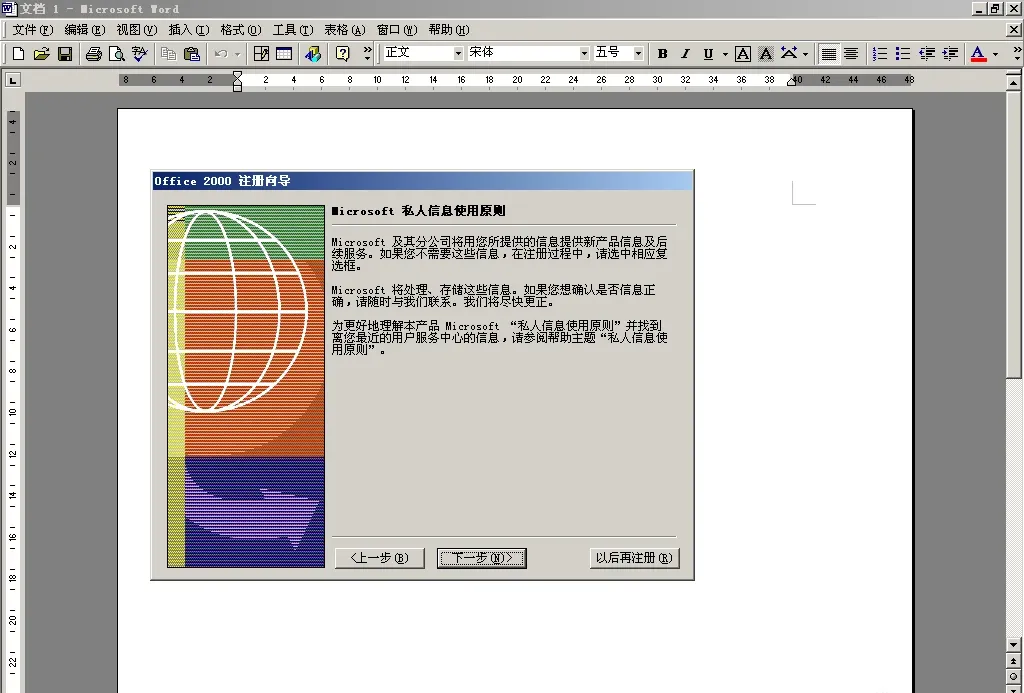
Click “Next” again:
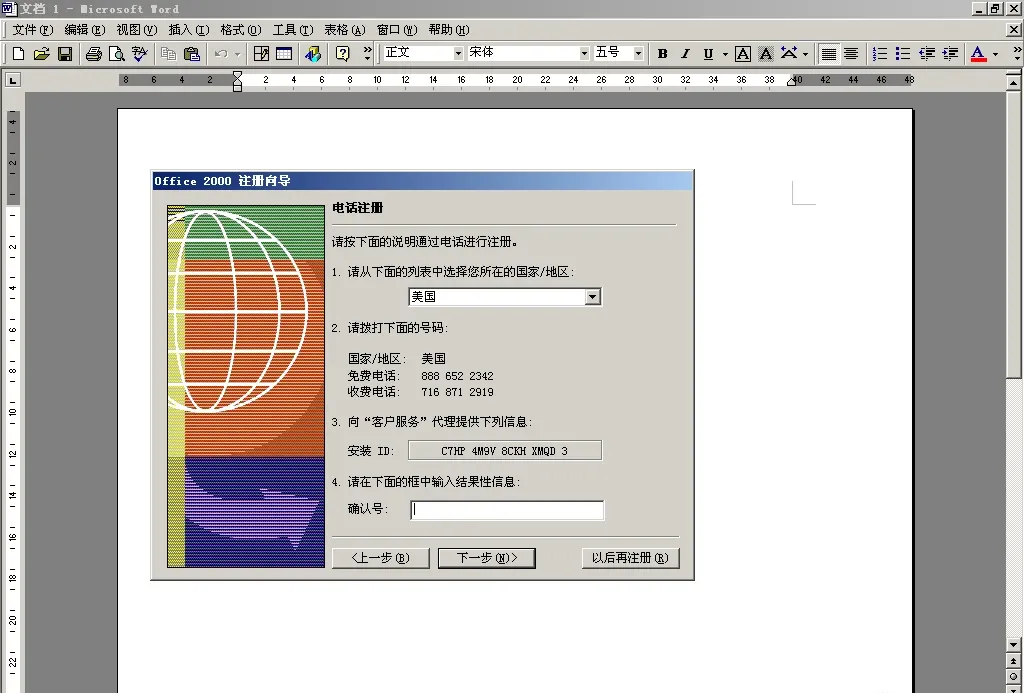
You can now see the installation ID. Enter a fake confirmation ID and click Next — an error pops up:
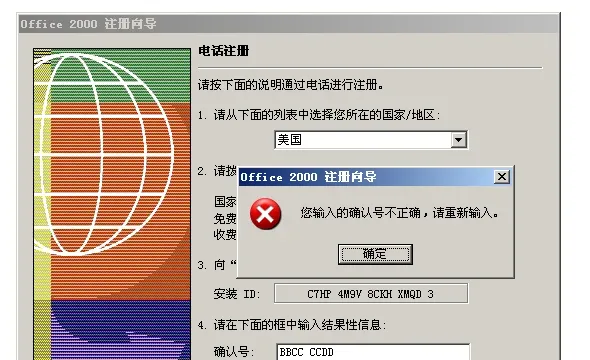
Don’t close that error dialog. Open OllyDbg and go to File → Attach:
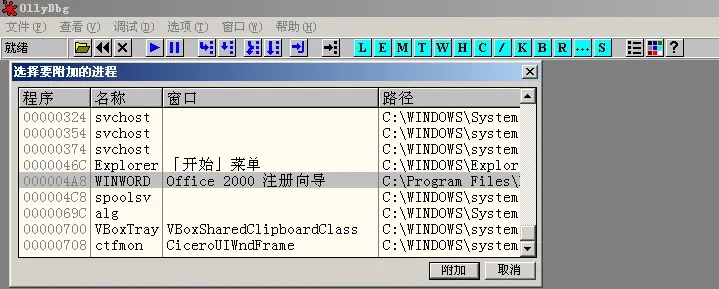
Select WINWORD and attach:
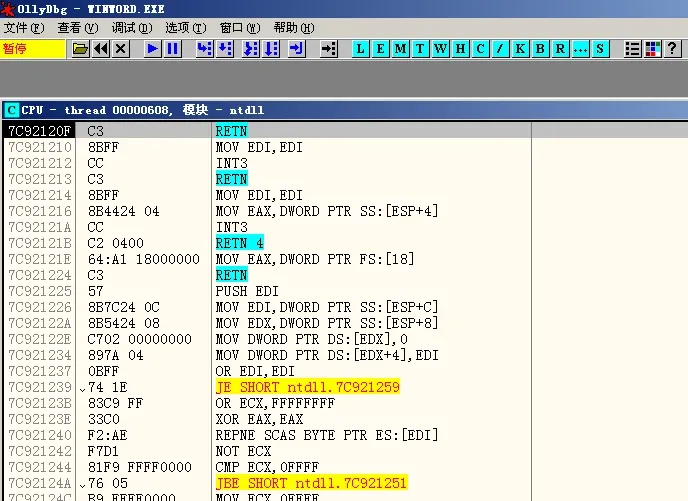
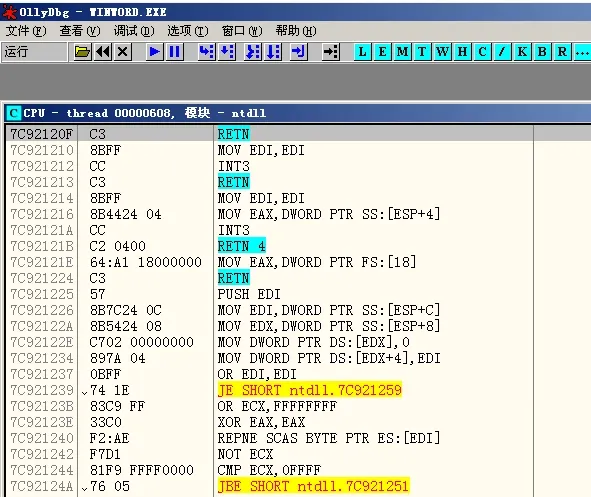
The top-left shows “Paused”. Click the blue triangle on the toolbar to resume:
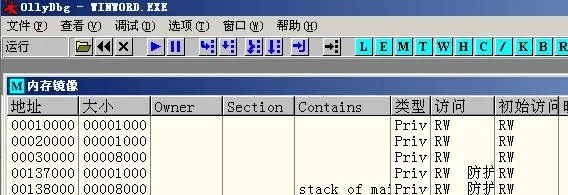
Click View → Memory:
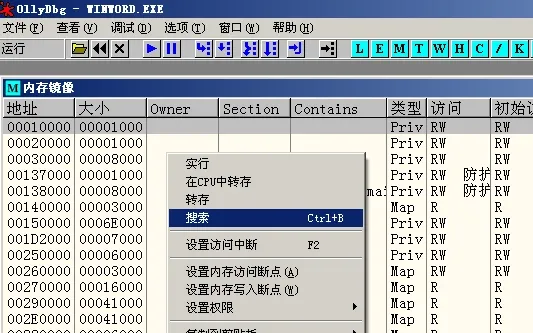
Right-click and choose Search:
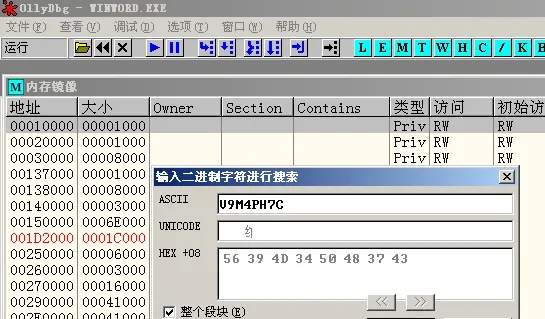
Enter the first 8 characters of the installation ID reversed. If the ID starts with C7HP 4M9V, enter V9M4PH7C, then OK:
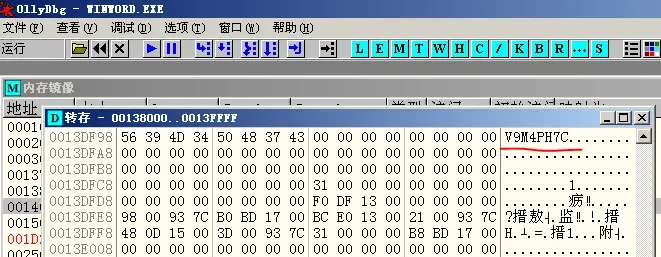
The installation ID shows up in memory. Scroll up and you’ll see the complete ID, stored reversed:
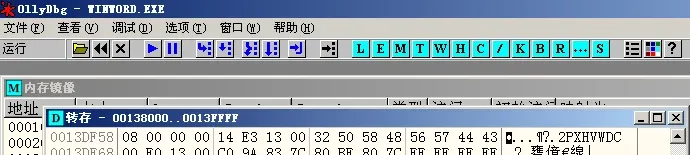
2PXHVWDC is the correct confirmation ID. Back in the wizard, enter CDWV HXP2:
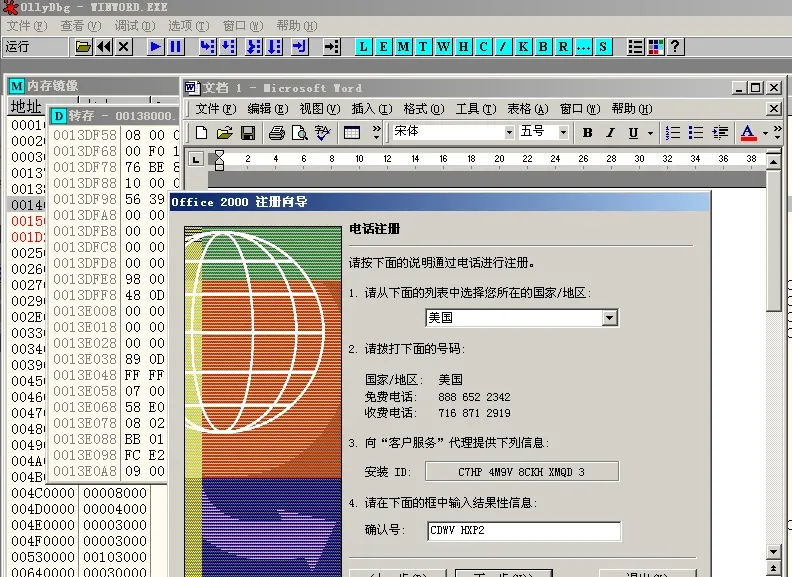
Click Next:
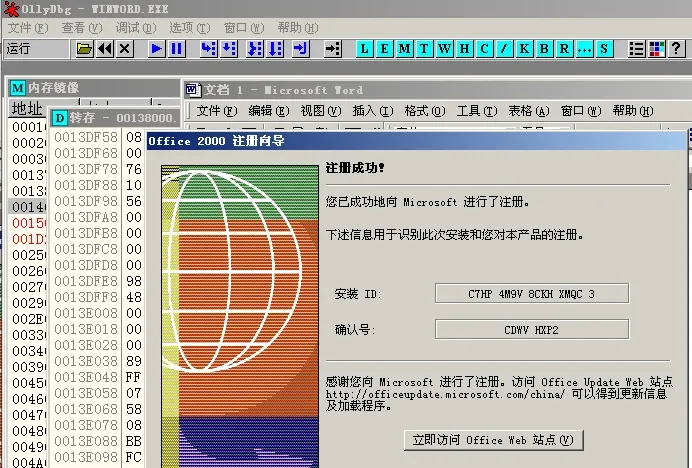
Registered.
After registration, deleting [HKEY_LOCAL_MACHINE\SOFTWARE\Microsoft\Office\9.0\Common\LV] from the registry and running a repair-install lets you re-register. Deleting that value also removes the 50-launch limit outright.
The takeaway: the correct confirmation ID only appears in memory after you’ve entered a wrong one. Attaching OllyDbg to the wizard before that gets you nothing. The crypto of that era was primitive enough that the confirmation ID sat in plain sight in memory. A later official patch killed the wizard entirely.
Colin Xiao — I take on contract reverse-engineering work, and writeups like this are how I show what I can do. If you need help with anything in this space — including but not limited to the areas I cover above — I’m available. No project is too big or too small — if it’s reverse engineering and I can do it, I’ll take it. DM me on X (@colinxiao_lab) or Telegram (@ColinXiao666).
Get in touch