Reverse Engineering a Ticketing App
About the author. I’m Colin Xiao — an independent reverse engineer, mostly working solo on contract jobs. I dig into compiled code of every kind, including but not limited to: Android and iOS apps, x86/x64/ARM native binaries, packers and obfuscators, DRM and license checks, network protocols and APIs, crypto and signature algorithms, malware, game binaries, and embedded/IoT firmware. I also handle large-scale data collection and vulnerability research. If you have any project in mind, I’d be glad to take it on — whatever it is, as long as it’s within my wheelhouse. Just reach out. You can reach me on X at @colinxiao_lab or on Telegram at https://t.me/ColinXiao666.
This research is published for educational and defensive purposes. The target sample is anonymized throughout.
Reverse Engineering a Ticketing App
A walkthrough of reversing a ticketing app.
Target app: a ticketing app Target version: 5.2.7
Bypassing the Frida detection
Using a modified Frida to get past detection

After Frida started, I found the app detects it, so I tried a modified Frida to get past the check.
It successfully attaches:
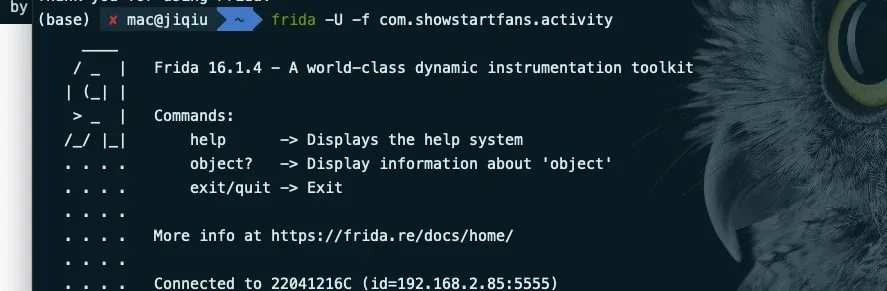
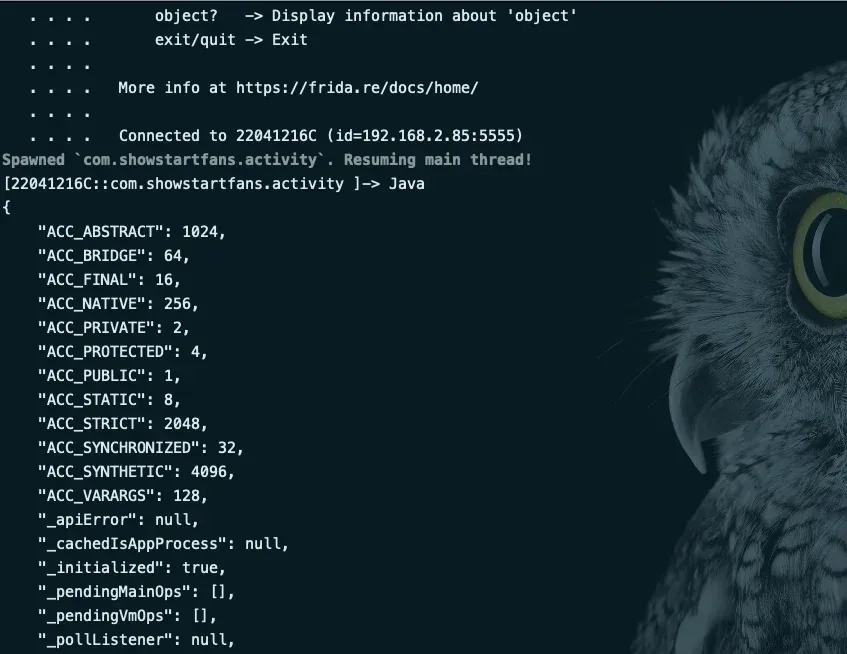
The modified Frida bypasses the detection. Now let’s analyze the specific Frida detection.
The modified Frida is bundled with the files; go support the author on GitHub.
Note: for samples with Frida detection, always use
-fto attach by spawn.-Fcan freeze/reboot the phone and stall your debugging.
function hook_open() {
    /*
        Function prototypes:
            int open( const char * pathname, int oflags);
            int open( const char * pathname, int oflags, mode_t mode);

        mode is only used when creating a new file, specifying the file's access permission.
        pathname is the path of the file to open/create;
        oflags specifies the open/create mode; it's composed of the following constants (defined in fcntl.h) via logical OR.
        O_RDONLY   read-only
        O_WRONLY   write-only
        O_RDWR     read-write
        The three above are mutually exclusive and can't be used together.
    */
    var open_addr = Module.findExportByName("libc.so","open")
    var io_map = Memory.allocUtf8String("/proc/13585/maps");
    Interceptor.attach(open_addr, {
        onEnter: function (args) {
            console.log('targetFunction called from:\n' +
                Thread.backtrace(this.context, Backtracer.ACCURATE)
                    .map(DebugSymbol.fromAddress).join('\n') + '\n');
            if(args[0].readCString().indexOf("/proc/")!=-1 && args[0].readCString().indexOf("maps")!=-1){
                args[0] = io_map
                // ptr(args[0]).writePointer(Memory.allocUtf8String(args[0].readCString().replaceAll(/\d+/g,"1")))
                // args[0] = Memory.allocUtf8String("/proc/1/maps")
                // Memory.protect(ptr(args[0]), args[0].readCString().length, 'rwx');
                // var value_new_str = Memory.allocUtf8String("/proc/1/maps")
                // console.log("args0="+args[0].readCString())
                // ptr(args[0]).writeByteArray([0x2f,0x70,0x72,0x6f,0x63,0x2f,0x32,0x2f,0x6d,0x61,0x70,0x73,0x0])
                // console.log("args0="+args[0].readCString())
            }
            this.pathname = args[0]
            this.oflags = args[1]
            this.mode = args[2]

        },
        onLeave: function (retval) {
            console.log("retval="+retval+"---"+"pathname="+this.pathname.readCString()+"---oflags="+this.oflags)
            if(this.pathname.readCString().indexOf("libmsaoaidsec")!=-1){ // gets past HuiToutiao
                retval.replace(0xffffffff)
            }
            console.log("open pathname="+this.pathname.readCString()+"---oflags="+this.oflags)
            if(this.pathname.readCString().indexOf("/proc/")!=-1 && this.pathname.readCString().indexOf("maps")!=-1){
                retval.replace(0x0)
            }
        }
    })
}
Let’s hook the open function and print the stack, finding the Frida-detection logic bottom-up, and learn this detection.
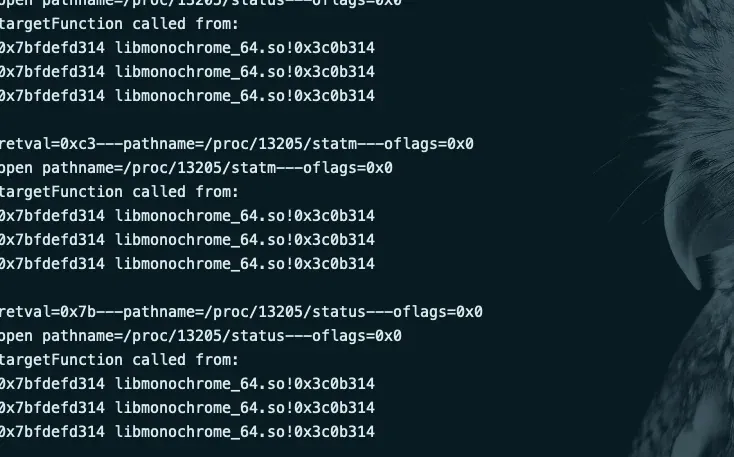
There’s a .so constantly reading status info under /proc:
retval=0x7b---pathname=/proc/13205/status---oflags=0x0
open pathname=/proc/13205/status---oflags=0x0
targetFunction called from:
0x7bfdefd314 libmonochrome_64.so!0x3c0b314
0x7bfdefd314 libmonochrome_64.so!0x3c0b314
0x7bfdefd314 libmonochrome_64.so!0x3c0b314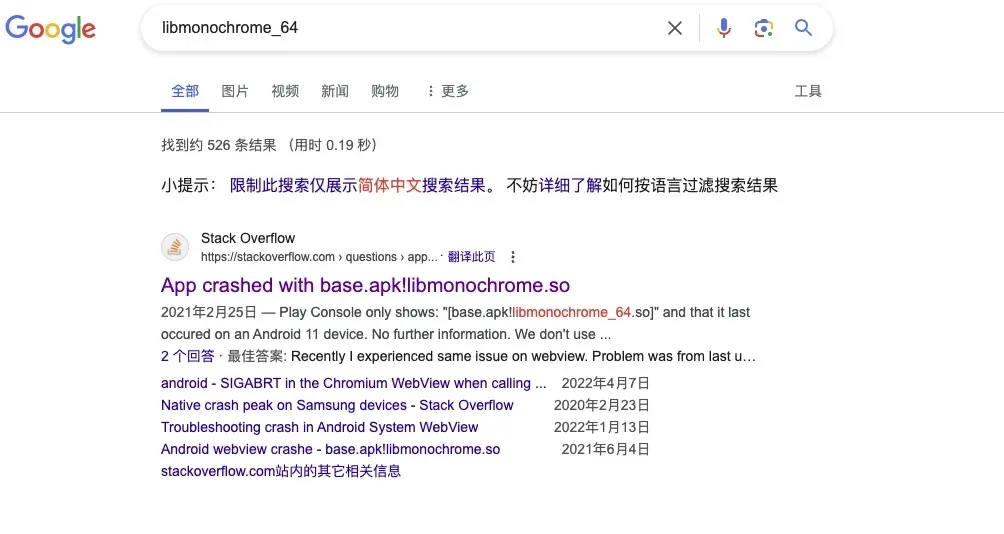
Searching around, this looks like an SDK’s companion .so, not the author’s own .so.
From what I gathered, it’s related to the webview implementation.
So skip it.
Tip: information gathering is a huge part of reverse engineering — don’t be stingy with your Google searches.
Plenty of people have already paved the road for you.
This goes for you as much as for me; it really matters.
Locating the anti-debugging via the thread method
Note: approaches for finding Frida split into two routes:
The first, centered on
anti-frida-su.js, is to satisfy the normal environment and erase all the traces Frida leaves behind. But that’s fatal, because Frida has countless signatures — you can never erase them all. You’d be better off writing your own hook tool modeled on Frida. Fortunately, plenty of people have paved the way, e.g. a well-known researcher’s 11 patches, which get past ~70% of the market. But that’s nowhere near enough.CRC detection defeats even modified Frida. For example, the unavoidable injection into
libart.so’sPrettyMethodleaves Frida nowhere to hide. What to do?The well-known researcher already gave an answer: change the timing of hooking
PrettyMethod, which gets past about 5% of samples (to save user hardware resources, it’s disabled after startup). But most samples still start a thread to do CRC loop-detection.The first route gets more convoluted, requiring a modified ROM and Linux kernel for further hiding.
Note that CRC detection must start a thread to do its detection. Let’s discuss the second bypass: patching the thread.
Before the actual operation, let’s discuss detection granularity:
Think about what level Frida detection usually works at. Assume I’m a developer: I add a few lines checking port 23946 (one example of Frida detection — of course it’s not that simple) when navigating screens or after a data request. That detection is statement-level granularity, just a few lines of code, and unavoidable because we have to operate.
Continuing: our company has a security developer who hands me a function and I just call it directly. That’s function-level granularity.
What if our company has no developer? Outsource it — bring in a security vendor’s
.soand pay up.
Following that discussion: the first case basically doesn’t exist — I’d need to know both business and security, unless I’m full-stack (which suits mini apps). That’s where all sorts of adult-streaming apps might pop up.
The second case can exist: business code mixed with security code. That’s the worst case — one thread has both detection code and business logic, so patching the thread kills the business too.
The third case is the most common: some security SDK that does device assessment, basic request encryption, and anti-debugging.
The third case splits two ways. First, a pure-detection .so with no encryption — I’d call that .so-granularity, so just skip loading the .so.
Second, a security vendor’s .so that internally computes device-id-style encryption — then skipping isn’t so simple. Locate the .so’s load header, and after you suspect it, check each segment’s loading, locate roughly where the .so is, and patch the anti-debugging.
Start Frida in spawn mode (don’t use the modified one — you can’t see the exit timing):

Found the thread being started:
normal find thread func offset libshell-super.com.showstartfans.activity.so 0x765f7450d0 360656 580d0When this thread starts, the app dies.
Add a filter to the script:
        else if(so_name.indexOf("libshell-super.com.showstartfans.activity.so")>-1&& offset==360656){

        }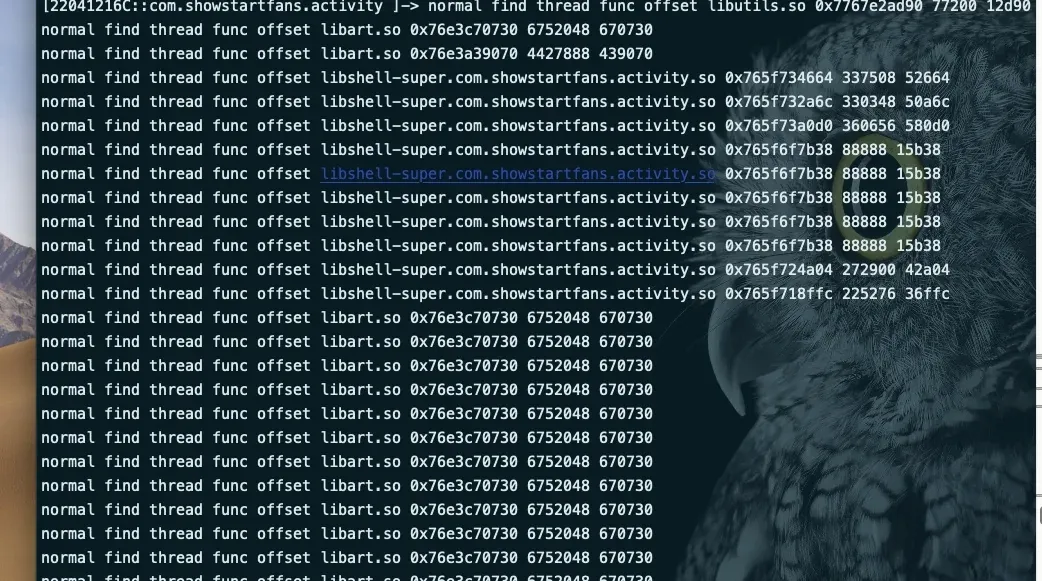
Frida detection successfully bypassed.
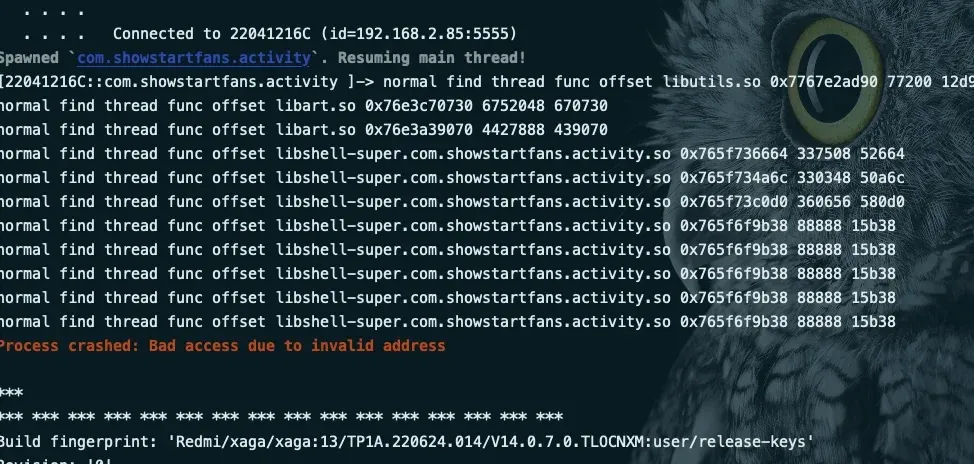
Failure case: without filtering offset==360656, the app crashes outright. Anyway, I encourage you to experiment.
Capturing traffic and bypassing the capture detection
PS: this article doesn’t cover unpacking — the unpacked APK is already in the root directory. Use it legally.
After turning on packet capture, the app reports a network error; turn it off and the error goes away. Confirmed capture detection.
Tip: this capture detection (not certificate-pinning style) has a special bypass requiring a soft router, plus transparent proxying (non-certificate style). The first needs hardware, the second needs a docker cloud-phone, so I’ll skip both here.
How to locate the capture detection? First find the login activity, find the login function, and step down.
var jclazz = null;
var jobj = null;

function getObjClassName(obj) {
    if (!jclazz) {
        var jclazz = Java.use("java.lang.Class");
    }
    if (!jobj) {
        var jobj = Java.use("java.lang.Object");
    }
    return jclazz.getName.call(jobj.getClass.call(obj));
}

function watch(obj, mtdName) {
    var listener_name = getObjClassName(obj);
    var target = Java.use(listener_name);
    if (!target || !mtdName in target) {
        return;
    }
    // send("[WatchEvent] hooking " + mtdName + ": " + listener_name);
    target[mtdName].overloads.forEach(function (overload) {
        overload.implementation = function () {
            //send("[WatchEvent] " + mtdName + ": " + getObjClassName(this));
            console.log("[WatchEvent] " + mtdName + ": " + getObjClassName(this))
            return this[mtdName].apply(this, arguments);
        };
    })
}

function OnClickListener() {
    Java.perform(function () {
        // when attaching in spawn mode
        Java.use("android.view.View").setOnClickListener.implementation = function (listener) {
            if (listener != null) {
                watch(listener, 'onClick');
            }
            return this.setOnClickListener(listener);
        };

        // when frida attaches in attach mode
        Java.choose("android.view.View$ListenerInfo", {
            onMatch: function (instance) {
                instance = instance.mOnClickListener.value;
                if (instance) {
                    console.log("mOnClickListener name is :" + getObjClassName(instance));
                    watch(instance, 'onClick');
                }
            },
            onComplete: function () {
            }
        })
    })
}
setImmediate(OnClickListener);
Inject the listener script and click the button:
[22041216C::the app ]-> [WatchEvent] onClick: com.showstartfans.activity.activitys.login.XDLoginActivity
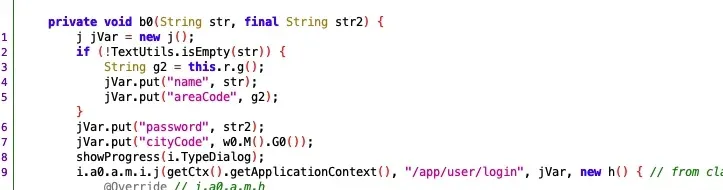
We can see where the account and password are, step down, and enter the this.Z function:
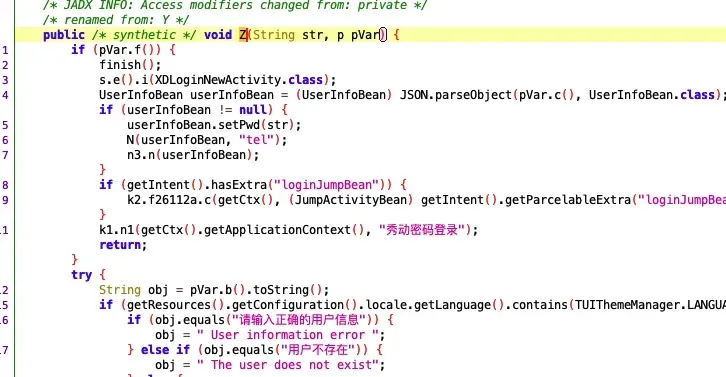
This is assembling the login bean; return up a level.
Enter the j function:
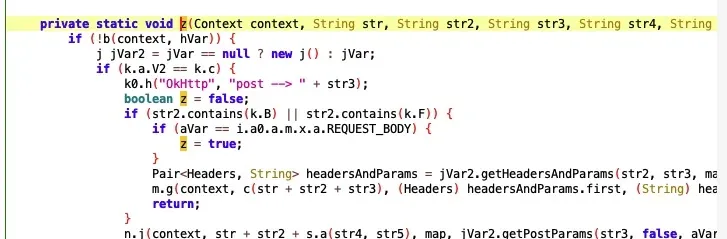
Continue stepping down — we enter okhttp logic.
Enter the n.j function:
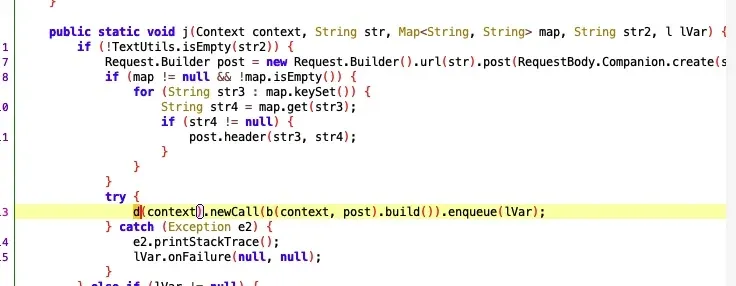
The d function is assembling the client, possibly setting proxy-disabling functions here.
Tip: I recommend building a small okhttp app and tracing through it — it helps with understanding this article.
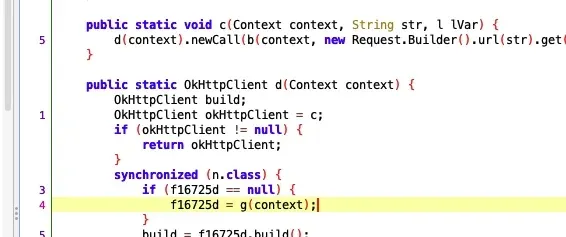
Enter g(context):
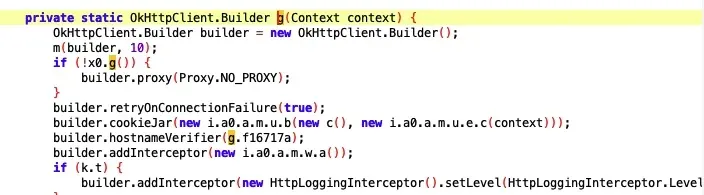
Found the first proxy-detection point:
if (!x0.g()) {
            builder.proxy(Proxy.NO_PROXY);
        }
x0.g is a function, presumably a proxy-management class:
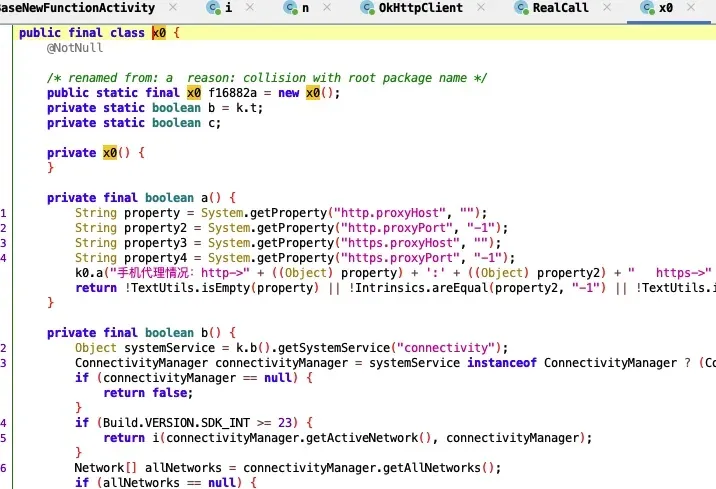
Indeed it is — the related proxy-detection logic is all here:
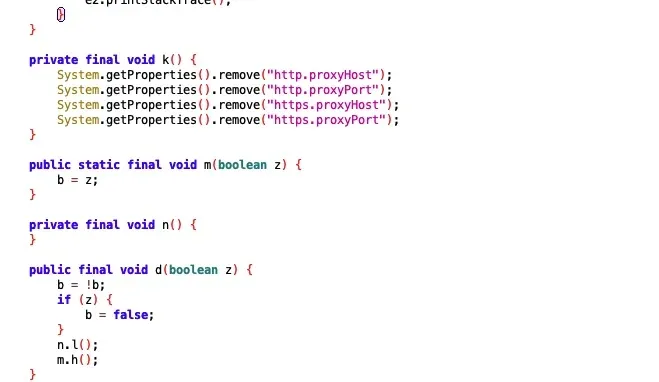
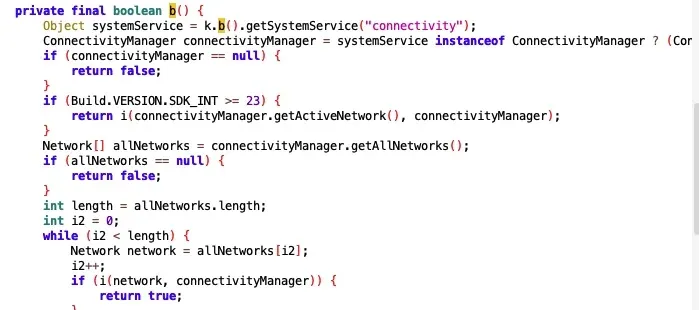
This call decides whether we’re detected as having a proxy on; the core logic is in this class’s i function:
NetworkCapabilities networkCapabilities;
        return (network == null || connectivityManager == null || (networkCapabilities = connectivityManager.getNetworkCapabilities(network)) == null || !networkCapabilities.hasTransport(4)) ? false : true;
I’ll leave this one for you to study:
Java.perform(function () {
    var x0Class = Java.use("i.a0.a.n.x0");

    // make sure the method exists
    if (x0Class.i.overloads.length > 0) {
        // hook all overloads (in case there are multiple)
        x0Class.i.overloads.forEach(function (overload) {
            overload.implementation = function () {
                console.log("i.a0.a.n.x0.i method hooked");

                // return false
                return false;
            };
        });
    }
});
Determining what encryption to analyze
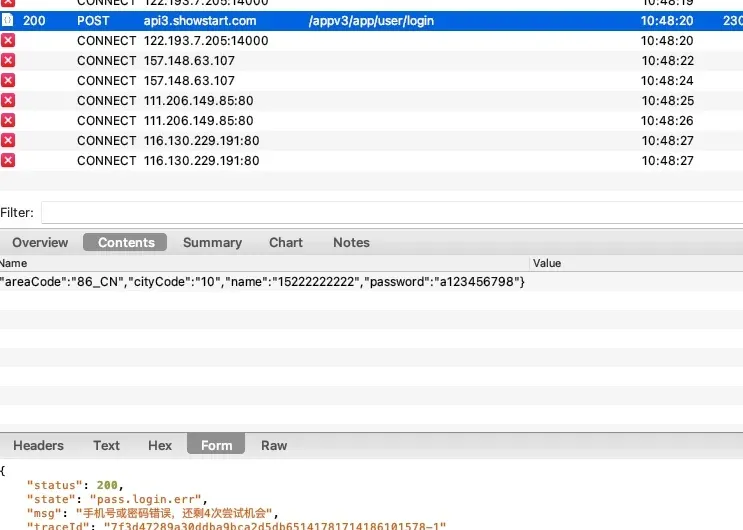
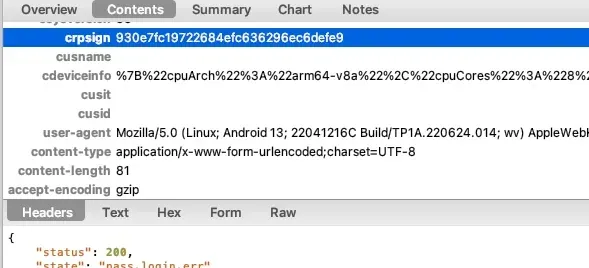
This time I decided to analyze the crpsign parameter:
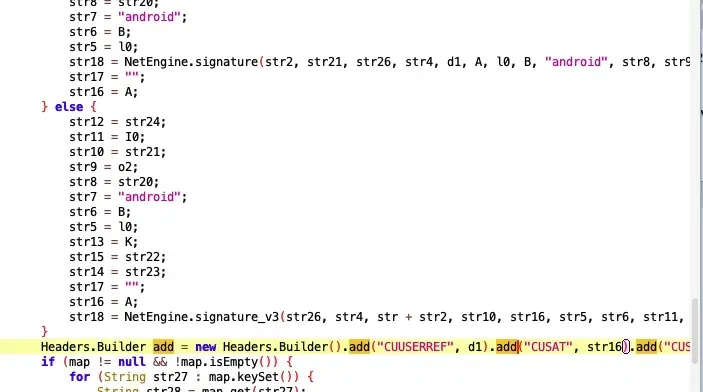
Searching in jadx found it directly.
Its source is this native function:
showstart_net.so
Using a friend’s findhash IDA script, I located the encryption directly — a standard salted MD5. Combined with the input parameters, it’s straightforward to analyze.
Worth discussing: this
.sois built with Rust.The order API’s request and response bodies are both encrypted, implemented in the
.soabove. I found no AES signatures, but I did find a reference to Rust’s AES crate.Guess #1: Rust data structures differ from standard C — even string termination isn’t
\0-terminated.Which makes the decompiled
.sohorribly messy.Fix: implement Rust AES and extract signature points to write a plugin.
In Rust↔JNI interaction, Rust seems to implement its own runtime, so some syscalls can’t run under unidbg. Hope someone can research this together! If unidbg is patched up, then all Rust-built .so files could gain basic environment-emulation capability.
If you’re interested, keep digging and reach out to discuss.
Colin Xiao — I take on contract reverse-engineering work, and writeups like this are how I show what I can do. If you need help with anything in this space — including but not limited to the areas I cover above — I’m available. No project is too big or too small — if it’s reverse engineering and I can do it, I’ll take it. DM me on X (@colinxiao_lab) or Telegram (@ColinXiao666).
Get in touch