The VIP Flag That Didn't Matter: Server-Side Auth in a Scalping Assistant App
About the author. I’m Colin Xiao — an independent reverse engineer, mostly working solo on contract jobs. I dig into compiled code of every kind, including but not limited to: Android and iOS apps, x86/x64/ARM native binaries, packers and obfuscators, DRM and license checks, network protocols and APIs, crypto and signature algorithms, malware, game binaries, and embedded/IoT firmware. I also handle large-scale data collection and vulnerability research. If you have any project in mind, I’d be glad to take it on — whatever it is, as long as it’s within my wheelhouse. Just reach out. You can reach me on X at @colinxiao_lab or on Telegram at https://t.me/ColinXiao666.
This research is published for educational and defensive purposes. The target sample is anonymized throughout.
The VIP Flag That Didn’t Matter: Server-Side Auth in a Scalping Assistant App
Most “crack this app” writeups end the moment a boolean flips. This one is worth reading because the boolean didn’t matter — and the right lesson is on the developer’s side. The target is a scalping assistant: a tool for getting precise restock/drop alerts on hype sneakers, plus timed jump-and-buy helpers for limited-edition liquor and e-commerce flash sales. After registration and login, tapping the toolbox shows the familiar gate:
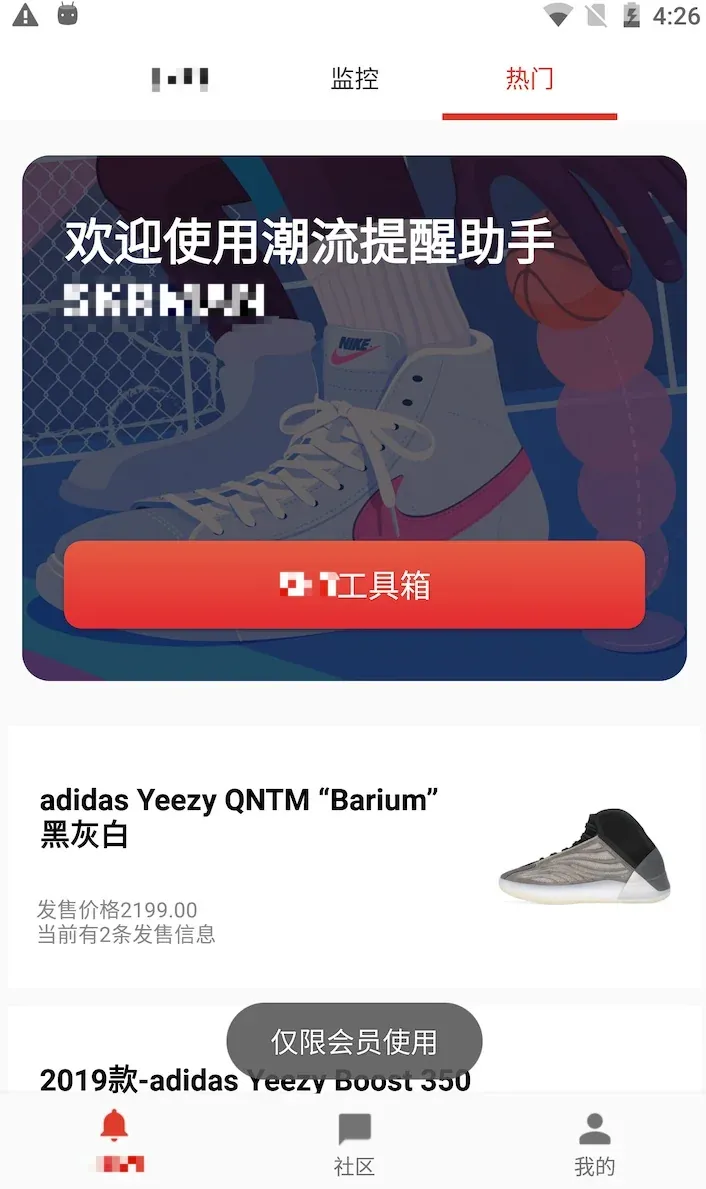
No free lunch. So I set out to see whether it cracks — or where its actual defenses are.
Unpacking
JADX-GUI first:
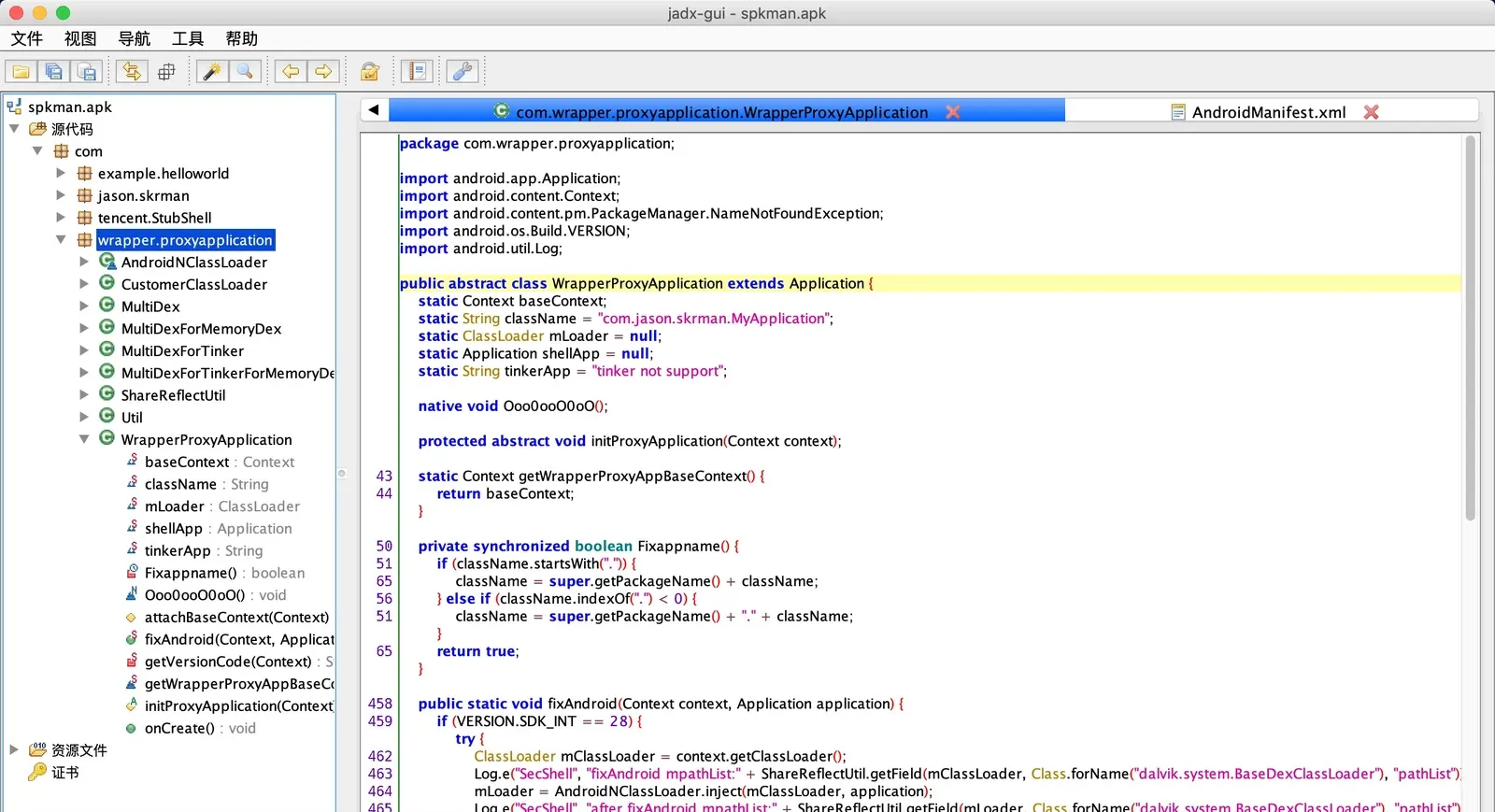
Packed. Looking at the activity list:
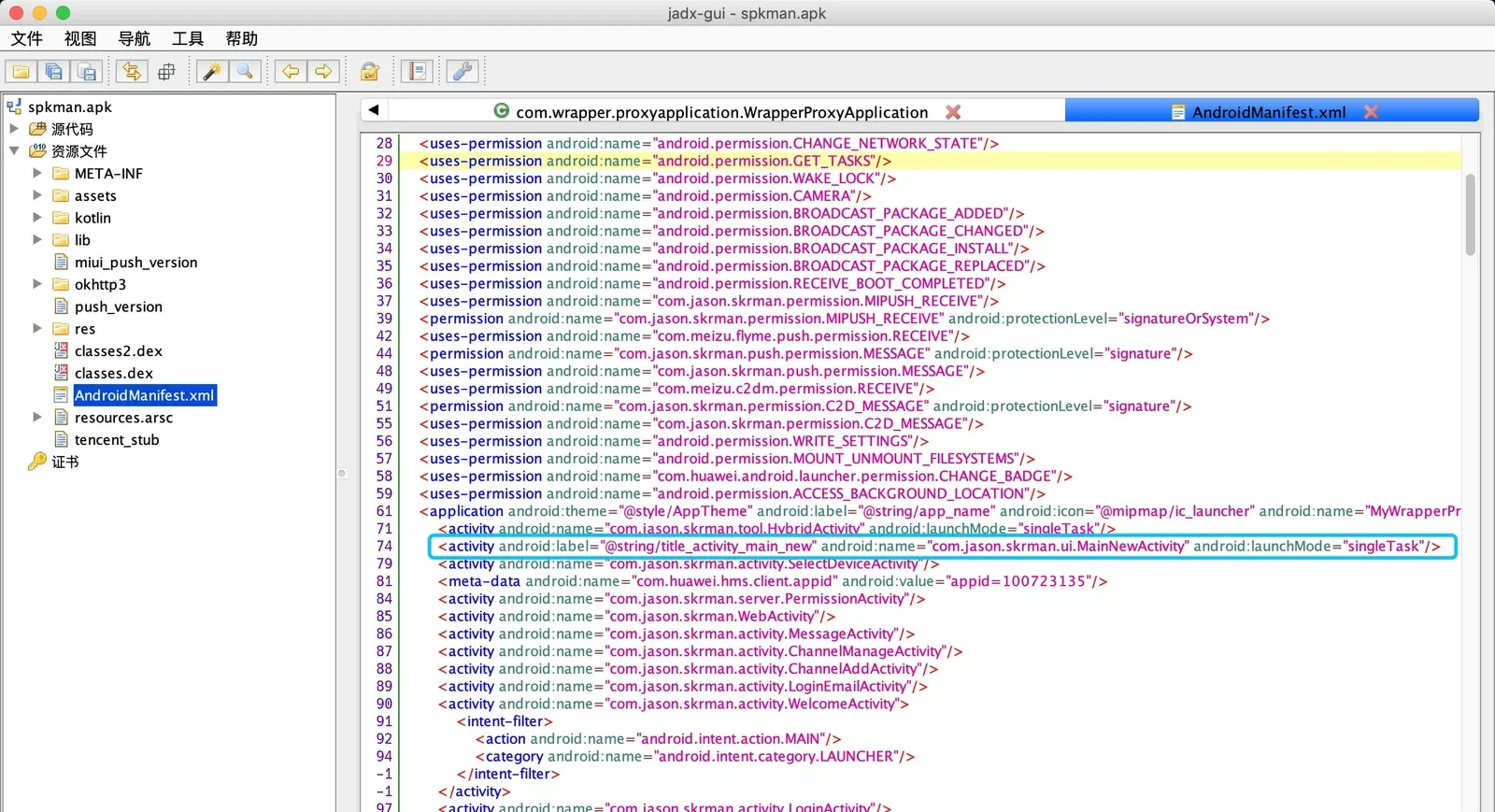
dumpsys activity top points at the blue box — the app’s main activity after launch. To see its code I have to unpack first, so I ran it through the FART unpacker and pulled the dumped dex files from the device.

The main logic lives in 8937780_dexfile.dex. dex2jar, then JD-GUI:
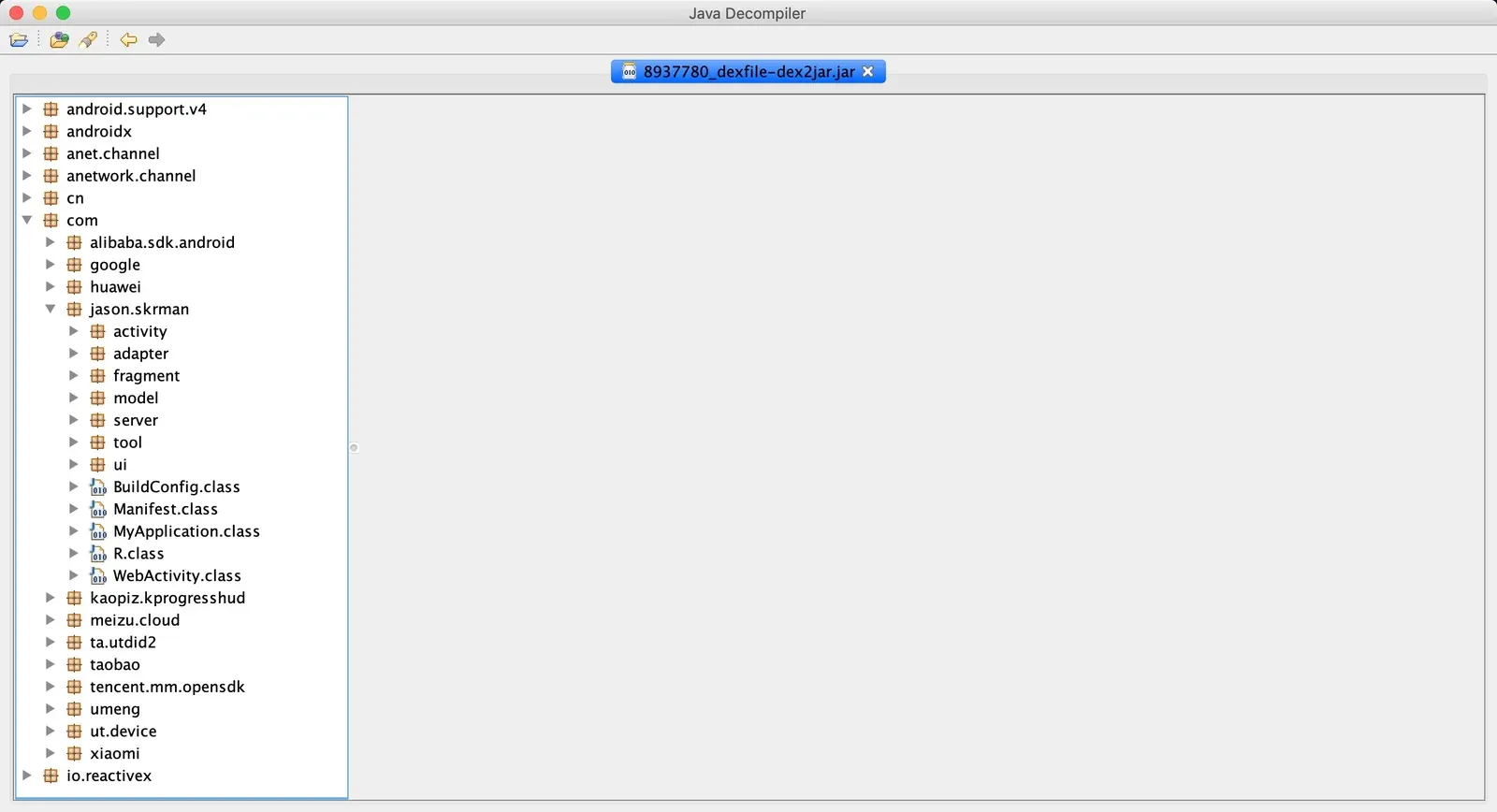
MainNewActivity wasn’t instruction-extracted, so it’s readable. Searching for the “members only” string lands directly on the gate:
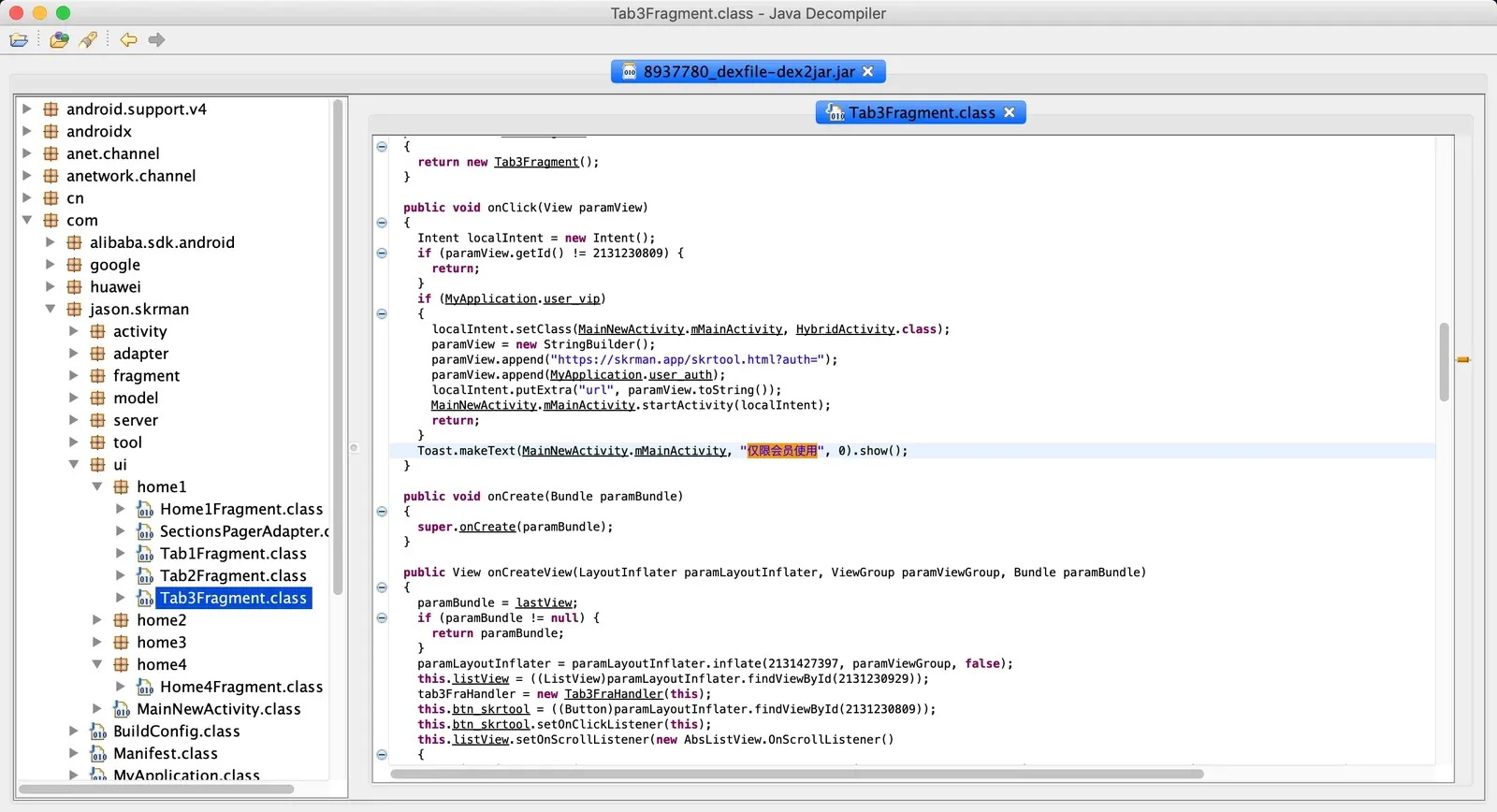
if (MyApplication.user_vip == true) {
    // launch HyBridActivity, pass a URL
}
Simple: if user_vip is true, it launches HyBridActivity with a URL. The question is where user_vip gets set — and the functions here weren’t extracted, so I searched it. It’s read from local storage, shared_prefs/user.xml:
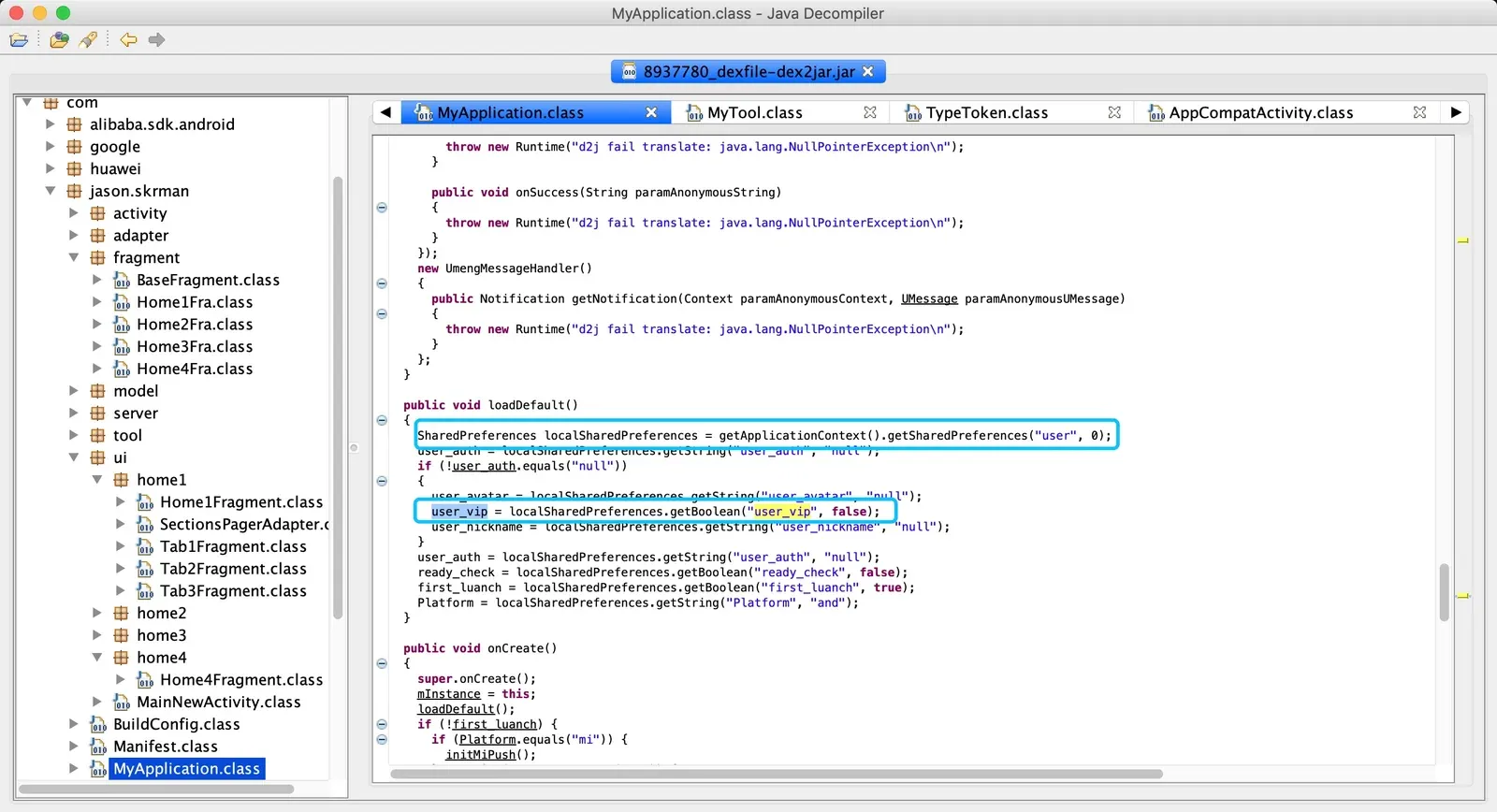
Opening the file on-device:

user_vip is false. Flip it to true, restart, tap the toolbox — no more “members only” toast, and I’m into the VIP toolbox:
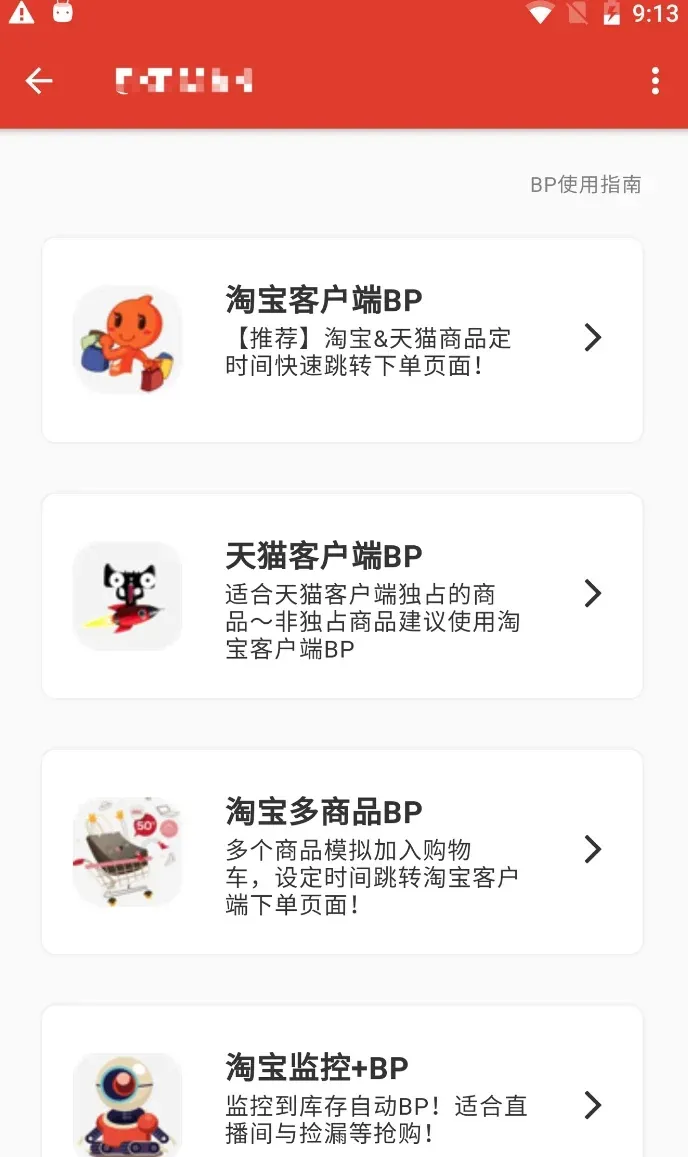
“天下没有免费的午餐” indeed — but so far this looks like a textbook local-flag crack.
The module that refused to work
The guide says: paste a product’s share link into the “client BP” module and the app recognizes it, times the drop, calibrates against the server clock, and jumps to a fast checkout. So I tap it. Nothing happens.
The page is HyBridActivity, loaded through a DWebView component:
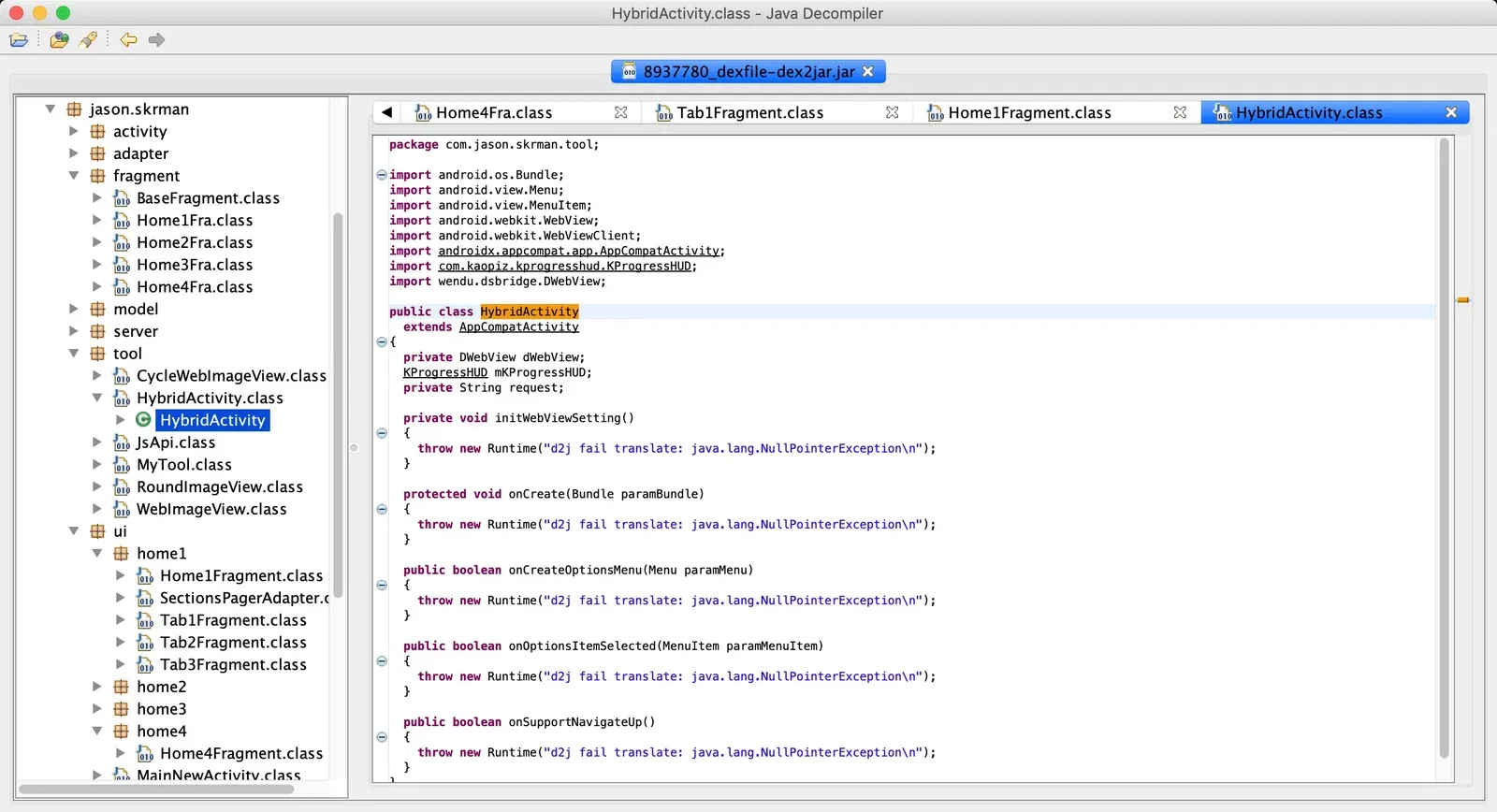
The key functions are instruction-extracted, but they look like initialization. The important detail is visible: the URL is assembled from another field in user.xml, auth. The final URL is:
https://[redacted]/skrtool.html?auth=[redacted]Opening it in a desktop browser:

It renders just like the in-app page. Clicking “client BP” now navigates to a secondary page:
https://[redacted]/tool-tmallBP.html?auth=[redacted]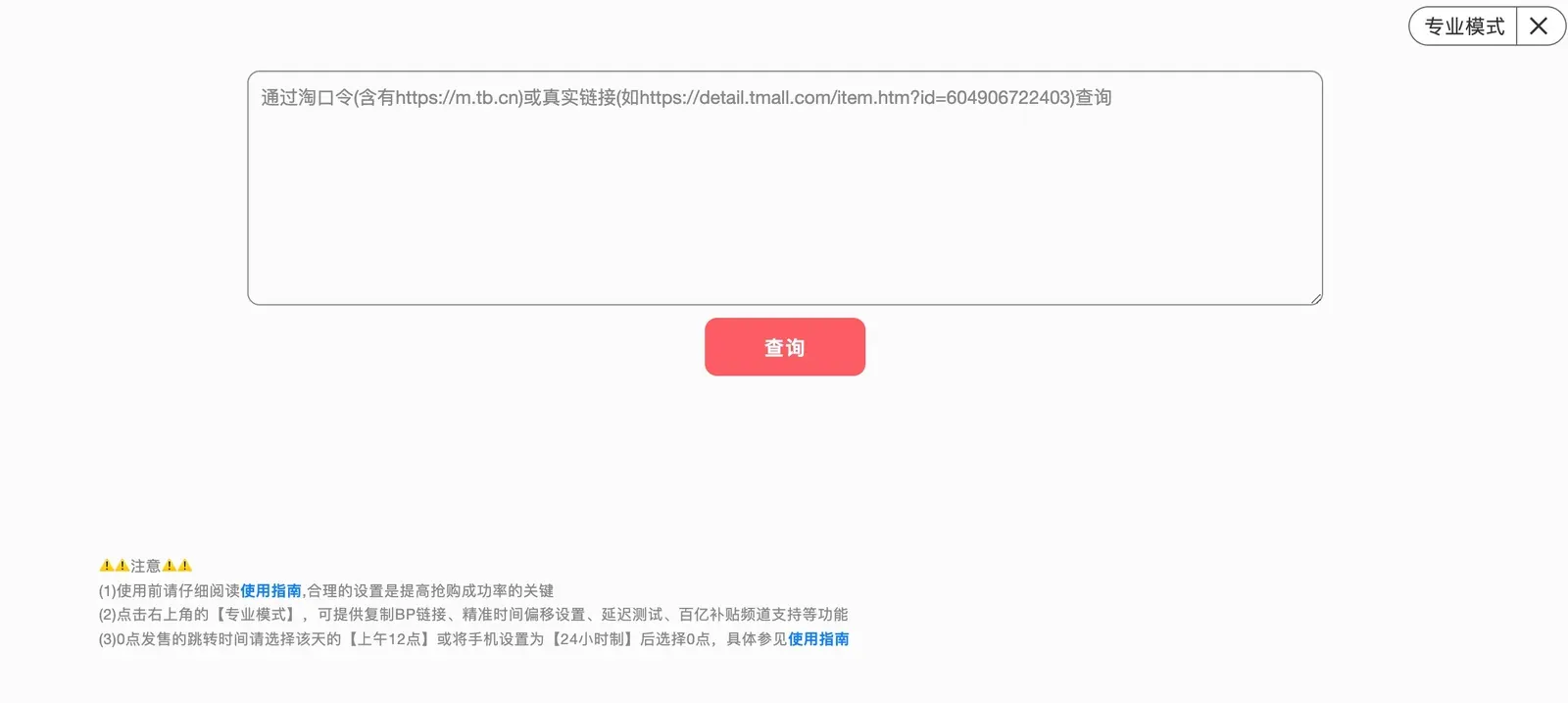
So why did the phone’s click do nothing? I pasted a product share link to see if I’d get a BP link back:
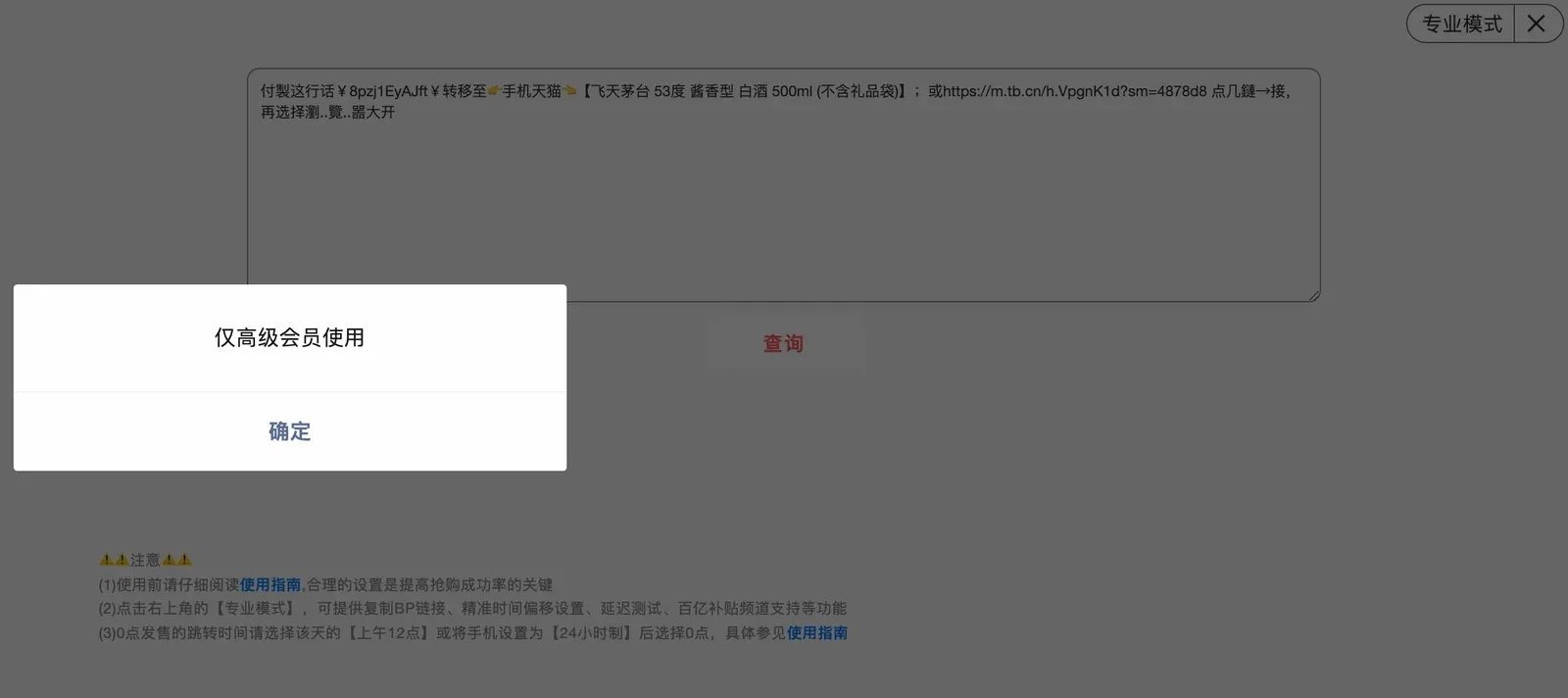
A “parse failed” popup. The page’s real logic lives in its source — and it’s packed:
<script type="text/javascript">
;eval(function(p,a,c,k,e,r){e=function(c){return(c<a?'':e(parseInt(c/a)))+((c=c%a)>35?String.fromCharCode(c+29):c.toString(36))};if(!''.replace(/^/,String)){...}}('3u(N).3v(A($){3 g=K;3 h="X";h=3w.3x("1K");4(!h||h==\'X\'){C.D(\'请前往官网Y://2g.2h更新最新版本\')}...',62,308,'|||var|if|...'.split('|'),0,{}));
</script>
A single eval blob with a packed dictionary. Untangling it is painful, but by now I had a hypothesis. On register/login, the account info is sent to the server; the server computes an auth value and writes it into shared_prefs/user.xml. Every BP page then ships that local auth back, and the backend looks it up — VIP returns a working parse page, non-VIP gets the warning. If the VIP check is server-side and I don’t know how auth is generated, I can’t forge it locally and the app is unbreakable. Time to verify with a capture.
Capture
Charles with HTTPS, starting from login (email login here):
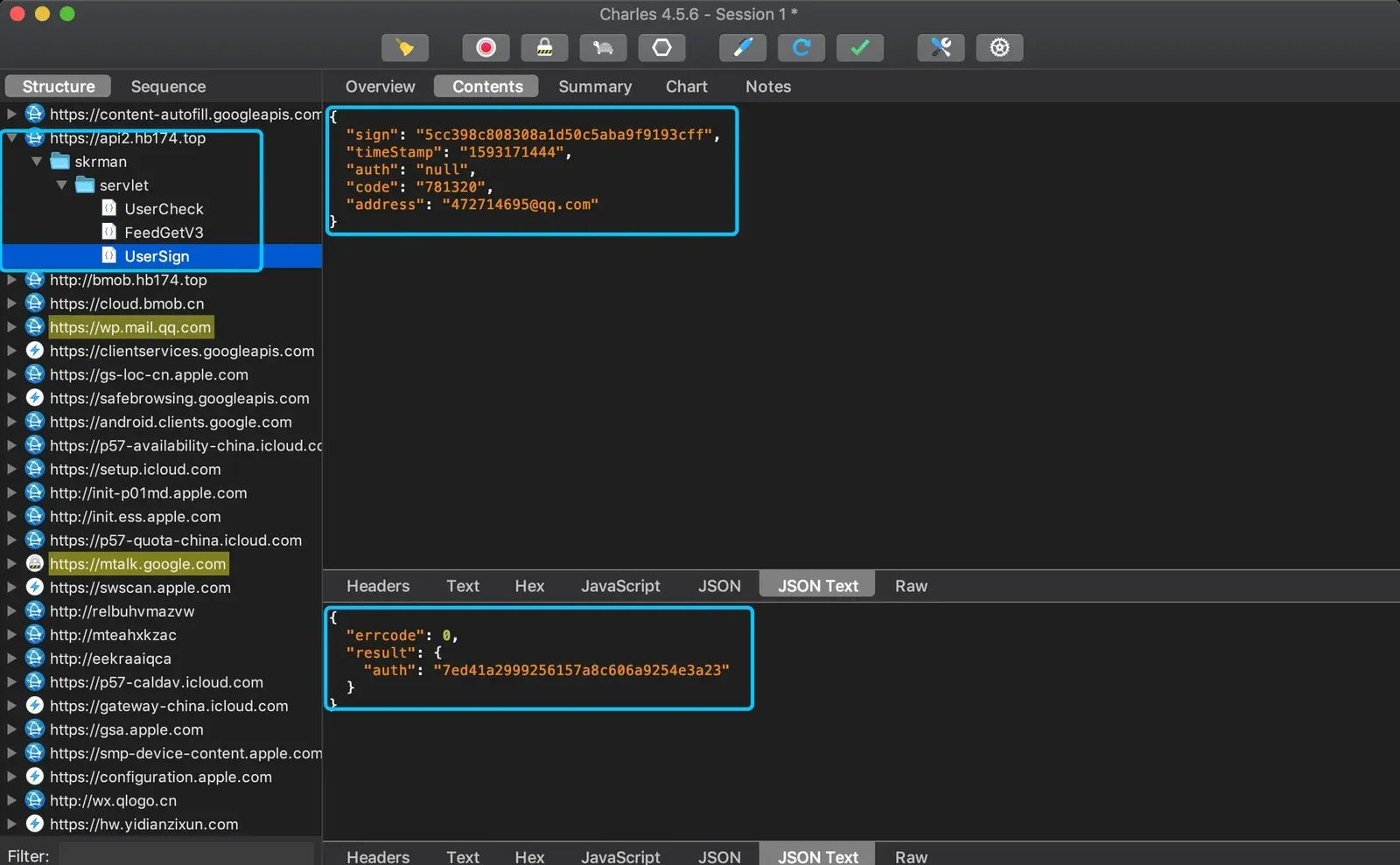
The first request is UserSign — a small JSON with timeStamp, an initial auth, the verification code, the email address, and a simple MD5 sign (recoverable from the code). The server returns a JSON containing auth, which the app writes to shared_prefs/user.xml.
That auth is then carried through every BP module. Now watch what happens when I paste a share link and submit:
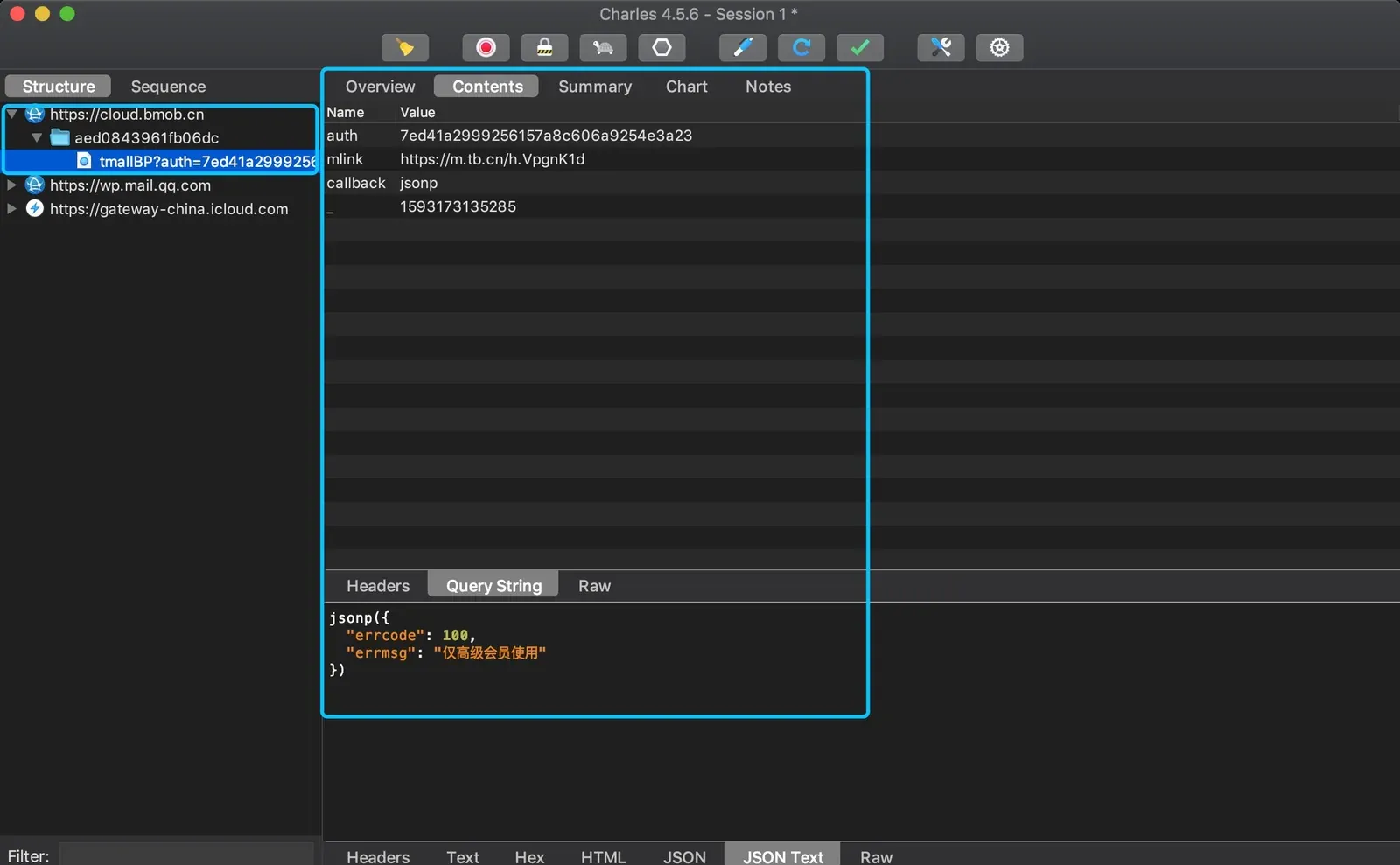
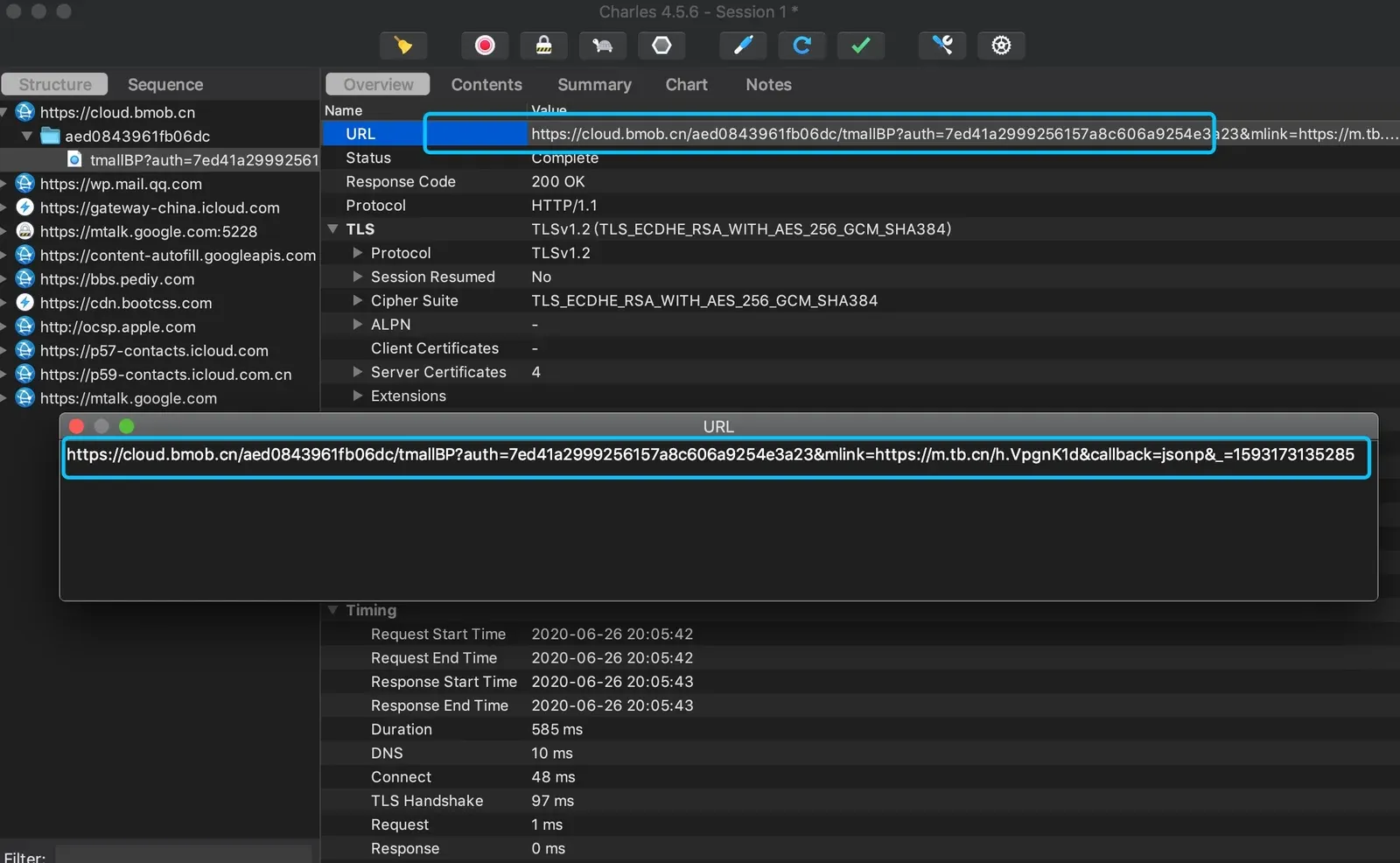
The request is:
https://[redacted]/aed0843961fb06dc/tmallBP?auth=[redacted]&mlink=[redacted short link]&callback=jsonp&_=1593173135285auth— the localshared_prefs/user.xmlvalue, straight from the server.mlink— the short link extracted from the pasted share link.callback— the JSONP callback._— a timestamp.
So the VIP check really is server-side. Non-members get no useful result, just an alert. The local user_vip=true I set earlier did nothing but unlock the UI shell — the actual functionality is gated by a server-issued, server-validated token.
What this actually teaches
I went in expecting to crack it and came out agreeing with the developer: with the verification server-side and the auth generation unknown, this app isn’t crackable through the obvious path. The user_vip flag was a decoy.
That’s the pattern worth copying if you ship a paid feature in an app:
- Never make a client boolean the real gate. The local
user_vipflag looked like the VIP check — and it was trivial to flip — but it controlled only the UI shell. The real enforcement was elsewhere. - Issue a server-side token at auth. The
authvalue is produced by the server on login and validated on every privileged request. That’s the actual trust anchor, not anything on the device. - Validate on every privileged request. Each BP page carried
authand the server decided. No client state, no local bypass. - Obfuscation is defense-in-depth, not the defense. The packed JS slowed me down but the wall was the server-side check, not the minified code.
The one residual question — whether the auth generation itself can be reversed or replayed — is where any remaining attack surface would be. But as a baseline, this is server-side entitlement done right.
Colin Xiao — I take on contract reverse-engineering work, and writeups like this are how I show what I can do. If you need help with anything in this space — including but not limited to the areas I cover above — I’m available. No project is too big or too small — if it’s reverse engineering and I can do it, I’ll take it. DM me on X (@colinxiao_lab) or Telegram (@ColinXiao666).
Get in touch