Swift Reverse Engineering - String Memory Layout to Recovering ChaCha20Poly1305 Plaintext, Key, and Nonce
About the author. I’m Colin Xiao — an independent reverse engineer, mostly working solo on contract jobs. I dig into compiled code of every kind, including but not limited to: Android and iOS apps, x86/x64/ARM native binaries, packers and obfuscators, DRM and license checks, network protocols and APIs, crypto and signature algorithms, malware, game binaries, and embedded/IoT firmware. I also handle large-scale data collection and vulnerability research. If you have any project in mind, I’d be glad to take it on — whatever it is, as long as it’s within my wheelhouse. Just reach out. You can reach me on X at @colinxiao_lab or on Telegram at https://t.me/ColinXiao666.
This research is published for educational and defensive purposes. The target sample is anonymized throughout.
If you make it to the end of this article, you’ll have picked up five skills:
- Analyzing the low-level internals of Swift classes.
- Reverse engineering Swift.
- Using an LLDB scripting tool.
- Using
xcrun swift-demangle. - How
ChaCha20Poly1305is used in Swift.
The plan is deliberately incremental: start from Swift String internals, then work up to recovering the plaintext, key, and nonce of a real ChaCha20-Poly1305 call in a compiled Swift binary. The goal is the method, not just the answer — “teach a man to fish.”
Swift String under the hood
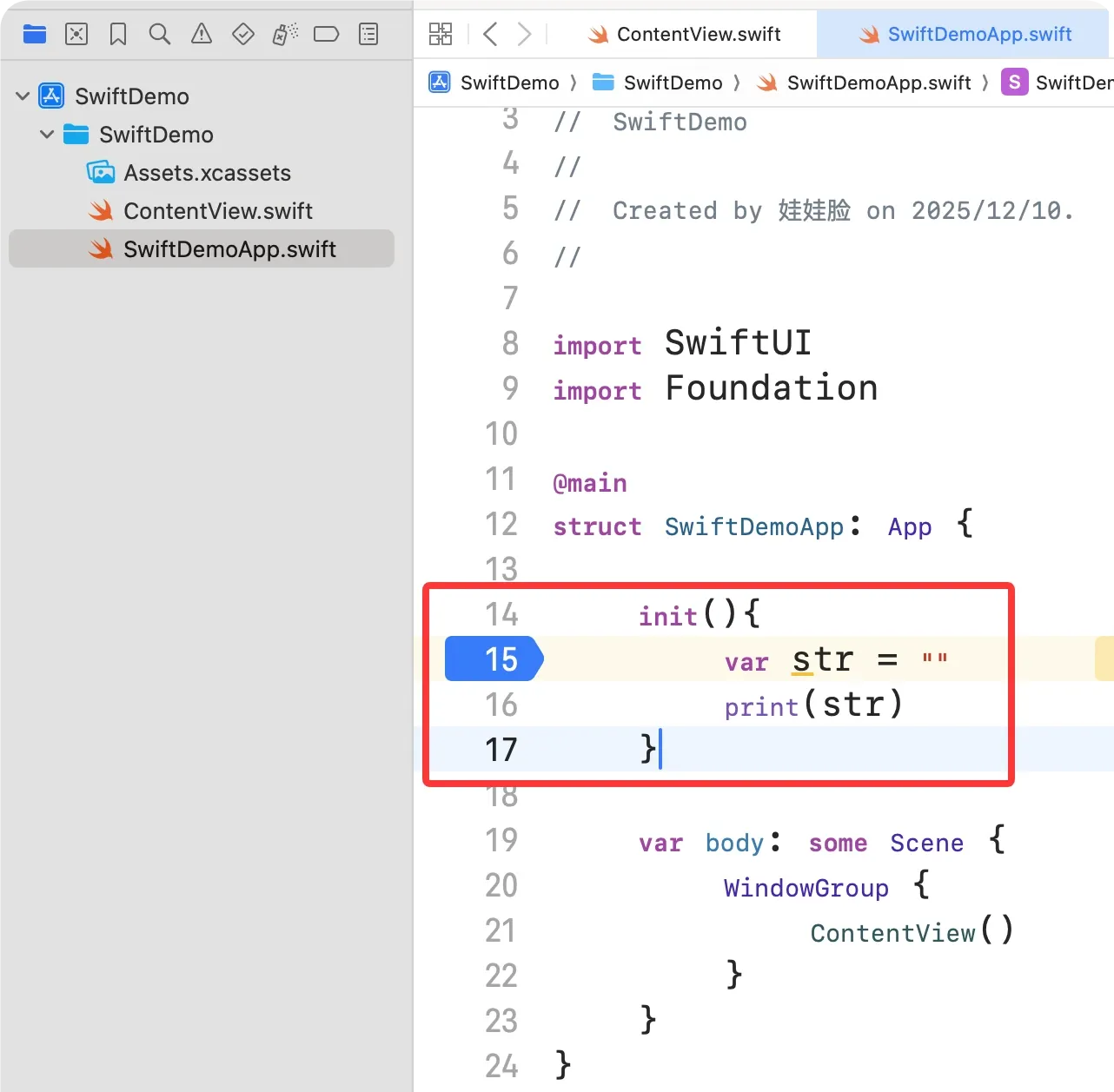
Create a Swift project in Xcode, drop the code below into the entry class’s initializer, and set a breakpoint on the line marked 15.
Run it; it stops at the breakpoint. Step over and you can see the internal structure of a Swift String.
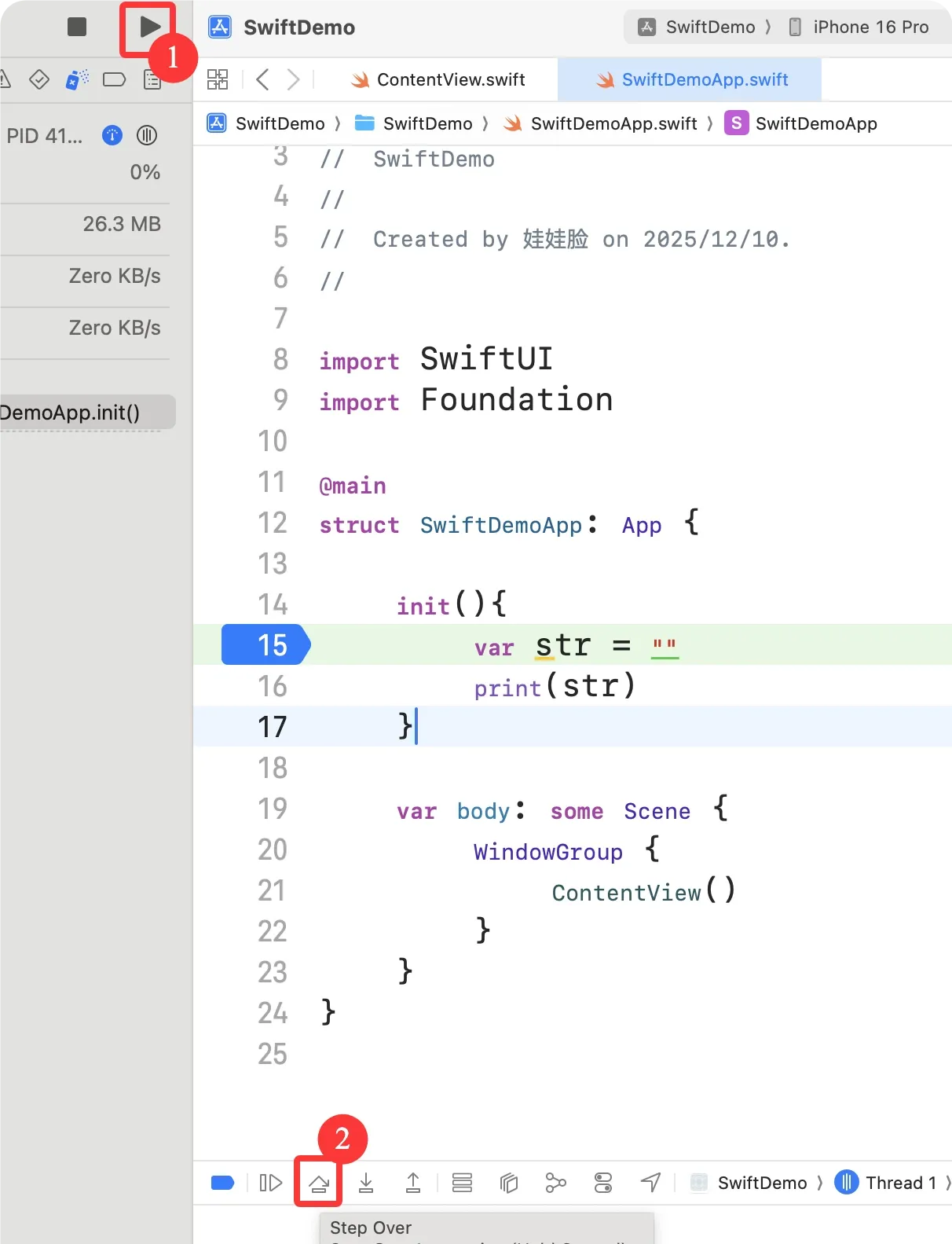
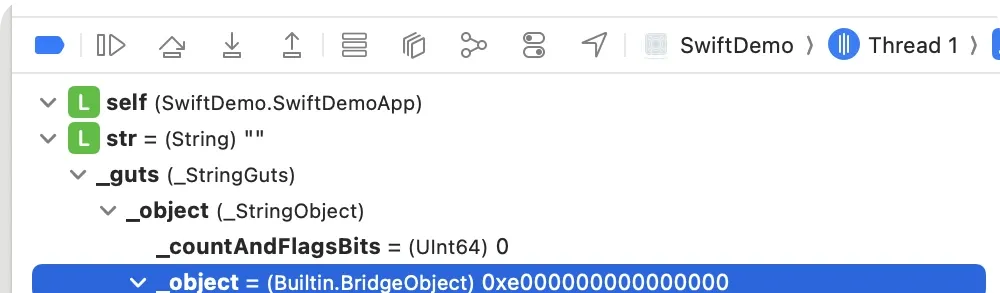
Now open the Swift standard library source.
(1) Search “struct String” in String.swift
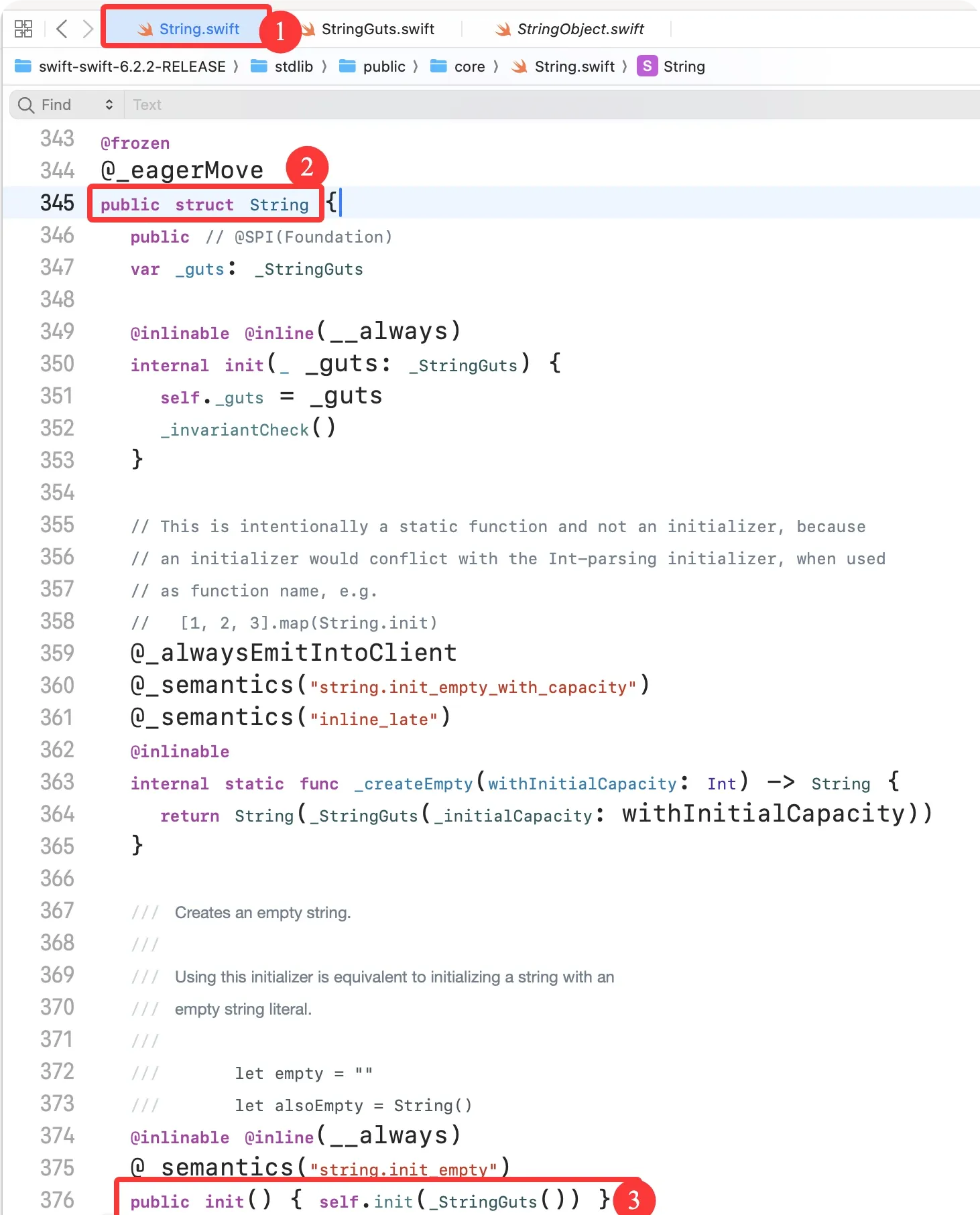
The String struct’s initializer takes a _StringGuts object. Follow it into the _StringGuts struct.
(2) Search “_StringGuts” in StringGuts.swift
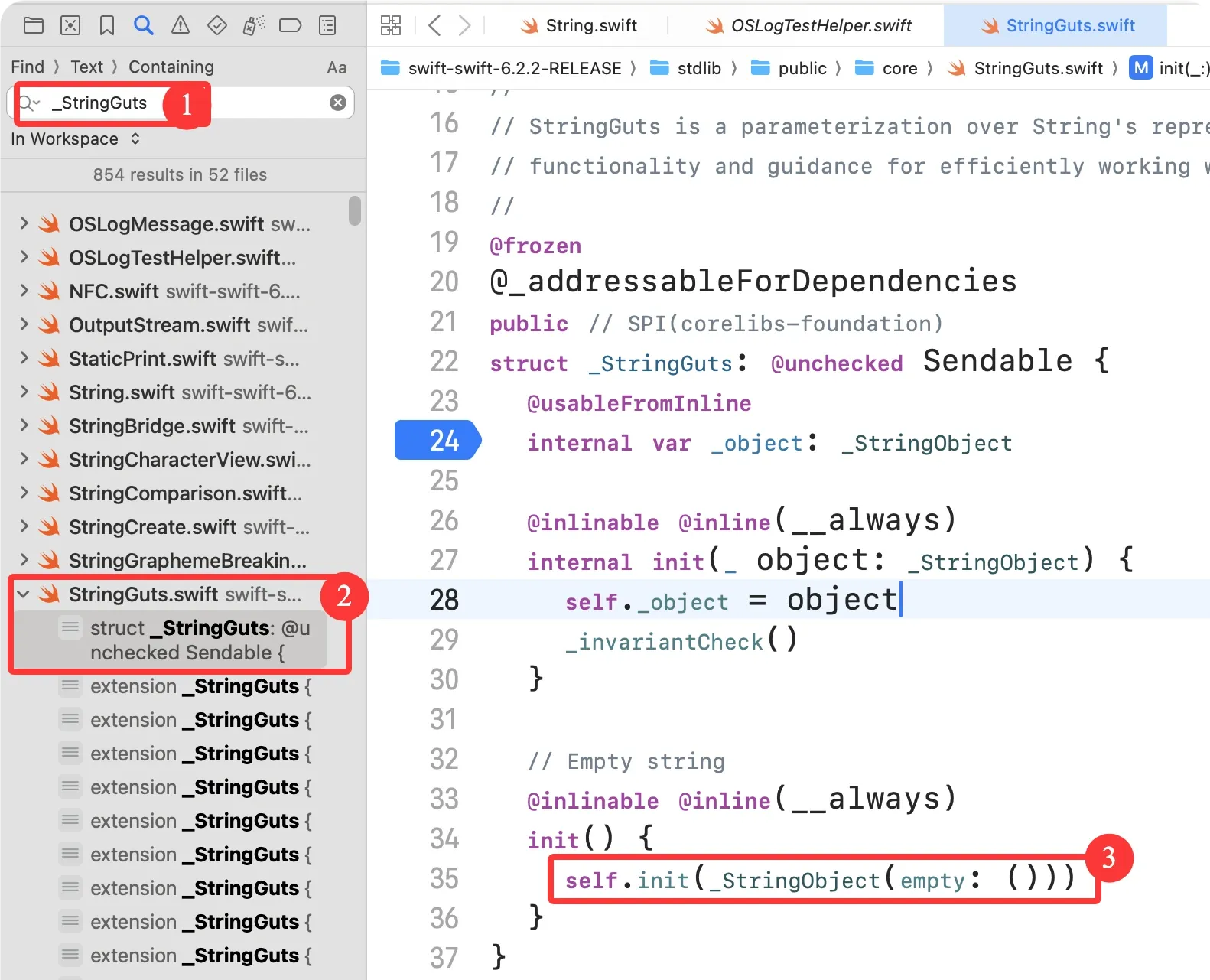
_StringGuts’s initializer takes a _StringObject, constructed here by passing empty — so we can locate _StringObject’s initializer by searching for “init(empty”.
(3) Search “init(empty” in StringObject.swift
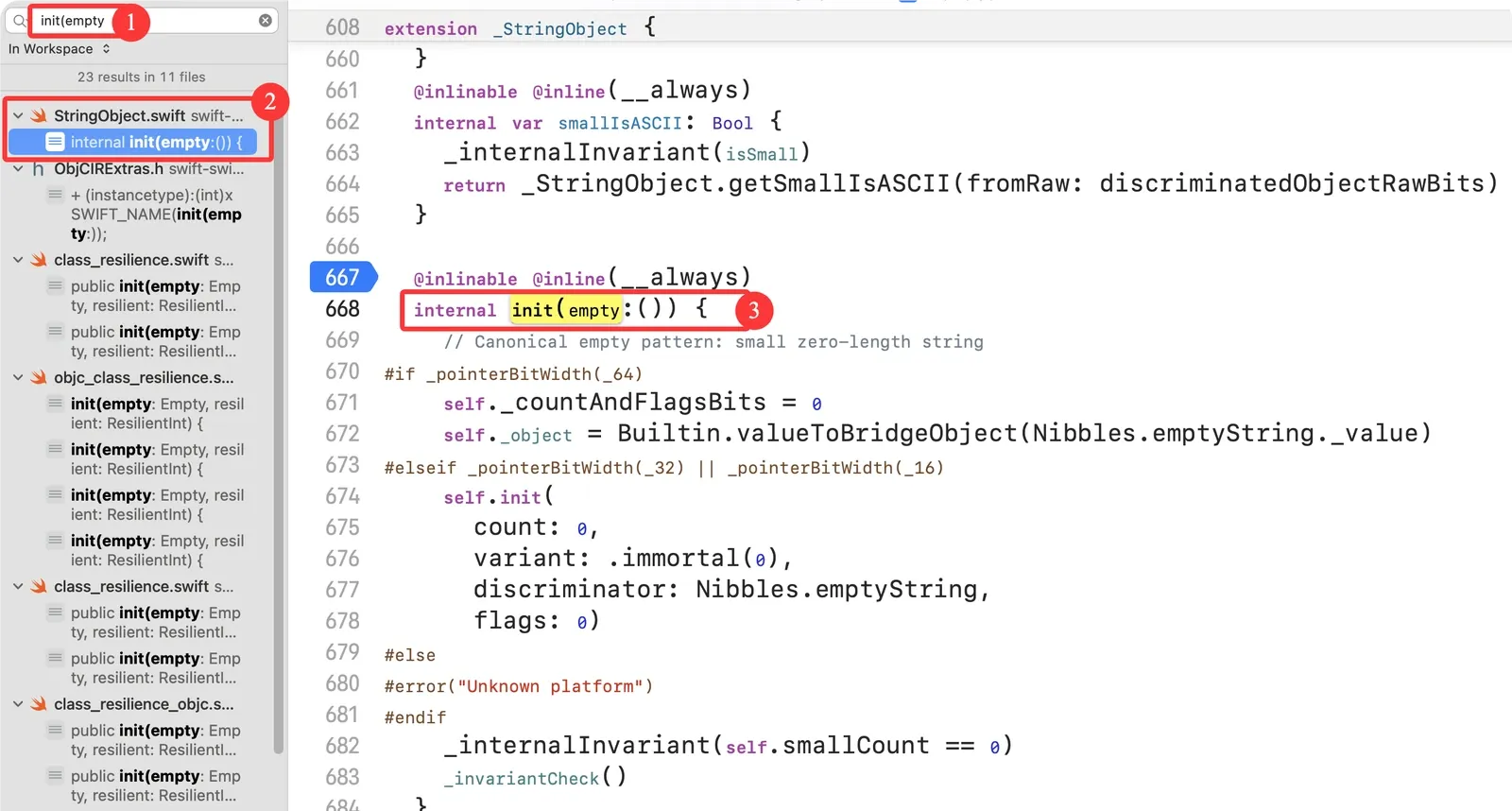
This private initializer adapts the empty string’s memory layout to the platform’s pointer width (64/32/16-bit), so an empty string has a consistent representation on every platform.
(3.1) The _pointerBitWidth compile-time condition
_pointerBitWidth(_64): a private Swift compiler flag that tests whether the current platform is 64-bit (arm64/iOS, x86_64/macOS).
_pointerBitWidth(_32)/_16: the 32-bit / 16-bit variants (rare — old armv7 devices, embedded platforms).
(3.2) The 64-bit logic
self._countAndFlagsBits = 0
self._object = Builtin.valueToBridgeObject(Nibbles.emptyString._value)
The two core fields of a Swift String:
| Field | Role |
|---|---|
_countAndFlagsBits |
String length + flags (small-string vs. large, ASCII or not); 8 bytes on 64-bit |
_object |
Bridged object pointer to the string’s backing storage (8 bytes on 64-bit; the void* equivalent) |
_countAndFlagsBits = 0: empty string, all flags cleared.
Builtin.valueToBridgeObject: Swift builtin that converts the static address of the empty-string constant into a bridged object pointer (_object).
Nibbles.emptyString: a predefined global empty-string constant, so empty strings don’t allocate. (Analogous to the std::string::empty() optimization in C++.)
Nibbles is an enum with several extensions. Digging further, Nibbles.emptyString calls small(isASCII: Bool):
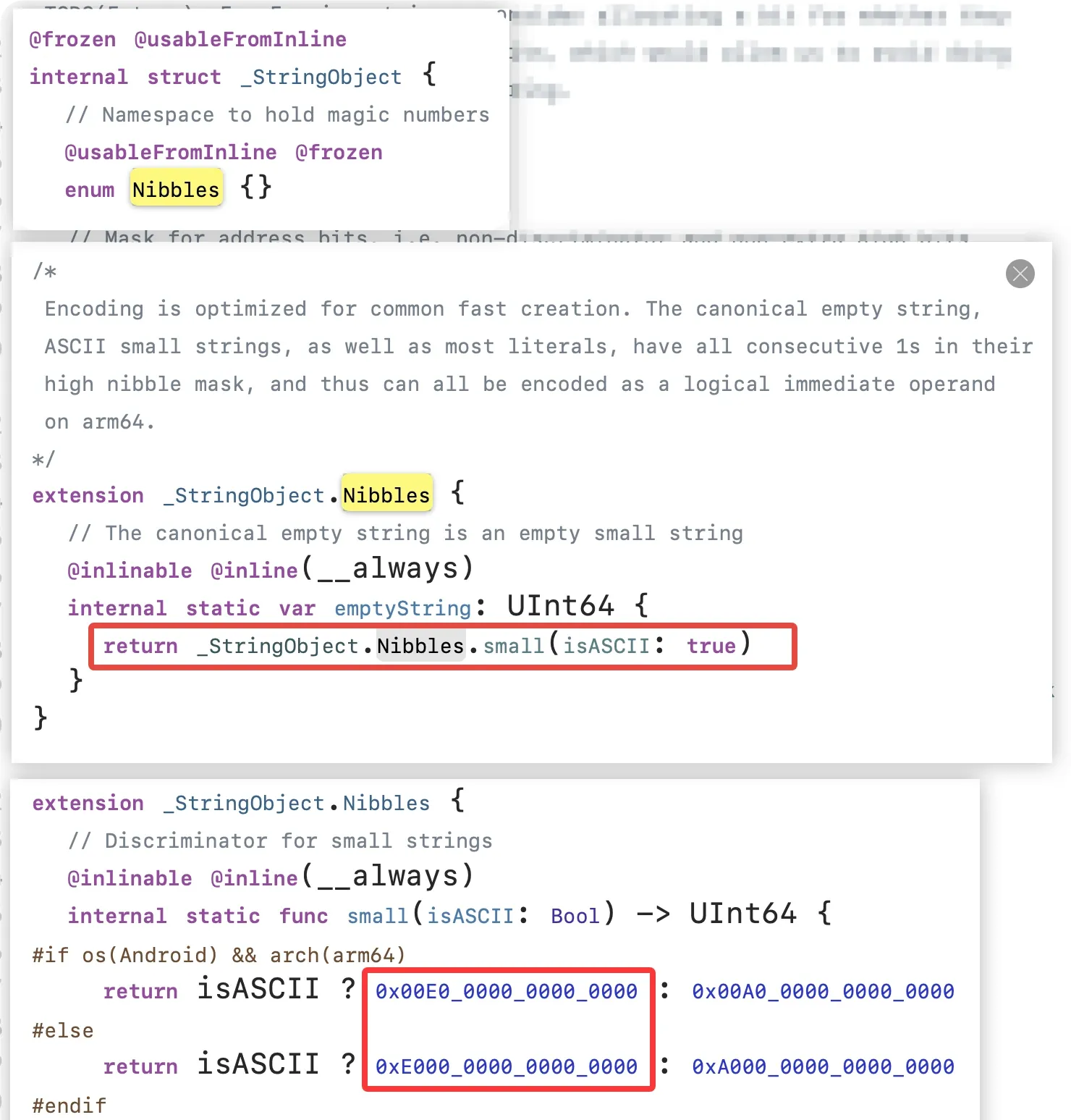
Debugging confirms the stored address is 0xe000000000000000:
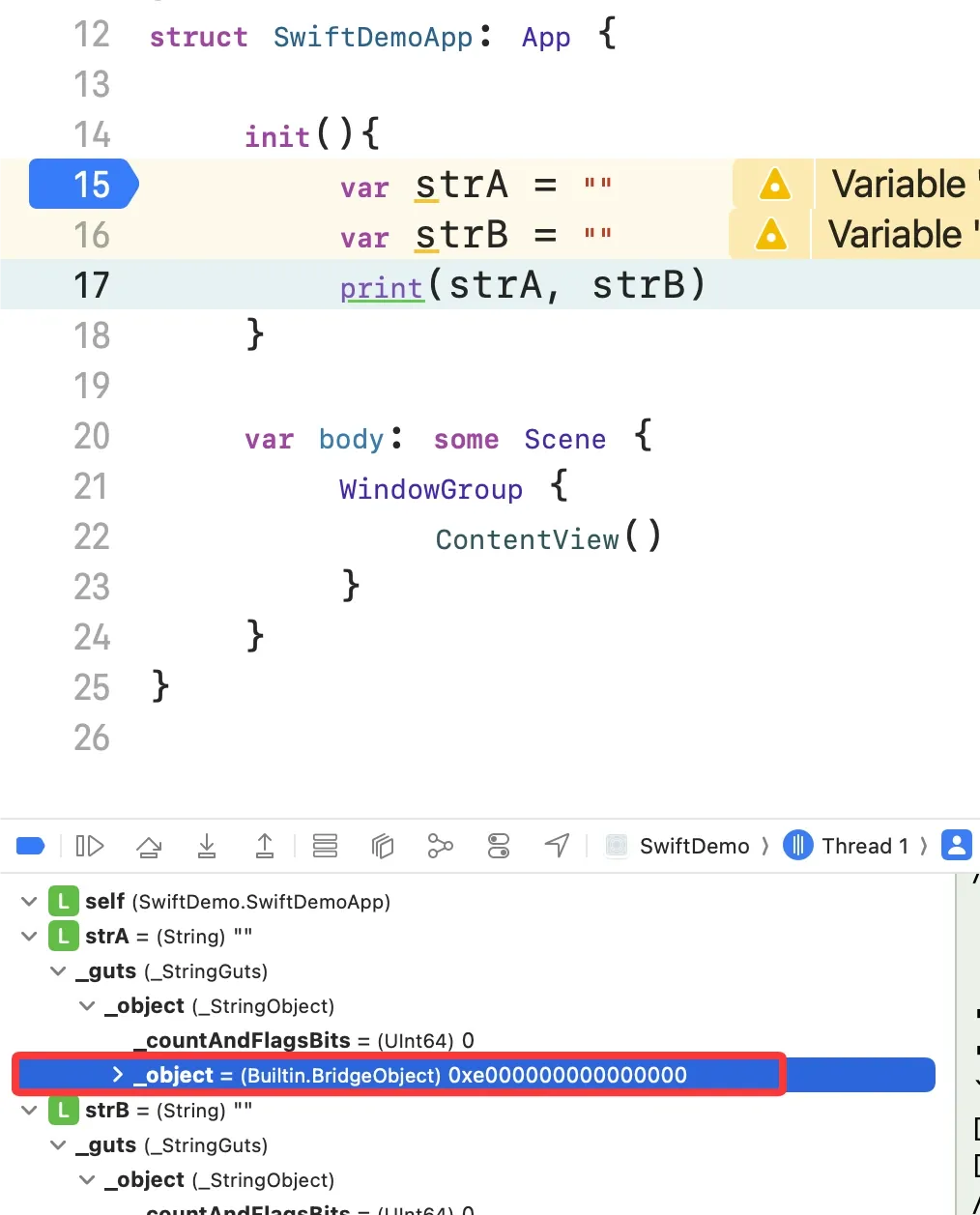
The 64-bit design
An empty string needs no heap allocation: _object points at the global emptyString address and _countAndFlagsBits is 0.
(3.3) The 32-bit logic
Searching init(count: in StringObject.swift shows the 32-bit initializer. Since we’re on 64-bit, I’ll skip it.
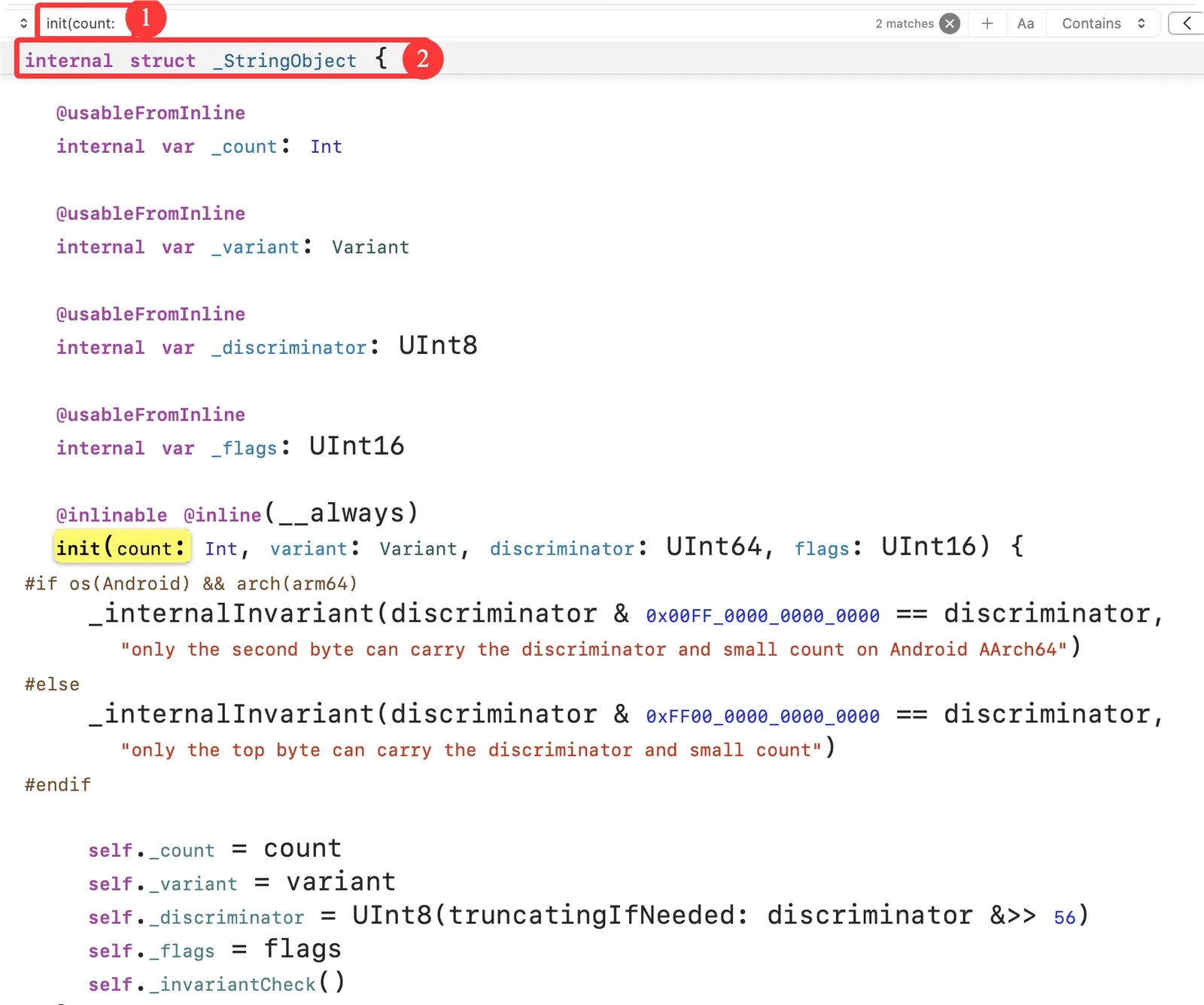
(4) Summary
A string variable occupies at least 16 bytes. MemoryLayout confirms exactly 16:
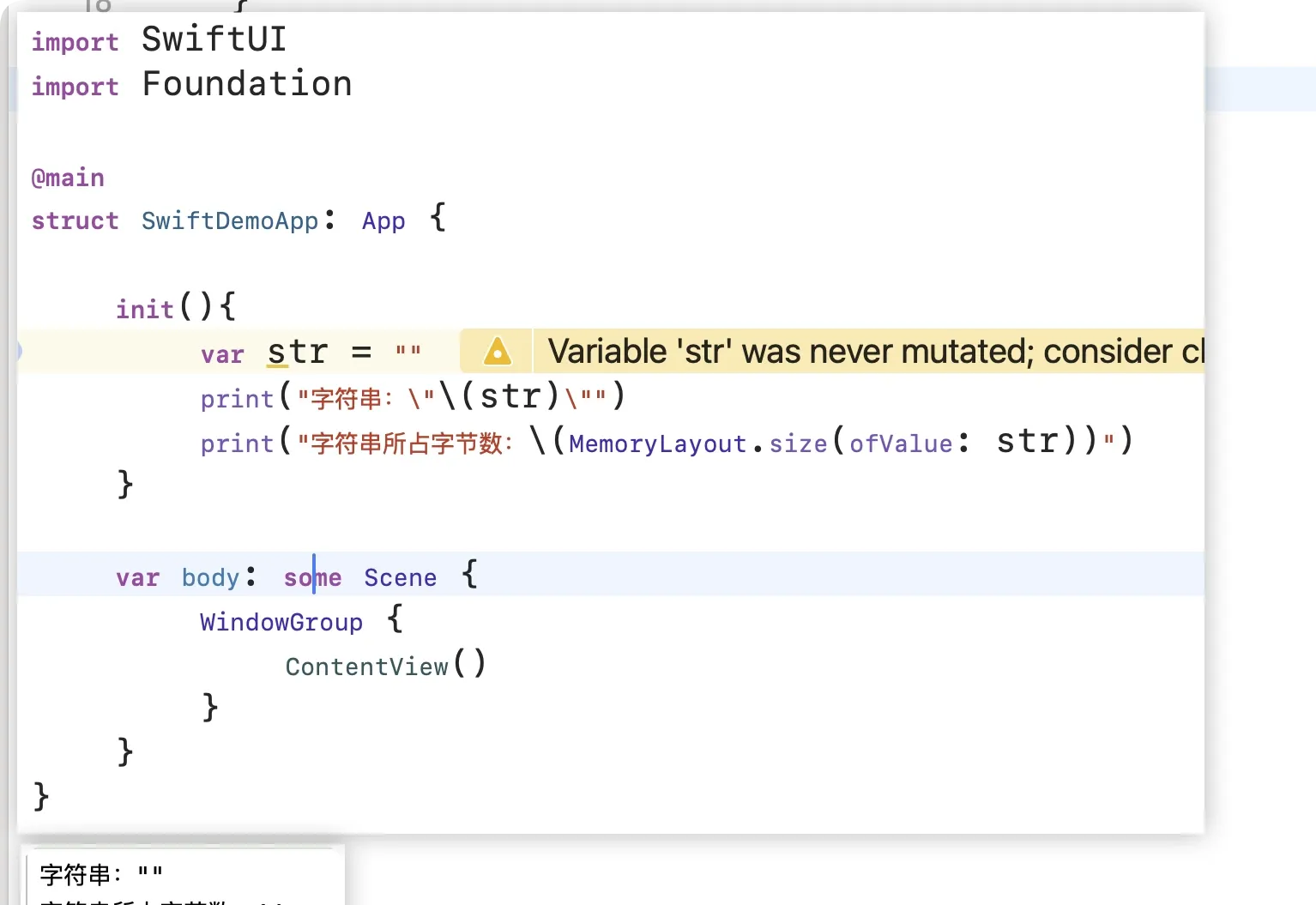
Non-empty strings
Small strings
(1) Inspecting a small string’s memory
Grab Mems (or unzip Mems.zip), add Mems.swift to the project, and run:
func show<T>(val: inout T) {
    print("-------------- \(type(of: val)) --------------")
    print("address:", Mems.ptr(ofVal: &val))
    print("memory:", Mems.memStr(ofVal: &val))
    print("size:", Mems.size(ofVal: &val))
    print("")
}

func show<T>(ref: T) {
    print("-------------- \(type(of: ref)) --------------")
    print("object address:", Mems.ptr(ofRef: ref))
    print("object memory:", Mems.memStr(ofRef: ref))
    print("object size:", Mems.size(ofRef: ref))
    print("")
}

@main
struct SwiftDemoApp: App {

    init(){
        var str = "1"
        print("string: \"\(str)\"")
        print("bytes:", MemoryLayout.size(ofValue: str))
        show(val: &str)
    }

    var body: some Scene {
        WindowGroup {
            ContentView()
        }
    }
}
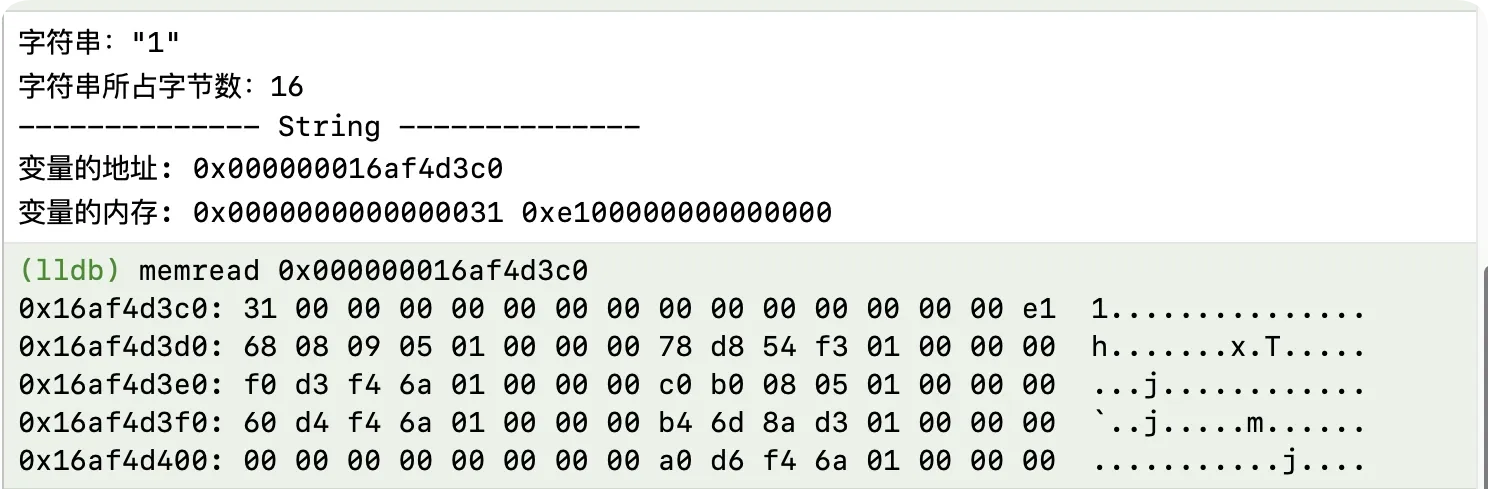
The output:
(2) Verifying the layout
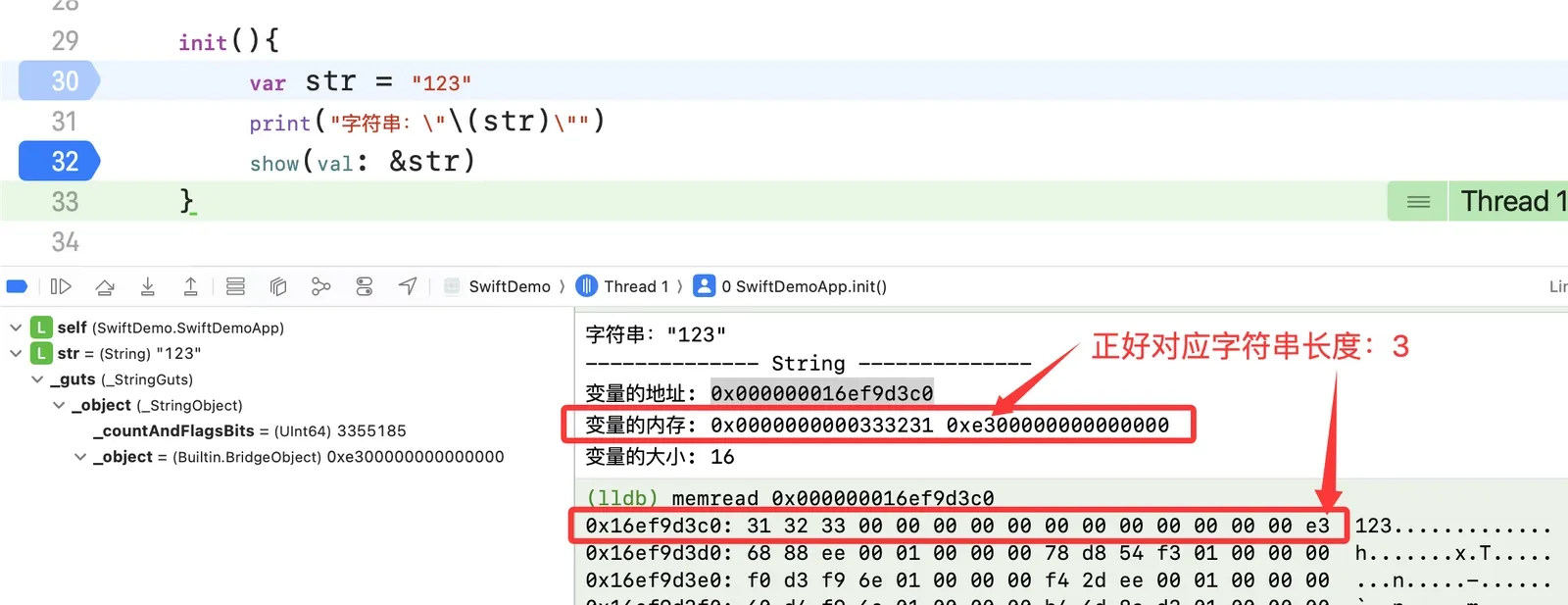
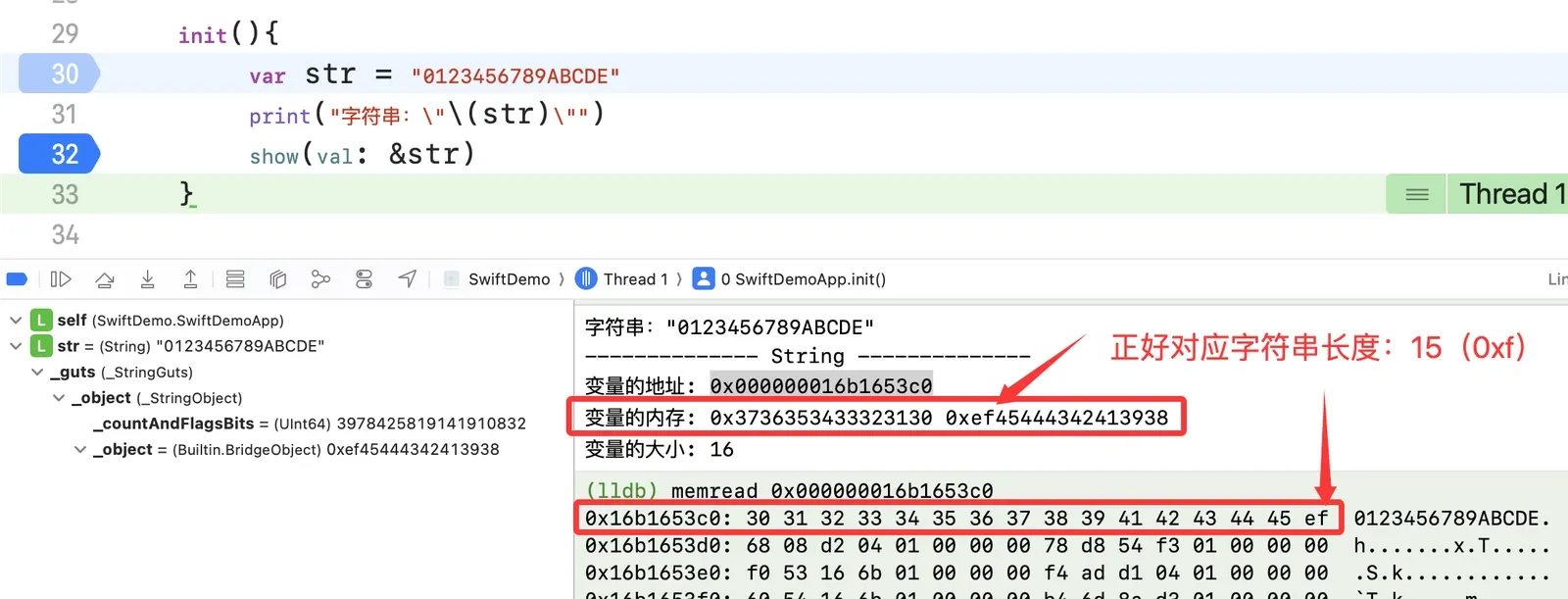
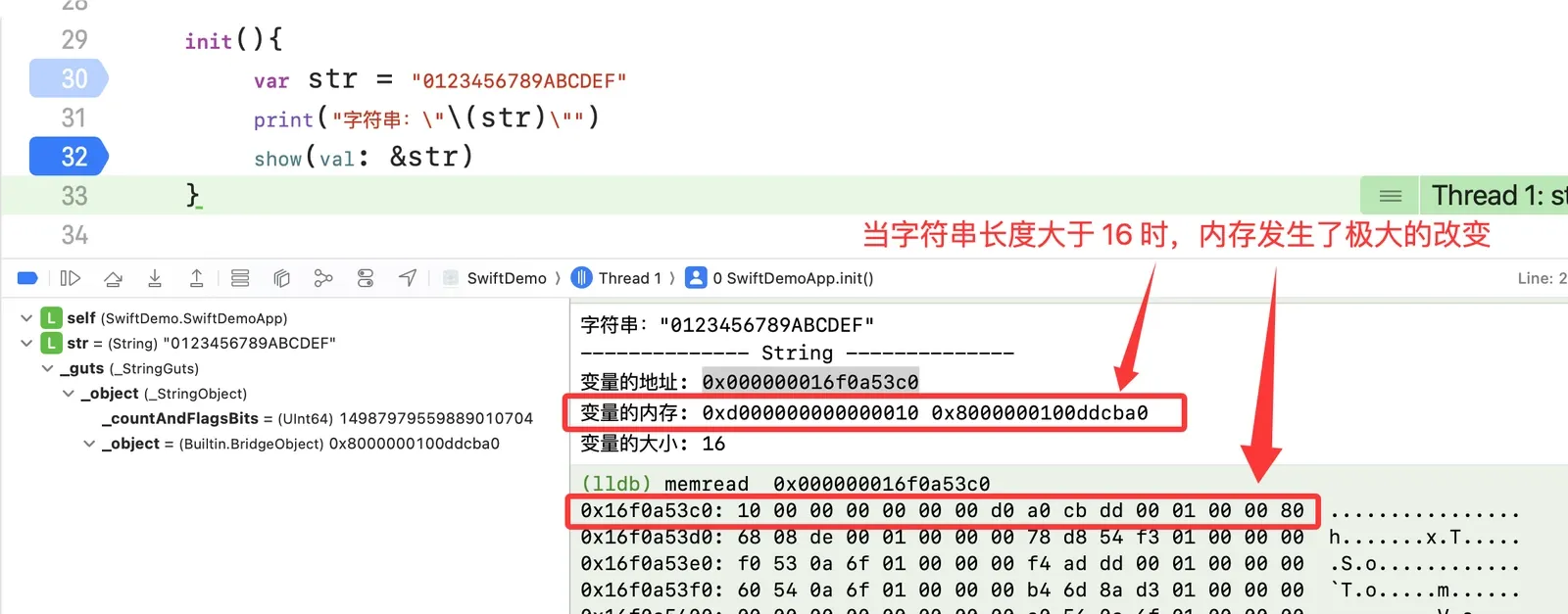
The empty string has _object = 0xe000000000000000; the string "1" has _object = 0xe100000000000000. A reasonable guess: the four hex digits after e store the small string’s length. Let’s verify.
"123":
"0123456789ABCDE" (15 chars):
"0123456789ABCDEF" (16 chars):
(3) Summary
When the string is shorter than 16, the four hex digits after e hold the length, and the content lives in the other 15 bytes.
Large strings
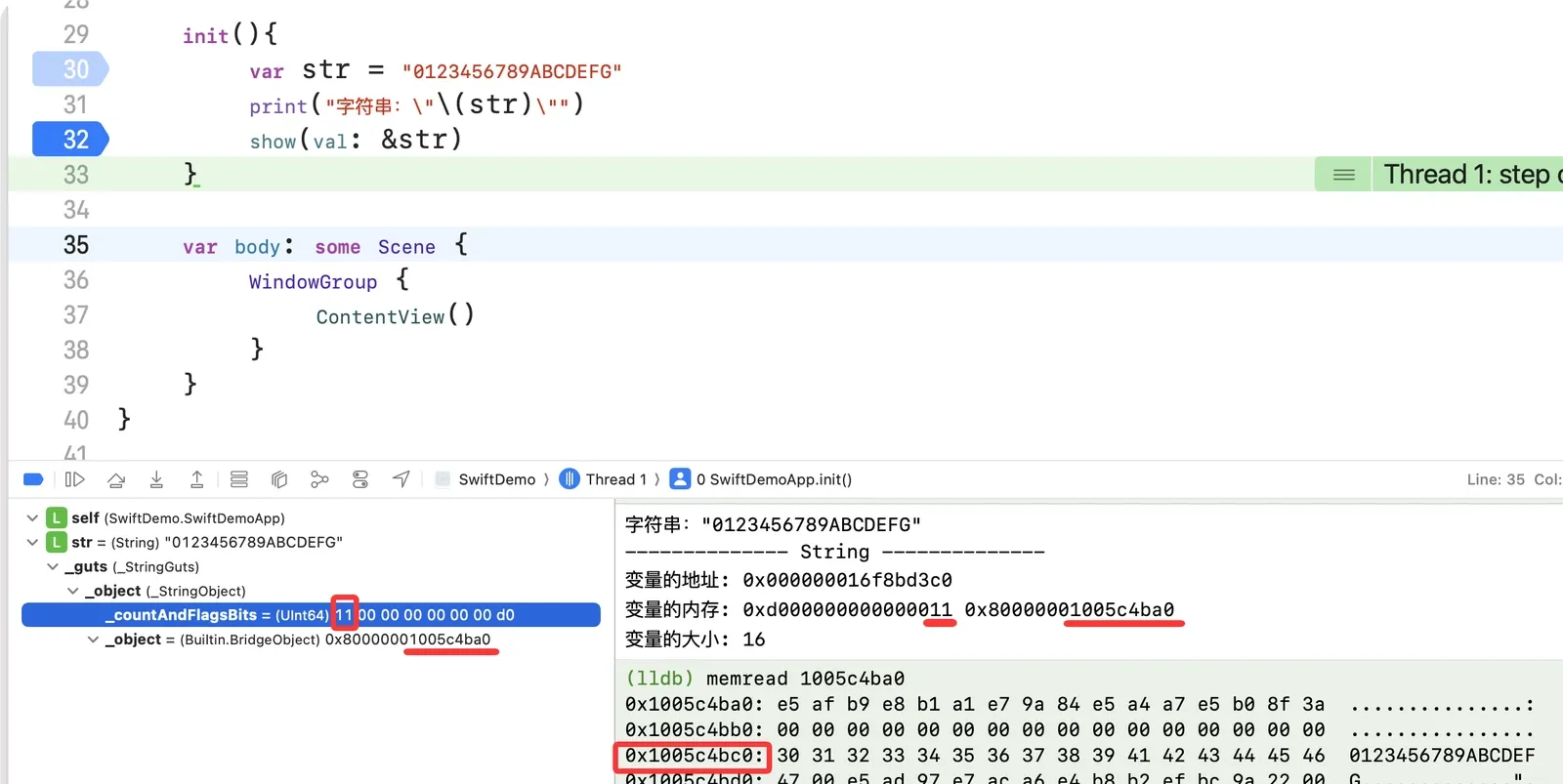
(1) Inspecting a large string’s memory
(2) Verifying
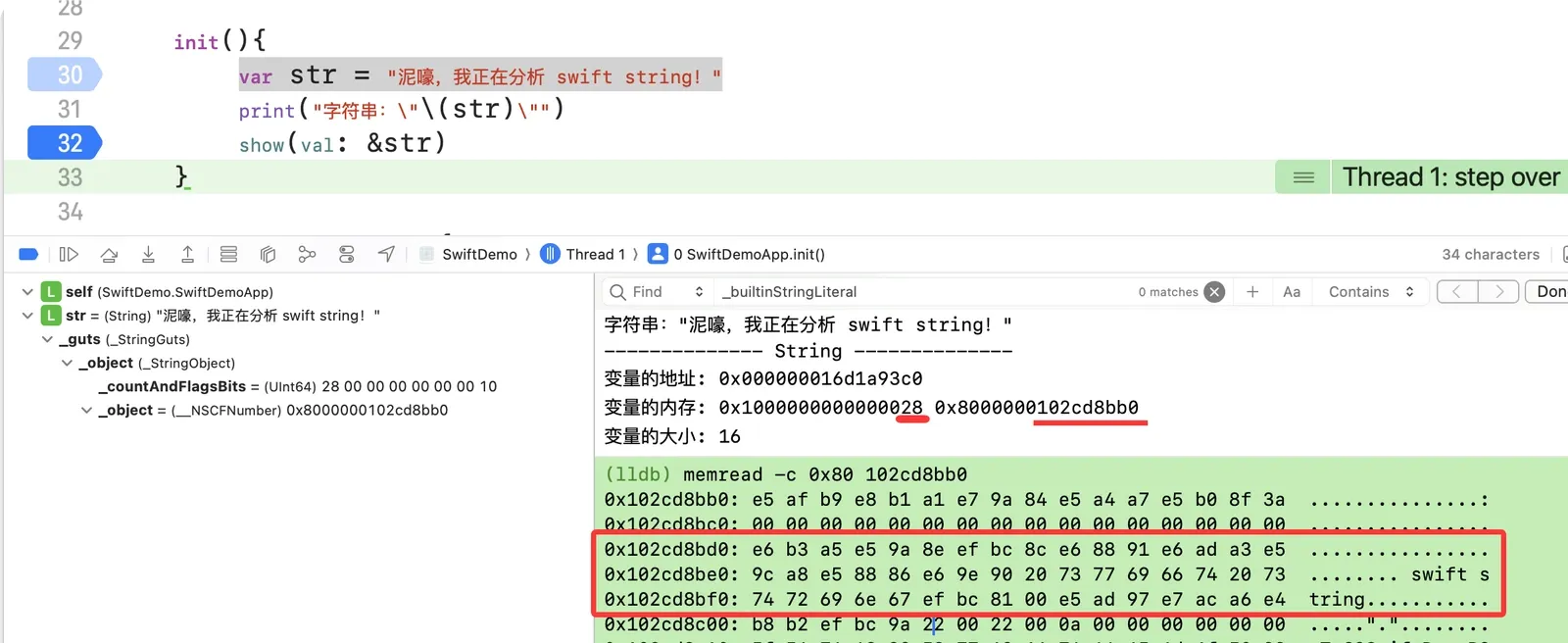
Comparing "0123456789ABCDEFG" (17 chars) with "0123456789ABCDEF" (16 chars): the length is no longer stored in _object — it moved to _countAndFlagsBits. And the address stored in _object, offset by 0x20, is the actual string data address.
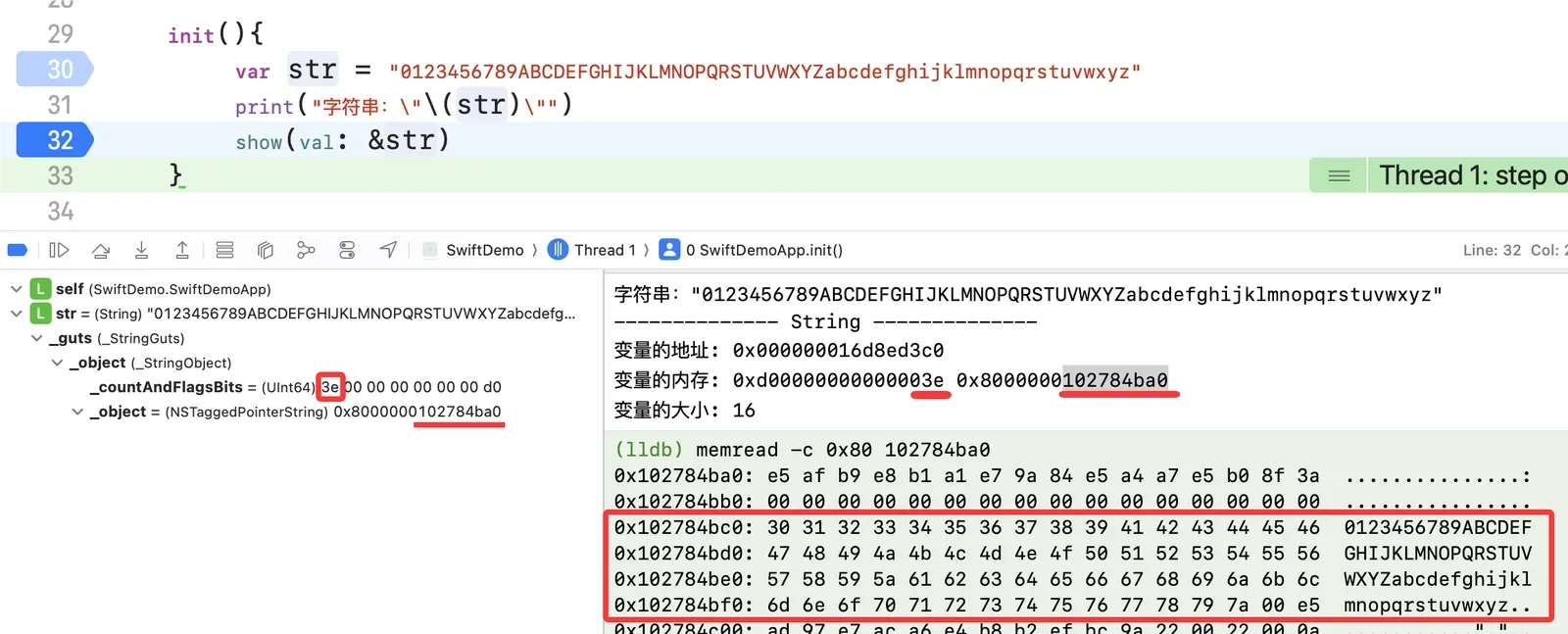
"0123456789ABCDEFGHIJKLMNOPQRSTUVWXYZabcdefghijklmnopqrstuvwxyz":
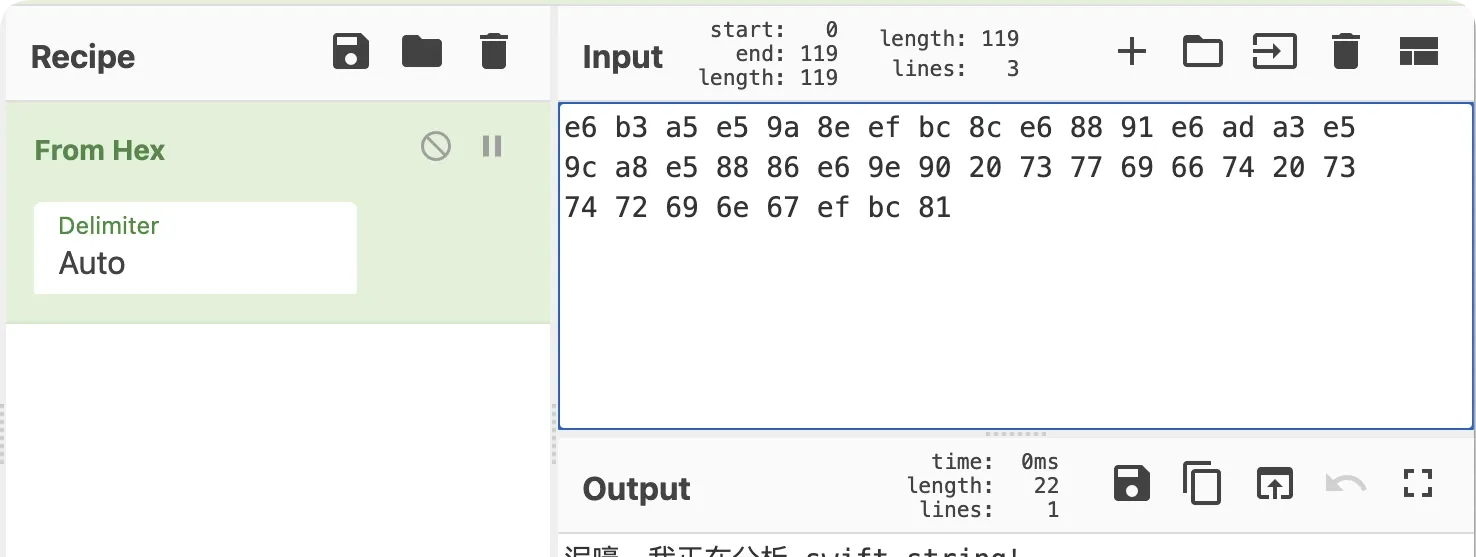
A non-ASCII string — "泥嚎,我正在分析 swift string!":
(3) Summary
For a large string, _object holds the string’s memory address; read 0x20 past it to get the content.
Test environment
The environment has three pieces: the Swift standard library source, a small demo project, and an IPA to analyze.
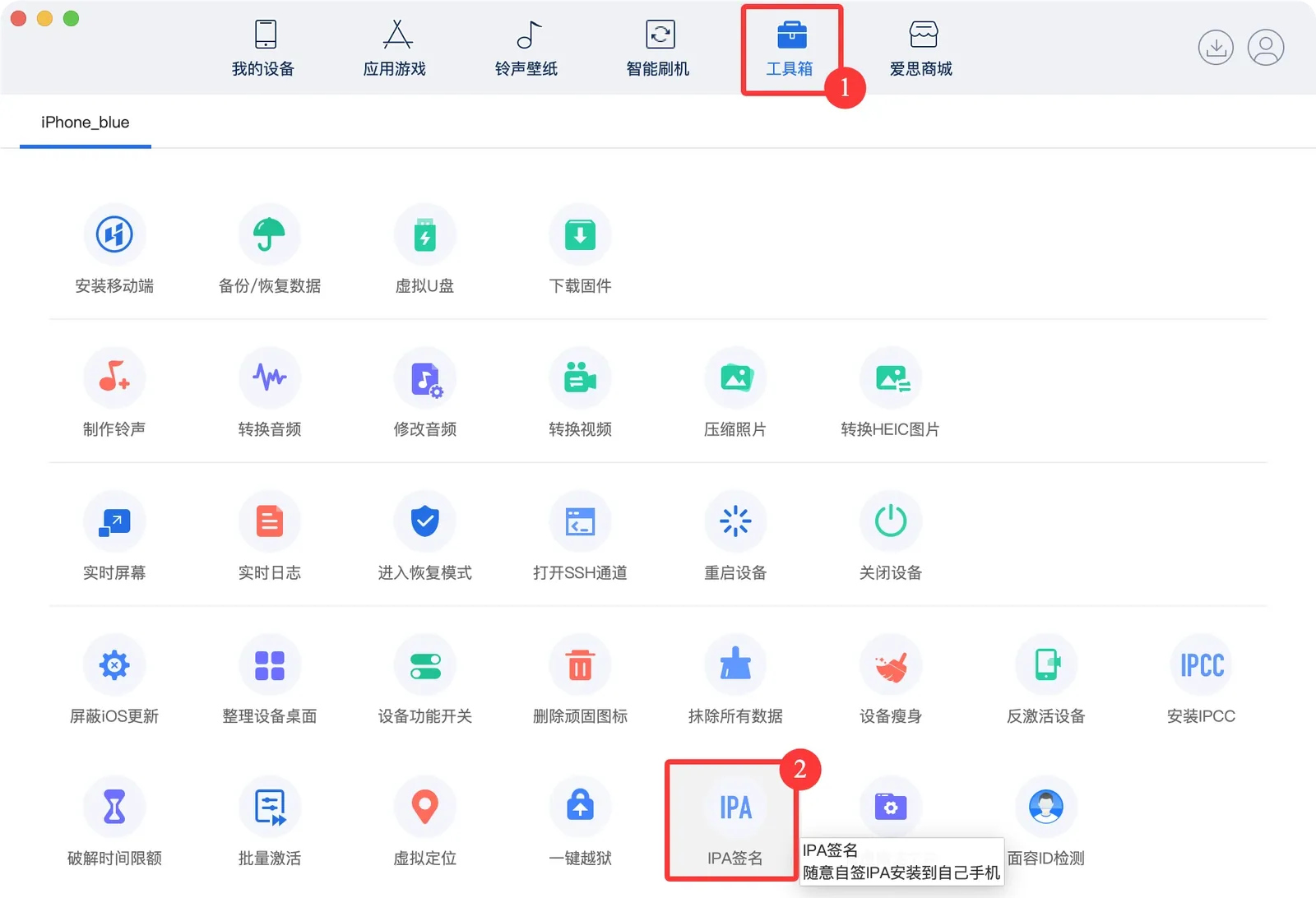
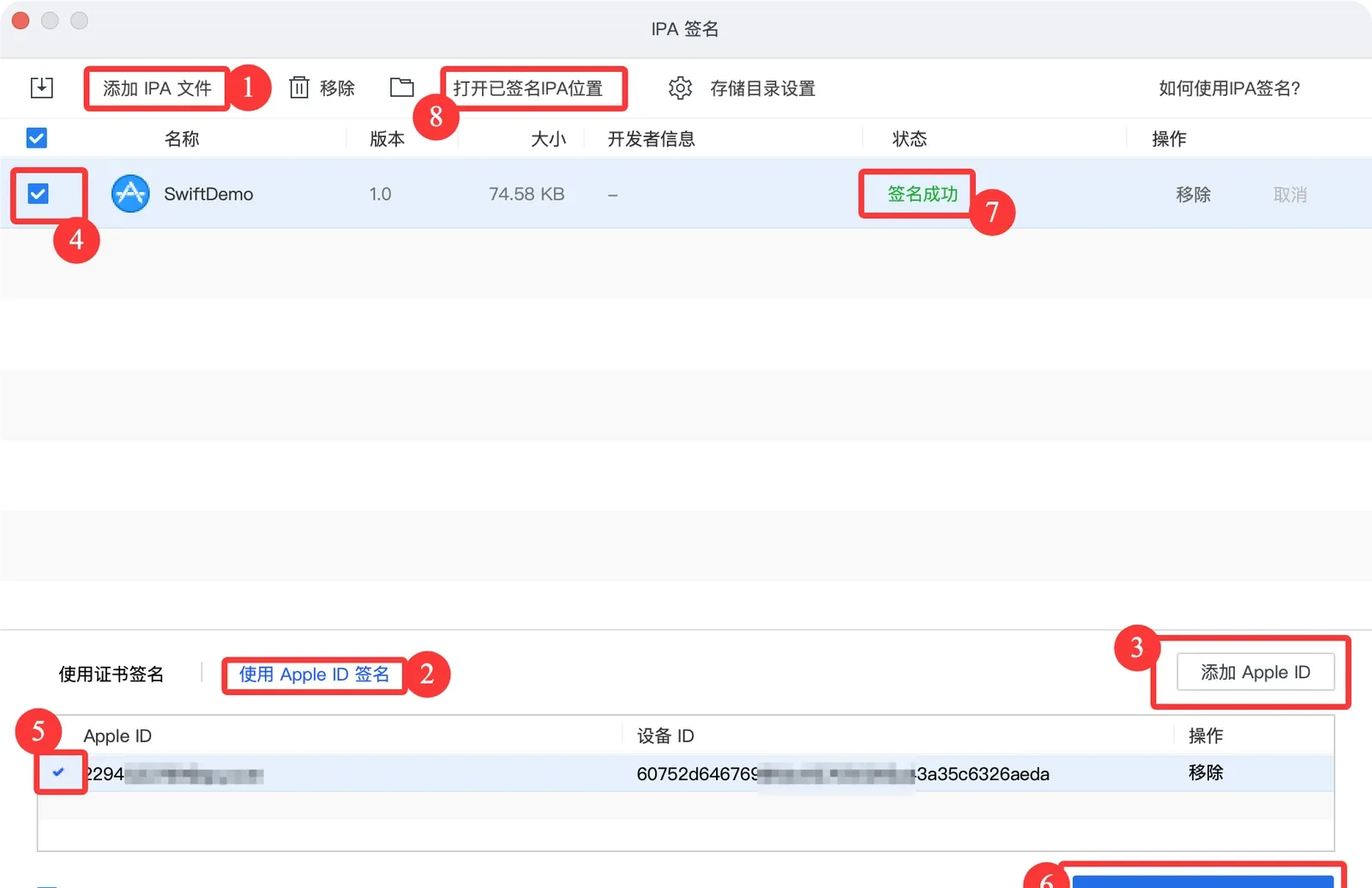
Installing the IPA
Connect the iPhone and use i4Tools, following the steps below. If you have TrollStore, you can skip this.
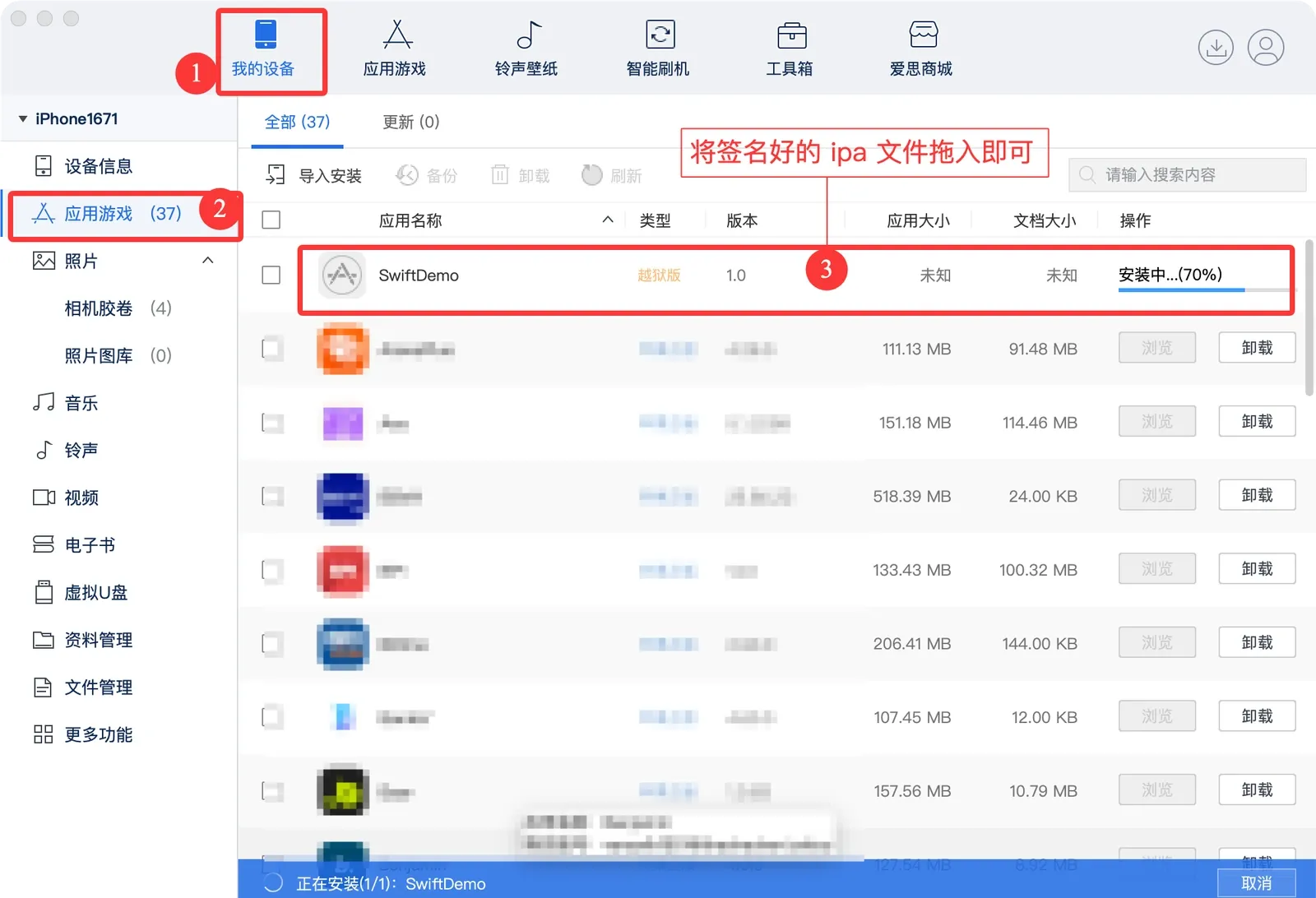
Tool: restoring symbols with swift-demangle
In IDA, Swift symbols are mangled, e.g. _$s10Foundation4UUIDV10uuidStringSSvg and _$sSS21_builtinStringLiteral17utf8CodeUnitCount7isASCIISSBp_BwBi1_tcfC. The first is still somewhat readable; the second isn’t. Restore them with xcrun swift-demangle.
xcrun is Xcode’s toolchain dispatcher on macOS — it locates and runs the dev tools (swiftc, lldb, clang, nm, swift-demangle, …). xcrun swift-demangle demangles Swift’s name-mangled symbols back into readable function / class / property names.
xcrun swift-demangle '_$s10Foundation4UUIDV10uuidStringSSvg' '_$s10Foundation4UUIDVACycfC' '_$ss27_allocateUninitializedArrayySayxG_BptBwlF'

# demangled
_$s10Foundation4UUIDV10uuidStringSSvg ---> Foundation.UUID.uuidString.getter : Swift.String
_$s10Foundation4UUIDVACycfC ---> Foundation.UUID.init() -> Foundation.UUID
_$ss27_allocateUninitializedArrayySayxG_BptBwlF ---> Swift._allocateUninitializedArray<A>(Builtin.Word) -> ([A], Builtin.RawPointer)
If a symbol contains characters the shell mangles, wrap it in single quotes:

Swift reverse engineering
The goal: find the ChaCha20 plaintext, key, nonce, and ciphertext.
First, know how ChaCha20 is used in Swift. You can ask an AI assistant, or just read the encryptWithChaCha20Poly1305 function below.
(1) ChaCha20Poly1305 in Swift
The demo project’s encryptWithChaCha20Poly1305(message:keyHex:nonceHex:):
// ============================================
// ChaCha20Poly1305
// ============================================

func encryptWithChaCha20Poly1305(
    message: String,
    keyHex: String,
    nonceHex: String
) throws -> (ciphertext: String, tag: String) {

    // 1. message -> Data
    guard let plaintext = message.data(using: .utf8) else {
        throw NSError(domain: "Invalid message", code: 1)
    }

    // 2. hex -> key (32 bytes = 256 bits)
    guard let keyData = Data(hexString: keyHex), keyData.count == 32 else {
        throw NSError(domain: "Key must be 32 bytes (64 hex chars)", code: 2)
    }
    let key = SymmetricKey(data: keyData)

    // 3. hex -> nonce (12 bytes = 96 bits)
    guard let nonceData = Data(hexString: nonceHex), nonceData.count == 12 else {
        throw NSError(domain: "Nonce must be 12 bytes (24 hex chars)", code: 3)
    }
    var nonce = try ChaChaPoly.Nonce(data: nonceData)
    show(val: &nonce)

    // 4. encrypt
    let sealedBox = try ChaChaPoly.seal(plaintext, using: key, nonce: nonce)

    // 5. return ciphertext and tag as hex strings
    return (
        ciphertext: sealedBox.ciphertext.toHexString(),
        tag: sealedBox.tag.toHexString()
    )
}
(2) Large strings
Since encryptWithChaCha20Poly1305 takes three Swift strings, we can read x0–x5 directly to recover the plaintext, key, and nonce. First launch SwiftDemo with debugserver, then attach with lldb (rather than Xcode’s debugger — Xcode skips too much assembly and changes static offsets).
(2.1) Open SwiftDemo.debug.dylib in IDA and find encryptWithChaCha20Poly1305’s offset:
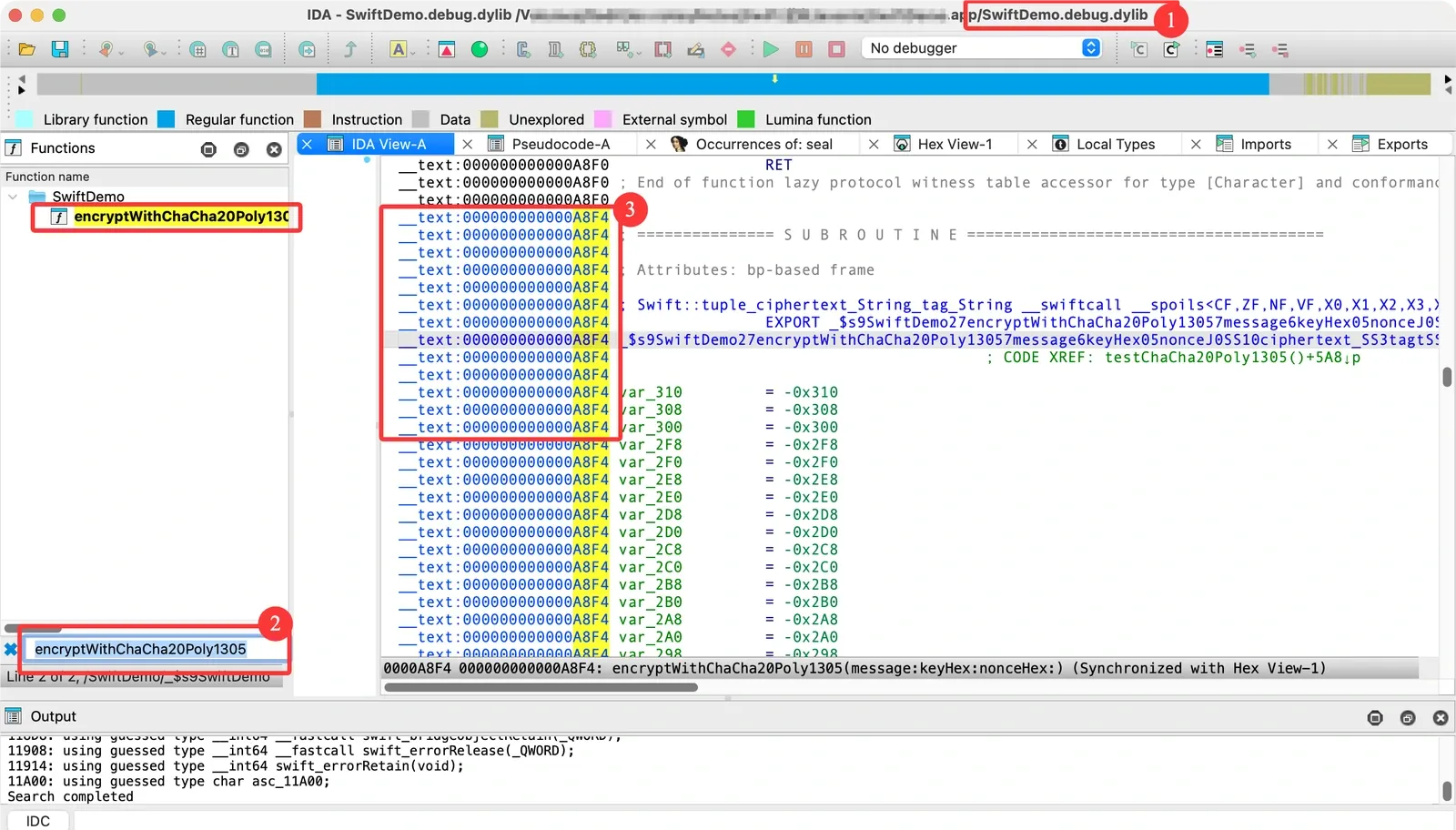
(2.2) Attach with lldb. I’m using ιldb (an LLDB scripting tool I wrote) here:
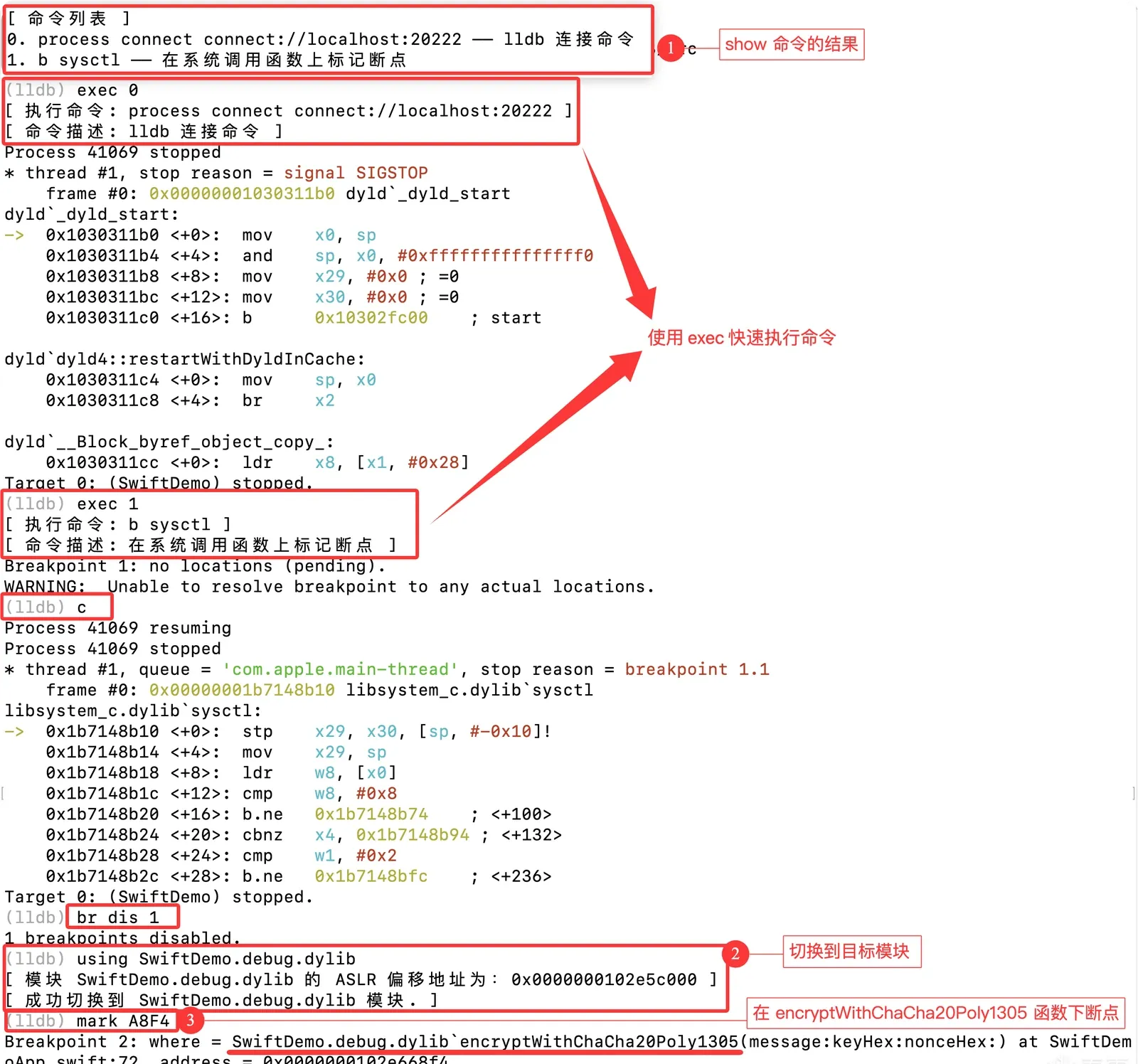
(2.3) Set the breakpoint, continue into encryptWithChaCha20Poly1305, then follow along:
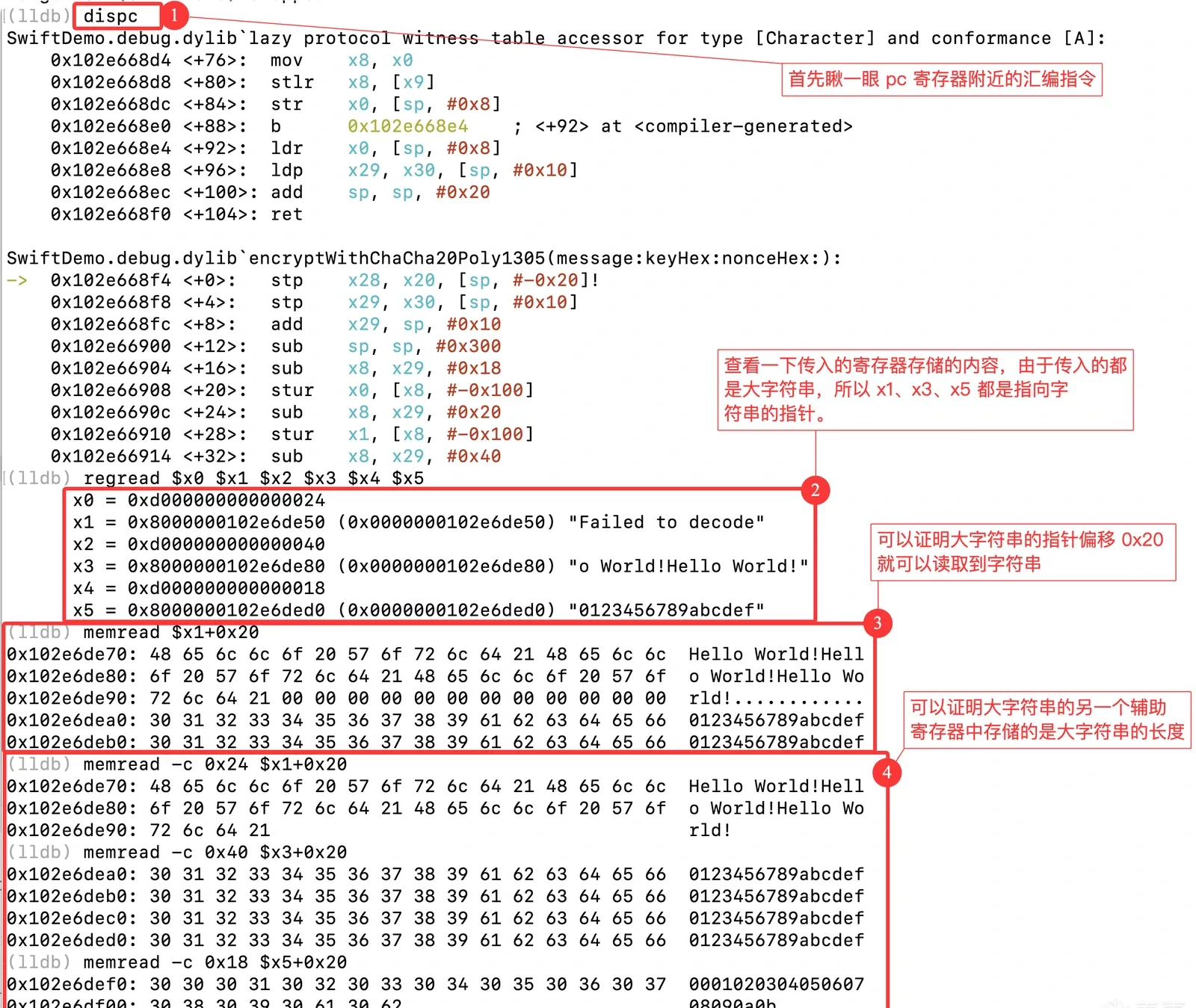
(2.4) The three arguments are:
var message = "Hello World!Hello World!Hello World!"
var keyHex = "0123456789abcdef0123456789abcdef0123456789abcdef0123456789abcdef"
var nonceHex = "000102030405060708090a0b"
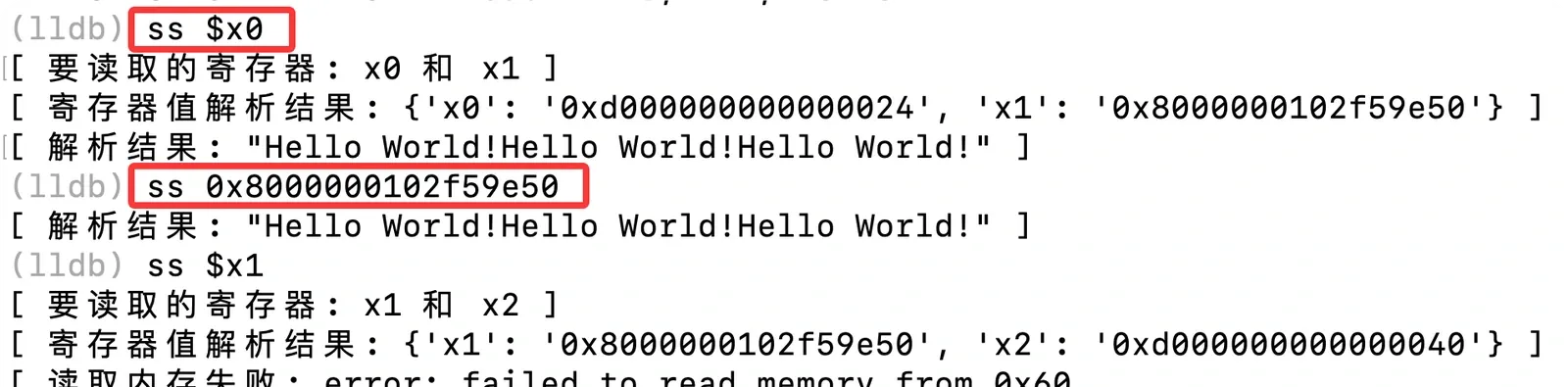
(2.5) Codify the register pattern into an ιldb script so next time is one command:
(3) The method — reverse from the return value
“But we knew the function’s shape ahead of time,” you might say. What about a function with no symbols at all, like this one? How do you tell the parameters apart?
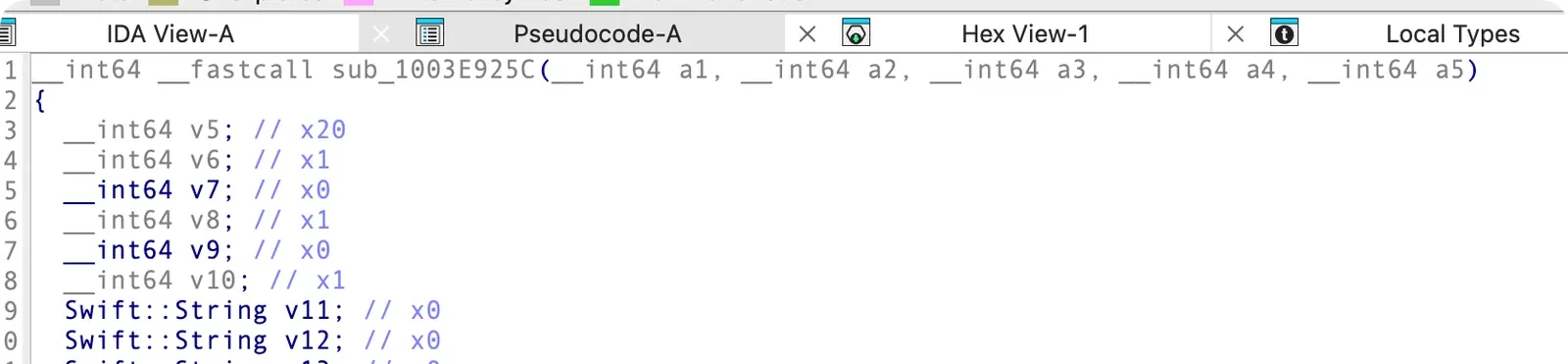
Then don’t — instead, find the return value and work backwards.
Suppose encryptWithChaCha20Poly1305 has been obfuscated into sub_ form, its parameters turned into id a1, id a2. We’ve already located the return value as the data we want. (How to locate it — hooking or static analysis — is a separate topic and needs some technique either way.)
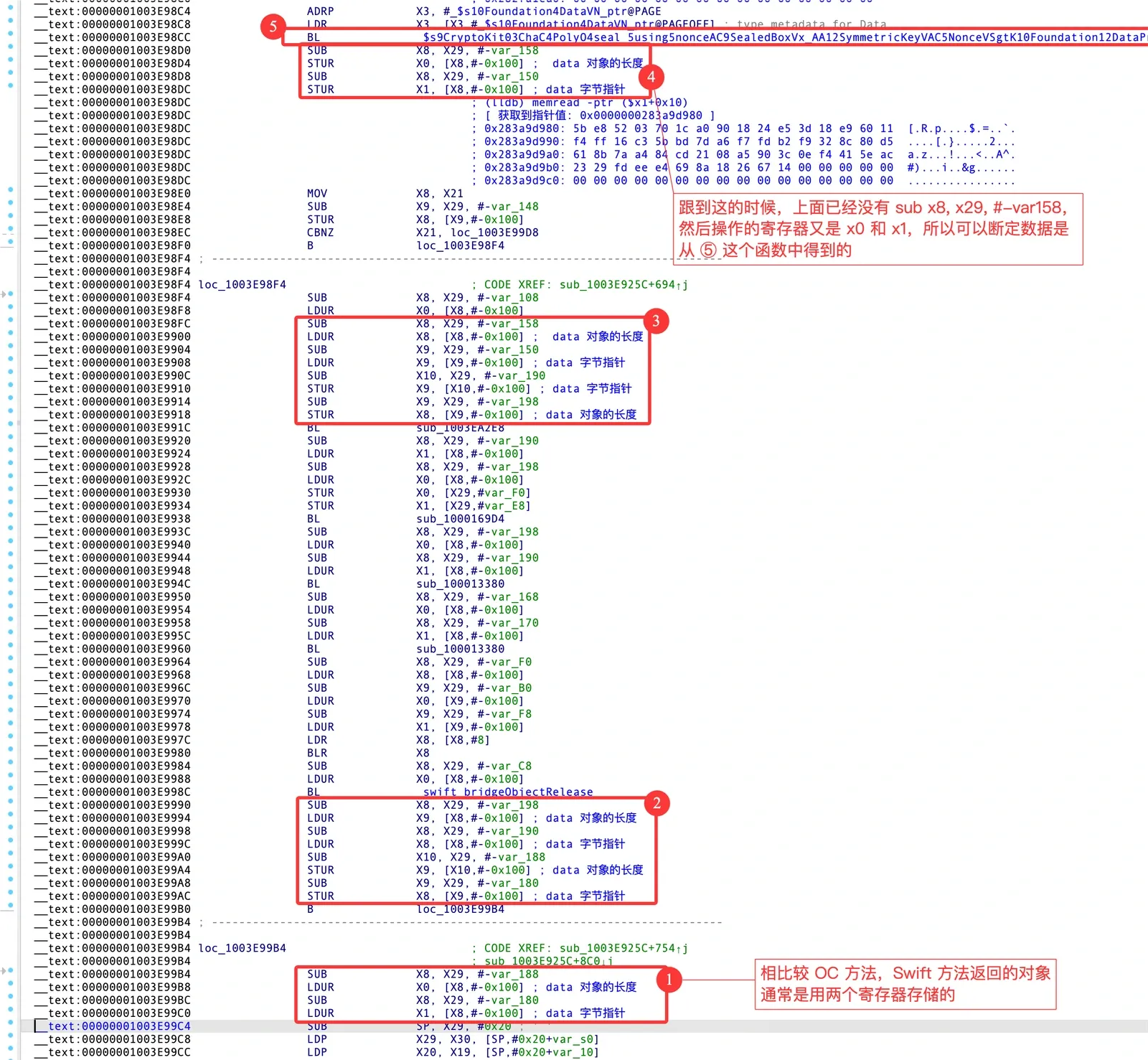
Here’s how to recover the important Swift data from the return value.
(3.1) In IDA, find encryptWithChaCha20Poly1305’s RET:
(3.2) Attach lldb, load the ιldb script, set a breakpoint there, and try parsing it as a Swift string:

(3.3) Confirmed. Now trace back in IDA to see where it came from.
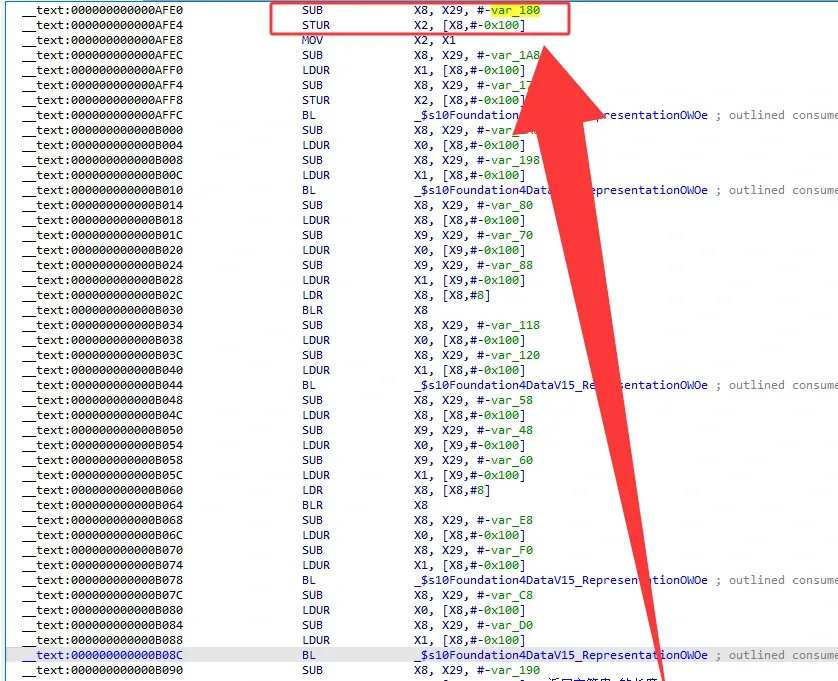
Keep tracing:
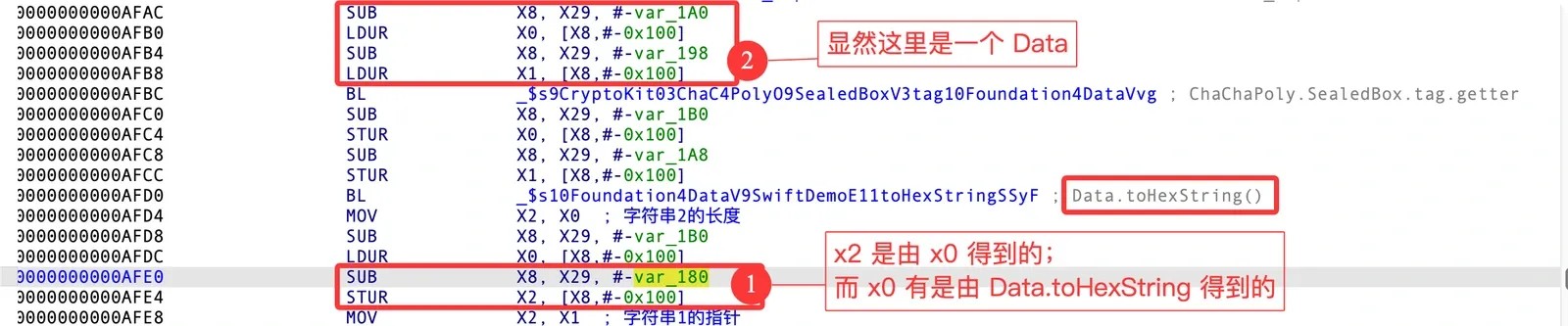
The ② marker above claims this is a Data object. Let’s prove it step by step.
(3.3.1) First, write a Data object in Xcode:
func testSwiftBase64Encode(){
    var str = "Hello World!"
    // String -> Data
    guard var data = str.data(using: .utf8) else {
        print("String -> Data failed")
        return
    }
    show(val: &data)
    // Data -> Base64 string
    let base64Str = data.base64EncodedString()
    print("Base64: \(base64Str)")
}
(3.3.2) Break at testSwiftBase64Encode and step over show(val: &data):
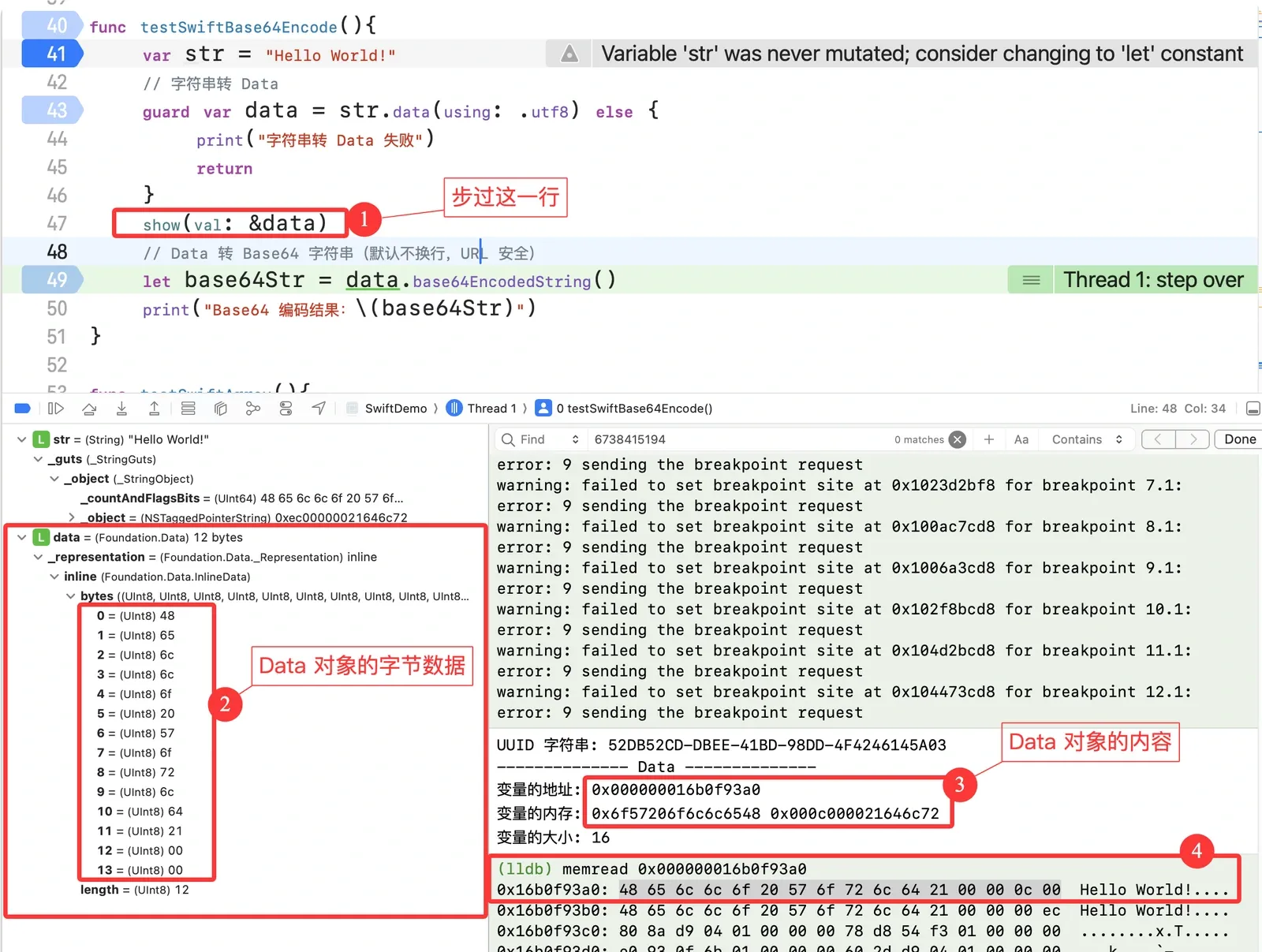
With the Swift String experience from earlier, this should feel familiar.
(3.3.3) The byte 0x0c here looks like a byte-array length — and like strings, Data probably splits into small and large variants, with the threshold at 0x0e. Let’s verify.
(3.3.3.1) Change the string to one of length 14:
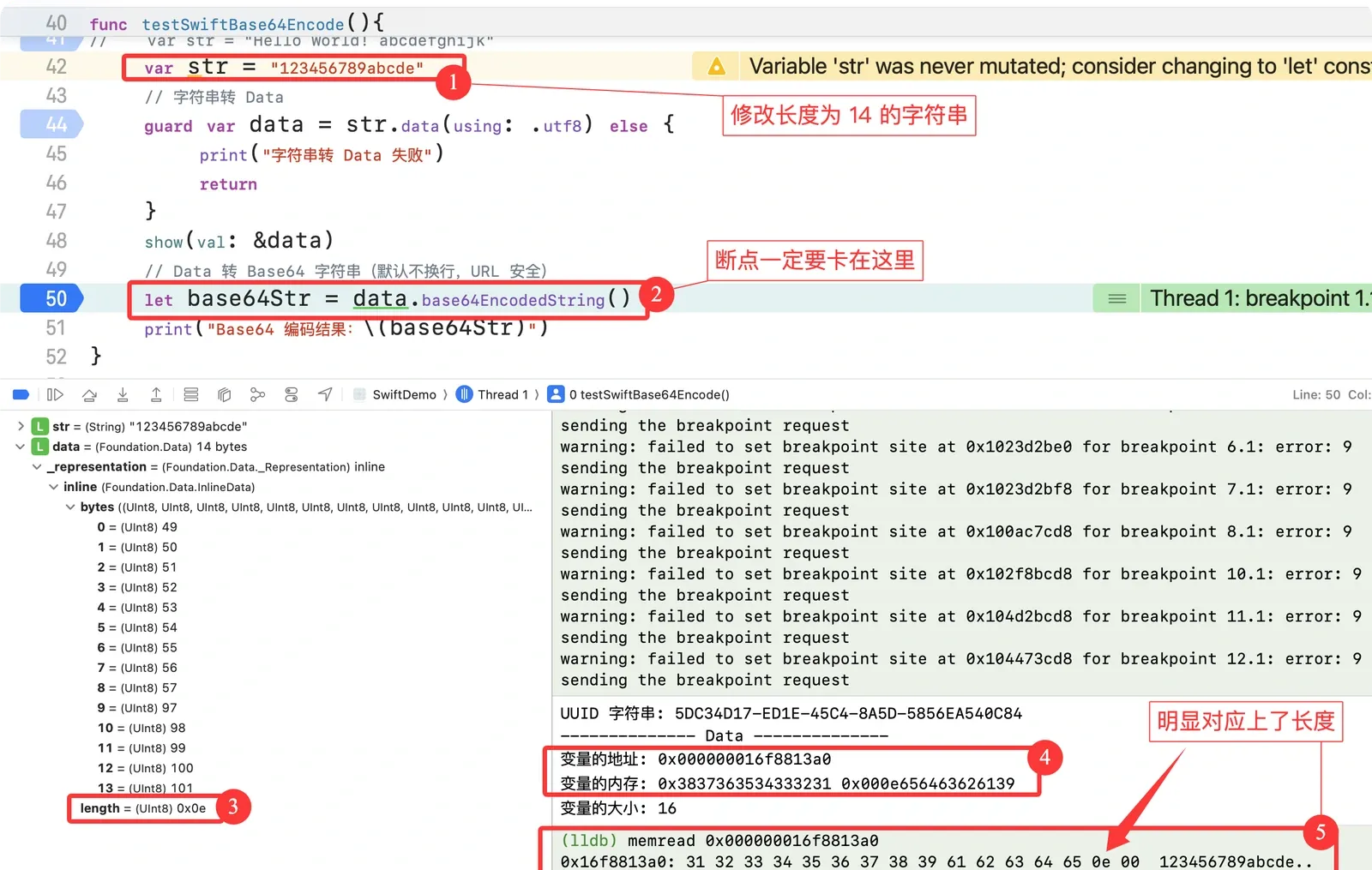
That byte is indeed the length. Now verify the 0x0e threshold.
(3.3.3.2) Change the string to length 15:
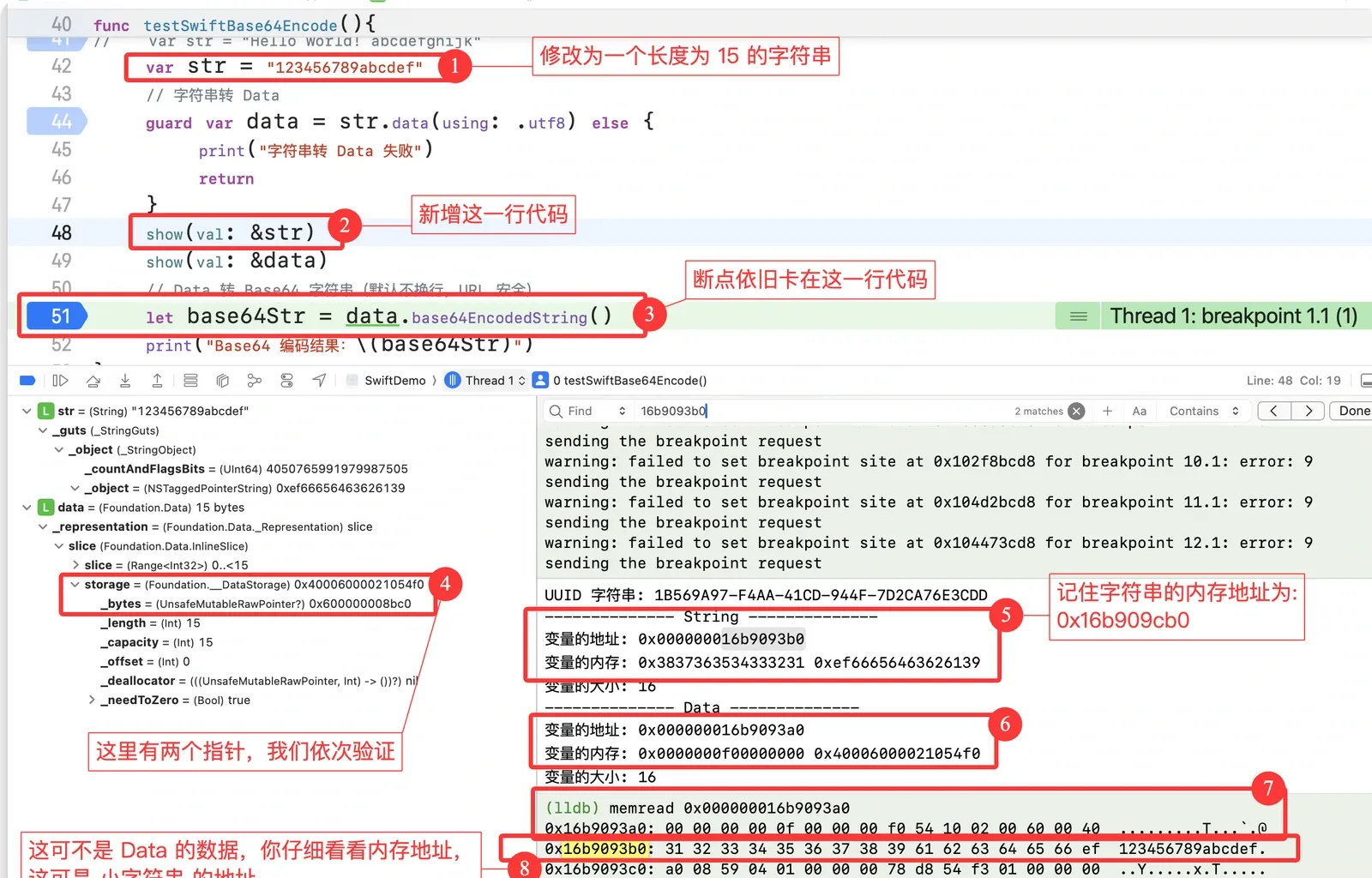
A few notes:
- ⑧:
str’s address is0x16b9093b0— don’t mistake this for the byte-array address; it doesn’t match_bytesin ④, so keep looking. - Based on the large-string layout: the
0x0fhere is the byte-array length, and0x40006000021054f0holds the byte-array address.
(3.3.3.3) Analyze and verify further:
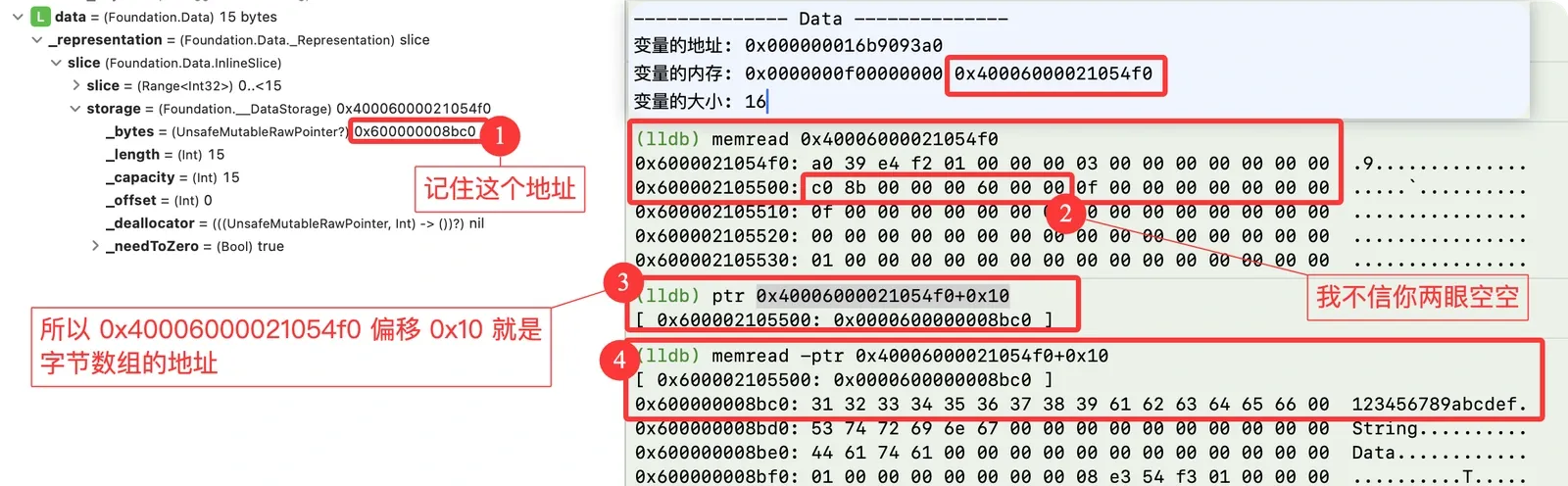
I usually test a couple of extra values:
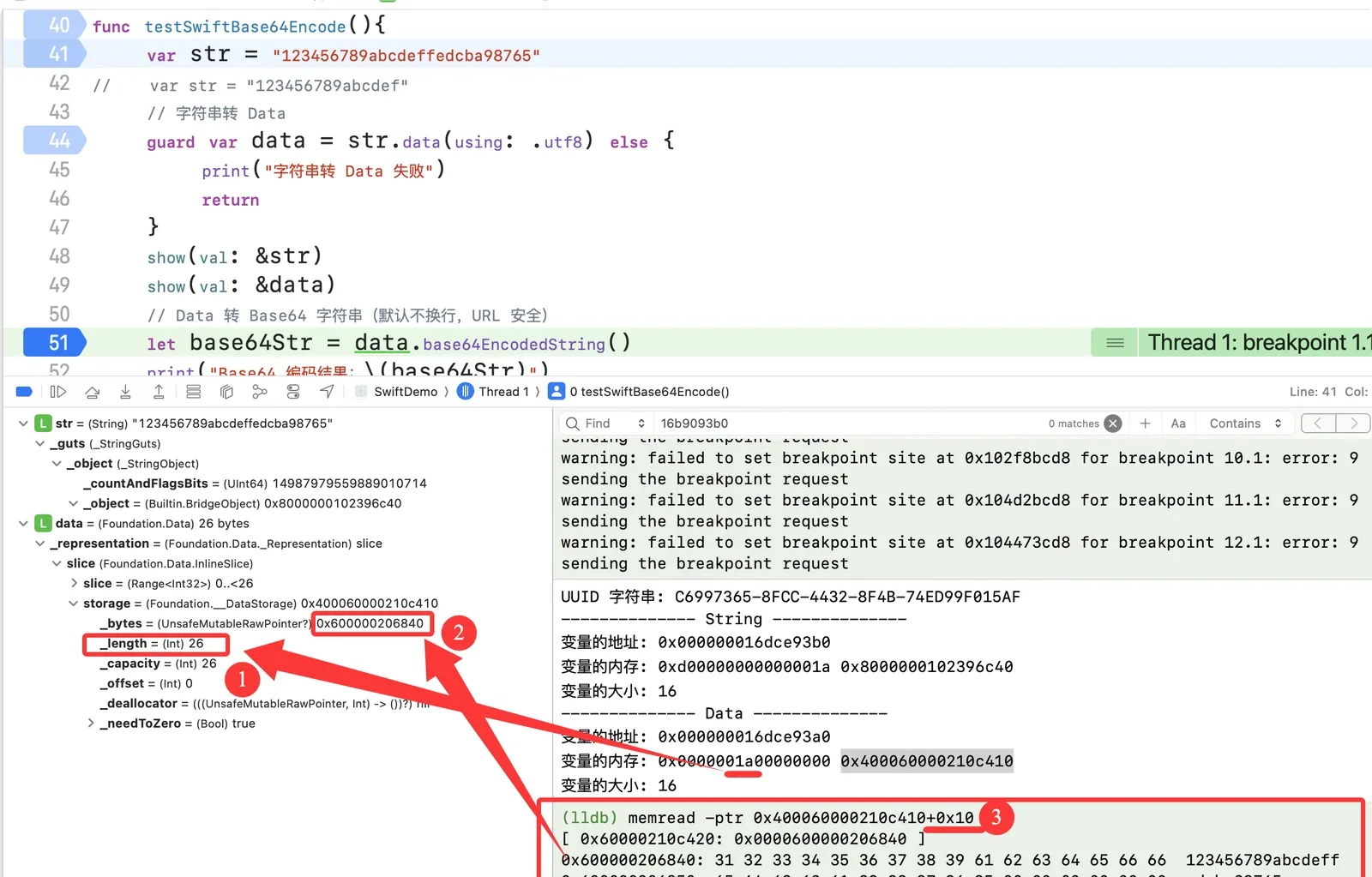
0x1a = 26 in decimal, and that byte tracks the string length — so the low eight bytes of a large Data (specifically the lowest byte of the upper four bytes) hold a length.
Also, memread -ptr 0x400060000210c410+0x10 reads 0x600000206840 — so the high eight bytes of a large Data, offset by 0x10, store the byte-array address.
(3.3.3.4) With that, write an lldb script to handle Swift Data objects:
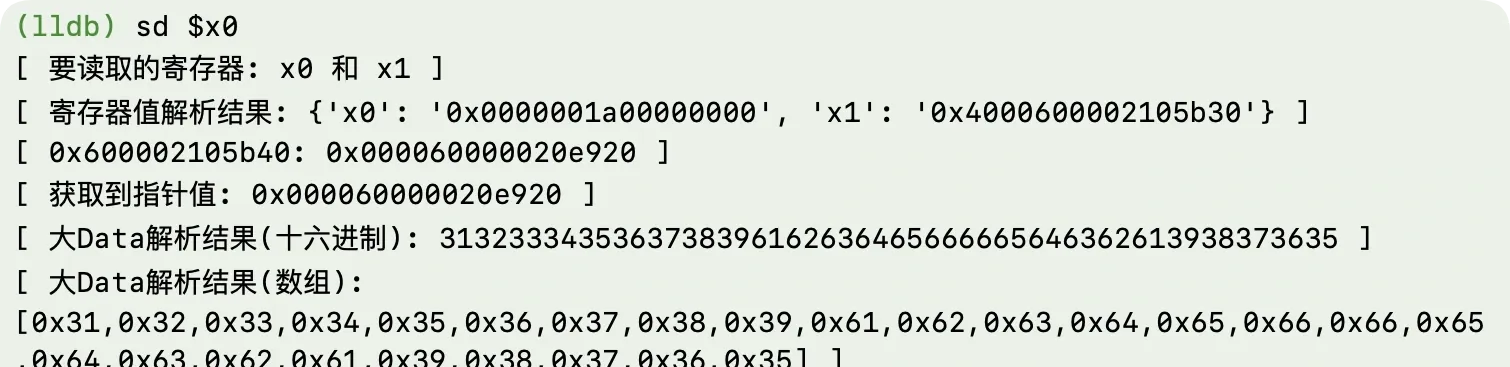

(3.4) Back on track: use the sd command to test whether it’s a Swift Data. Break at AFD0:
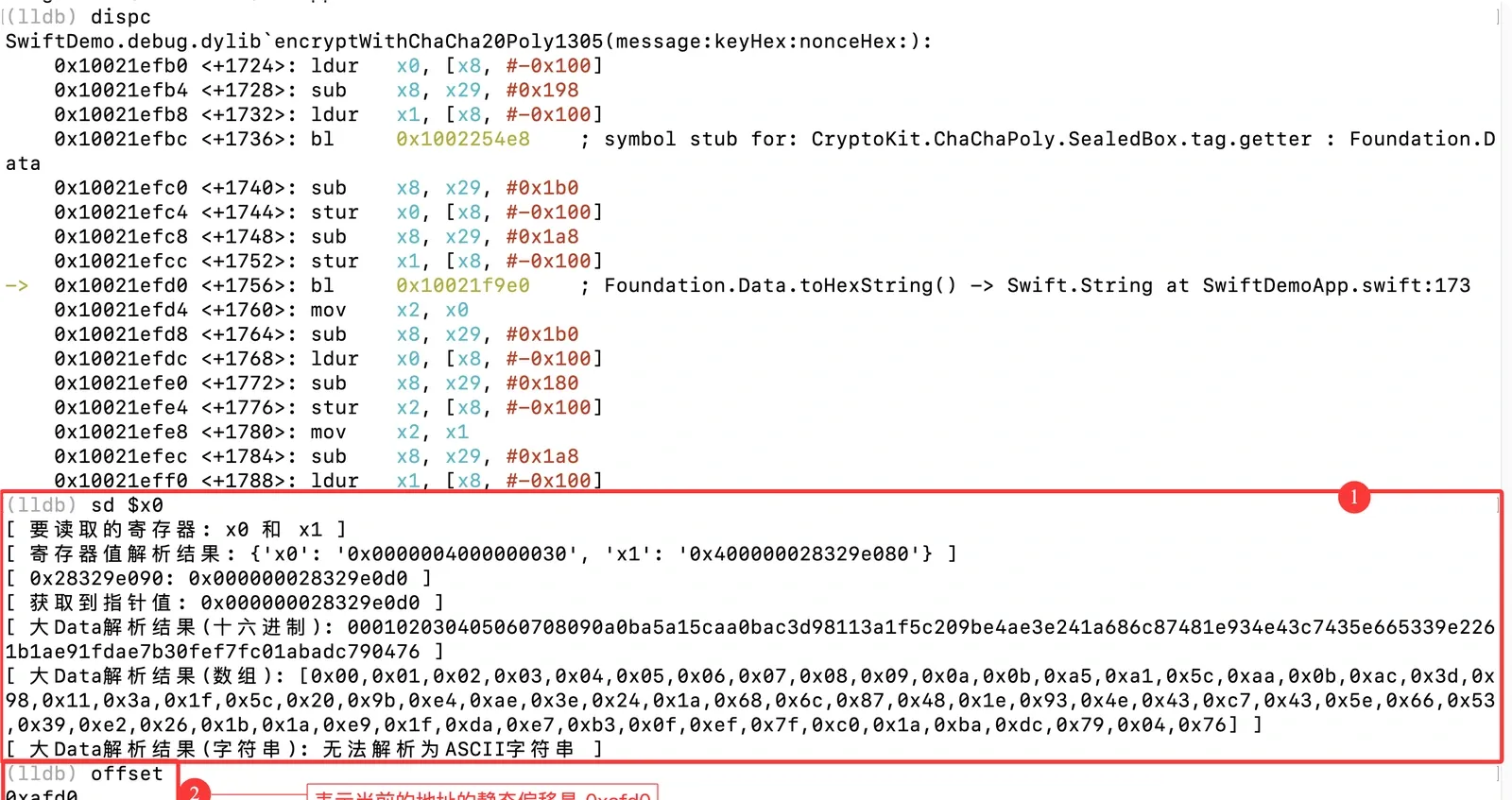
(3.5) Trace further up:
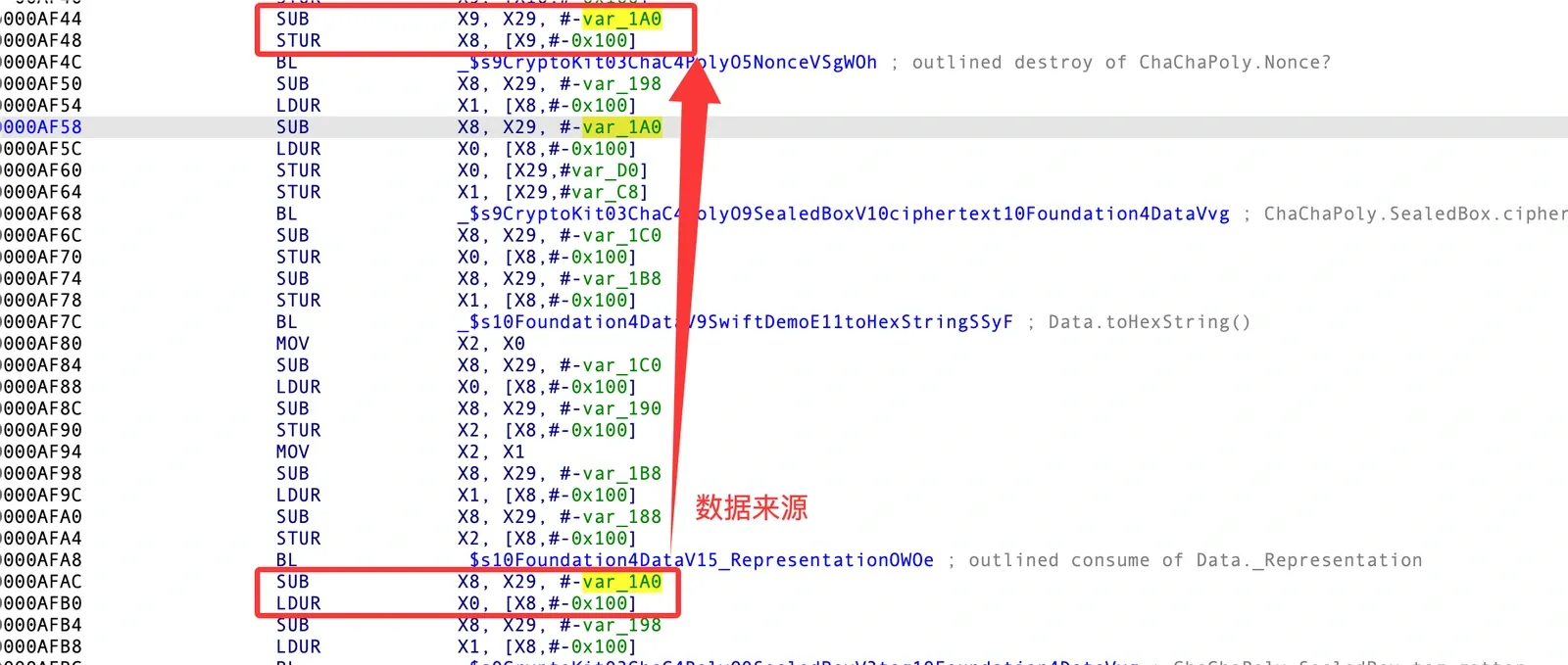
Continue:
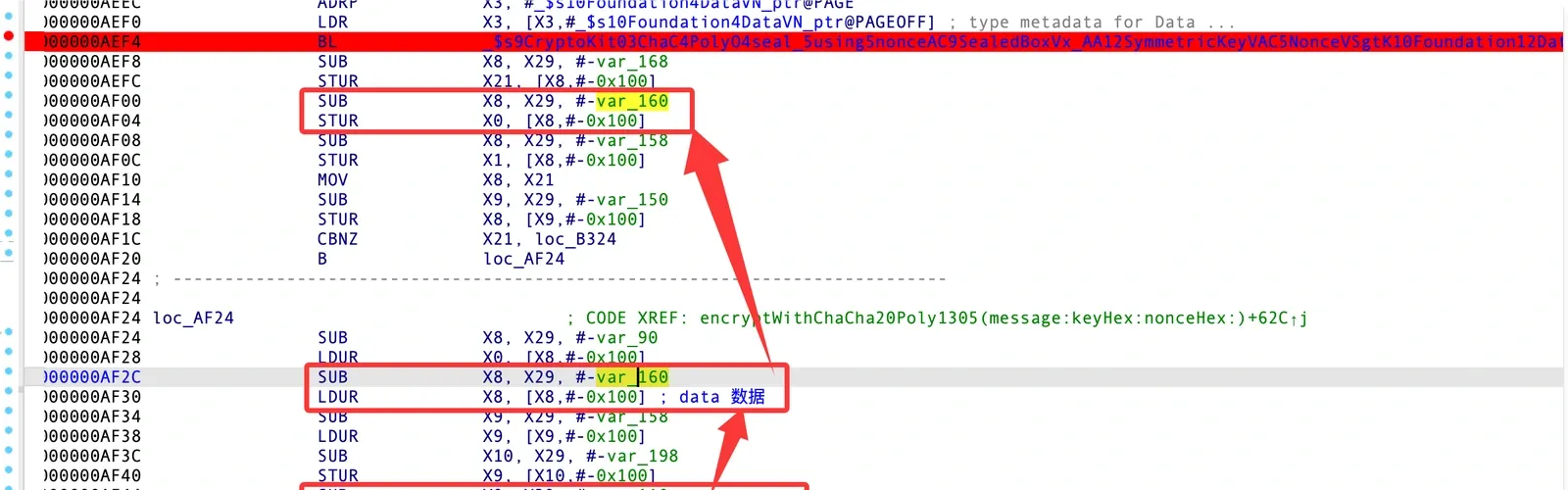
The data comes from static ChaChaPoly.seal<A>(_:using:nonce:). Don’t know what it does? Ask your favorite AI — it’ll tell you the source is ChaChaPoly.seal(plaintext, using: key, nonce: nonce). Ask it to generate a sample using that function and you get the encryptWithChaCha20Poly1305 above. Debug that sample in Xcode and you’ll learn what ChaChaPoly.seal returns:
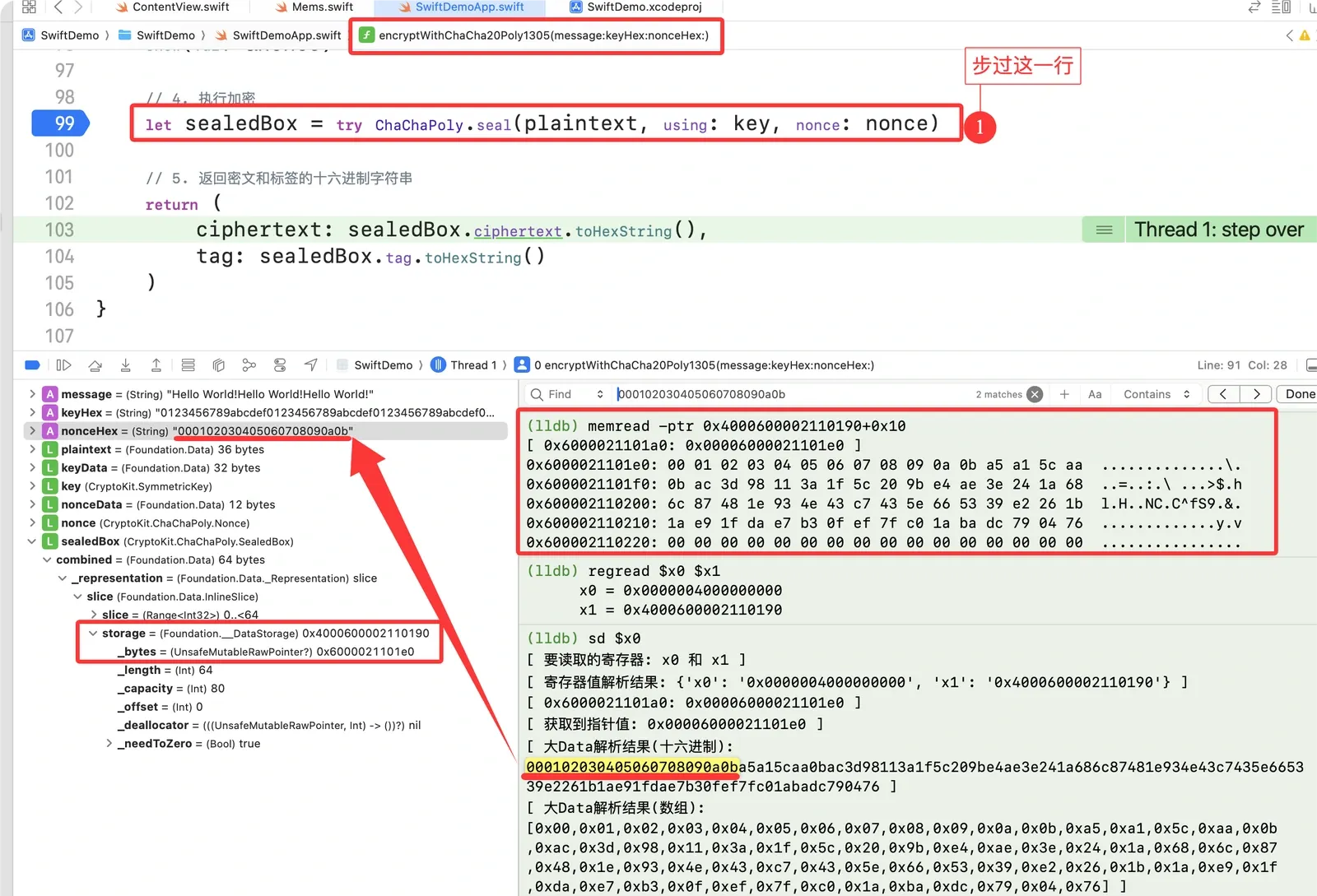
ChaChaPoly.seal returns a SealedBox, whose contents are a Data object. The first 12 bytes of that Data are the nonce. What are the rest? I don’t know either — but continue and you’ll see: one is the ciphertext, one is the tag.
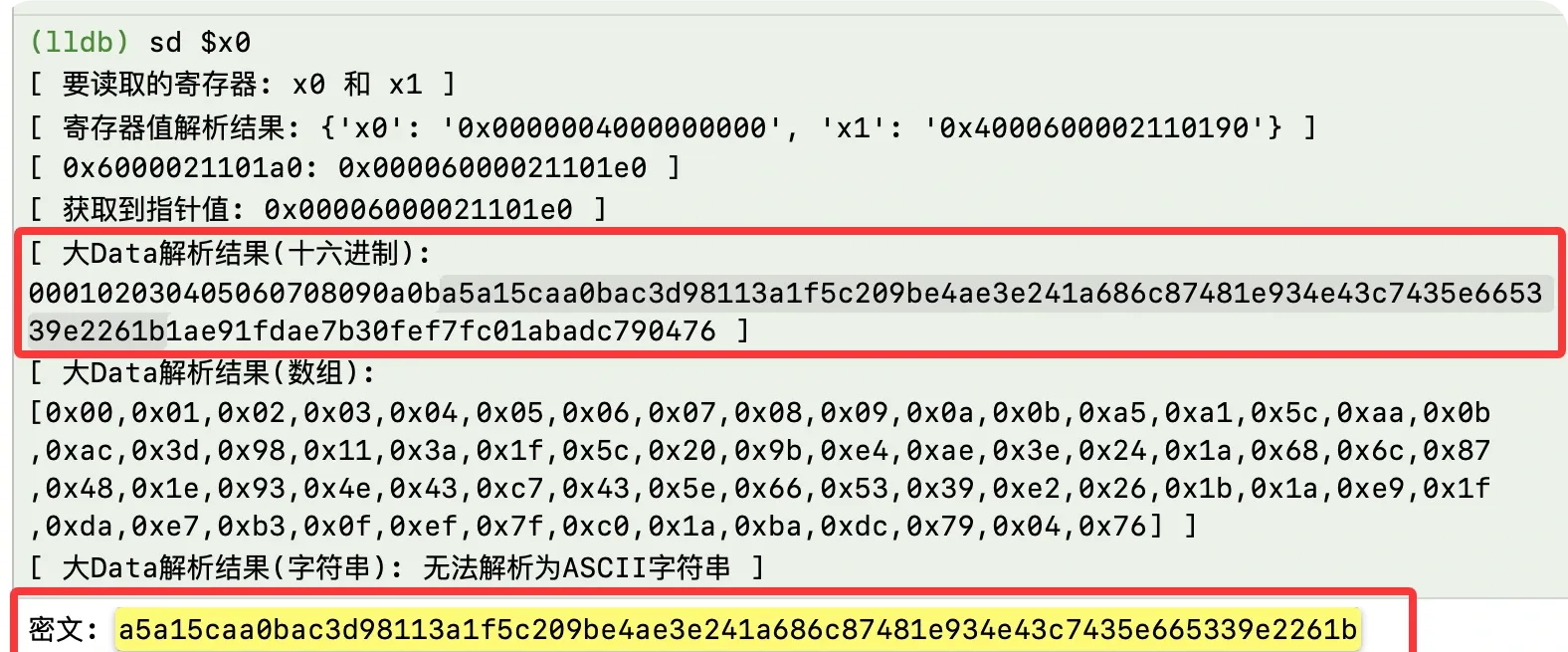
Halfway there: we have the ciphertext, the tag, and the nonce.
(3.7) Now for the plaintext and key.
First, inspect plaintext and key’s types in Xcode at ChaChaPoly.seal(plaintext, using: key, nonce: nonce):
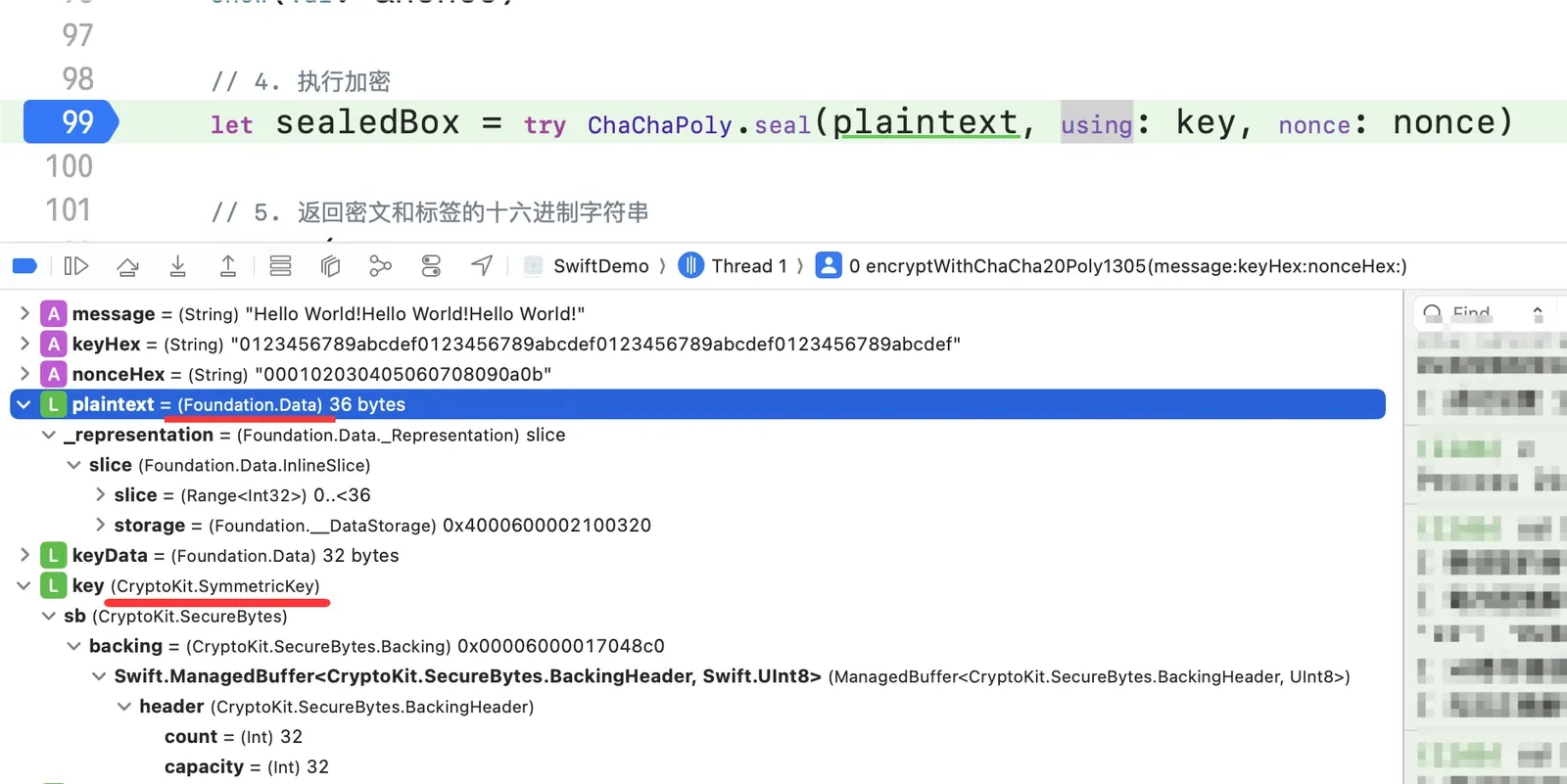
(3.8) Back to IDA for static analysis:

Something’s off: three objects were passed in, which should take six registers. Why don’t we see that?
The answer: some low-level Swift functions write their register contents to the stack first, then pass the stack address as the argument. The conclusion alone won’t make sense without seeing the process.
(3.8.1) Trace x0’s origin:
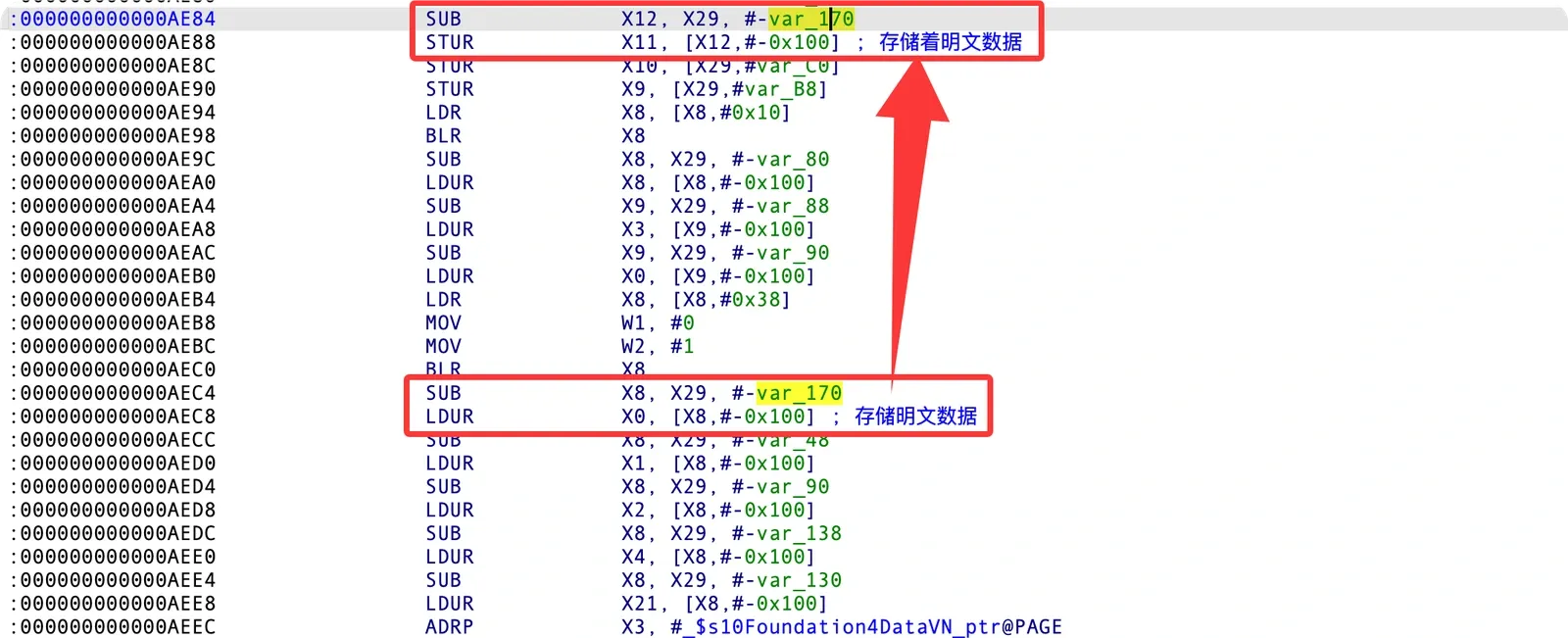
The key part is understanding the relationship between 0xAE80 and the assembly at [0xAE50, 0xAE5C]:

A diagram to make it clearer:

Tracing further up shows the groundwork was laid earlier:
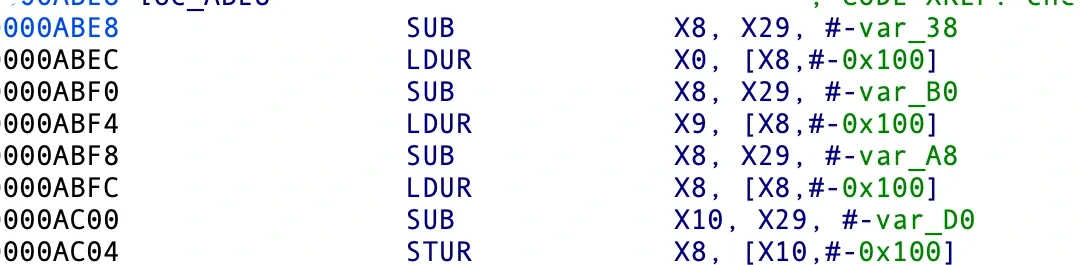
Keep going up:
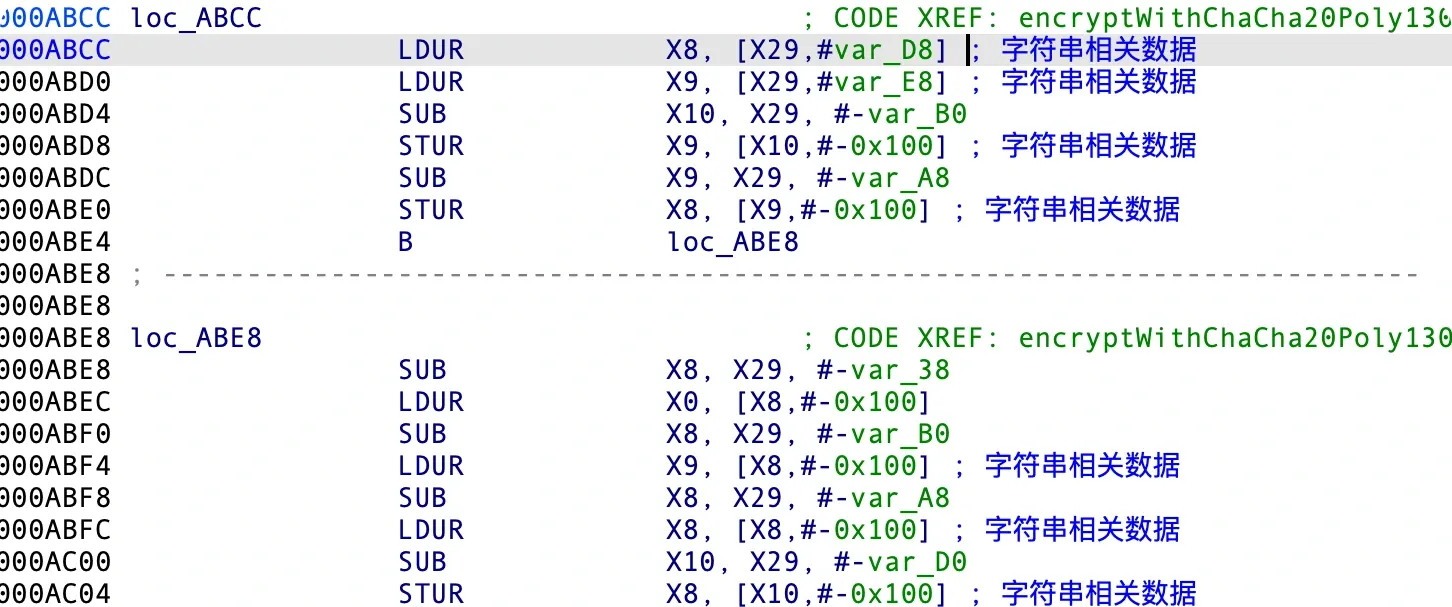
At the very end you’ll see a Swift String being converted into a Data object:
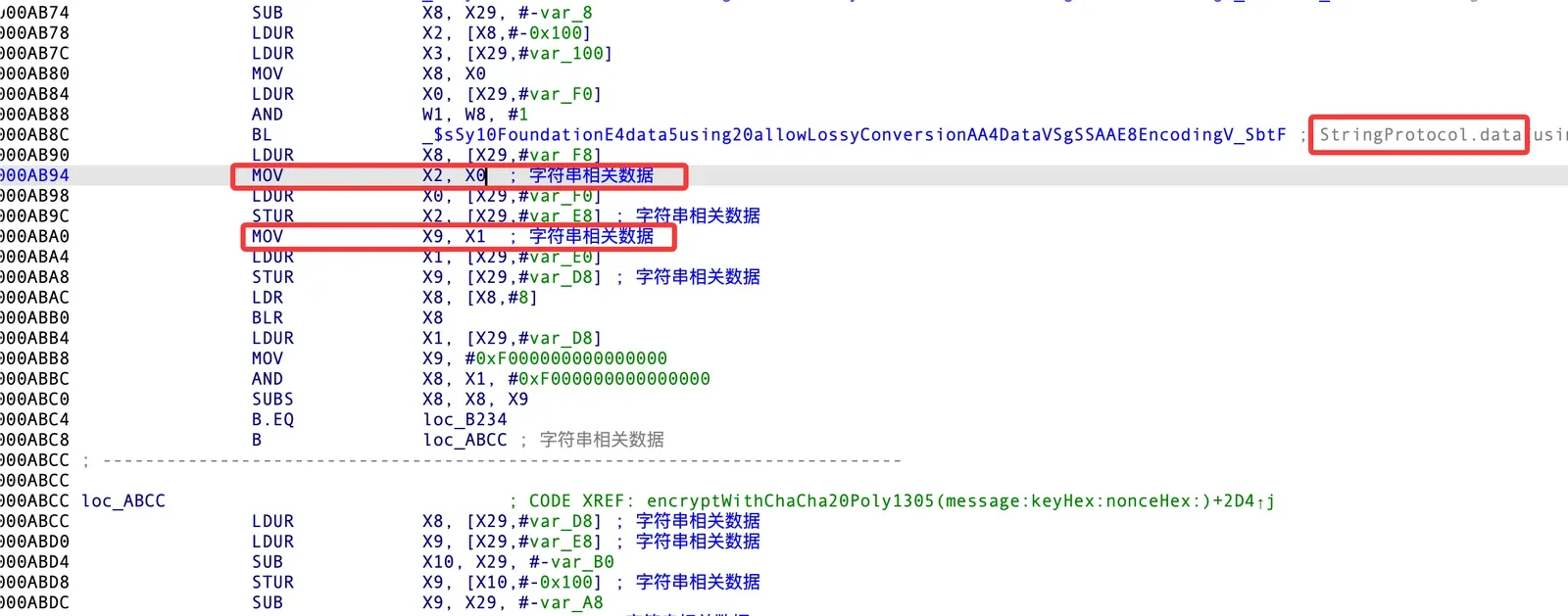
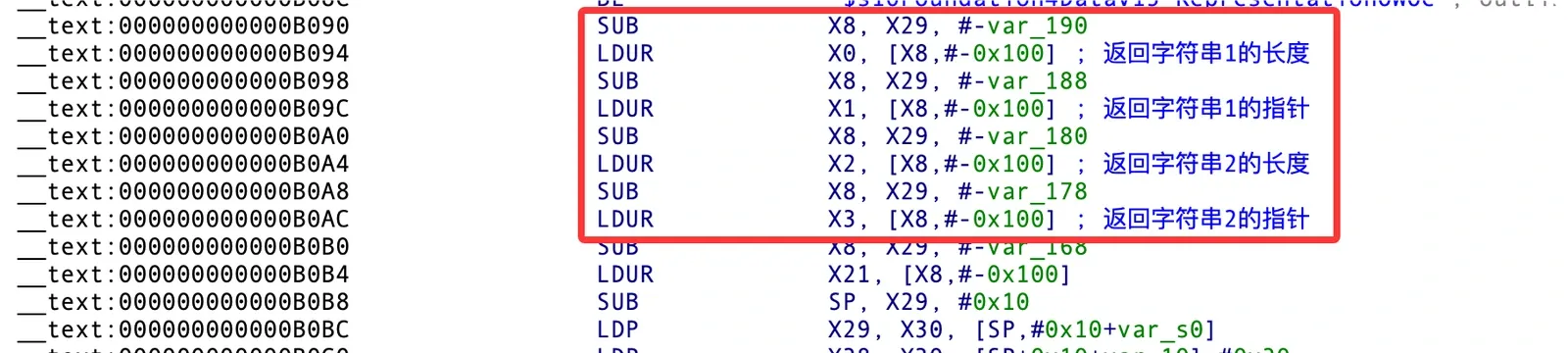
(3.9) Break at AB90 and read the data — that’s the plaintext:

(3.10) That leaves the key. I’ll leave it as an exercise — if I hand you everything, the practical experience won’t stick. There’s a hint at the bottom if you get stuck.
Summary
You now know how to:
- Analyze the internals of Swift classes.
- Reverse engineer Swift.
- Use an ιldb-style LLDB script.
- Use
xcrun swift-demangle. - Recover
ChaCha20Poly1305’s plaintext, key, nonce, ciphertext, and tag in Swift.
Plus a little more dynamic-debugging fluency.
Hint: SymmetricKey layout
The key is at pointer offset 0x20:

# let keyHex = "0123456789abcdef0123456789abcdef0123456789abcdef0123456789abcdef"

(lldb) memread 0x00006000017004c0
0x6000017004c0: b0 f1 54 f3 01 00 00 00 03 00 00 00 00 00 00 00  ..T.............
0x6000017004d0: 20 00 00 00 00 00 00 00 20 00 00 00 00 00 00 00   ....... .......
0x6000017004e0: 01 23 45 67 89 ab cd ef 01 23 45 67 89 ab cd ef  .#Eg.....#Eg....
0x6000017004f0: 01 23 45 67 89 ab cd ef 01 23 45 67 89 ab cd ef  .#Eg.....#Eg....
0x600001700500: ff ff ff ff ff ff ff ff 00 00 00 00 00 00 00 00  ................
References
Colin Xiao — I take on contract reverse-engineering work, and writeups like this are how I show what I can do. If you need help with anything in this space — including but not limited to the areas I cover above — I’m available. No project is too big or too small — if it’s reverse engineering and I can do it, I’ll take it. DM me on X (@colinxiao_lab) or Telegram (@ColinXiao666).
Get in touch