Trace-Based Data-Flow Analysis: A Practical Walkthrough
About the author. I’m Colin Xiao — an independent reverse engineer, mostly working solo on contract jobs. I dig into compiled code of every kind, including but not limited to: Android and iOS apps, x86/x64/ARM native binaries, packers and obfuscators, DRM and license checks, network protocols and APIs, crypto and signature algorithms, malware, game binaries, and embedded/IoT firmware. I also handle large-scale data collection and vulnerability research. If you have any project in mind, I’d be glad to take it on — whatever it is, as long as it’s within my wheelhouse. Just reach out. You can reach me on X at @colinxiao_lab or on Telegram at https://t.me/ColinXiao666.
This research is published for educational and defensive purposes. The target sample is anonymized throughout.
Trace-Based Data-Flow Analysis: A Practical Walkthrough
Foreword
I was in the weeds reverse-engineering a VMP, wrestling with handler analysis, when the idea for this writeup came to me. VMP’s code bloat makes ordinary debugging and F5 decompilation close to useless. If you can’t track the registers, track the data instead.
Preparation
I picked Excel as my trace backend. The reason is silly: I saw a video about the Excel 2024 esports competition and it left me floored. It has a few real advantages:
- Results are visual.
- Powerful search.
- Rich built-in features — no need to reinvent the wheel.
Trace structure
- Instruction set
- Memory read/write
- Registers
- Value analysis (couldn’t get it working well)
 num: number;
    addr: NativePointer;
    offset: NativePointer;
    asm: string;
    mem_acc: string;
    reg_analyse: string;
    func_analyse: string;
    X0: NativePointer;
    X1: NativePointer;
    X2: NativePointer;
    X3: NativePointer;
    X4: NativePointer;
    X5: NativePointer;
    X6: NativePointer;
    X7: NativePointer;
    X8: NativePointer;
    X9: NativePointer;
    X10: NativePointer;
    X11: NativePointer;
    X12: NativePointer;
    X13: NativePointer;
    X14: NativePointer;
    X15: NativePointer;
    X16: NativePointer;
    X17: NativePointer;
    X18: NativePointer;
    X19: NativePointer;
    X20: NativePointer;
    X21: NativePointer;
    X22: NativePointer;
    X23: NativePointer;
    X24: NativePointer;
    X25: NativePointer;
    X26: NativePointer;
    X27: NativePointer;
    X28: NativePointer;
    FP: NativePointer;
    LR: NativePointer;
    SP: NativePointer;
    NZCV: NativePointer;
    PC: NativePointer;
Analysis
I experiment on the ttEncrypt algorithm from libEncryptor. After tracing, the analysis begins:
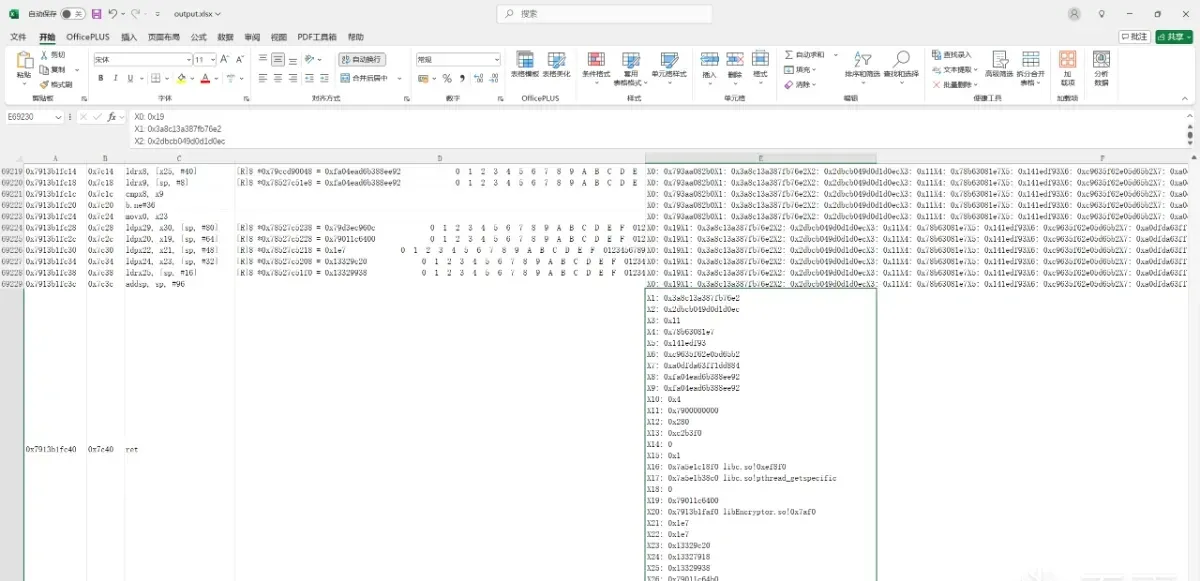
Seventy thousand trace lines. If I were doing this with a debugger, I’d have worn out my keyboard already.
Trace back to the source
Data-flow analysis runs two ways: from parameters forward to the result, or from the result backward to the parameters. Here I go backward, bottom-up.
First, where’s the result?

v9 with length v11 should be the output — 0x790103e700. In Excel I search that address bottom-up:
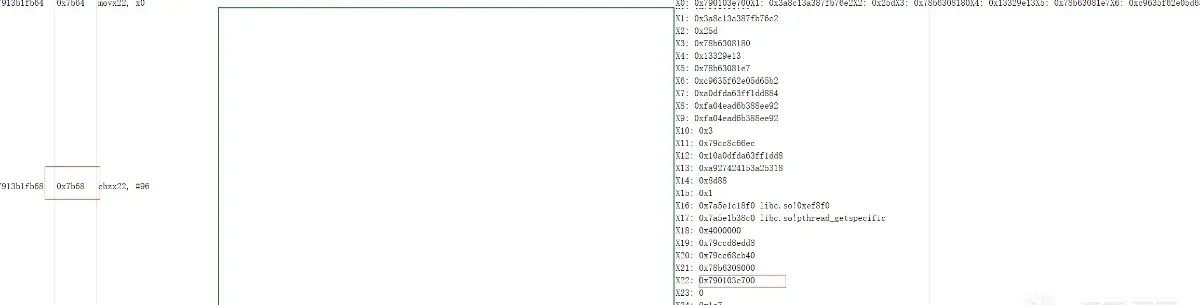
Now the question becomes: who writes that address?
Keep searching mem_acc:
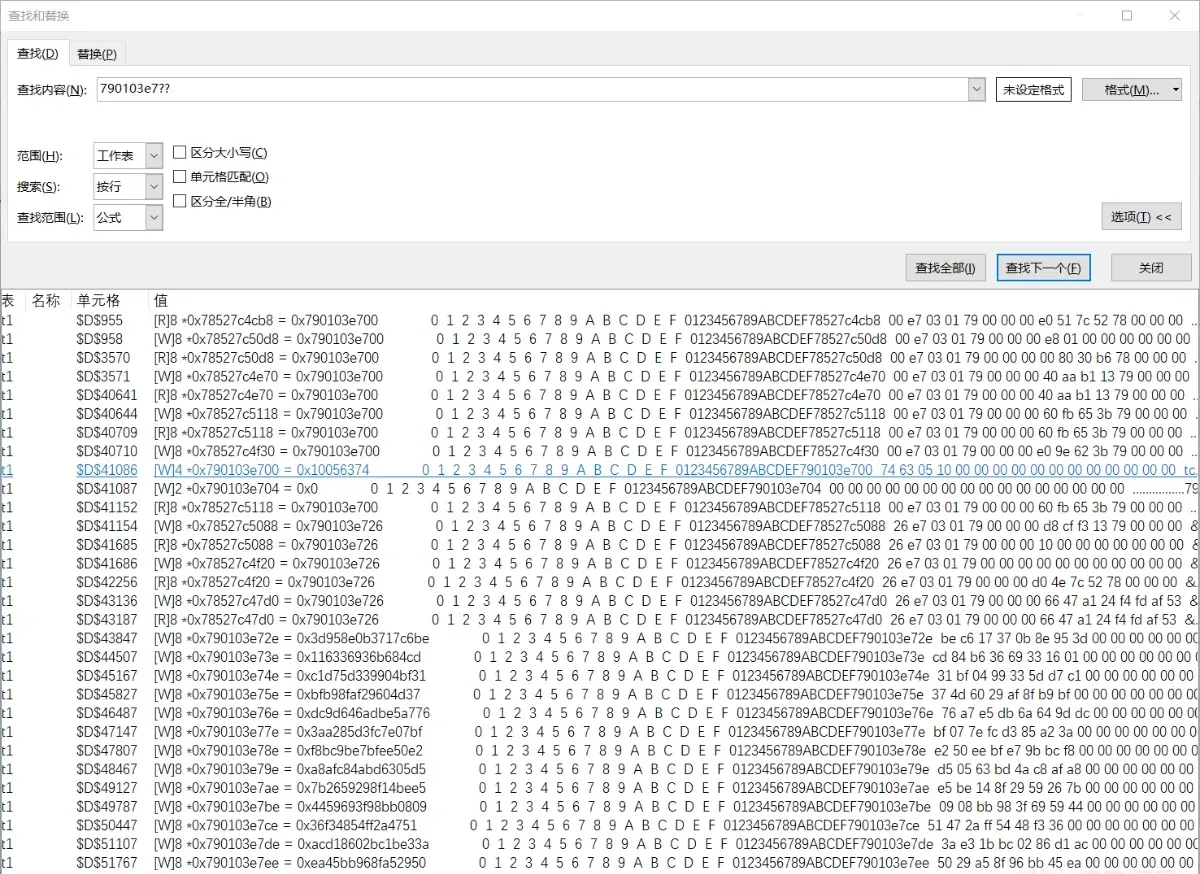

The writer is an AES algorithm:
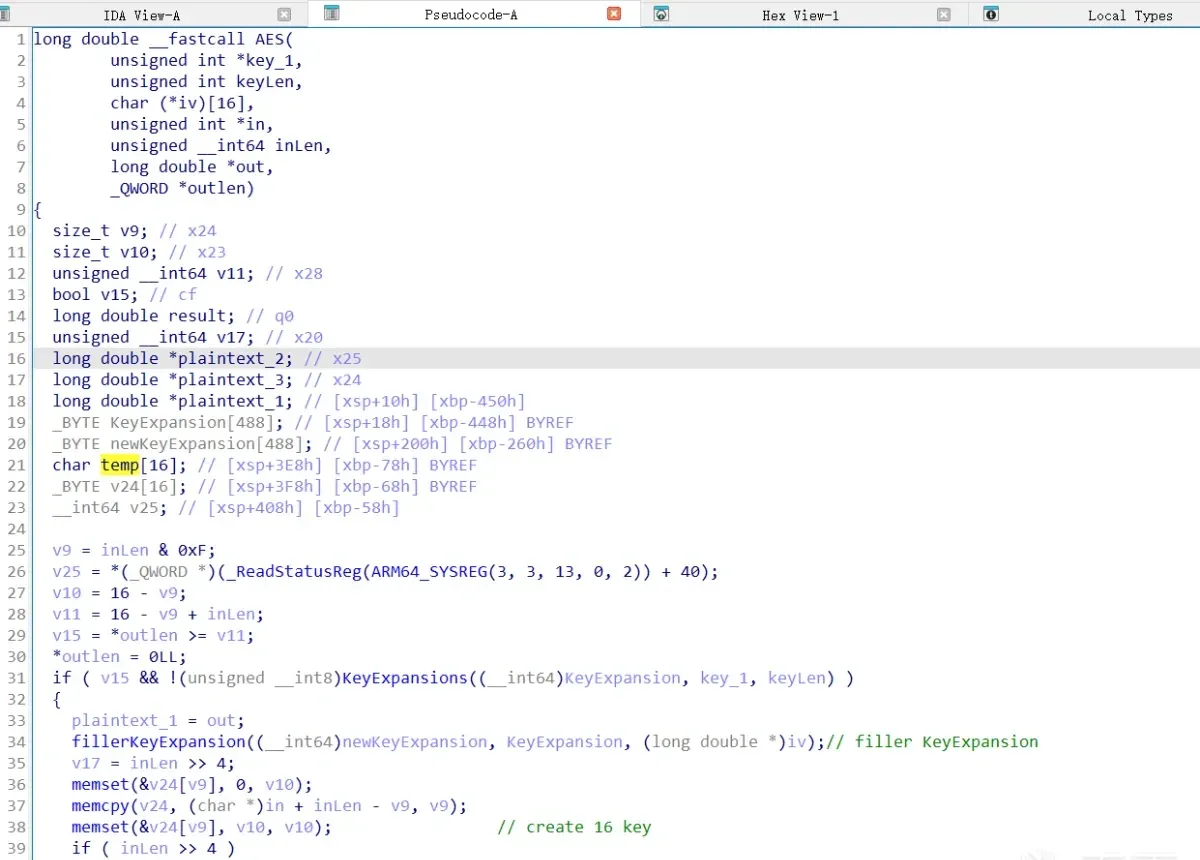
So the question becomes: where do the parameters come from?
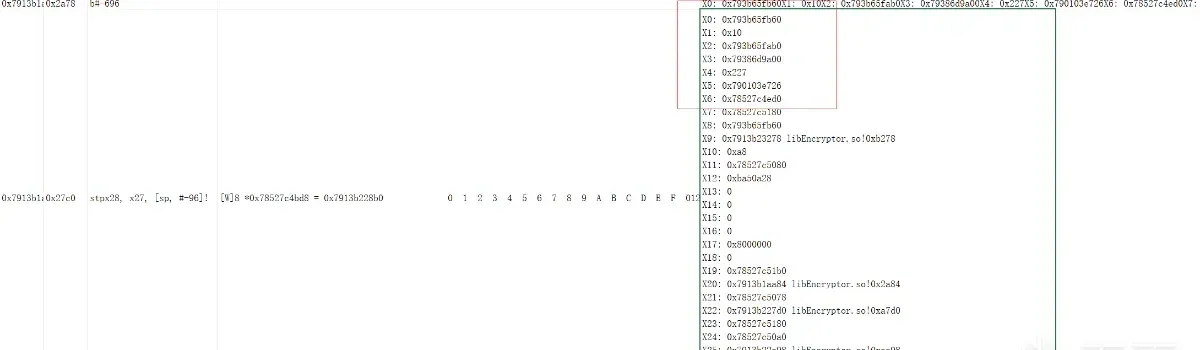
Track the first parameter, 0x793b65fb60. It’s assigned via memcpy:
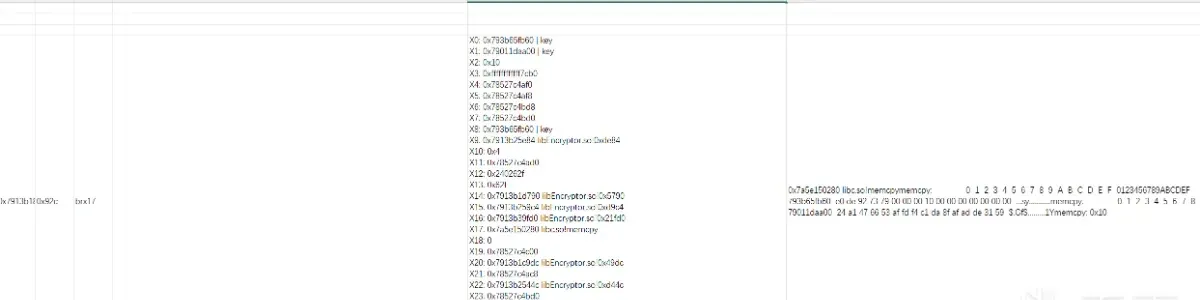
Now the question becomes: where does 79011daa00 come from?
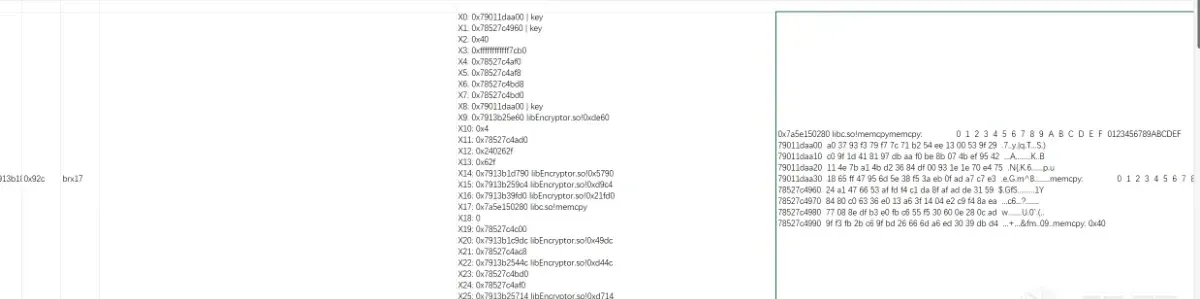
And then: where does 78527c4960 come from?
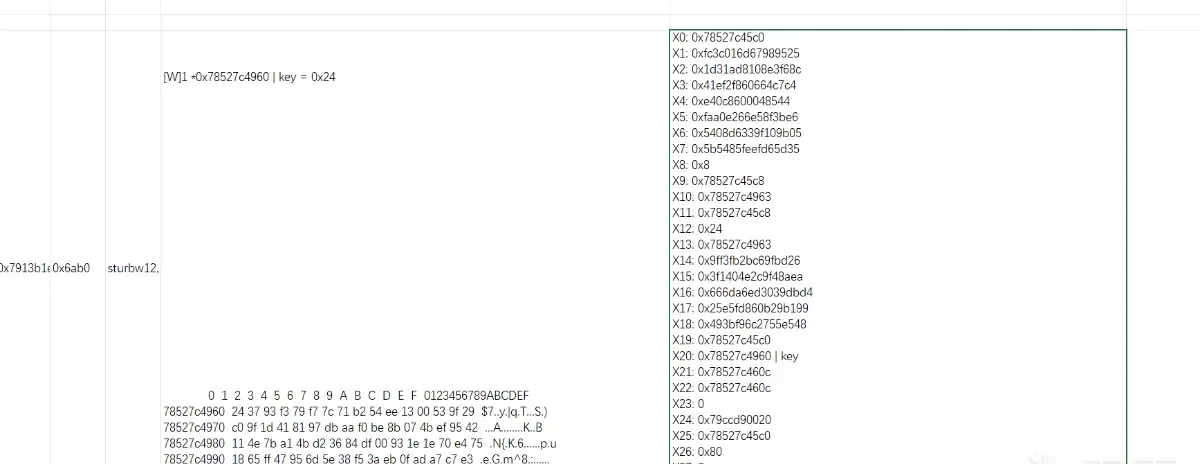
Look it up in IDA:
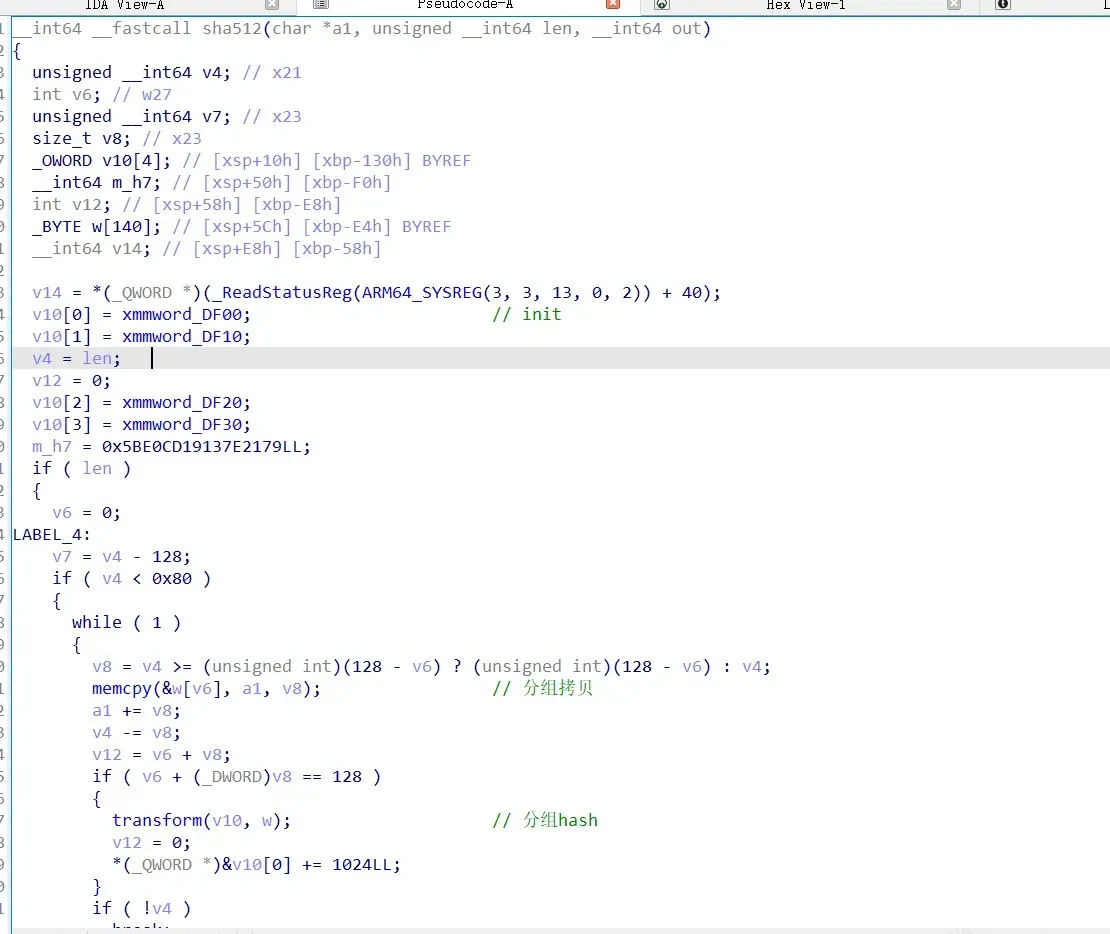
SHA-512.
So how is the plaintext produced?
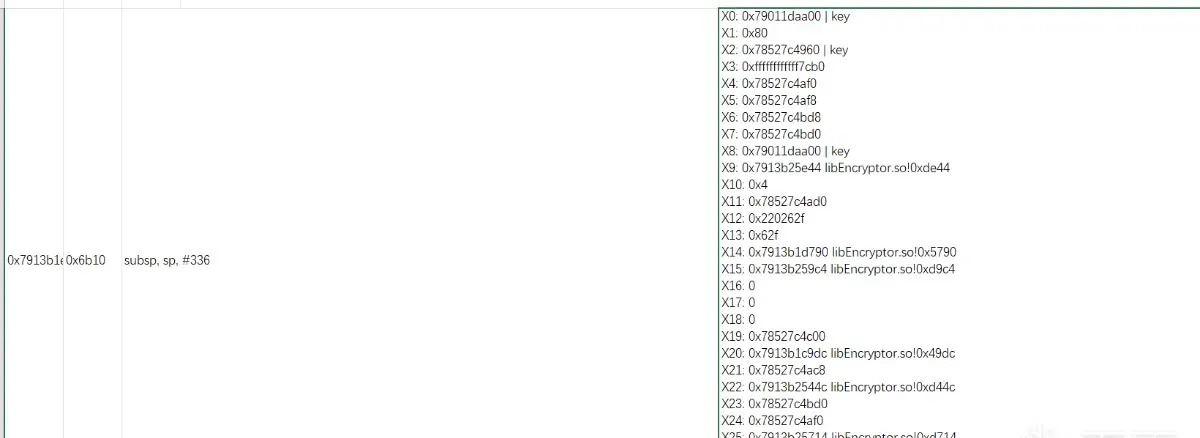
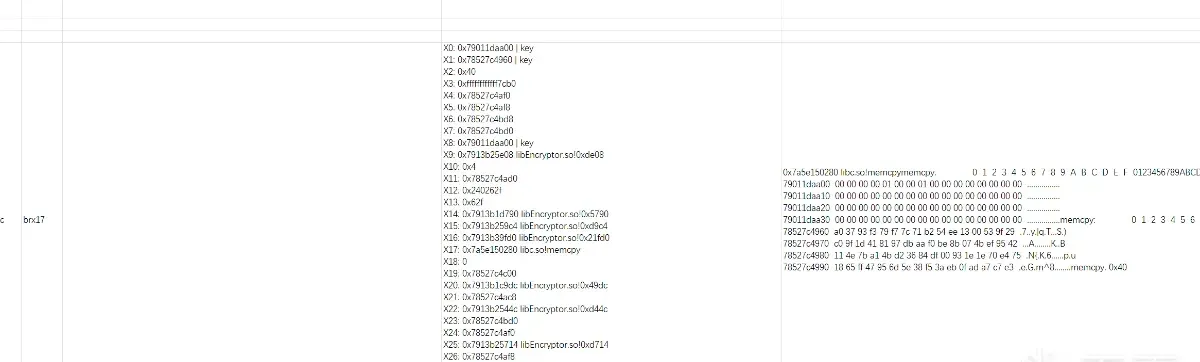
Tracking to 6ac4:
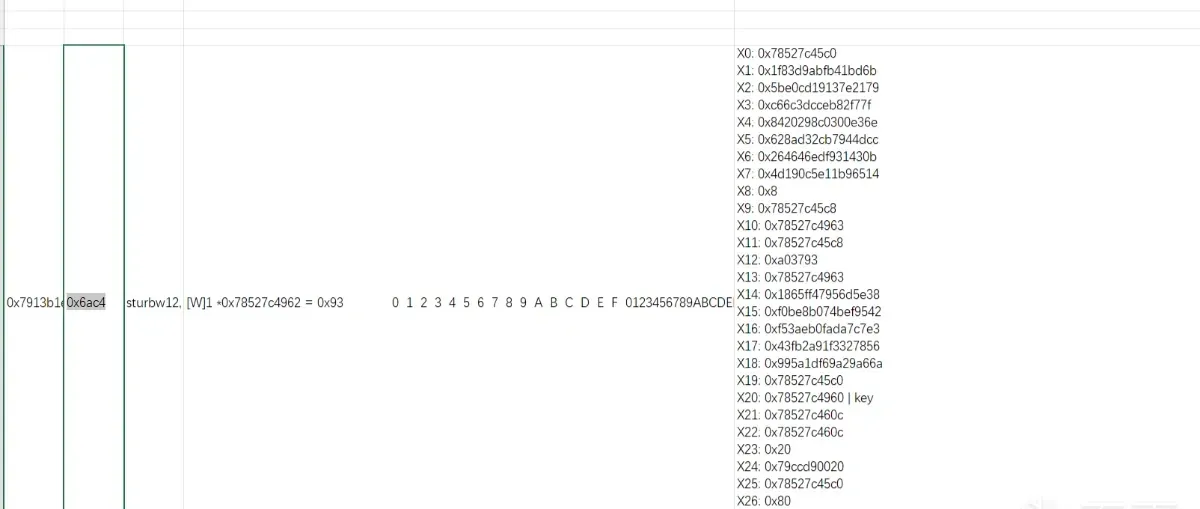
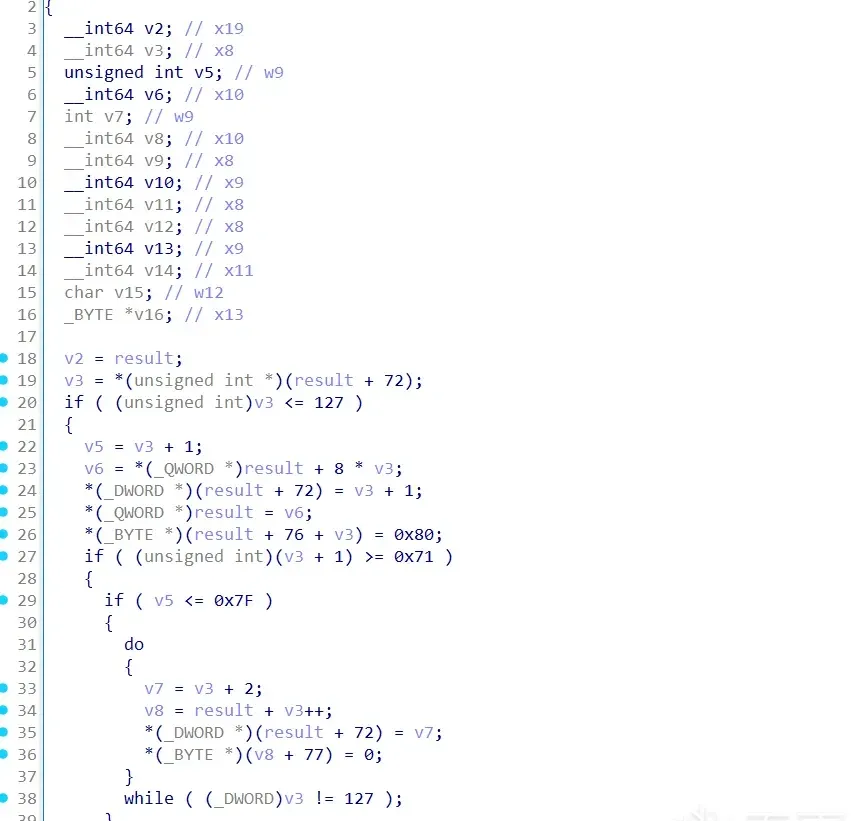
A padding algorithm.
Continue upward:
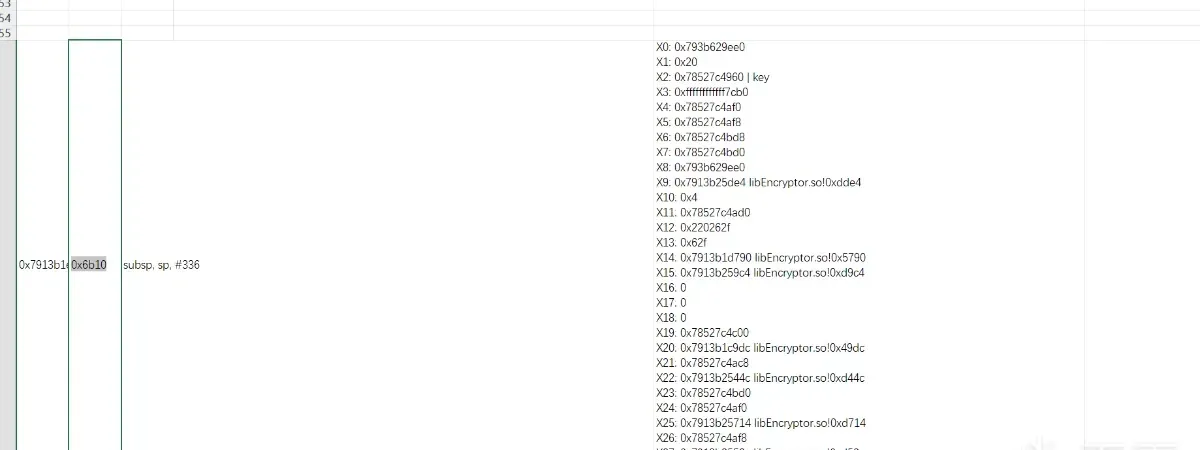
Another SHA-512:
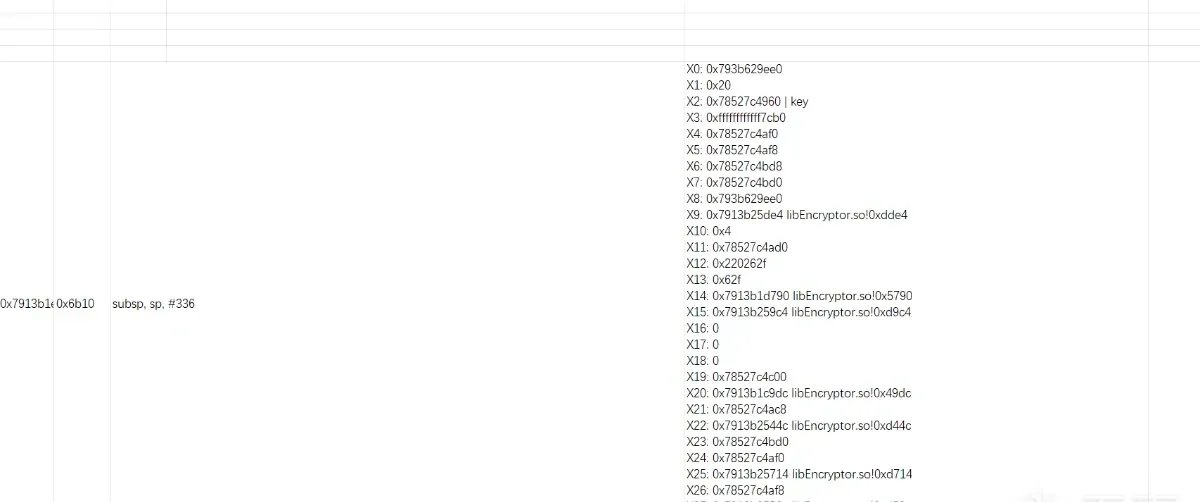
Continue upward:
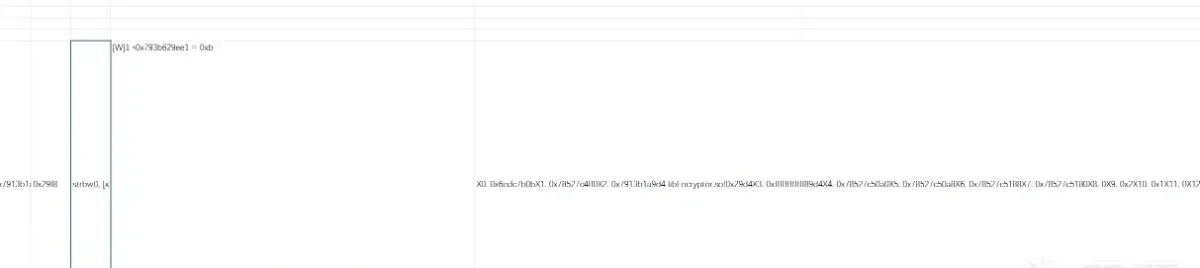
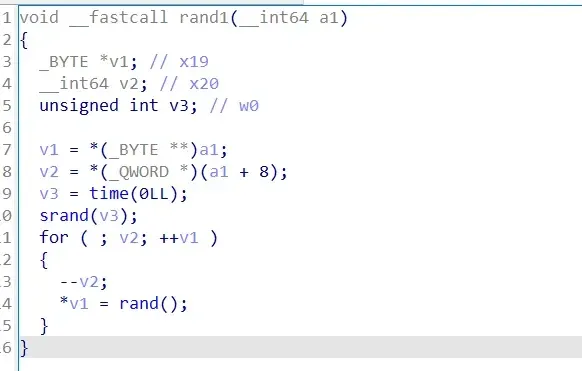
It comes from rand.
Conclusion
The rough flow:
rand (random) -> SHA-512 -> padding -> SHA-512 -> keyAfter finishing the whole trace, it’s clear that data-flow analysis leaves the program’s flow nowhere to hide and dramatically raises reverse-engineering efficiency. Compared to reverse-engineering VMP handlers, data-flow analysis is far more efficient — I used nothing but Excel’s search and already reconstructed most of the flow. If you’re dreading VMP handler work, give this a try yourself.
Open questions
This kind of trace analysis feels like a simplified time-travel debugging — or a poor man’s Cheat Engine. During tracing I also tried value analysis, but it slowed the trace to a crawl. If I want to tell whether a value is a pointer, an address, or a constant — or whether it’s a string — is there a better way? Forcing reads/writes via Frida’s try/catch mechanism killed performance several times over, and once I added caching, cache invalidation became its own headache. If anyone has a clean solution, I’m all ears.
Colin Xiao — I take on contract reverse-engineering work, and writeups like this are how I show what I can do. If you need help with anything in this space — including but not limited to the areas I cover above — I’m available. No project is too big or too small — if it’s reverse engineering and I can do it, I’ll take it. DM me on X (@colinxiao_lab) or Telegram (@ColinXiao666).
Get in touch