Tracing How the Disk Model and Serial Number Get Written into ClipSp.sys
About the author. I’m Colin Xiao — an independent reverse engineer, mostly working solo on contract jobs. I dig into compiled code of every kind, including but not limited to: Android and iOS apps, x86/x64/ARM native binaries, packers and obfuscators, DRM and license checks, network protocols and APIs, crypto and signature algorithms, malware, game binaries, and embedded/IoT firmware. I also handle large-scale data collection and vulnerability research. If you have any project in mind, I’d be glad to take it on — whatever it is, as long as it’s within my wheelhouse. Just reach out. You can reach me on X at @colinxiao_lab or on Telegram at https://t.me/ColinXiao666.
This research is published for educational and defensive purposes. The target sample is anonymized throughout.
In a previous article I pulled disk information with CIM:
Get-CimInstance -ClassName MSFT_PhysicalDisk -Namespace root/Microsoft/Windows/Storage | Select-Object FriendlyName, SerialNumber, UniqueIdSearching for the serial number as a char* in Cheat Engine turned up one address that lives inside ClipSp.sys:
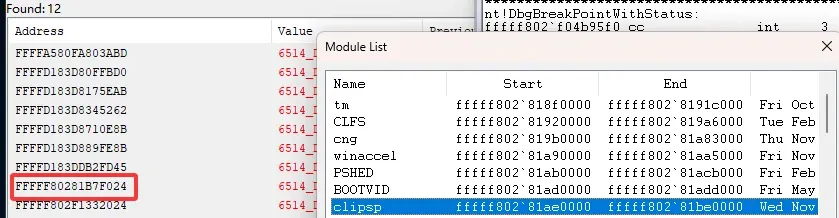
This walks through where that value actually comes from. Environment: Windows 11 24H2.
The approach
The address sits at offset 0x9F024 from the module base. Reboot, reattach, and set a one-byte hardware write breakpoint on the head of the address. The breakpoint only fires after you type the password on the login screen:
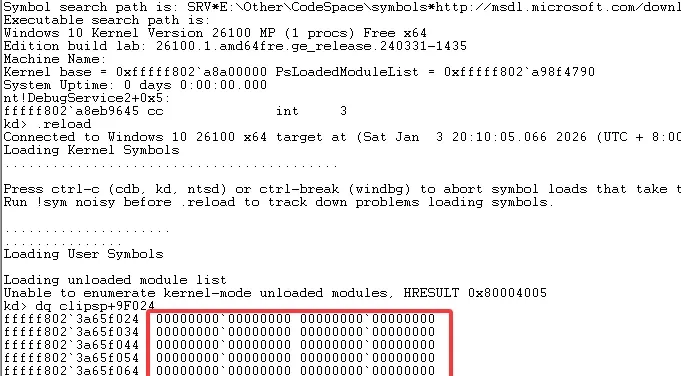

You could analyze the current breakpoint location in IDA or via the call stack, but since it’s a normal IDA-analyzable case I’ll skip it and continue. Record the second breakpoint location, then look at it in IDA:
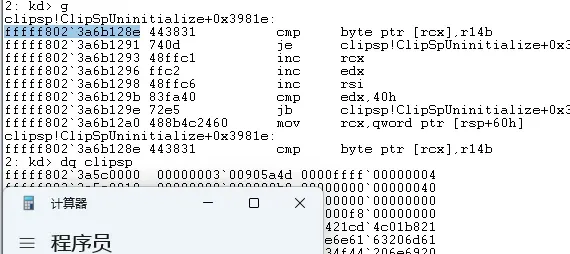
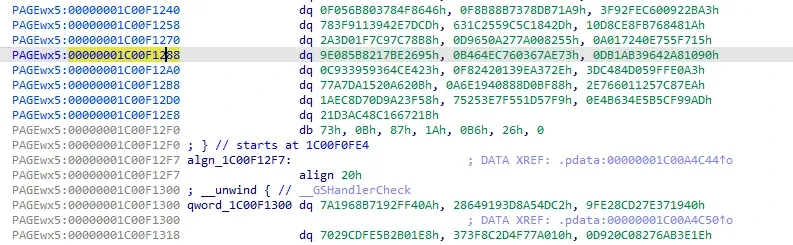
The bytes in IDA don’t match the bytes at the WinDbg breakpoint. This is a known pattern you also see in nt’s initialization routines — the code section is decrypted at runtime. For this we analyze in WinDbg.
Dump all registers, then inspect rcx: it holds the disk serial number, so chase rcx’s source. Look back 0x100 bytes of disassembly:
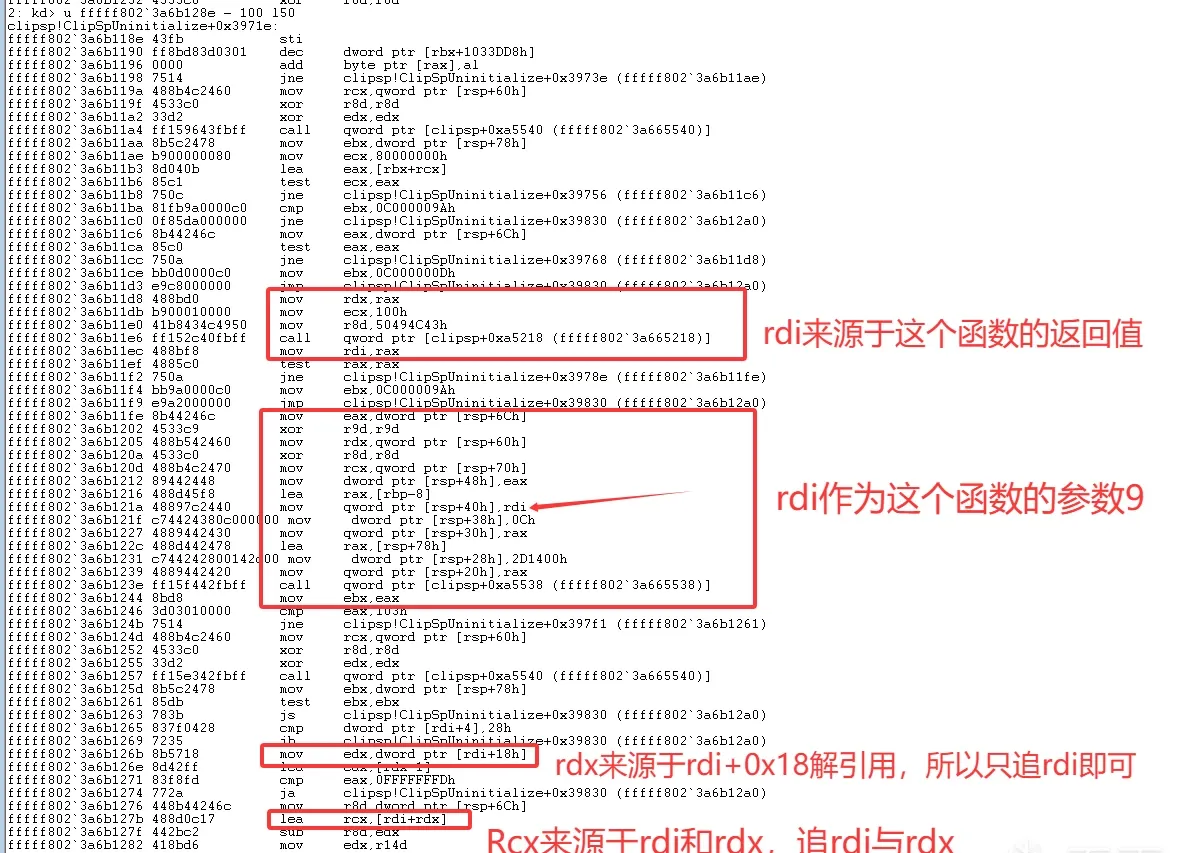
Resolve the two called functions in WinDbg:
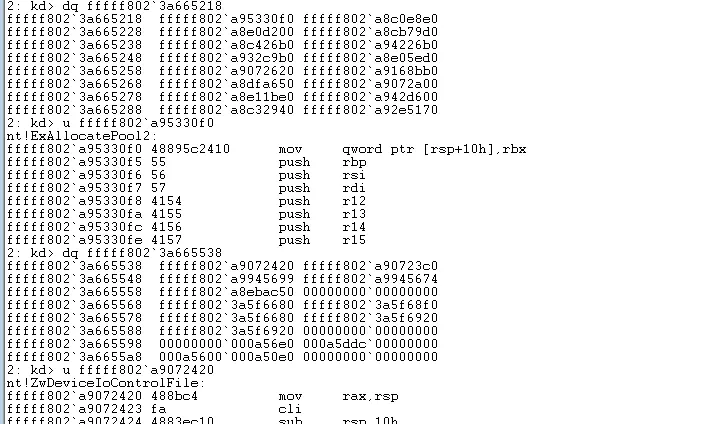
So the flow calls ExAllocatePool2 to allocate memory, then ZwDeviceIoControlFile with that allocation as the output buffer. The two call sites are at offsets 0xF11E6 and 0xF123E from the module base. Reboot and check those two addresses before the allocation happens:
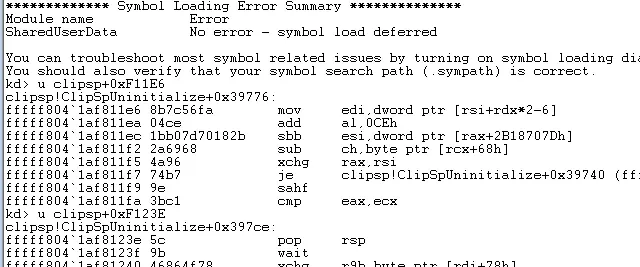
Still not the real code — same story as before. So set the hardware write breakpoint on clipsp+0x9F024, break after login, and re-check 0xF11E6 and 0xF123E:
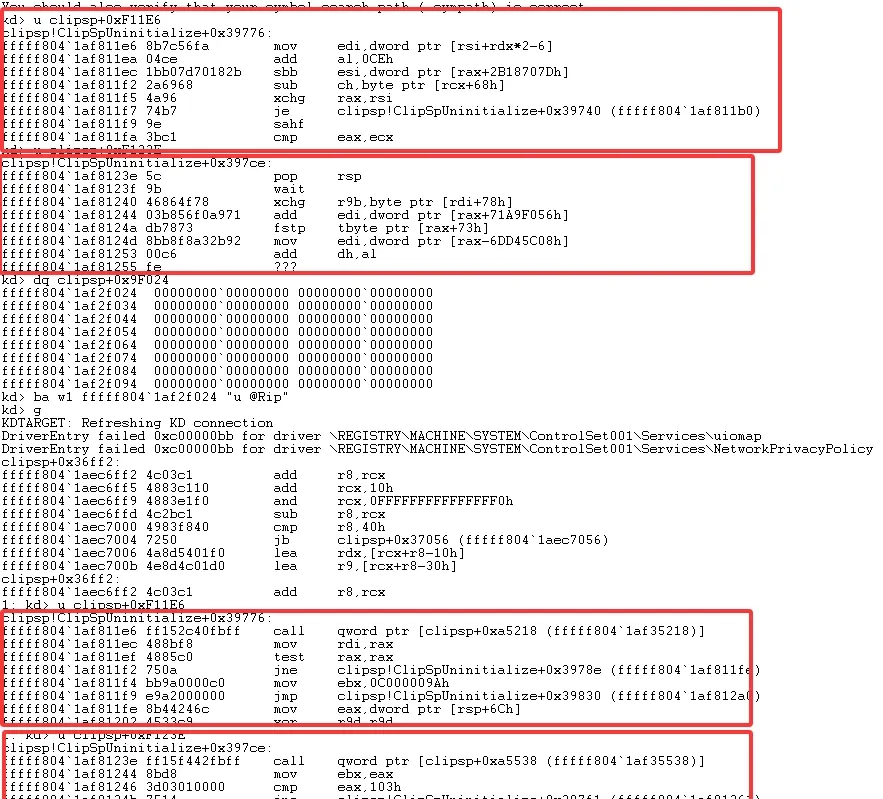
Only when RIP is inside the clipsp module is the code section decrypted. Set software breakpoints on those two addresses:
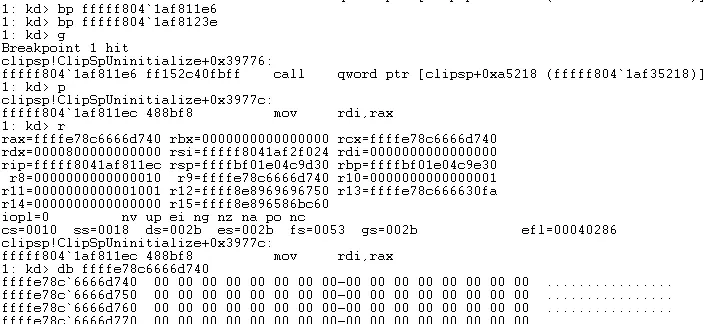
That gives us the address of the allocation used as ZwDeviceIoControlFile’s output buffer. After the call, the buffer receives the disk information:
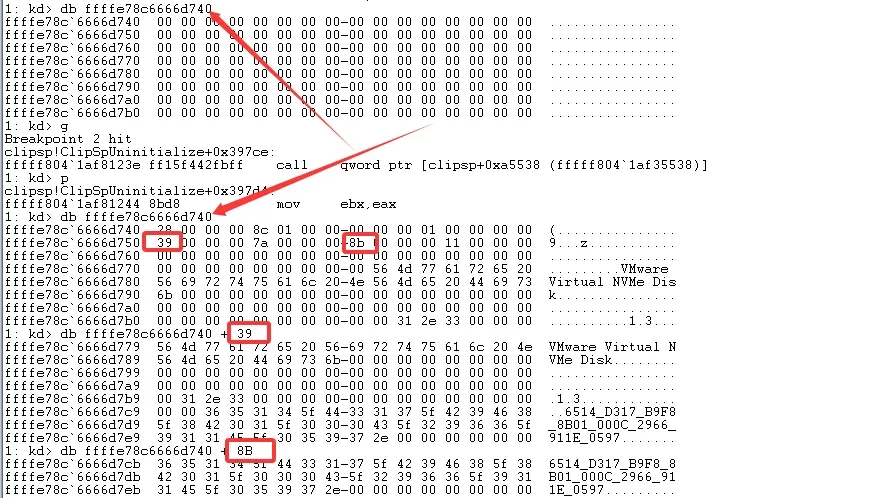
After ZwDeviceIoControlFile, address ffffe78c6666d740 gets the disk name written at +0x39 and the disk serial number at +0x8B. So reboot again and set hardware write breakpoints on +0x39 and +0x8B:
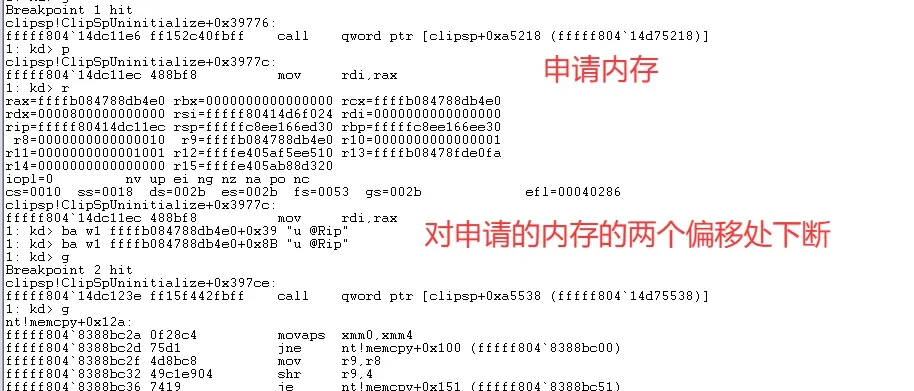
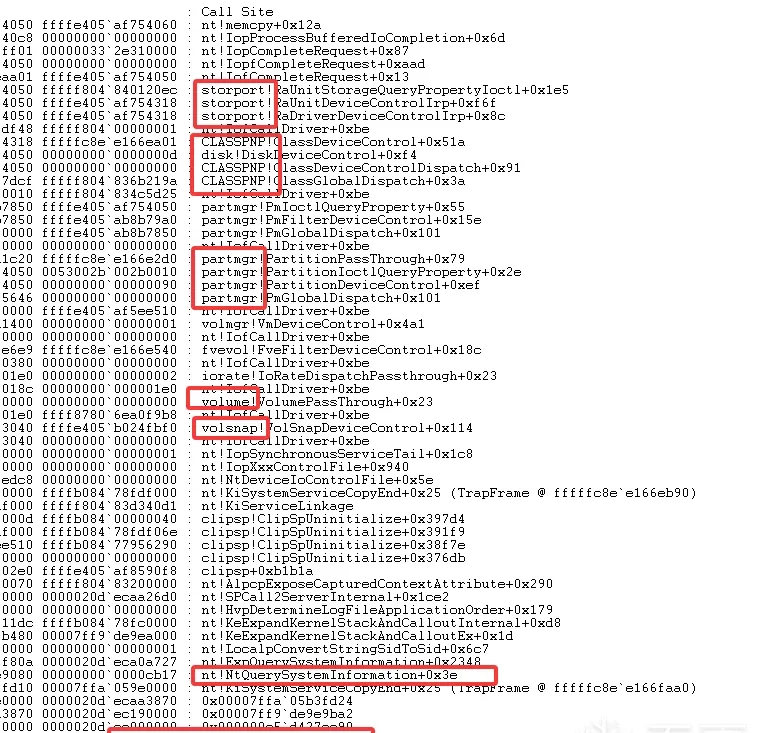
When it breaks, the return stack shows the user-mode DeviceIoControl flow querying with IOCTL_STORAGE_QUERY_PROPERTY — it goes through RaUnitStorageQueryPropertyIoctl (a IOCTL_SCSI_PASS_THROUGH query would instead go through RaUnitScsiPassThroughIoctl). Rather than take that as given, let’s walk the return stack level by level:
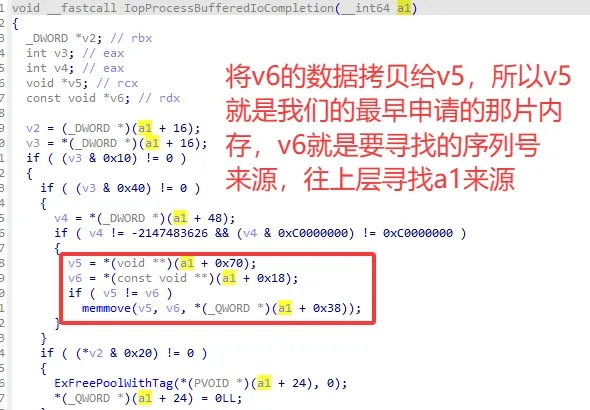

Tracing all the way up runs into trouble, so instead break at the furthest non-nt return address before its call, and inspect the values at 0x70 and 0x18. Reboot, and — before ZwDeviceIoControlFile — set a software breakpoint only on the call to RaUnitDeviceControlIrp, to avoid noise from other system callers:
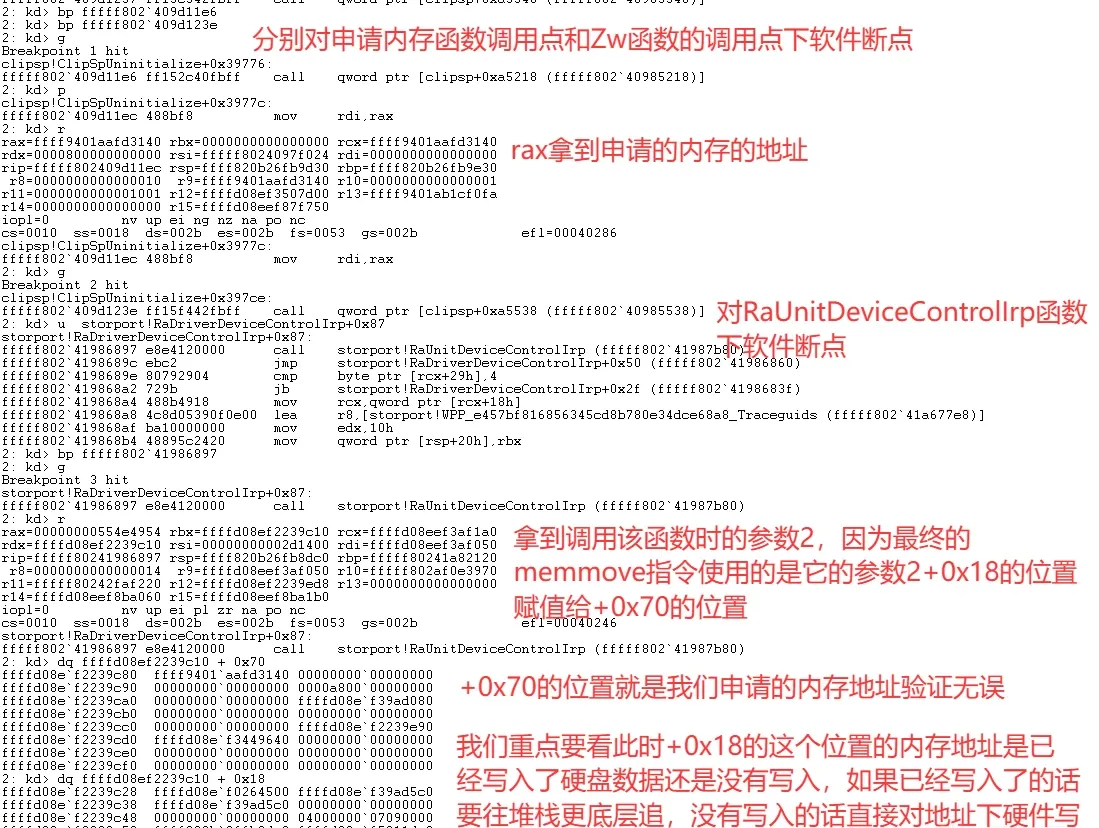
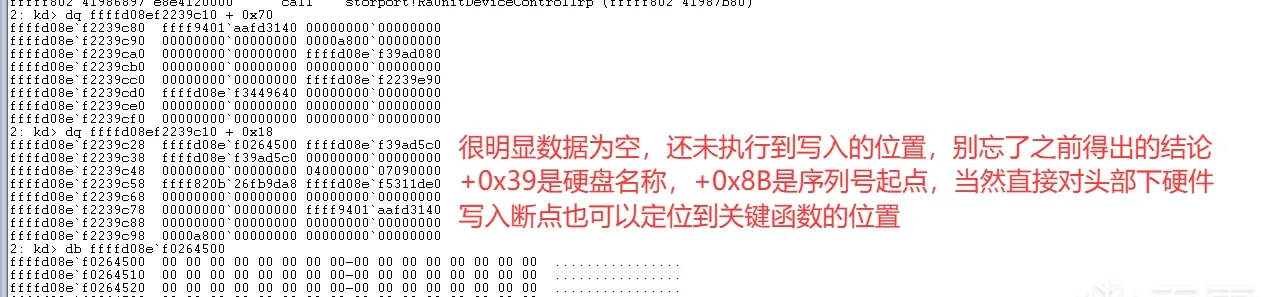
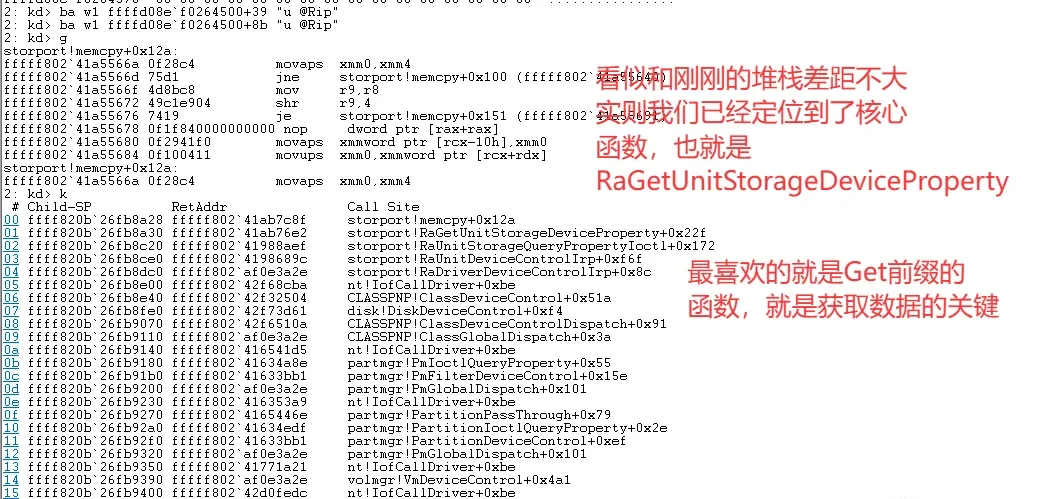
If you’ve never analyzed this function, start with IofCallDriver:
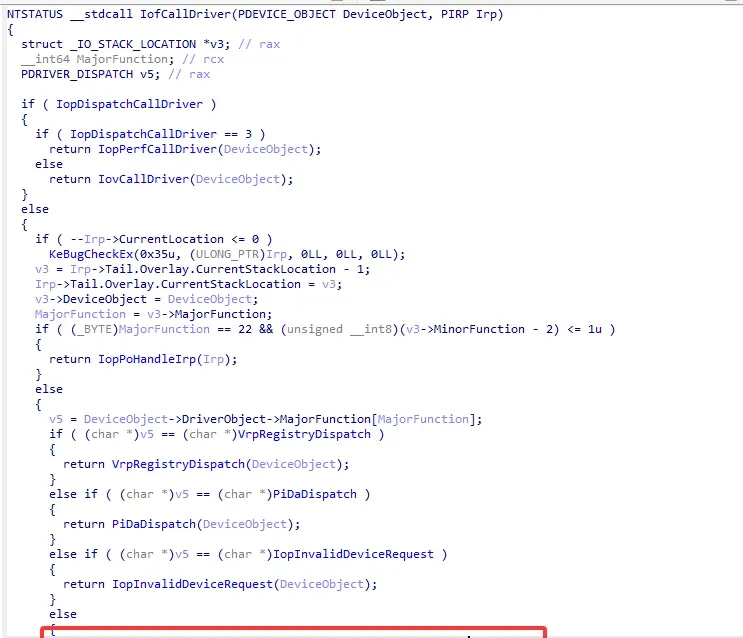
The stack shows IofCallDriver enters RaDriverDeviceControlIrp, so RaDriverDeviceControlIrp’s argument 1 is a DeviceObject. Fix the type in IDA:
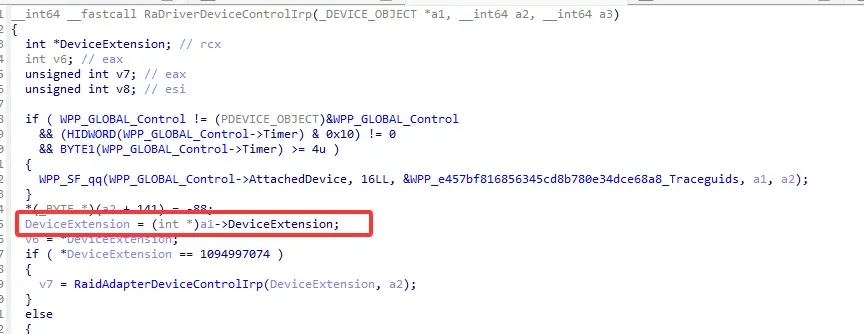
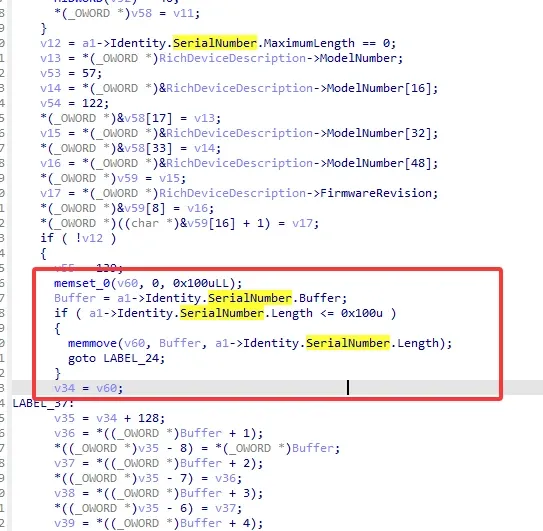
Back in RaGetUnitStorageDeviceProperty, argument 1 is the DeviceExtension — in storport that’s _RAID_UNIT_EXTENSION. Fix that type too:
Reboot once more and set a software breakpoint on RaGetUnitStorageDeviceProperty before ZwDeviceIoControlFile executes:
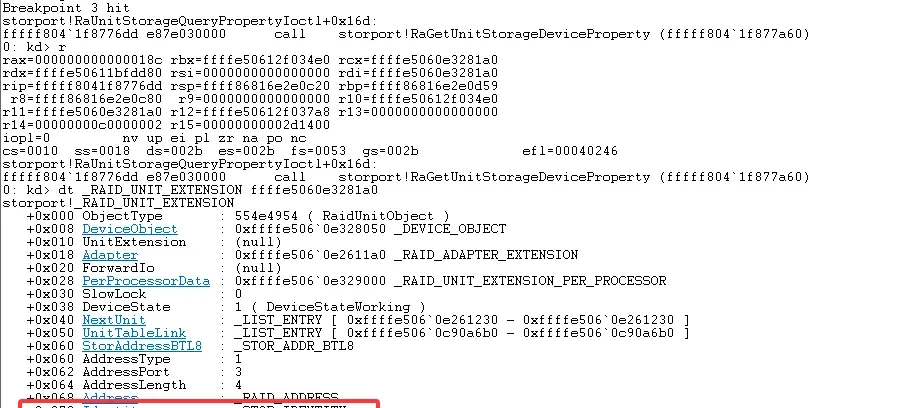

This confirms the serial number stored in ClipSp.sys is copied directly from this structure.
Finally, open DeviceTree, search for RaidPort, click the Device above it, and verify its type is FILE_DEVICE_DISK:
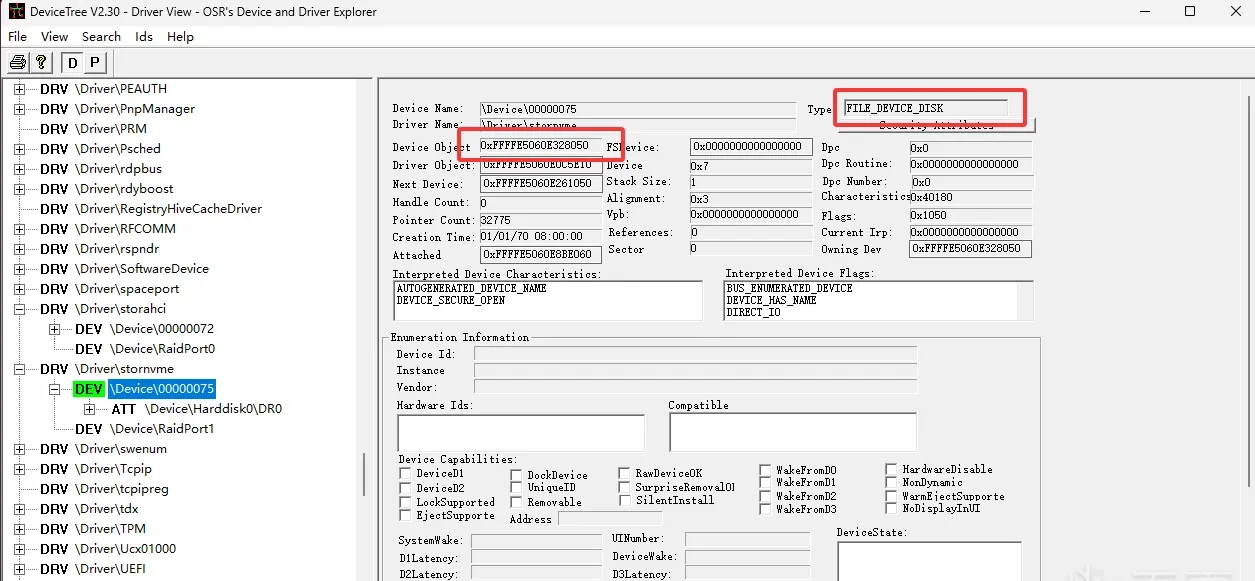
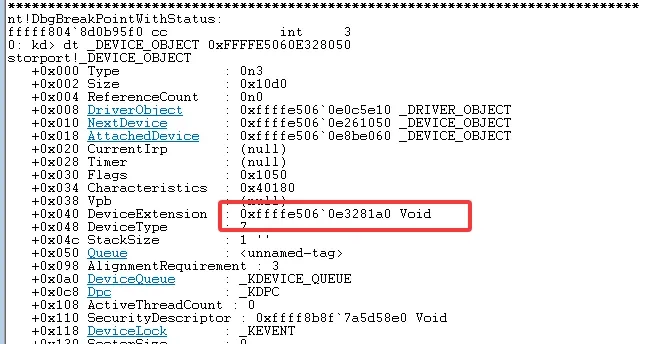
The DeviceExtension we get here matches the one from the debugger — the same _RAID_UNIT_EXTENSION that backs the storage-query path.
Summary
The value in ClipSp.sys isn’t generated by ClipSp.sys itself. It’s allocated by ExAllocatePool2, filled by ZwDeviceIoControlFile with an IOCTL_STORAGE_QUERY_PROPERTY query, and ultimately copied out of storport’s _RAID_UNIT_EXTENSION via RaUnitStorageQueryPropertyIoctl → RaGetUnitStorageDeviceProperty. The tricky part is the runtime-decrypted code section — the disassembly in a static dump doesn’t match what’s actually executing, so this has to be traced live in WinDbg.
Colin Xiao — I take on contract reverse-engineering work, and writeups like this are how I show what I can do. If you need help with anything in this space — including but not limited to the areas I cover above — I’m available. No project is too big or too small — if it’s reverse engineering and I can do it, I’ll take it. DM me on X (@colinxiao_lab) or Telegram (@ColinXiao666).
Get in touch